-
-
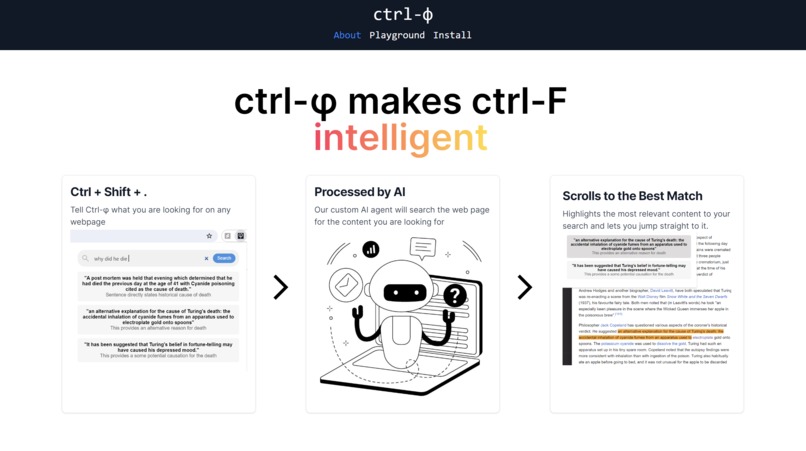
Home Page
-
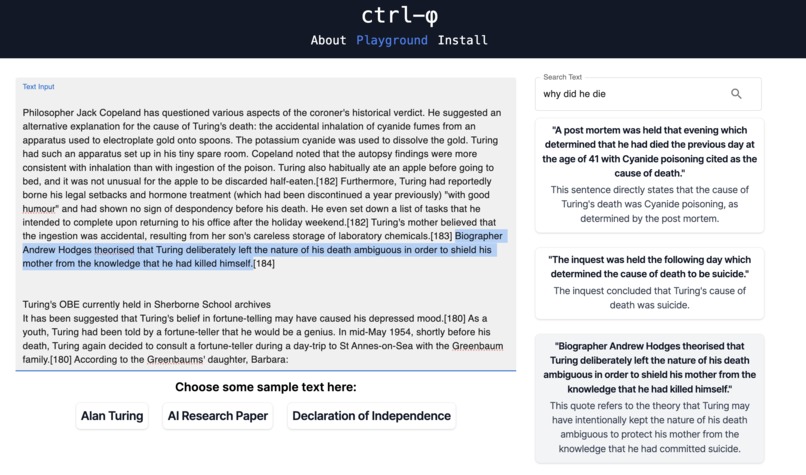
API Playground
-
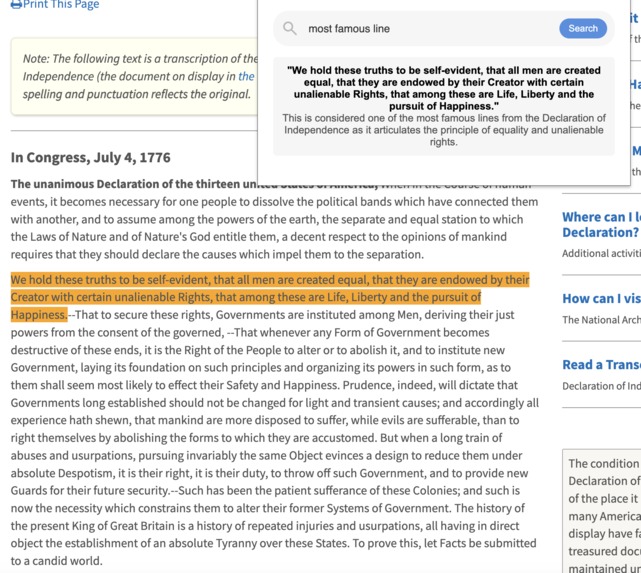
Declaration of Independence Example
-
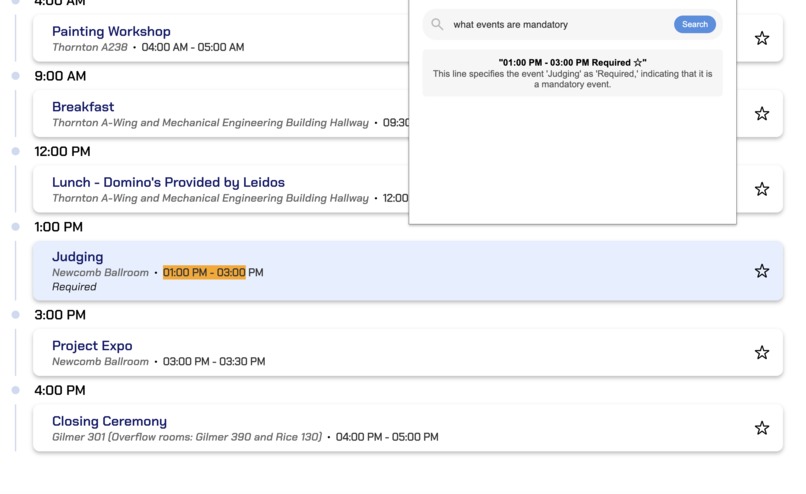
HooHacks Example
-
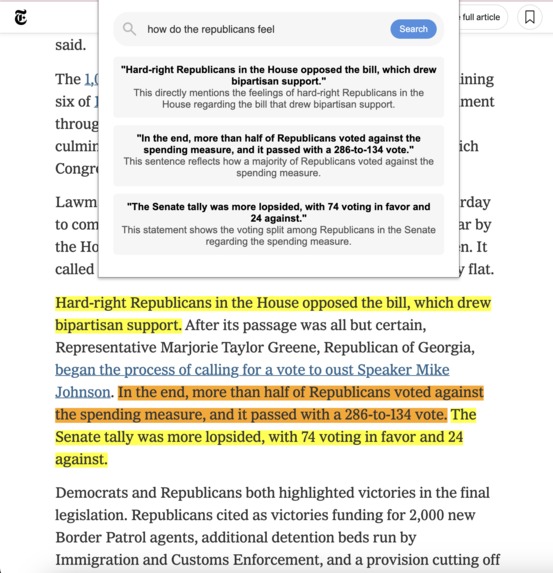
NYT Example


Inspiration
Ctrl + F is one of the most prominent keybinds for efficient learning. Whether it's a Wikipedia page or a historical document, the ability to search through texts in a matter of seconds is a huge time-saver for anyone trying to learn.
However, Ctrl + F necessitates specific text input in order to search. What if you don't remember the exact content of a section? Or what if you have a question about the text you want answered? We wanted a better way to search for content so we set out to create it.
What it does
With Ctrl-Phi, we integrate AI with the Ctrl + F you know and love to make searching through web pages conversational. Simply press Ctrl + Shift + ., type in any query, like you would with ChatGPT, and Ctrl-Phi will scroll you to the part of the page you're looking for.
How we built it
The frontend was built with Nextjs and TailwindCSS, using select MaterialUI components. The Playground tab allows users to experiment with Ctrl-Phi using sets of example text, or any text of their own. It uses dynamic highlighting and scrolling within the text boxes and displays components using the FastAPI response.
In order to analyze text, we engineered a custom Search Agent. This agent uses an LLM alongside agentic AI logic and prompting patterns (based on the principles of "ReAct: Synergizing Reasoning and Acting in Language Models") in order to find direct matching text based on a user's query. The Search Agent can be used with any LLM (due to custom LLM and LLMConfig abstractions) and features token-based chunking to overcome context-window limitations. The SearchAgent also has robust error-handling, utilizes response validation, and relies on reprompting strategies to reduce hallucination.
Challenges we ran into
Minimizing hallucinations was a major challenge for us. Because such hallucinations are an inherent limitation of LLMs, we built tooling to validate output and minimize errors. We also relied on prompting techniques to address this issue.
Another major problem we encountered was the context-window limitation that applies to all LLMs. As we have to supply the reference text to the llm for evaluation, larger texts may exceed token limits for many meaning that no response is returned. To overcome this issue, we used tokenizers to implement chunking of the reference text. Moreover, we created LLM abstractions for modularity so that different llms and context-windows could be used.
Accomplishments that we're proud of
Around the first 8 hours of the hackathon, we worked largely in parallel, on either the chrome extension, the website, the large language models, or our own API. Despite having very different focuses, we managed to all stay on track, discuss big picture ideas as a team, and use pair programming to help one another get unstuck. We're very proud of how our diverse set of tooling came together to form a cohesive project with in such a short timeframe.
What we learned
In addition to learning a lot about each of our respective specializations, we also learned a lot about how to delegate responsibilities and integrate each other's work together. We felt like the scope of our project was relatively good, although we should have considered that certain technologies, like LLMs, are far harder to debug than others.
What's next for Ctrl-Phi
The first advancement would be the ability to scan and sift through PDFs, as many textbooks and educational resources are in the form of PDFs. Second would be the ability to scan and find images on a webpage. And finally, querying videos and jumping to a desired timestamp would be arguably the most distinct and time-saving use case.
Built With
- caddy
- chrome
- css
- fastapi
- html
- javascript
- nextjs
- pidantic
- poetry
- python
- tailwind


Log in or sign up for Devpost to join the conversation.