-
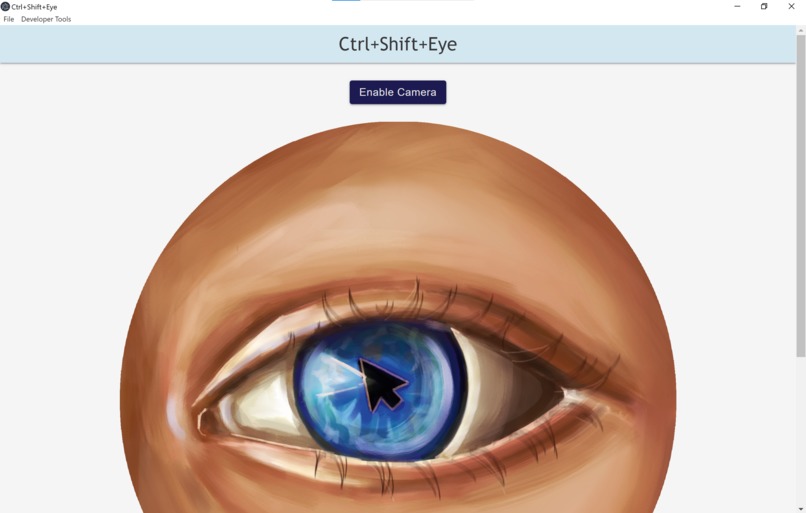
Part of the application launch screen
-
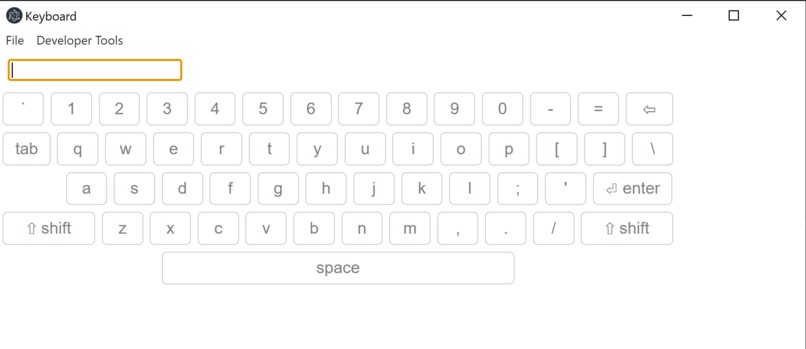
On-screen keyboard user sees if both eyes are closed for two seconds
-
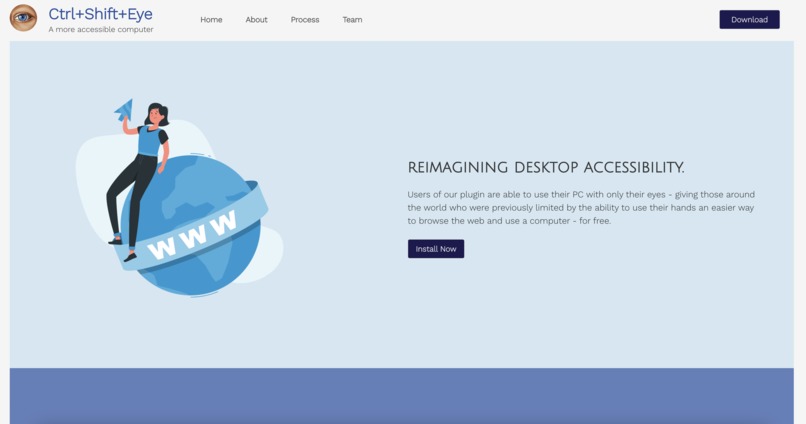
Part of the website, with information about the app and download links


Inspiration
According to a study by the Christopher & Dana Reeve Foundation, nearly 1 in 50 people in the U.S live with paralysis, which is approximately 6.6 million people. Additionally, more than 3 million people worldwide have had an arm amputation. With technology continuing to become a more pronounced part of daily life, we wanted to create an easier way for people who have difficulty using a keyboard and mouse to use a computer. Introducing Ctrl+Shift+Eye:
What it does
Our application is designed to help people who have a hand, arm, or wrist disability to easily be able to control their computer. Currently, we have three main features implemented.
First, since our goal is for people unable to use a keyboard and mouse to be able to control the computer, we allow the user to navigate to where they want to look on the screen by looking at that location. The mouse of the user will move at a custom frames per second rate (fps) to where the user is staring at the screen.
However, when a user is navigating a website, they would sometimes want to read the text on the screen without their cursor moving. We have added this piece of functionality by allowing the enable/disable button for tracking the user to be toggled if both of the user's eyes are closed for 3 seconds.
Next, we have a feature that allows users to left or right click by winking. If the user's left eye is closed, a left click will be performed on the previous cursor location on the screen. If the user's right eye is closed, a right click will be performed on the previous cursor location on the screen.
In order to type, the user simply has to [keybind] and the app will pull up an onscreen keyboard for the user to navigate using the aforementioned gaze tracking utilities. After the user finishes typing, the app will return to where the user was previously, replicate their keystrokes, and press enter.
How we built it
Multiple frameworks, languages, and platforms were utilized to build the application. Python, and specifically, TensorFlow and Keras, were utilized to build the different machine learning models (segmentation, and gaze tracking). On the application front, Electron, along with Node.js, were used to build the application. We also implemented numerous APIs in order to provide as many high-quality features as possible, including RobotJS and electron-virtual-keyboard. We also used React, Bulma, and custom CSS to build the website. Finally, we used domain.com to host our site and GitHub to store our project code.
Challenges we ran into
One feature that we wanted to add into this project is allowing the user to be able to type with their voice. Unfortunately, we were not able to implement this due to problems with live audio transcription that we did not think would be feasible to solve in the allotted 24 hours. However, as an alternative, we were able to pull up the on screen keyboard when the user is clicking a text-view, which would still be able to allow the user to type.
Accomplishments that we're proud of
Some accomplishments that we are proud of are implementing highly-accurate models for segmentation and gaze tracking, and building a working app that implements these models. Additionally, we are proud of creating an attractive website using that includes all the information the user needs to know about the application.
What we learned
This project was a big undertaking for our entire group. We all learned (or learned more about) multiple different technologies. We were able to learn how to implement a CSS library in tandem with our own custom CSS into a React app. Additionally, we improved our ability to utilize components and states to reduce redundancy in code. On the application side, we ran into lots of problems, which really helped us develop our debugging skills and flexibility in implementing alternate solutions. Specifically, we learned how to build a complex Electron app with numerous windows and event calls going on simultaneously - notably passing in and keeping track of video frames in both our models and backend processing. Finally, while building our models, we expanded our research skills in finding viable datasets and processing the data using various python libraries. We used multiple models together (segmentation, eye state, and gaze tracking) to achieve the most accurate results.
What's next for Ctrl+Shift+Eye
We plan on making our gaze tracking model more accurate by researching more model frameworks. Additionally, we would like to train our model on a dataset where the coordinates returned by the model could be more easily translated and personalized to the user's screen size.
Furthermore, we would like to be able to implement verbal commands into the application, so that it is easier for the user to navigate without having to redirect to the app all the time.
Built With
- bulma
- css3
- electron
- html5
- javascript
- keras
- machine-learning
- node.js
- python
- react
- robotjs
- sklearn
- tensorflow





Log in or sign up for Devpost to join the conversation.