-
-
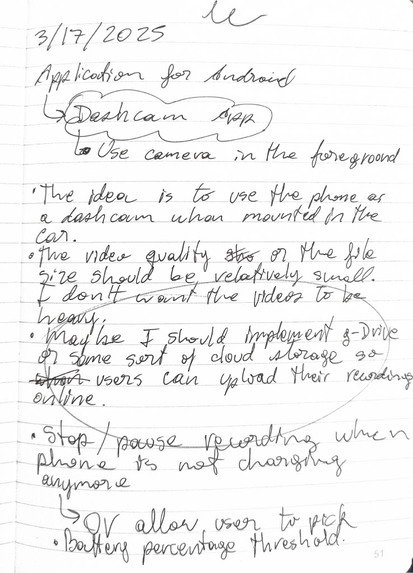
Initial idea for the app
-
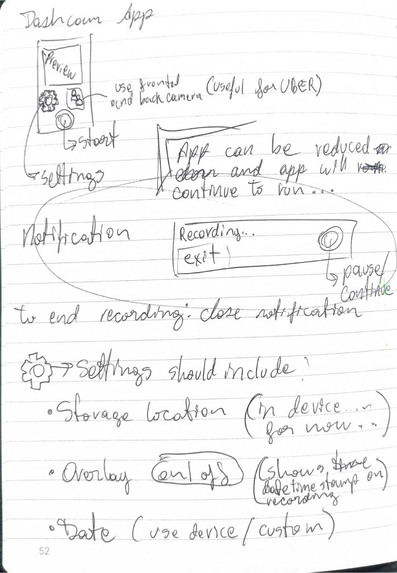
Planning the app early this year
-
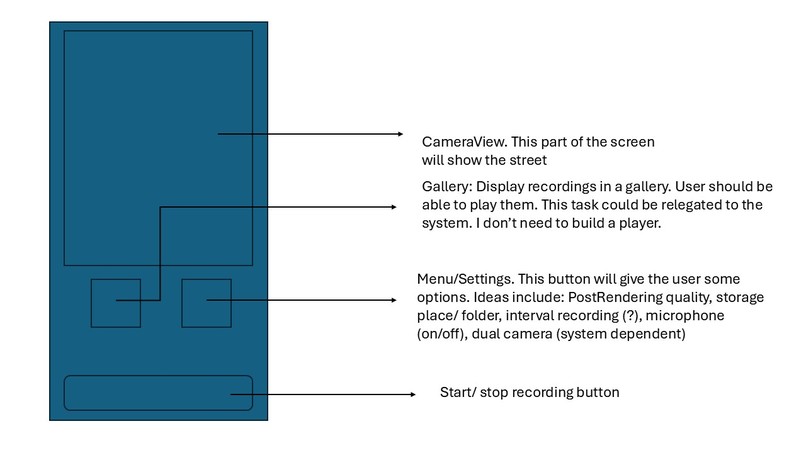
-
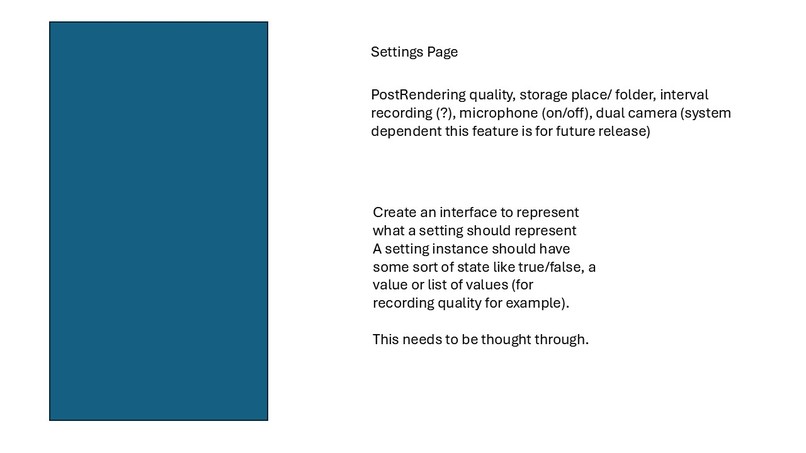
-
-
-
-
-
-
-
-


DashCam Application - Project Overview
Inspiration
The idea for this dashcam application was sparked by a combination of factors:
- Personal experience with a low-quality, unreliable dashcam from a thrift store.
- Understanding that even the best dashcams may use somewhat outdated technology and come from similar manufacturers.
- A coworker's story of being unfairly ticketed and wishing for a dashcam to provide evidence.
What it does
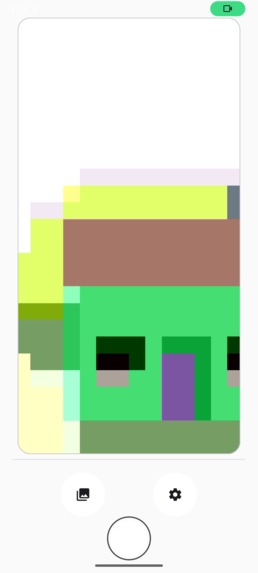
The application leverages the high-quality cameras of smartphones to function as a dashcam. It aims to provide users with a reliable and convenient way to record their driving experiences with features including:
- Continuous video recording with high-quality output (HD, FHD, UHD)
- Dual-camera mode for simultaneous front and rear recording
- GPS-based speed tracking and trip logging
- Gallery for browsing and managing recorded videos
- Google Drive cloud backup with intelligent upload queue
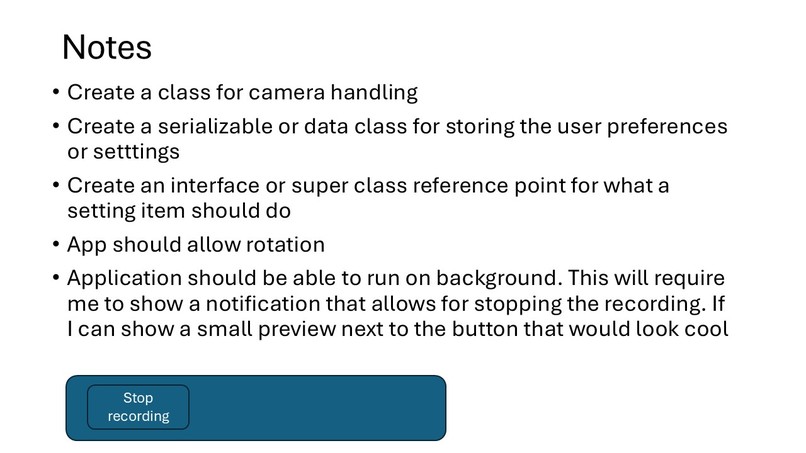
- Background recording that continues when the app is minimized
- Real-time notifications with recording controls
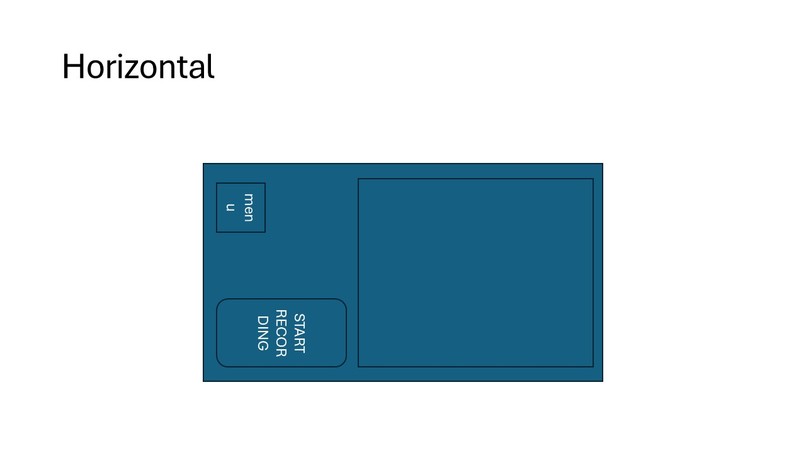
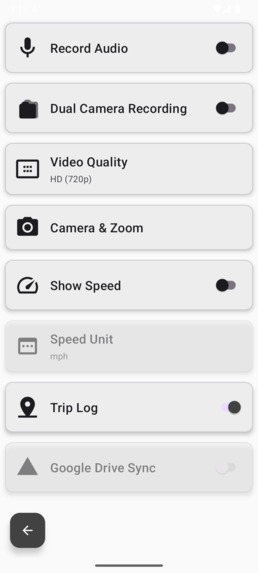
- Configurable settings for audio, video quality, and speed display
How we built it
The application was built using modern Android development practices with Kotlin and AndroidX libraries. We leveraged Kiro AI as a development partner throughout the entire process, using a combination of approaches:
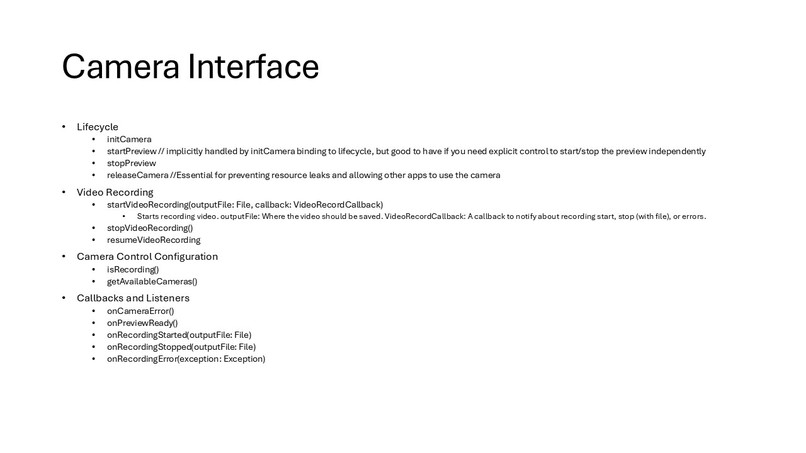
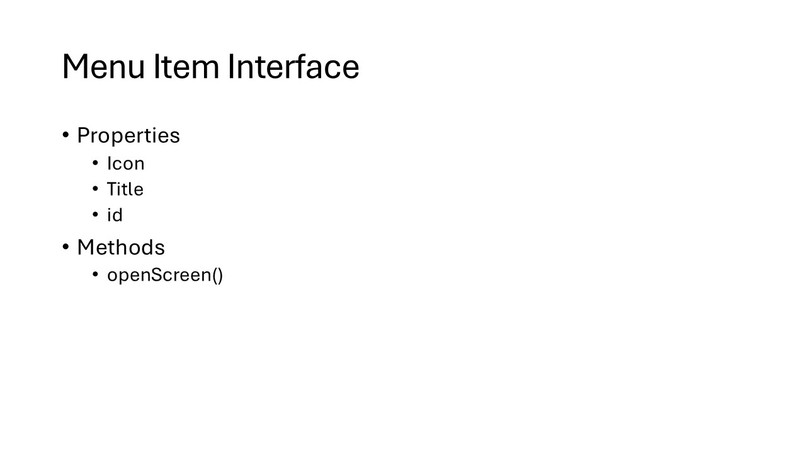
- Interface-driven architecture: Every service layer component implements a well-defined interface, following SOLID principles for maximum testability and maintainability
- Hybrid camera implementation: CameraX for smooth foreground preview and Camera2 API for reliable background recording that persists when the app is minimized
- Spec-driven development: Complex features like Google Drive sync, trip logging, and dual-camera recording were built using structured specifications with clear requirements, design, and implementation tasks
- Vibe coding: Rapid prototyping and iterative refinement for UI improvements and bug fixes through conversational development
- Steering documents: Created architectural guidelines that ensured consistent code quality and design patterns across all features
- Agent hooks: Automated code quality analysis that provided real-time feedback during development, catching issues immediately
The tech stack includes Kotlin 2.0.21, CameraX 1.5.0, Camera2 API, AndroidX libraries, Material Design Components, and Gradle with Kotlin DSL. The codebase is organized in a feature-based structure with clear separation between screens, services, models, and interfaces.
Challenges we ran into
Background Recording Lifecycle: The biggest technical challenge was CameraX releasing camera resources when the app was backgrounded. This is a fundamental limitation of CameraX's Activity-bound lifecycle. We solved this by implementing a hybrid approach—using CameraX for the foreground preview and Camera2 API for background recording through a foreground service. This required deep understanding of both camera APIs and careful resource management.
Dual Camera Coordination: Implementing simultaneous front and rear camera recording was complex, requiring proper synchronization of two camera sessions, handling different device capabilities, and managing concurrent video encoding. The DualCameraManager class handles over 300 lines of sophisticated camera coordination logic with proper lifecycle management and error recovery.
Interface Architecture Consistency: Maintaining 100% interface coverage across all service components required discipline. We created steering documents to guide Kiro in always generating interface-first implementations, which paid off with a highly testable and maintainable codebase.
Storage and Performance: Managing continuous video recording while monitoring storage space, handling low storage scenarios gracefully, and ensuring smooth performance without draining battery required careful optimization and background thread management.
Cloud Integration Complexity: Implementing Google Drive OAuth authentication, upload queue management with retry logic, network-aware uploading, and storage quota monitoring involved coordinating multiple Android APIs (WorkManager, AccountManager, Drive API) with proper error handling.
Accomplishments that we're proud of
Professional-Grade Architecture: Achieved 100% interface coverage across all service layer components with 10+ well-defined interfaces. The codebase follows SOLID principles throughout, making it highly testable, maintainable, and ready for dependency injection frameworks like Hilt or Koin.
Complex Feature Implementation: Successfully implemented advanced features that rival commercial dashcam apps:
- Dual-camera recording with synchronized front and rear cameras
- GPS-based trip logging with SQLite persistence
- Google Drive cloud sync with intelligent upload queue management
- Background recording that survives app backgrounding and screen-off states
- MediaStyle notifications with real-time status updates
Hybrid Camera Solution: Created an innovative hybrid approach combining CameraX and Camera2 APIs that leverages the strengths of both—CameraX's simple preview management and Camera2's lifecycle-independent recording capabilities.
Development Velocity: Built a production-ready application with multiple complex features in a fraction of the time traditional development would require, while maintaining high code quality and minimal technical debt.
Kiro Integration Mastery: Demonstrated effective use of all Kiro features—vibe coding for rapid iteration, spec-driven development for complex features, steering documents for architectural consistency, and agent hooks for automated quality assurance.
What we learned
AI-Assisted Development Workflow: Learned that the most effective approach combines spec-driven development for complex features with vibe coding for refinements. Specs provide structure and completeness, while conversational development enables rapid iteration and polish.
Steering Documents Are Transformative: The interface-first architecture steering document had the biggest impact on code quality. Having Kiro automatically enforce architectural patterns prevented technical debt and ensured consistency across all features.
Agent Hooks Enable Continuous Quality: Real-time code quality analysis through agent hooks represents a paradigm shift—having an AI pair programmer that continuously reviews and suggests improvements as you code catches issues before they become problems.
Android Camera APIs: Gained deep understanding of both CameraX and Camera2 APIs, their strengths and limitations, and when to use each. CameraX is great for UI-bound scenarios, but Camera2 is necessary for lifecycle-independent operations.
Interface-Driven Development: Experienced firsthand how interface-first architecture improves testability, flexibility, and maintainability. Every service being mockable made testing straightforward and enabled future enhancements like swapping cloud storage providers.
Foreground Services and Notifications: Learned the intricacies of Android foreground services, MediaStyle notifications, and how to create polished, non-dismissible notifications that provide real-time status updates and control actions.
What's next for Dash Cam application
Enhanced Cloud Features: Expand cloud storage support beyond Google Drive to include AWS S3, Dropbox, and OneDrive by leveraging the existing CloudStorageService interface. Add automatic cloud backup with configurable schedules and intelligent WiFi-only uploading.
Advanced Trip Analytics: Build comprehensive trip analytics with route visualization on maps, speed graphs, acceleration/braking analysis, and driving behavior insights. Export trip data in standard formats (GPX, KML) for use with other applications.
Incident Detection: Implement automatic incident detection using accelerometer data to detect sudden impacts or hard braking. Automatically protect and flag important recordings, and optionally send emergency notifications with location data.
Video Enhancement Features: Add video stabilization, HDR recording, time-lapse mode, and slow-motion capture. Implement in-app video editing with trim, merge, and annotation capabilities.
Multi-Device Sync: Enable synchronization across multiple devices, allowing users to access their recordings from any device. Implement a companion web app for viewing and managing recordings from a desktop browser.
AI-Powered Features: Integrate machine learning for license plate recognition, object detection (pedestrians, vehicles, traffic signs), and automatic highlight generation of interesting moments during trips.
Wear OS Integration: Create a Wear OS companion app for quick recording control, trip status monitoring, and incident alerts directly from a smartwatch.
Testing and Quality: Implement comprehensive unit tests and integration tests using the mockable interface architecture. Add property-based testing for critical correctness properties and automated UI testing with Espresso.
Built With
- android-studio
- kiro
- kotlin


Log in or sign up for Devpost to join the conversation.