-
-
Title
-
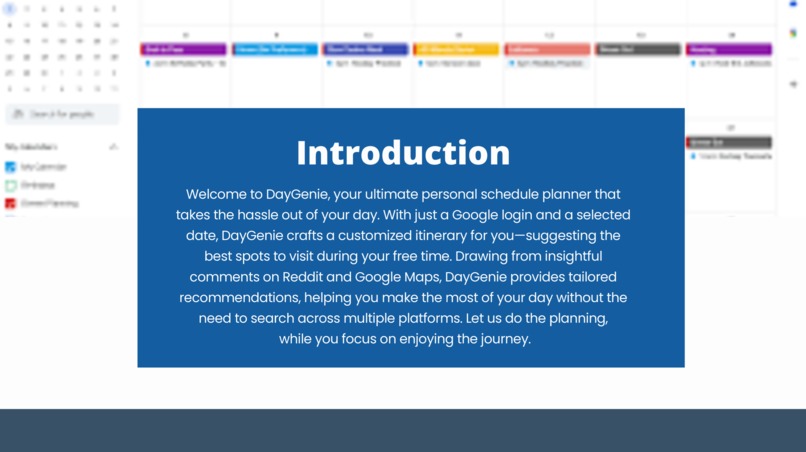
Introduction of our model
-
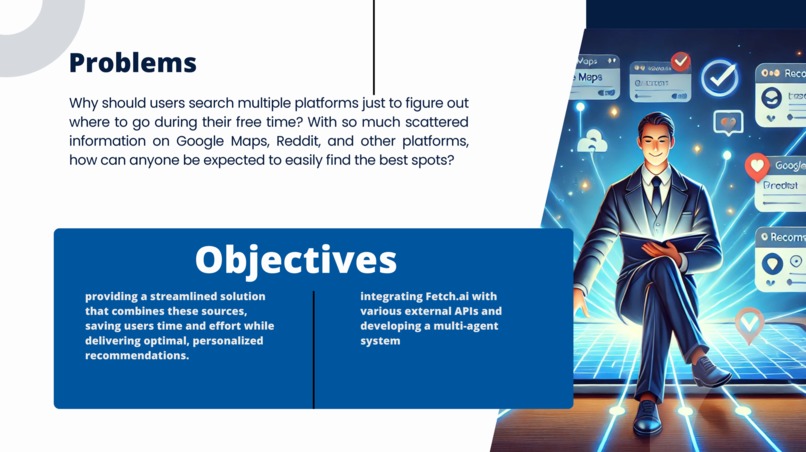
problems we solve and objectives
-
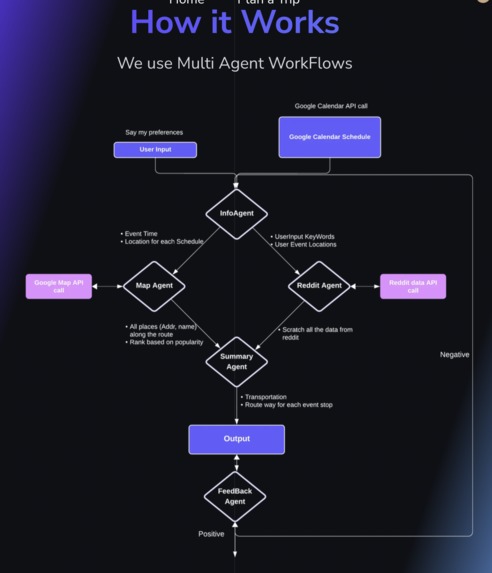
Multi Agent Workflow Chart


Inspiration
The inspiration for our auto-scheduling project emerged from the increased need for automated and personalized recommendations in travel planning tools. We recognized that multi-agent LLMs hold immense potential to tackle complex tasks such as personalized scheduling. This potential drove our team to want to explore how these models could offer solutions that can integrate into daily life problems. We were also inspired to create this app because of the tediousness of scheduling, and we recongized that our tool could save lots of time.
Our Goal
We aim to simplify the process of planning trips and transport for important trips. We also want to introduce users to popular and fun locations along the way. DayGenie automatically generates recommendations based on user preferences and user schedule.
How we built it (Structure of our model)
Agent Workflow
DayGenie is constructed as a decentralized multi-agent large language model. We defined 5 LLM Agents (InfoAgent, MapAgent, RedditAgent, SummaryAgent, Feedback Agent), each with specific prompting for their purpose.
User Input: user preference(str), google calendar schedule(google calendar API call)
- InfoAgent: Fetches User Input, generate prompts for MapAgent and RedditAgent.
- MapAgent: Find the location of events happening in the calendar.
- RedditAgent: Call Reddit API, fetch and analyze reviews based on the important keyword input.
- SummaryAgent: Calculates the transportation(time, cost)/ recommendations based on locatison and preferences.
- FeedbackAgent: Get physical feedback from the user, if negative run model again/ else output is provided to the user.
Model Output: A list of personalized recommendations of Transportation, Restaurant/Cafe/Event places.
Conversation construction
We used Fetch AI to facilitate conversations and communication between our agents. We designed each agent to solve their own specific tasks and then pass results onto other in our workflow.
Website construction
Our website is constructed using Next.js and Tailwind CSS. We built an intuitive and attractive user interface using these tools. While we have not deployed the website yet, we plan on doing so in the future.
Challenges we ran into
- Number of Agents: How many Agents should we define?
- Reducing Hallucinations of Agents: How do we handle hallucinations generated by large language models..?
- Understanding Fetch AI We had some issues understanding the structure of Fetch AI and how to use it most effectively.
Accomplishments
During this Hackathon, the major accomplishment was successfully generating conversations between the agents we designed. By calling Google Calendar API, user input, Google Map API, and reddit API, we could successfully generate output recommendations for users.
Towards the end of the project, we were also able to add a feedback agent, which plays a crucial role in ensuring that users receive the exact information they are seeking from our application.
Finally, our team cooperation made all of this possible, which we could learn a lot from each other and have fun participating on this project.
What's next for DayGenie
- Feedback on website: We did not have enough time to add the feedback sign on the frontend website. We will work further to generate getting the feedback from the users so that we can call the feedbackAgent in the website.
- Speech to text generation: DayGenie can only get input by text till now. The next step is to recognize speech from the user and input it as user preference.
- Addition of ScoringAgent: To ensure quality recommendations, we make a ScoringAgent to evaluate the generated output.
- Fine-tune the DayGenie model to foster better abilities.
Built With
- css
- google-calendar
- google-maps
- javascript
- large-language-model
- natural-language-processing
- python


Log in or sign up for Devpost to join the conversation.