-
-
-
-
LOGO


Inspiration: The Aura Ecosystem
Web inaccessibility is a two-sided problem: it affects those who create content and those who consume it. Our inspiration was to create the Aura Ecosystem, a 360-degree solution to this challenge.
- DevAura (This Project): The tool for creators. Our AI copilot integrates into the developer's workflow to build natively accessible websites, fixing the problem at the source.
- Aura Vision (Our Companion Concept): The tool for users. An accessibility suite that uses AI to break down existing barriers on today's web in real-time.
DevAura builds an accessible future. Aura Vision makes the present navigable. Together, they form our complete solution for a web that is truly for everyone.
What it Does
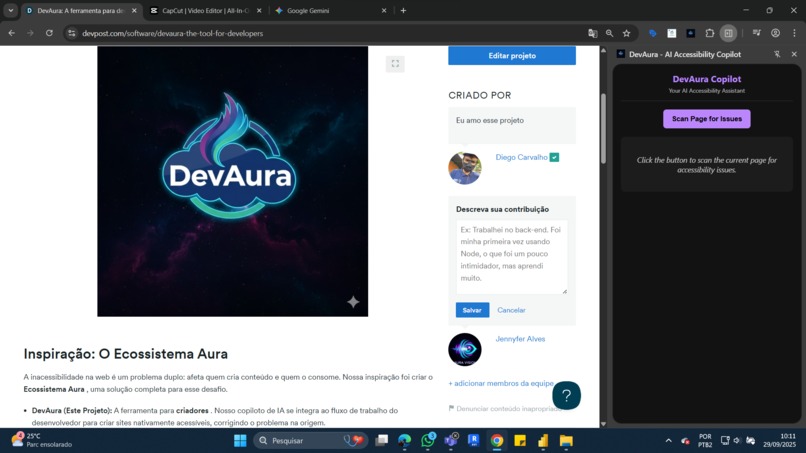
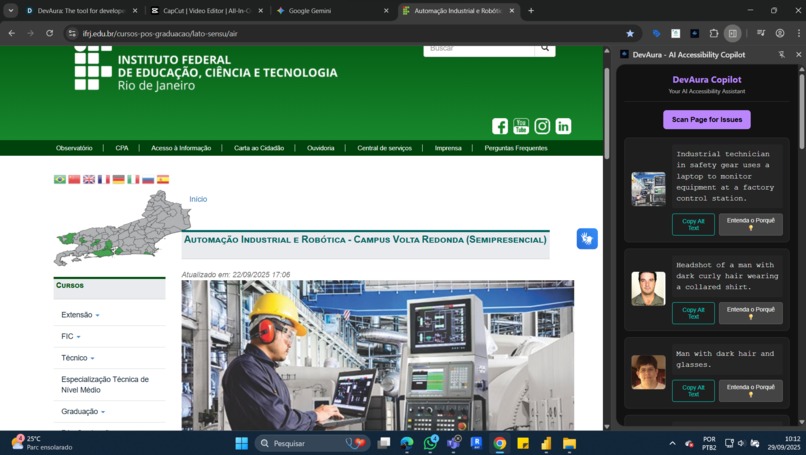
DevAura is a Google Chrome Extension that acts as a real-time accessibility assistant for web developers.
🤖 AI-Powered Alt Text Generation: When scanning a page, DevAura identifies all images without alternative text. It then uses the Google Gemini API's multimodal capabilities to analyze each image and generate rich, context-aware
alt textsuggestions instantly.💡 Semantic "Understand Why" Feature: For each error, DevAura doesn't just suggest a fix—it teaches. By clicking the "Understand Why 💡" button, the developer gets an AI-generated summary explaining the accessibility principle. This is powered by a custom knowledge base and Google's Gemini Embeddings API, which performs a semantic search to find the most relevant official documentation (like MDN) for the specific error.
How We Built It
DevAura is a modern Chrome Extension built with Manifest V3.
- A
content.jsscript scans the live DOM of a developer's webpage, identifying accessibility issues like missingalttags. To bypass CORS issues, it fetches image data and converts it to Base64. - The image data is sent to our
background.jsservice worker. This is the brain of the operation. - The
background.jsorchestrates two parallel AI tasks:- It calls the
gemini-2.5-flashmodel to generate a high-qualityalt textsuggestion. - It uses the
text-embedding-004model to convert a query about the issue (e.g., "importance of alt text") into a vector. It then performs a local cosine similarity search against a pre-compiledknowledge_base.jsonfile to find the most relevant educational article.
- It calls the
- The results from both tasks are bundled and sent to the Side Panel UI, which is built with HTML, CSS, and JavaScript. The UI then dynamically renders the results, including the suggestion and the "Understand Why" section.
Challenges We Ran Into
Our journey was a masterclass in real-world debugging. We faced and overcame several challenges:
- Rapid API Evolution: We initially used older Gemini model names that were quickly deprecated, forcing us to research and adapt to the latest stable versions (
gemini-2.5-flash). - API Key Permissions: We troubleshooted a persistent 404 error that turned out to be a Google Cloud project configuration issue, leading us to use the more direct Google AI Studio API key.
- Silent Errors: We had a "stuck in loading" bug that was ultimately traced back to a single typo in an API URL. This taught us the critical importance of using the Service Worker console for debugging background scripts.
What We Learned
We learned that building a great developer tool isn't just about finding errors—it's about providing clear, actionable, and educational feedback. The integration of Gemini Embeddings was a breakthrough, transforming DevAura from a simple linter into a genuine learning platform. We also learned that persistence in debugging is a developer's most valuable skill. This project solidified our understanding of building robust, event-driven applications with the Chrome Extension API and modern AI services.
Built With
- accessibility
- ai
- chrome-extension-api
- css3
- gemini
- google-gemini-api
- html5
- javascript
- machine-learning
- manifest-v3
- node.js



Log in or sign up for Devpost to join the conversation.