-
-
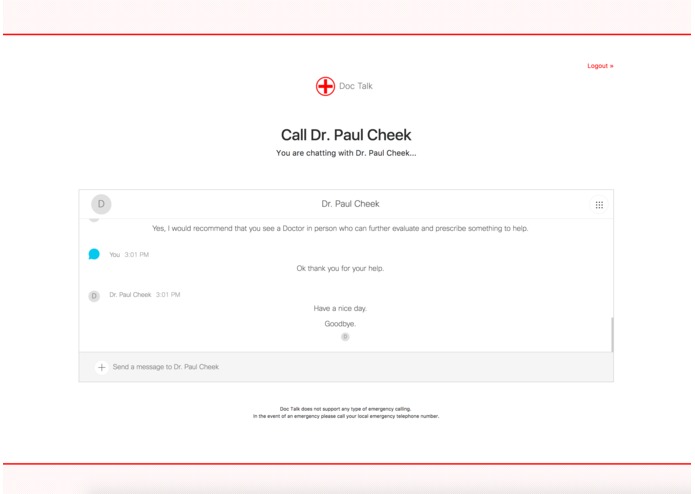
Chat
-
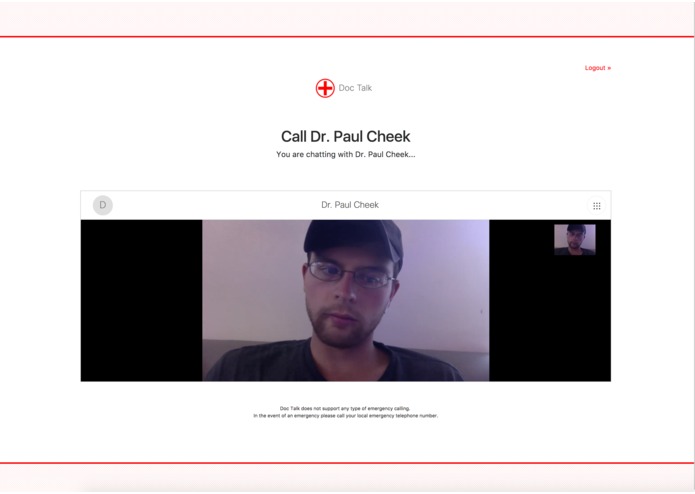
Video Call


Inspiration
This app was inspired by the hackathon's Healthcare prompt: "Develop a video platform that pairs patients with available practitioners for virtual consultations."
What it does
Doc Talk creates a Cisco Spark conversation with chat, voice, and video capabilities using the Cisco Spark web widget to allow a healthcare provider to conduct a remote consultation with patients via an online marketplace.
How I built it
I began by creating an OAuth application that integrates with Cisco Spark. Then I created a directory of available healthcare providers from which users can choose. Once a healthcare provider was chosen I launched an instance of the Cisco Spark web widget to facilitate the chat, file upload, voice, and video functionality between the patient's browser and the healthcare provider's Cisco Spark account.
Challenges I ran into
The browser demo application for the Cisco Spark JS SDK seems to be outdated as it causes an error during runtime that I could not overcome. Instead I used the Cisco Spark web widget, which worked very well.
Unsure if Cisco Spark is HIPAA compliant...
Cisco Spark Doc Talk Integration
Doc Talk is a chat, voice, and video system that matches patients with available health care professionals for remote consultations.
Don't have a primary care doctor or need help remotely right now? Doc Talk can connect you with a health professional quickly for only $5/minute. Chat live with our health professionals via chat, voice, and video using Cisco Spark.
Doc Talk charges patients $5/minute and pays health professionals $4/minute. Companies can offer Doc Talk as a healthcare benefit to their employees and cover the costs of employee consultations.
Try It
To try Doc Talk - follow these steps:
Login to Doc Talk: https://cisco-spark-doc-talk.herokuapp.com
Choose a healthcare professional who you would like to speak with.
The virtual consultation will begin momentarily.
In the demo, the Doctors are not real so you can modify the URL to use another person's Cisco Spark account like so:
https://cisco-spark-doc-talk.herokuapp.com/?email=EMAIL_ADDRESS_HERE
Or you can try to chat with me: https://cisco-spark-doc-talk.herokuapp.com/[email protected]
Getting Started
There are a few steps to get started on working with the Cisco Spark Doc Talk Integration:
Installing Cisco Spark Doc Talk Integration
Clone this repository:
git clone https://github.com/pcheek/cisco-spark-doc-talk.git
Install dependencies:
cd cisco-spark-doc-talk
npm install
Environment Setup
You need to define these environment variables:
INTERNAL_CISCO_SPARK_INTEGRATION_ID = 'doctalk'
MONGOLAB_URI
INTERNAL_CISCO_SPARK_INTEGRATION_TITLE = 'Doc Talk'
INTERNAL_CISCO_SPARK_INTEGRATION_DESCRIPTION
INTERNAL_CISCO_SPARK_INTEGRATION_LOGIN_TEXT
DOMAIN
CISCOSPARK_CLIENT_ID
CISCOSPARK_CLIENT_SECRET
Usage
To start, run npm start.
To use Doc Talk follow these steps:
- Login to the Doc Talk Cisco Spark Integration
- Choose a Doctor who you would like a consultation with.
- Wait for the virtual consultation to begin.
- Use the Cisco Spark widget interface to send messages, files, and initiate video calls.
- Logout when you are finished.
About Doc Talk Integration for Cisco Spark
The Doc Talk Integration for Cisco Spark is a project for the Cisco Spark Industry Challenge


Log in or sign up for Devpost to join the conversation.