-
-
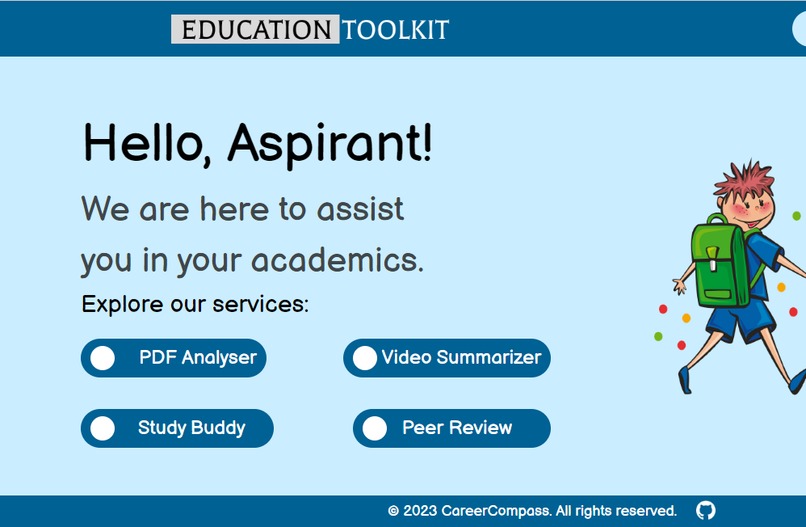
our homepage
-
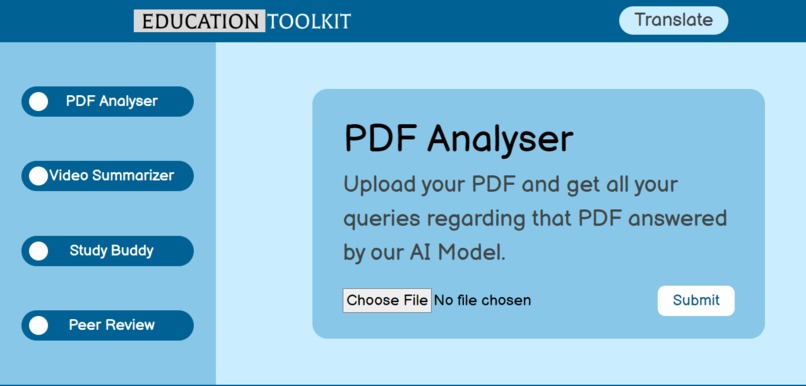
pdf analysser
-
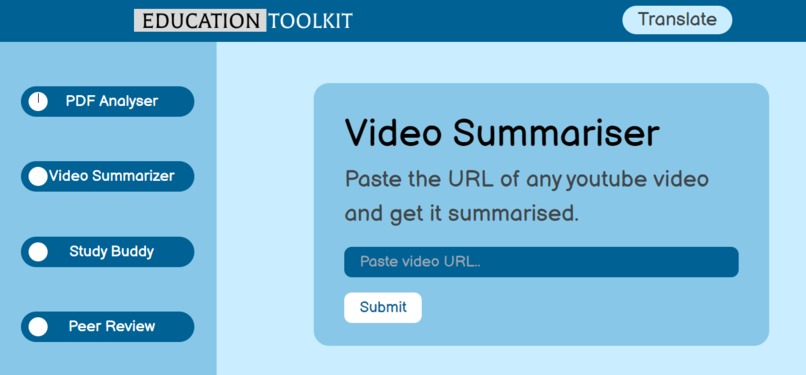
video summariser
-
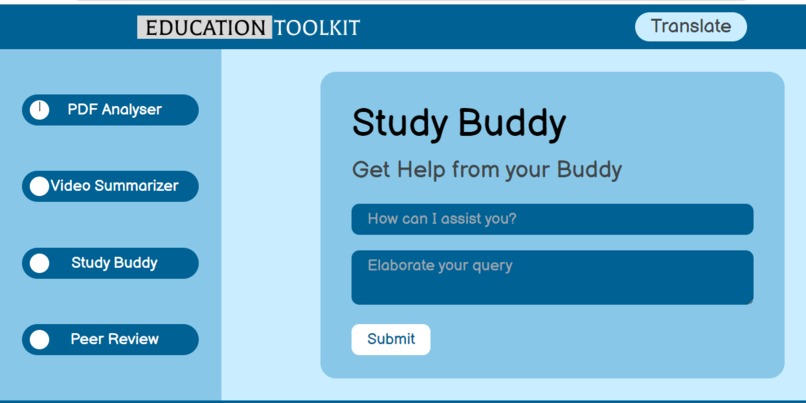
your study budy


Inspiration
The inspiration behind Education Toolkit stemmed from the desire to address common challenges faced by students in their educational journey. The team recognized that modern technology, especially artificial intelligence, could be harnessed to create a comprehensive platform that would make learning more accessible, efficient, and engaging specially in the world where education is playing amajor role in shaping teh future. The team saw the need for a multifaceted tool that would assist students in various aspects of their education, from analyzing and understanding complex PDF documents to summarizing educational videos and providing study support.
What it does
Education Toolkit is a versatile platform designed to empower students in their learning endeavors. It offers a range of features that cater to different aspects of the educational process:
PDF Analyzer: This feature allows users to upload PDF documents, which are then analyzed by AI algorithms. Students can extract key information from these documents and ask questions related to the content. The AI-powered PDF Analyzer provides answers based on the information contained in the PDF, making it easier for students to comprehend and engage with complex material.
Video Summarizer: Users can input links to educational YouTube videos, and the platform's AI algorithms generate concise summaries of the video content. This feature helps students save time and quickly grasp the key concepts presented in lengthy videos.
Study Buddy: Study Buddy assists users in reviewing their assignments and resolving doubts. By leveraging AI capabilities, it provides personalized support to students, enhancing their understanding of academic materials.
Peer Review (Planned): The future addition of a peer review feature will enable students to collaborate with their peers. They can review each other's work, share insights, and offer assistance, fostering a collaborative learning environment.
How we built it
Education Toolkit was developed using a combination of technologies and methodologies:
Frontend: React was chosen for the frontend to create a responsive and user-friendly interface. Figma was used for UI/UX design, ensuring an intuitive and visually appealing user experience.
Backend: Django, a powerful Python web framework, served as the backend infrastructure. It provided the necessary functionalities to handle user requests, process data, and interact with AI models.
Artificial Intelligence: The platform's core functionalities, such as PDF analysis, video summarization, and study support, rely on AI models from OpenAI and Hugging Face Hub. These models were integrated into the system to provide intelligent responses and insights.
Collaboration: GitHub was employed to facilitate collaboration among team members. It allowed for version control, code sharing, and seamless coordination during development.
Challenges we ran into
While building Education Toolkit, the team encountered several challenges:
Integration of AI Models: Integrating AI models into the platform required a deep understanding of AI technologies, including natural language processing (NLP) and computer vision. Ensuring that the AI components functioned smoothly was a complex task.
Scalability: As the platform gained users, scaling the infrastructure to accommodate increasing traffic and data became a challenge. Ensuring a seamless user experience under heavy loads was crucial.
Data Security: Handling sensitive educational materials such as PDFs and user data required robust security measures to protect user privacy and prevent data breaches.
User Experience: Designing an intuitive and user-friendly interface was essential for user engagement. Overcoming design challenges and ensuring a cohesive UX was a continuous effort.
Algorithm Optimization: Optimizing algorithms for PDF analysis and video summarization to provide accurate and fast results was a significant technical challenge.
Accomplishments that we're proud of
Education Toolkit has achieved several significant accomplishments:
Comprehensive Educational Support: The platform offers a wide range of features that address different aspects of the learning process, making it a holistic tool for students.
Effective AI Integration: The successful integration of AI models into the platform has enabled advanced functionalities such as PDF analysis and video summarization, enhancing the user experience.
User-Friendly Design: The team's dedication to creating an intuitive and visually appealing interface has resulted in a positive user experience.
Collaboration and Growth: Utilizing GitHub for collaboration has allowed the team to continuously improve the platform and add new features based on user feedback.
Privacy and Security: Robust security measures have been implemented to protect user data and ensure the confidentiality of educational materials
What we learned
The development of Education Toolkit has been a valuable learning experience for the team. Key takeaways include:
AI Integration: A deep understanding of AI technologies and their practical applications was gained through the integration of AI models for PDF analysis, video summarization, and study support.
Scalability: Managing a growing user base and scaling infrastructure to meet demand taught the team valuable lessons in system architecture and performance optimization.
User-Centered Design: The importance of user-centered design principles and the impact of a user-friendly interface on engagement and adoption were learned firsthand.
Collaboration and Version Control: Effective collaboration using tools like GitHub and best practices in version control have become integral parts of the team's workflow.
Data Security: Safeguarding user data and ensuring compliance with privacy regulations are crucial aspects of platform development.
What's next for Education Toolkit
Education Toolkit has a promising future with several planned enhancements:
Peer Review Feature: The introduction of peer review will encourage collaborative learning, allowing students to support each other and exchange feedback.
Personalization: Implementing AI-driven personalization to tailor content and support to individual students' needs.
Expanded Content Types: Expanding support for various content types, including textbooks, articles, and more, in addition to PDFs and videos.
Mobile App: Developing a mobile application to make the platform even more accessible to students on the go.
Integration with Learning Management Systems: Collaboration with educational institutions and integration with learning management systems to enhance the learning experience in formal education settings.
Advanced Analytics: Providing detailed analytics and insights to help students track their progress and identify areas for improvement.
Continuous Improvement: Regular updates and improvements based on user feedback and emerging technologies to ensure that Education Toolkit remains a cutting-edge tool for students.


Log in or sign up for Devpost to join the conversation.