-
-
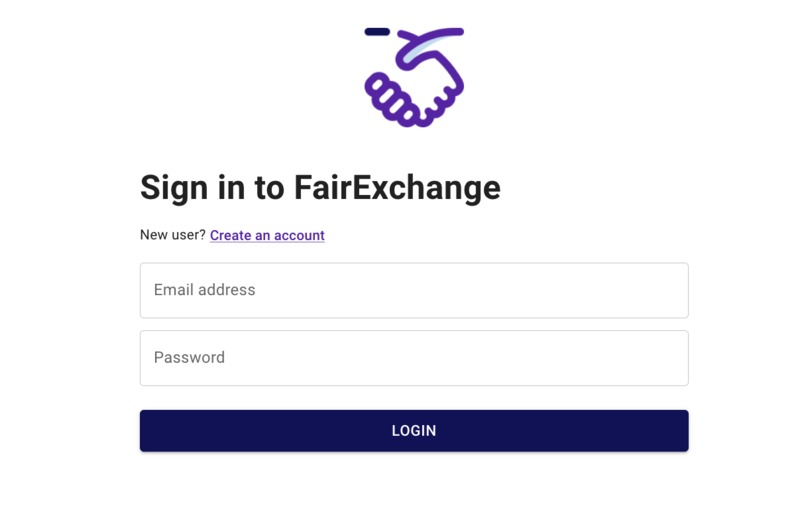
Sign In Page
-
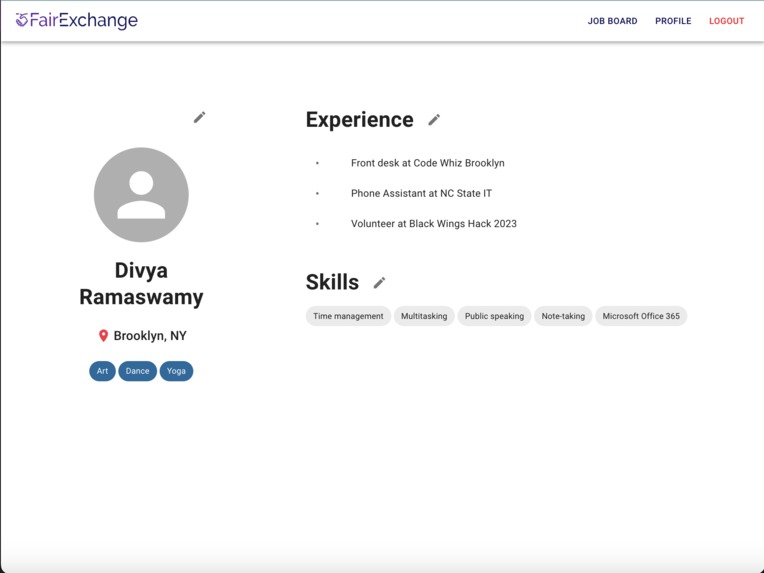
User Profile (Where user can edit their profile)
-
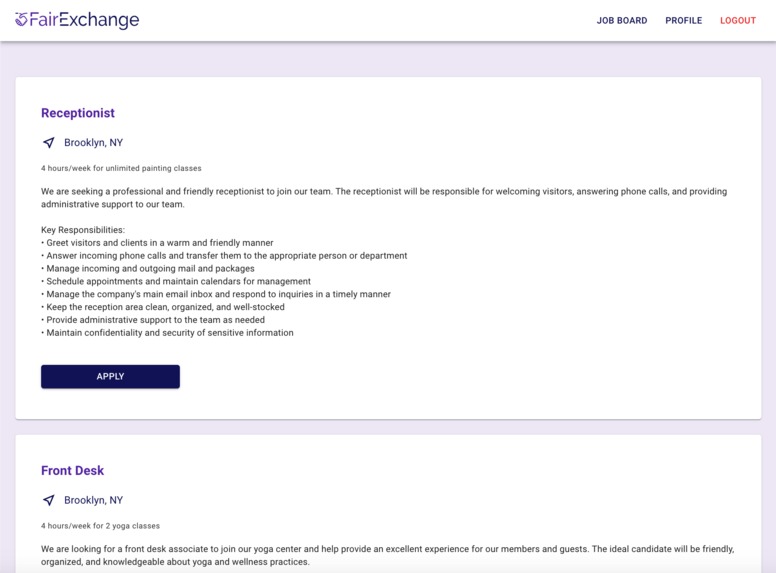
Job Posting
-
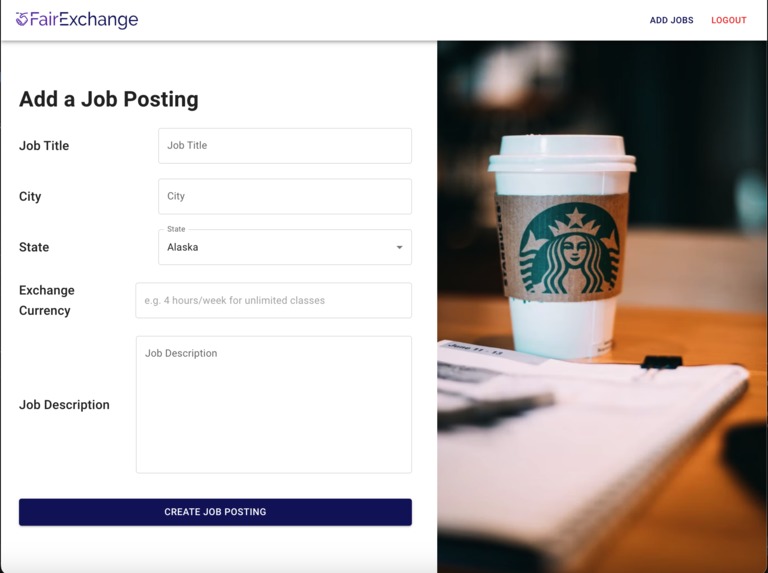
Job Form (Where businesses to post jobs)
-
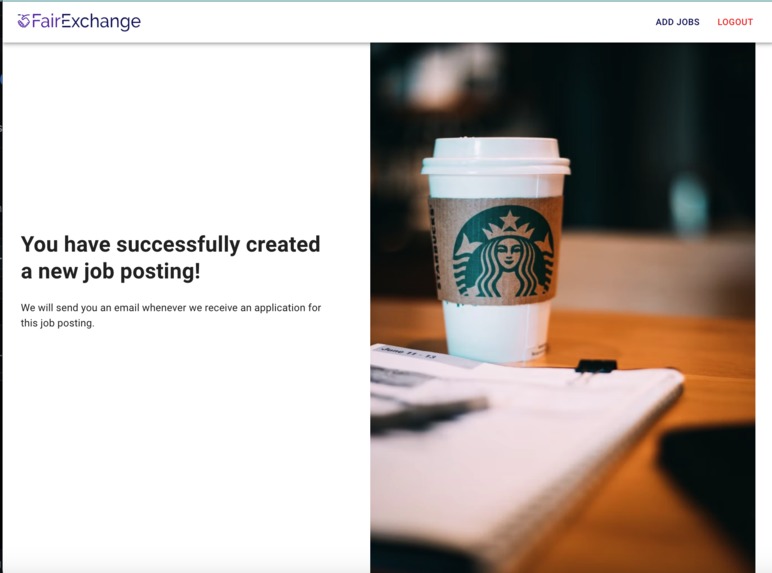
If job is posted successfully
-
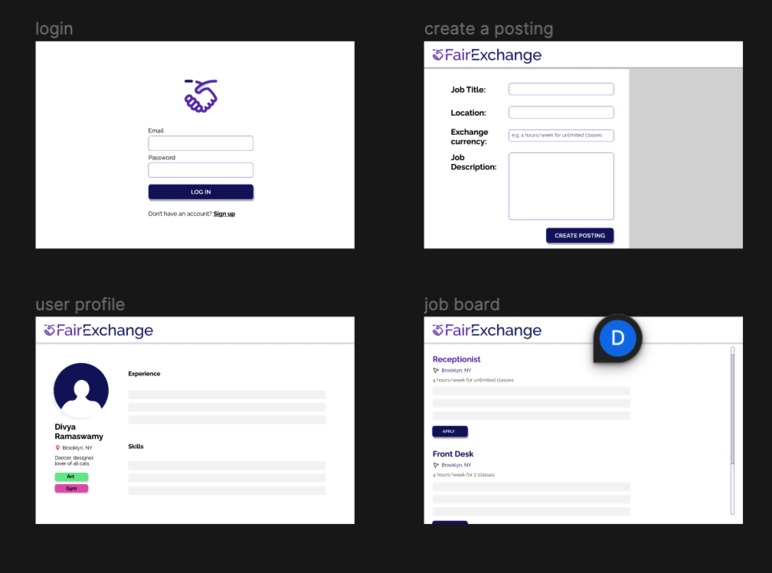
Wireframe of MVP
-
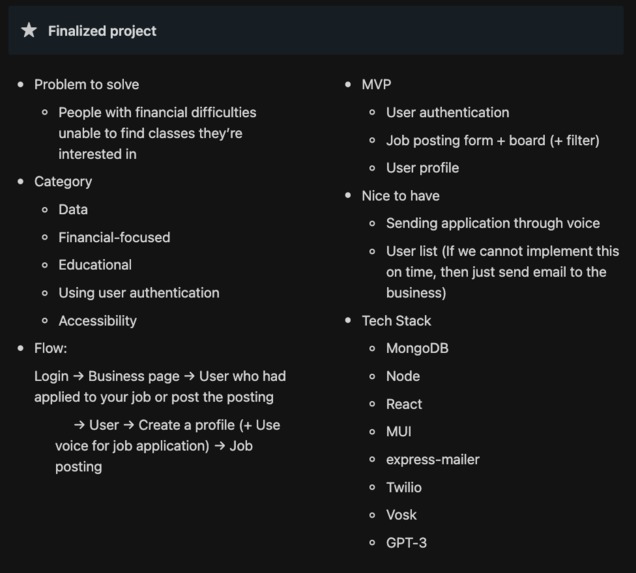
Summary of intended flow, features, and codebase


Inspiration
We took inspiration from one of our team member's personal stories. As a student, she wanted to take dance classes, but couldn't afford the high cost of admission for the advanced classes she was interested in. After talking to the studio, they offered up a novel arrangement: a work-exchange program. In exchange for a few hours a week working their front desk, she could take the classes she wanted. It was genius; she got the classes she wanted and the business could fill extra shifts their receptionist couldn't cover.
After that, she realized work-exchange programs were secretly everywhere; in dance studios, art classes, gyms, and more. Coming from a low economic background didn't have to mean that you couldn't take the trendy new pilates class, take up a new hobby, or take care of your physical health. Many kind-hearted businesses had word-of-mouth programs or arrangements they publicized through their newsletter, but there wasn't a centralized location for those in need to find them. That's where Fair Exchange comes in.
What it does
Fair Exchange is a novel job board where the goal is to connect businesses with job seekers. Users can create personalized profiles on their experience, skills, location, and interests. Businesses can also create job postings for a job board where they can specify their location, necessary skills, and the "exchange currency", or what time/abilities the user needs to put in to redeem the business' services.
How we built it
This was built using Figma, MongoDB, Node.js, Express.js, React, and Material UI.
Challenges we ran into
We ran into challenges completing all components of a job board with a full backend and frontend. Since there were two user profiles (a job seeker and job posters), the MVP to implement both required double the amount of work. A huge challenge was the amount of setup work involved. Setup for the database (a new technology for us) and frontend took nearly a day's worth of wok, which left us with limited time to implement the actual code.
Accomplishments that we're proud of
We set up a full, well-designed app! From careful research and wireframing to setting up a database and frontend/backend, we touched all parts of the app development process. We weren't willing to sacrifice quality even though we had limited time and it shows in our stack.
What we learned
- We learned a lot about MongoDB, although it was intimidating at first. Over the course of our app, we found it wasn't as scary as it sounded: we learned how to use documents, collections, and tools like Mongoose and the Mongo Shell to query and insert information into our database.
- React hooks, React hooks, React hooks. To create a dynamic frontend that responded to information from the backend, we had to dig deep on our React hooks knowledge. We learned how to make use of useState and useEffect so that the user could interactively change information and we could retrieve data from our backend.
- User authentication. This was also a new concept for us, but was necessary to add a layer of security to our app and pair the user with the right profile.
What's next for Fair Exchange
We'd looking to incorporate accessibility next. One of our upcoming features is to use Twilio for older and visually-impaired folks so they could sign up and update their user profile through a simple phone call. Coming soon!
Try it Out Yourself
To get a local copy up and running follow these simple steps or go here: https://github.com/felicityy-li/BlackWingsHack2023. Loom here: https://www.loom.com/share/33706d34c4a34d74a9b6a6412c290191
Prerequisites
Below are the prerequisites you'll need before running the project locally.
- npm
npm install npm@latest -g
Installation
- Clone the repo
git clone https://github.com/felicityy-li/BlackWingsHack2023.git - Install npm packages. If you continue to run into any errors that seem dependency-related, just npm install + the error... for ex. npm install react-scripts.
npm install --legacy-peer-deps - Open two terminal tabs.
- Ensure you are in the backend directory of the repo (backend). Run the backend first in the first terminal tab. The console message should inform you the server has started at localhost:8000.
npm start - Switch to the second terminal tab. Switch into the frontend directory.
cd ../ && cd frontend - Run the frontend in the second terminal tab. It should run on localhost:3000. If you see any errors, the frontend/backend may not have been started in the correct order. Cut the process and try again!
npm startCongrats, you've successfully run the project :partying_face:
Links of Interest:
http://localhost:3000/jobform <— Create a Job Posting
http://localhost:3000/jobboard <— See Job Board
http://localhost:3000/ <— Sign Up/SignIn


Log in or sign up for Devpost to join the conversation.