-
-
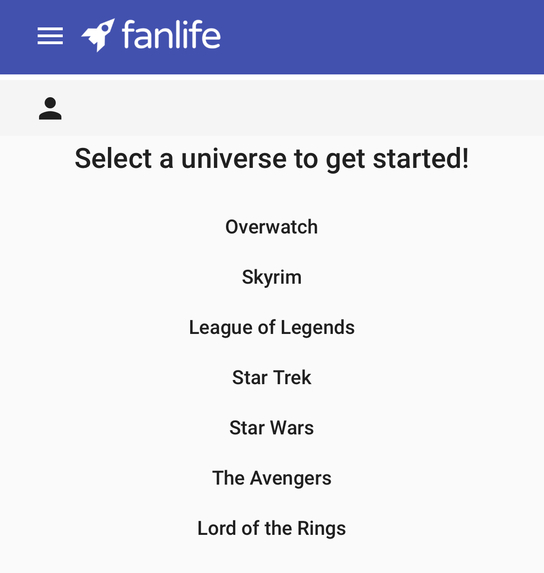
Universe selection screen
-
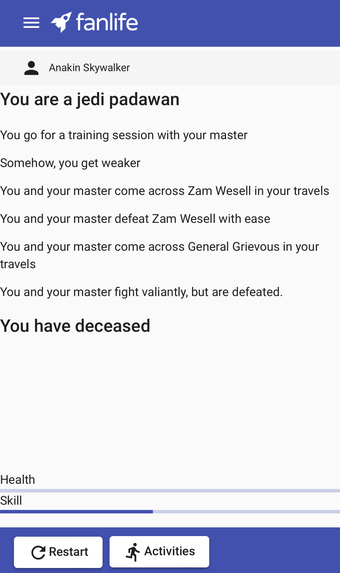
Gameplay screenshot


Inspiration
As avid fans of fictional franchises like Star Wars, Skyrim, and the Marvel Cinematic Universe, we know that the dream of every fan is to fully immerse themself in a fantasy world. To satisfy this hunger for immersion, we created Fanlife, a portal for fans from all over the Internet to dive right into their favorite franchises.
What it does
Have you ever wanted to battle against the Sith, travel Middle Earth, or train with Tony Stark? Look no further: Fanlife is a portal to all your favorite Universes! With a storyline that responds to your actions and randomized encounters, you'll never live the same life twice. Can't find your favorite franchise? Fanlife enables you to share your imagination with fandoms all over the world! Build your own Universe and unleash your creativity with your own vibrant characters, landscapes, and scenes.
How we built it
Fanlife is built using an Angular frontend on a Google Firebase backend. In our design, efficiency was key: by serving Universes as .json files and handling game events in the frontend, we were able to entirely avoid the use of backend processing. Instead, Firebase serves the client with the HTML and Angular files needed for basic navigation, and the client makes a request for a given Universe document through the Firestore API when needed.

When the user first arrives at the program's homepage, they are met with a list of Universes that they choose to enter. This list is generated dynamically from an index file stored in the project's Firestore database. This means that user-contributed Universes can be distributed without the need for redeployment! Another implication of this indexing method is that the client does not load a Universe file until it is needed, saving time and local space.

Challenges we ran into
Fanlife's Universe files are a custom .json file format, which brought some significant challenges to our project flow. Firstly, we needed to decide on appropriate json objects to include in a standard Universe file. Next, we wrote a custom parser that handles a game loop and updates user states accordingly. This includes random event generation via a weighting system and opportunities for user input through Universe-defined activities. Below is the beginning of an example Universe file using this custom .json format. For a full sample Universe file, click here.
{
    "name": "Skyrim",
    "attrs": {
        "health": {
            "min": 0,
            "max": 100,
            "val": 100,
            "visible": true
        },
        "reputation": {
            "min": 0,
            "max": 100,
            "val": 60,
            "visible": true
        },
...
}
Accomplishments that we're proud of
We are incredibly proud of our custom Universe format that allows game activities, loops, and events to be defined without the need for a language-specific interface or parent class. We were also thrilled with how well our chosen domain from Domain.com (fanlife.tech) interfaced with our host, Google Firebase. Although Firebase took some time to configure, its seamless integration with Firestore and Angular gave a professional polish to our project that we feel might have been otherwise missing.
What we learned
During the development of Fanlife, we each improved our understanding of Angular and web development. We also learned how to build robust applications using TypeScript, which will be of great use in our future careers as developers.
What's next for Fanlife
Looking ahead, we're planning on fully fleshing out our Universe Builder to enable users to create highly customizable gaming experiences. Additionally, we plan to add more default Universes to appeal to a wider range of users. Most importantly, we aim to center fans and fandoms in our future project workflow, making Fanlife a platform that unites imagination.


Log in or sign up for Devpost to join the conversation.