-
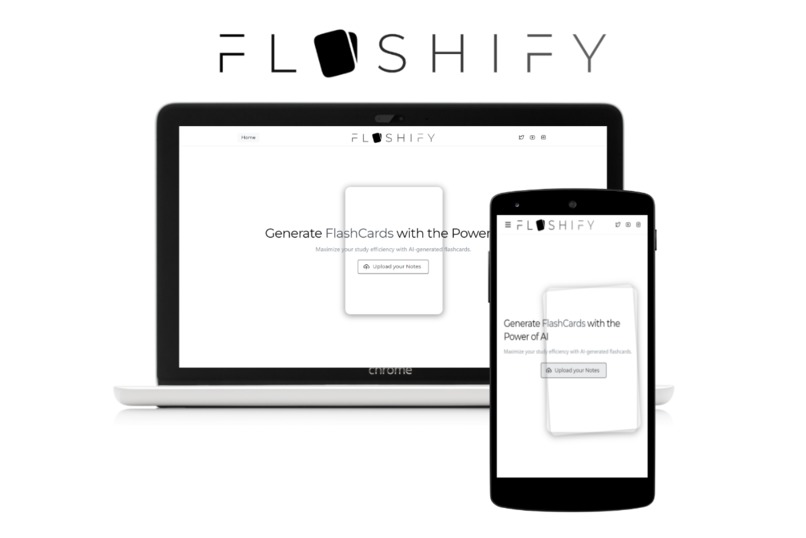
Responsive Beautiful UI
-
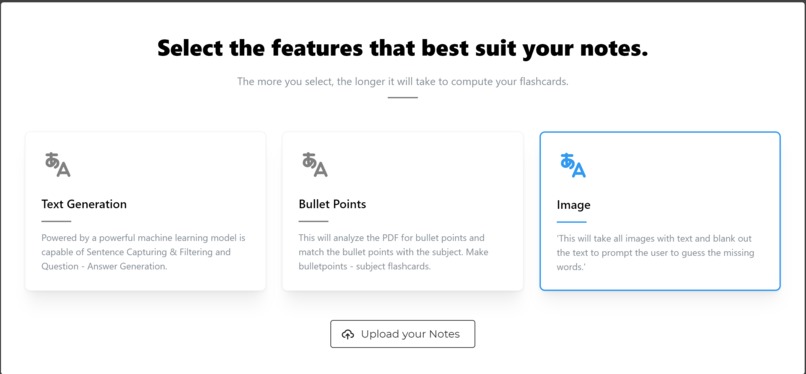
Features Menu
-
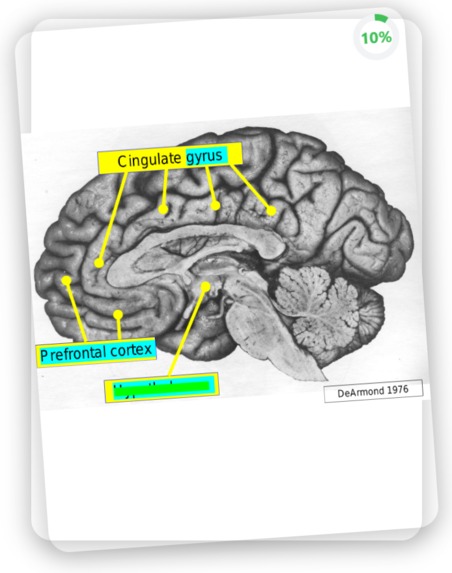
Image Generation


ConUFlashify
Inspiration
Last semester, I took my first macroeconomics class and let me tell you, it was a real snooze-fest. I had to memorize so many theories and concepts, I thought my brain was gonna turn into mush. But, I wasn't gonna let that stop me from acing that final exam. So, I turned to Quizlet, the flashcard website that saved my grade. But, making those flashcards was a real drag. So, I said to myself, 'there has got to be an easier way.' And, BAM! FLASHIFY was born. The AI web app that turns your boring notes into flashcards in minutes. It's like a personal genie for students, teachers and anyone who wants to make studying less of a chore.
Abstract
This state-of-the-art machine learning application utilizes advanced AI algorithms to convert PDF notes into flashcards with unparalleled efficiency and accuracy. The app boasts three main features that set it apart from the competition: bulletpoint conversion, image generation, and question-answer generation. The bulletpoint conversion feature allows the app to automatically extract key points from the PDF and convert them into concise and easy-to-review bulletpoints. The image generation feature utilizes cutting-edge image recognition technology to identify and extract relevant images from the PDF, making them available for use in the flashcards. Finally, the question-answer generation feature uses natural language processing and machine learning techniques to generate thought-provoking questions and corresponding answers from the PDF, providing an interactive and engaging way to study. Additionally, the app boasts a beautiful, simple and responsive user interface that makes it easy to navigate and use. This app is ideal for students, teachers, and professionals who want to make the most of their study time, improve their retention of information and have a pleasant user experience.
Feature #1: BulletPoint Matching
The bulletpoint generation feature of this machine learning application utilizes advanced algorithms to automatically extract key points from the PDF and convert them into concise and easy-to-review bulletpoints. The process begins by analyzing the layout of the PDF, using a library such as pdfminer to extract the text and its layout. The app then employs layout processing techniques to identify and match the key subjects within the PDF with corresponding bulletpoints. These bulletpoints serve as the back of the flashcard, while the subject serves as the front, providing a clear and structured method for reviewing and studying the material. This feature allows users to quickly and efficiently identify and review the most important information within their PDF notes, improving their retention and understanding of the material.
Feature #2: Image Generation
The image generation feature of this machine learning application utilizes cutting-edge image recognition technology to identify and extract relevant images from the PDF, making them available for use in the flashcards. The process begins by scanning the entire PDF document, using a library such as OpenCV, to locate and identify all images contained within. The app then applies various image processing techniques, such as thresholding and edge detection, to select the most appropriate images for flashcard generation. These images are then passed through an optical character recognition (OCR) engine, such as Google's pytesseract, to detect and extract any text present within the image. The app then uses this information to blank out a random group of characters within the image, creating an interactive and engaging flashcard where the user must guess the text that was obscured. The image with the blanked out characters serves as the front of the flashcard, while the original text extracted from the image is used as the back. This feature allows users to actively engage with the material and improve their understanding and retention of the information in a unique and interactive way.
Feature #3: Question-Answer Generation
The question-answer generation feature of this machine learning application utilizes natural language processing and machine learning techniques to generate thought-provoking questions and corresponding answers from the PDF. The process begins by extracting all the text from the PDF using a library such as pdfminer, taking into account the layout of the text. The app then employs advanced algorithms to separate the text into individual sentences based on punctuation and layout. These sentences are then passed through a pre-trained language model, a DistilBert model created by HuggingFace, to identify and filter the most informative sentences for generating questions. These filtered sentences are then passed through another pre-trained language model, a Bart-base model created by HuggingFace, to generate questions based on the context of the sentences. Finally, the app uses another pre-trained language model, a T5 transformer provided by HuggingFace, to generate answers to the questions. In case, the model is unable to answer the question, it goes through a filtering process to ensure that the context and question link up well. This feature allows users to actively engage with the material and improve their understanding and retention of the information in a unique and interactive way by providing unique question and answer flashcards.
Challenges
(Question - Answer/ BP Matching PDFMINER IS NOT GOOD.)
The extraction of information from PDFs presented a significant challenge in the development of this project. One issue encountered was the difficulty in accurately associating lines of text within the PDF. The use of a library such as pdfminer, while effective in extracting text, did not account for the relationship between individual lines of text. To address this issue, a method was devised to determine the association of lines based on the vertical spacing between them. This involved an initial pass through the PDF to identify the vertical spacing between each line, with the lowest spacing indicating a relationship between those lines. This approach effectively overcame the challenges encountered in accurately extracting and associating text from the PDFs, allowing for more effective and efficient information processing.
(Image Generation PDFMINER IS NOT GOOD, AGAIN)
The extraction of images from PDFs presented its own set of challenges. While the process was effective for unmodified images contained within the PDF, issues arose when the images were modified by the creator of the notes. In particular, the addition of shapes or other elements to indicate a specific part of the image resulted in the recognition of those shapes as separate images, rather than as part of the original image. To address this issue, a method was devised to combine these separate images when appropriate. Specifically, if the image extracted had no writing or text, a check was performed on the entire page to determine if any text or writing was present. This approach effectively overcame the challenges encountered in accurately extracting and combining images in the PDFs, allowing for more effective and efficient information processing.
(Question - Answer / GOOD MODELS TO APPLY)
I was on a tight schedule and didn't have the time to train my own models for the specific tasks, so I had to make do with what I could find. Unfortunately, there was no explicit model available for determining the quality of a sentence. My approach was to find models that were trained on similar data sets, but were designed for different tasks. By combining the results of these models, I was able to get the values I needed. For example, I used a news quality model to figure out if a sentence was informative or nonsensical. It was a bit of a hack job, but I had to tweak a lot of parameters to make it work. But in the end, I ended up with a strict filtering process that works well.
Tech Stack
Google Cloud VM Python(pdfminer, PIL, and many other libraries) React TSX (mantine)
What's next on Flashify
Faster processing times


Log in or sign up for Devpost to join the conversation.