-
-

Landing page
-
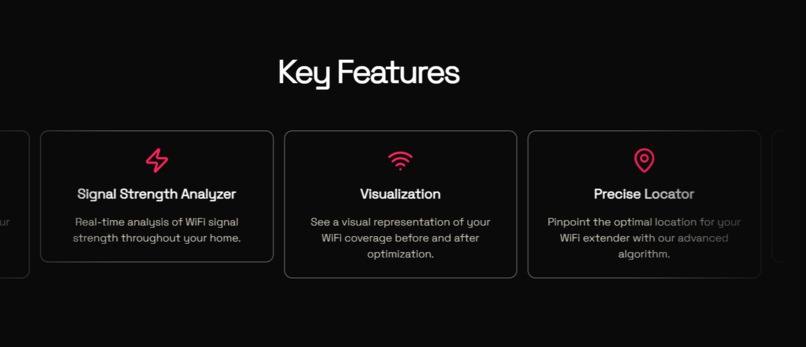
Key features
-
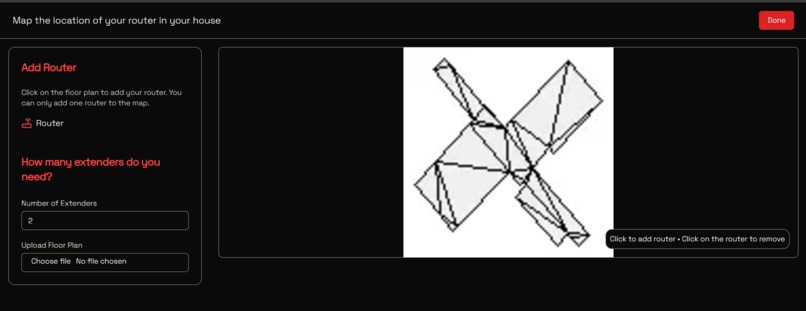
Choose a router location
-
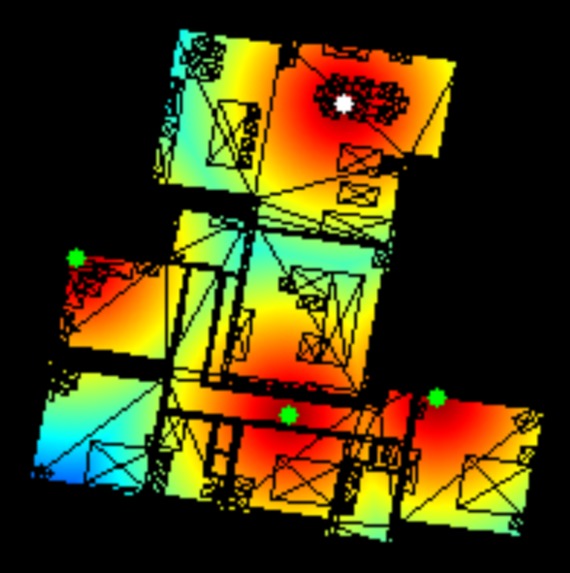
Optimal extender placement for this large house


Inspiration
Frontier Internet users often struggle with weak Wi-Fi signals in various parts of their homes. We were inspired to create an innovative solution to this problem by leveraging modern AR technology and algorithms. Our goal was to make Wi-Fi optimization simple and accessible to anyone.
What it does
FrontierMap is an application that scans a user's home using augmented reality, generating a detailed floor plan. It then analyzes the layout and determines the optimal locations for Wi-Fi extenders, ensuring strong and consistent internet coverage throughout the house. The results are presented in a user-friendly web interface.
How we built it
Mobile app companion
We used RoomPlan with SwiftUI to create the AR scanning feature that allows users to map their home, and output the scan to a reusable format.
Backend
The scanned data is then sent to a Python server, which processes the 3D model by flattening it into a 2D floor plan and running algorithms to identify the best locations for a user-defined number of Wi-Fi extenders.
Frontend
Finally, the analysis results are displayed using a Next.js frontend, providing users with clear and actionable insights.
Challenges we ran into
One of the biggest challenges was accurately flattening the 3D model into a 2D floor plan without losing important details. We also faced difficulties in ensuring our algorithms could adapt to various floor plans and handle irregular layouts effectively. Integrating the AR scan data with our backend and frontend components was another complex task that required precise coordination.
Accomplishments that we're proud of
We’re proud of successfully integrating AR scanning technology with advanced algorithms to create a seamless user experience. Our application provides accurate and useful recommendations, solving a real-world problem for Frontier Internet users. Additionally, building a multi-platform application with multiple technologies was a significant achievement.
What we learned
We gained a deeper understanding of working with RoomPlan and SwiftUI for interactive 3D scanning. We also enhanced our knowledge of Python for processing 3D models and algorithm development. Collaborating across different platforms and technologies improved our ability to work as a cohesive team, tackling challenges from both technical and user experience perspectives.
What's next for FrontierMap
In the future, we plan to enhance FrontierMap by integrating more detailed signal strength analysis using machine learning models. We aim to support multi-story houses and add compatibility with more internet service providers. Additionally, we want to provide real-time recommendations during the AR scanning process, making the application even more intuitive and powerful.
Try it out instructions
We provided a USDZ file of what a sample house would look like. Download it at our Github under "usdzsample/MergedRooms.usdz"
Or
Press this link: USDZ File
https://github.com/davidgamingvn/extended-frontier/blob/main/MergedRooms.usdz
Then go to our website at frontiermap.tech and press "get started"
Back-up link:
https://extended-frontier.vercel.app
Upload your the USDZ file
Place down where your router is on the map
Hit "Done" at the top
Wait for our heatmap of your wifi optimal coverage to generate!
Built With
- cloudflare
- flask
- nextjs
- pinata
- python
- roomplan
- swift
- tailwind
- uikit


Log in or sign up for Devpost to join the conversation.