-
-
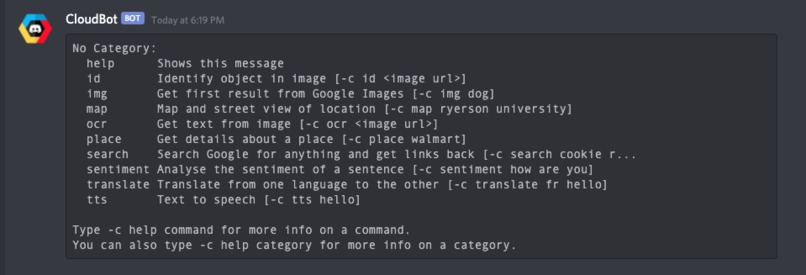
List of all available commands
-
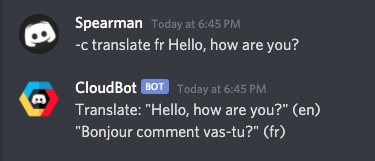
Translate Command
-

Place Command
-
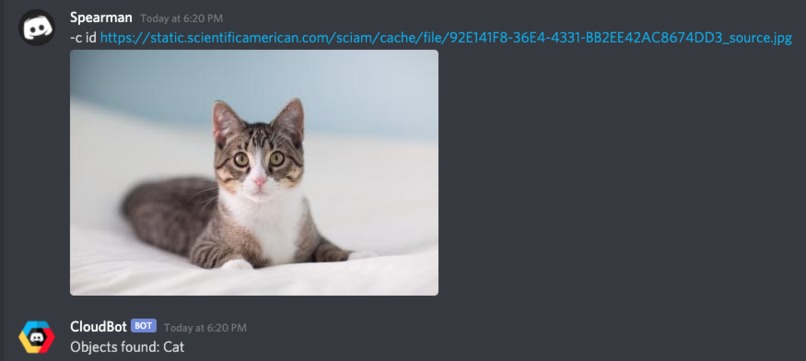
ID Command
-
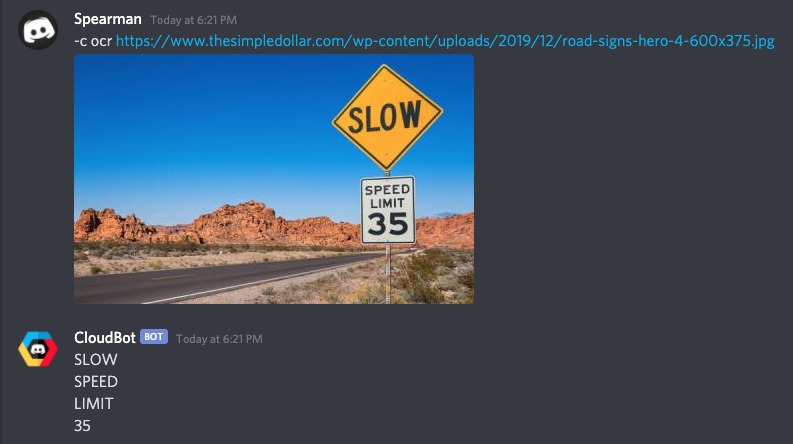
OCR Command
-
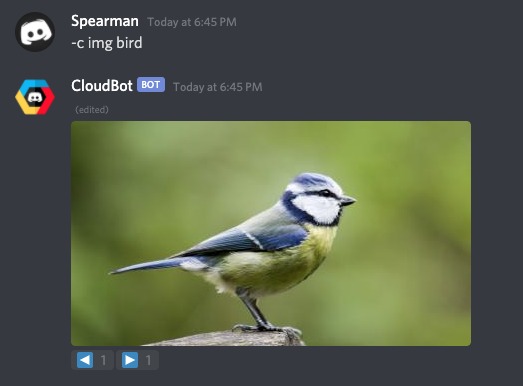
Image Command
-
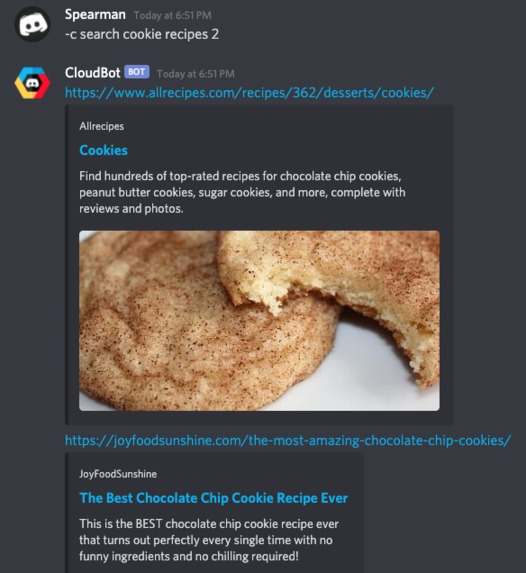
Search Command


Inspiration
Due to COVID-19 lockdown guidelines, hanging out with friends in person is very limited. The only way to interact with our friends is via online platforms, and many friend groups have decided to create Discord servers to host their legendary group conversations.
Where Discord excels, is the addition of bots. Bots, along with bot commands, truly enhance a Discord server and the users’ experiences, by providing them with unique and customizable commands that the Discord app doesn’t natively feature.
What it does
The main purpose of CloudBot is to enhance a Discord channels’ experience, and CloudBot does that by featuring many of Google Cloud Platform’s features to Discord in the form of ready to use discord commands.
Add it to your own server here! https://discord.com/api/oauth2/authorize?client_id=837955663049130034&permissions=2214068032&scope=bot
List of CloudBot Features:
- OCR (image to text)
Sometimes you need to extract text from an image, and it can be annoying to type it all out yourself. By using the OCR feature, CloudBot will extract all the text from an image from you with extremely high accuracy.
- Object Detection (get objects from image)
Identifying objects from an image can be tricky. This feature allows you to send an image to the bot and get back a list of all the objects it has detected inside of the image.
- TTS (Text to Speech)
Late night conversation often runs the risk of waking others up in your household. By using text-to-speech, you can communicate with others in a voice call without even speaking. Users can just type what they want to say, and the bot creates a MP3 file with the audio. We found this to be especially useful when others are playing video games and can’t have their Discord conversation open at the same time.
- Maps (map and streetview of location)
Our team has played countless hours of GeoGuesser to pass the time. These features have allowed us to share the Google Maps easter eggs with each other
- Place (details about a place - name, address, Google rating, coordinates)
Although we may not be able to visit places (due to COVID restrictions) we can definitely search them! This feature will help in deciding on places to eat, quickly gather information on precise location, as well as their Google ratings.
- Image (image results from Google images)
One of the most significant barriers of Discord is not being able to send files (specifically) images of a certain resolution to share with the group (without paying for Discord Nitro).
- Sentiment Analysis (analyze the sentiment of a sentence and get a rating (score/magnitude))
An interesting feature provided by Google Cloud is the Sentiment Analysis API. This allows you to analyze the sentiment of a sentence, and it has been integrated into CloudBot.
- Search (get results from Google search)
In intellectual (and nonsensical) arguments, Googling questions/subjects are often necessary to prove a point, and closing the Discord tab in the heat of the moment will kill momentum. This feature has been put to great use when other users in the server ask a simple question that could have been been answered with a simple Google search
- Translate (translate from any language to another)
Google Translate allows text to be translated from one language to another. We found adding this feature to be exceptionally useful for translating common phrases to different languages, either for others in the server to understand, or for communicating with others in video games.
How we built it
The bot was written entirely in Python using the Discord.py framework. We used several Google Cloud Platform APIs to integrate into the bot. The following APIs were used:
Cloud Vision API
Translate API
Maps Static API
Places API
Street View API
Text to Speech Synthesis API
Custom Search Engine API
Natural Language API
Challenges we ran into
There were various challenges we had to overcome. The first being how to use the Google Cloud Platform. We had very little experience with the platform in the past so it took us some time to learn how to navigate it and gain access to all the API’s. We also had trouble with the Discord.py framework. It was our first time building a bot so we first had to learn how to use the provided framework which took some time. Lastly, choosing how to deploy the bot on Google Cloud was difficult as there are many methods to do so. We ended up deciding to use the Cloud App Engine and host the bot on a VM instance.
Accomplishments that we're proud of
Our team is most proud of bringing a useful bot to our personal server. Our team used our personal Discord server to host the testing of certain features, and the other group members rave about how useful these additional features are, and how much their Discord experience has been amplified. Being able to publicly share this with others will allow mass users to enjoy Discord much more with CloudBot.
What we learned
For one of our team members, this was their first hackathon. Not majoring in the computer science field, but rather deeply interested, this has taught them the basics of programming and most importantly, how big of a factor communication is. Git played a big part in this, especially because different team members would often be working on different parts of the program at the same time.
What's next for CloudBot
The next step for CloudBot means adding more features.
Google Drive integration, for users to easily create, read, edit, and browse for documents, spreadsheets and presentations without leaving Discord. It will use the Google Drive API, Docs, API, Sheets API and the Slides API.
Google Assistant integration, this will replace (or expand on) the search features to offer more information [-c assistant whats 1 oz in grams?]
Promotion of this bot will also be a major step. We’ve found CloudBot to be immensely useful in our personal Discord server and truly believe other servers will be able to get great use out of this bot. Mass publicizing/sharing this to others as well as publishing on top.gg will help significantly with this.
Built With
- app-engine
- cloud-vision
- discord
- google-cloud
- google-maps
- google-translate
- python


Log in or sign up for Devpost to join the conversation.