


GenIoT
General platform for creating IoT Bluetooth storage solutions
Problem
Many forget the expiry dates of ingredients they purchase or have the lack of information of what’s been hoarding in their fridge for a long time. Thus, this leads to accidental consumption of expired food or the purchase of extra ingredients.
- People tend to lose track of the food items in the kitchen
- This results in food wastage when they buy additional stock without clearing their initial stock
- It might also lead to a shortage of ingredients when the person needs it
- No elegant solution (simple/affordable) to keep track of stock
Proposed Solution
GenIOT aims to create a smart container attachment solution for your home. It keeps track of your ingredient usage and stock and you’ll never miss out on that expiry date, or be unable to cook your favorite meal anymore due to a lack of ingredients.

Firebase Database Schema
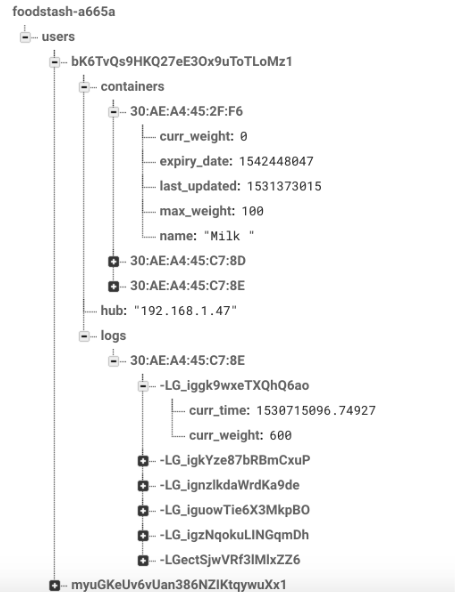
The Firebase schema was designed in such a way that when flattened, the information retrieved and processed is optimized to what is necessary at that moment in time. The metadata of the containers and the logs of each container is segmented into their respective branches. This way, the metadata can be downloaded to the app when the dashboard is present. The logs will only be downloaded when the user decides to see the more detailed view to see the graphs and the predicted value at the expiry date.
The schema also manages each account by a user ID that is randomly generated from the server. This ensures that there is no easy way for a user to randomly access another user’s account information with or without malicious intent.
Taking a look within each user ID tree:
- Container:
- curr_weight and max_weight are used to update the percentages
- Last_updated is used to display the last_updated time so the user knows if their containers have synchronized
- Name and expiry date are there to provide additional information for the user
- curr_weight and max_weight are used to update the percentages
- Hub:
- Used to let the app know what IP address the hub resides on the local network
- Used to let the app know what IP address the hub resides on the local network
- Logs:
- Each log is hashed with a unique firebase generated ID to prevent clashing
- The values curr_time and curr_weight are stored in each log to be plotted on the graph. They are also used in the calculation of the predicted value at expiry date.
- Each log is hashed with a unique firebase generated ID to prevent clashing
Hardware
| Type | Part Name |
|---|---|
| Microcontroller | ESP32 Development Board |
| Measurement device | Load cell |
| Measurement device | Load cell amplifier HX711 |
| Bluetooth HUB | Raspberry Pi 3+ |
Walkthrough
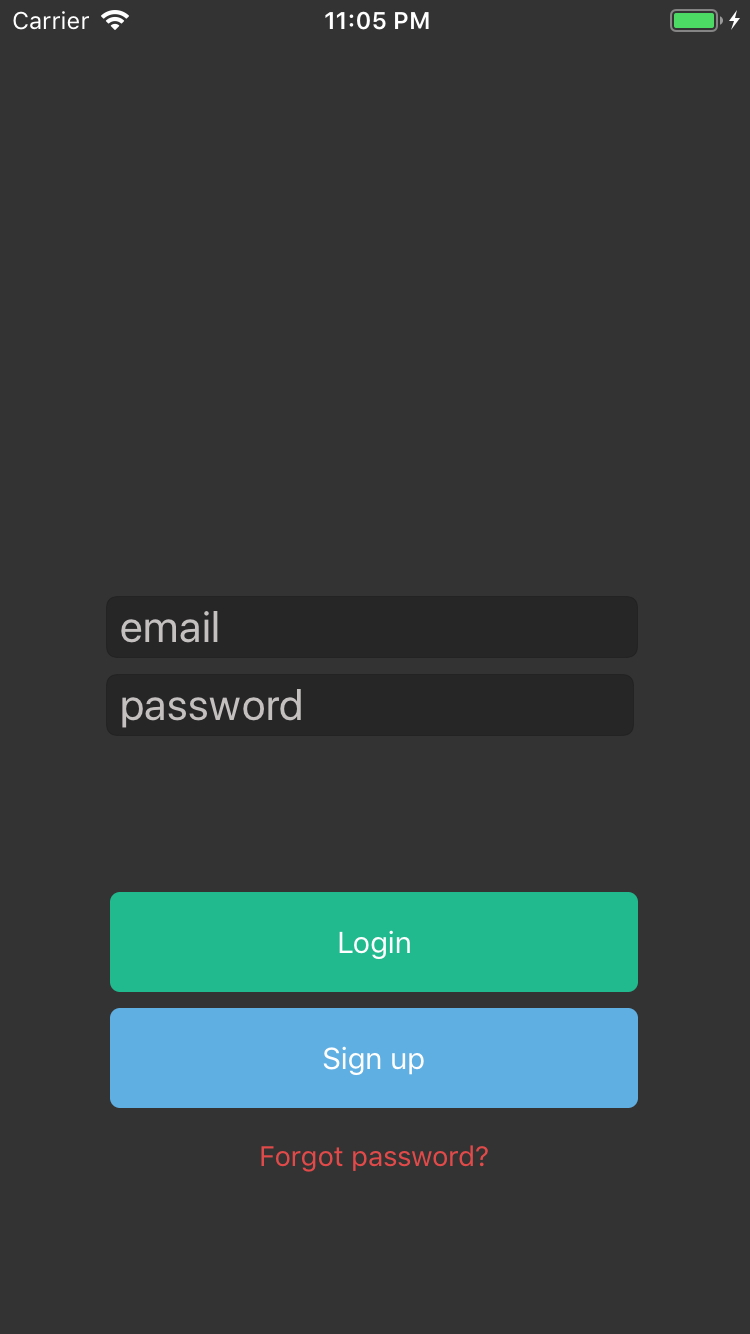
1) Login Screen: Authentication using User Email and Password.
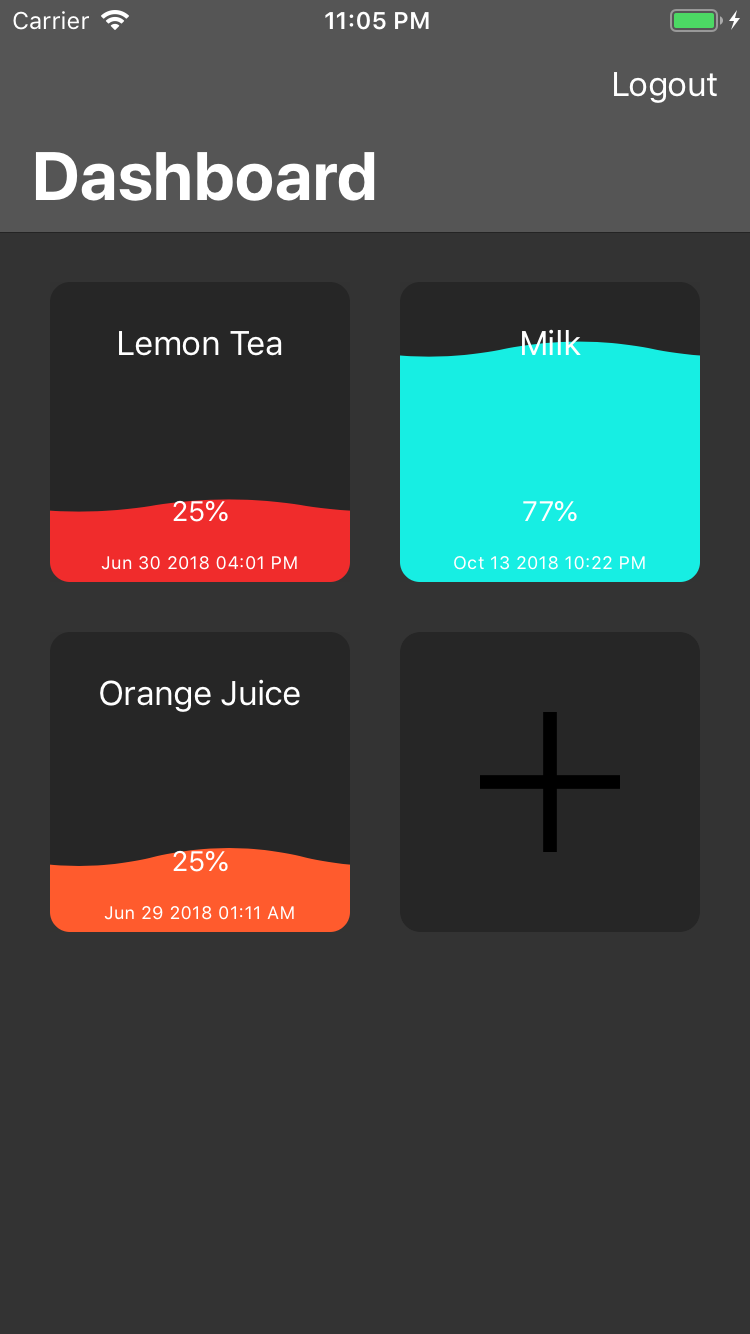
2) Home Screen: Displays a summary of % remaining in all connected hardware platforms.
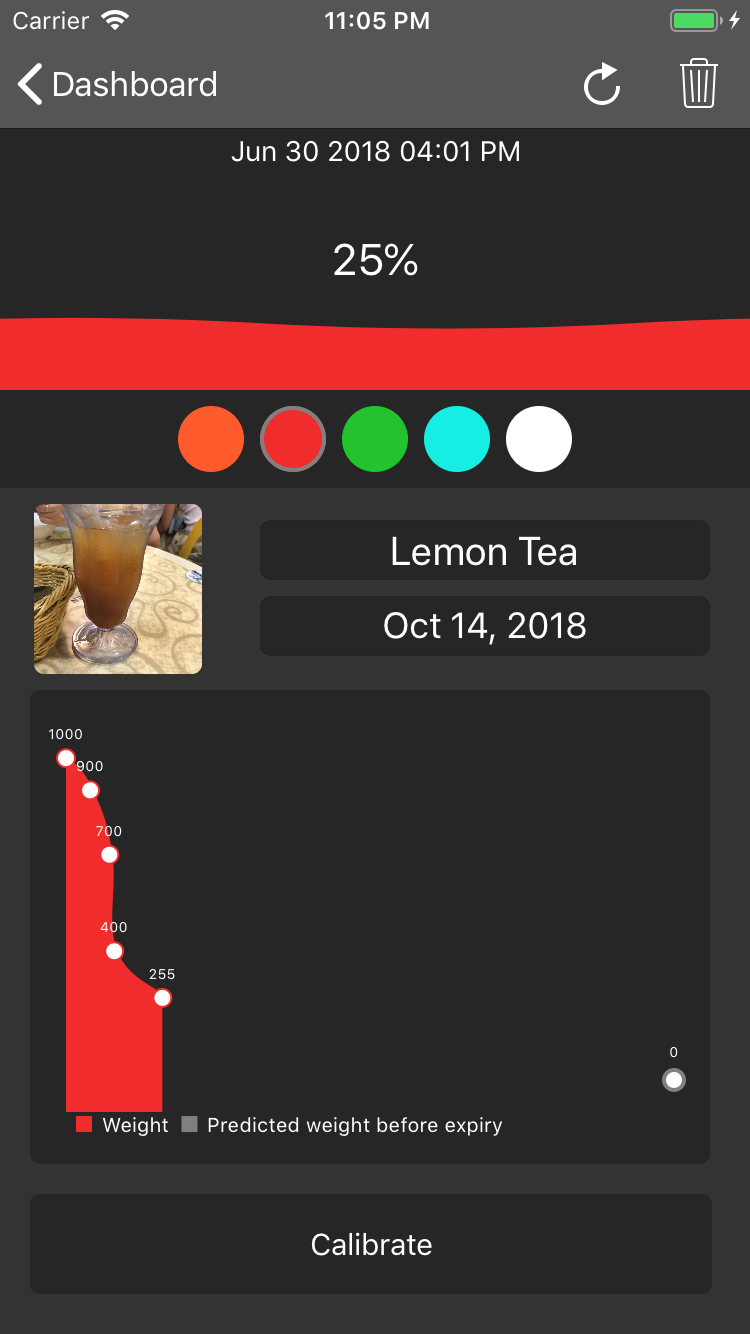
3) Product Summary Display: Displays full product details, usage details, usage trends, and calibration settings.


Log in or sign up for Devpost to join the conversation.