-
-
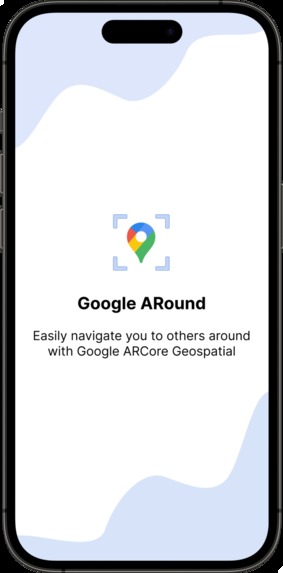
Splash screen
-
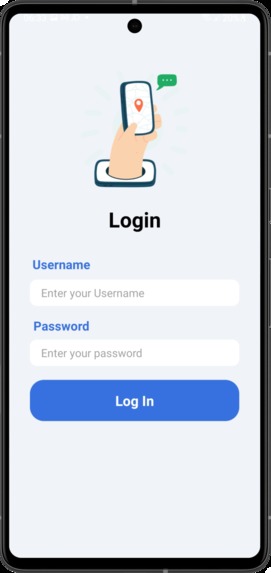
Login screen
-
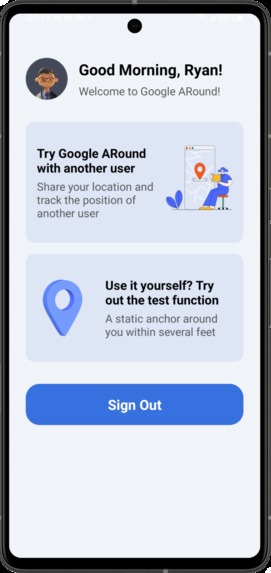
Home screen
-
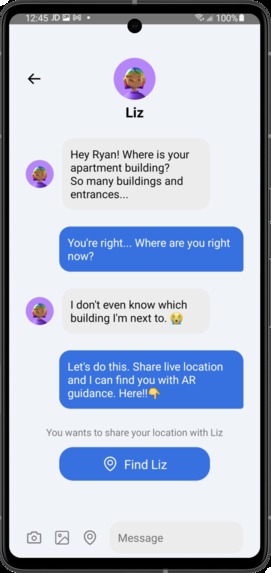
Chat screen
-
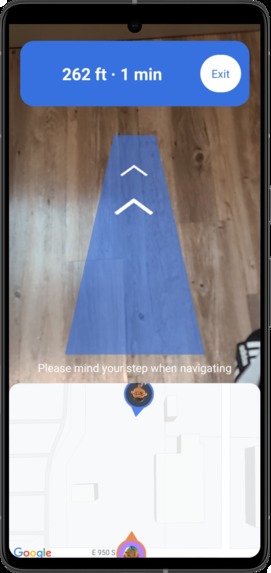
Navigation screen
-
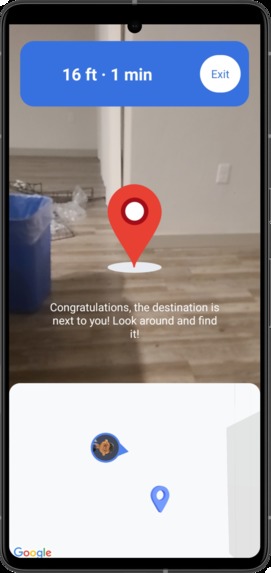
Look around notification


Inspiration
Did you struggle to find someone in crowded, public spaces? Did you text them every few minutes or call and guide them but wasn't ever clear and effective enough? Currently, map applications often can’t be very precise when the distance is less than several hundred meters, and there isn’t a good way to guide you to other people very intuitively and effectively in such a situation. Hence, here Google ARound comes!
What it does
Google ARound is designed and developed to help people navigate to others around them, especially when they are within less than 1km. Users can share their device’s pose provided by Google ARCore Geospatial API. When starting navigation, Google ARound will navigate users by providing augmented reality direction guidance. Users can follow the guidance and find others. Google ARound also displays distance information and a 2D map to users, which can help them get more detailed information about their position of themselves and others. When users approach others, a red 3D anchor model will show up.
Google ARound can be used in all countries and areas covered by the Google localization model. It can be widely used in many uses cases and by different user groups, including:
- Find others in a public place, e.g, find friends and family members in a crowded park or a shopping mall.
- Find others who are not familiar with your place, e.g, when your friends visit your new apartment but don't know the exact location.
- Communicate with service workers, such as Uber drivers, Doordashers, and Amazon/Walmart postmen.
How I built it
I first brainstorm more than 10 ideas to showcase and utilize ARCore geospatial API. Then I talked with 5 users to figure out if these ideas can solve the existing pain points in their daily life. Surprisingly, I found everyone told me it's frustrating when finding others within only several hundred feet. Based on users' feedback, I selected Google ARound as my final idea.
Based on the idea, I first try the geospatial codelabs sample and make sure the solution is feasible. Then, to create a friendly and complete user experience, I crafted the wireframe and prototype in Figma. Next, I started to develop the Android application based on the Figma prototype. I utilized camera geospatial pose, geospatial anchors, GLSurfaceView, and other APIs to build the Android application. I also learned Blender and created 3D navigation models which can be used in this application.
After that, I worked on the back-end side. I built a cloud server on Amazon Web Service to support sign-in/sign-out/share location features.
In the end, I tested the application with some users and my friend and collect feedback. Based on the feedback, I iterated the application and shape it into a more effective and friendly product.
Challenges I ran into
The first challenge is to learn ARCore geospatial API and AR development skills. I've never used the API before, so I need to spend some time learning the technology and becoming a skilled AR developer.
The second challenge is to learn geospatial knowledge. In the development process, I need to implement many geospatial functions, so I need to learn some geospatial knowledge, such as learn how to use latitude, longitude, and altitude and calculate the distance and bearing between two coordinates.
3D models are very important for AR/VR products. The third challenge is to learn the 3D modeling tool (Blender) and learn how to render the models in my Android application.
Accomplishments that I'm proud of
In this hackathon, I built the product from the very beginning to the end, including user research, design, 3D modeling, Android development, and back-end development. I'm very proud of all the work I've done. I learned many different skills in one hackathon and applied them properly in each step. I hope I could continue to keep learning and become a better designer and developer.
After developing the 1st version application, I tested it with some users and my friends. Surprisingly, everyone loves this product and gives high praise to it, which made me fulfilled! They also provided some insightful feedback which can help Google ARound become a better product!
What I learned
There are two most important things I learned from this hackathon. The first one is I learned how to better utilize the power of AR and geospatial. With Google ARCore geospatial API, I solved an existing common pain point and saved time and effort for users. I hope I could continue to explore ARCore API down the road and develop more useful and meaningful products for the beautiful world. The second thing is I learned how to think as an AR designer and developer. AR products are different from other products, we need to think about how to connect users with the real world safely and properly. For example, when users navigate to others with the application, we need to think about how to keep their walk safe and ensure they won't trip over obstacles. By building this product, I think I become a better and more professional AR application creator!
What's next for Google ARound
Never stop being better! Since I only have one month to build this application, there are some next steps for Google ARound. Firstly, I would like to support more than two users sharing locations in the same session, which can serve more use cases, such as a group of people going shopping or having an activity together and they need to find each other. Secondly, I would continue to learn Google Cloud Anchor API. I tried this API in the development process, but the resolve action is very slow and can block more than 20 seconds. To make sure the experience is friendly, I didn't utilize this API and used my cloud server to share the location. As the next step, I'd like to learn more about the Cloud Anchor API and see how to integrate it into my product. Last but not least, I want to create a better navigation experience. For example, teach users which direction to move their phone and find the navigation guidance, and plan a route to avoid obstacles intelligently.
Built With
- aftereffect
- amazon-web-services
- android
- arcore
- blender
- figma
- java
- kotlin


Log in or sign up for Devpost to join the conversation.