-
-
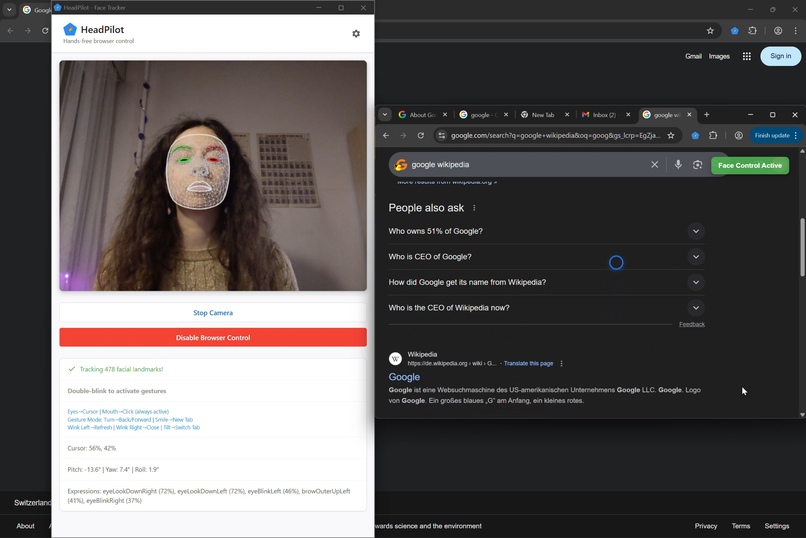
Tilt head up or down to scroll
-
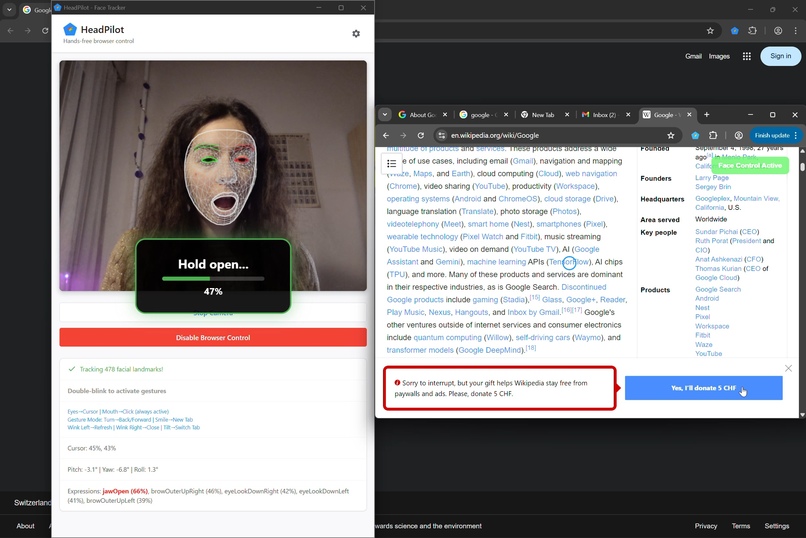
Open mouth to click
-
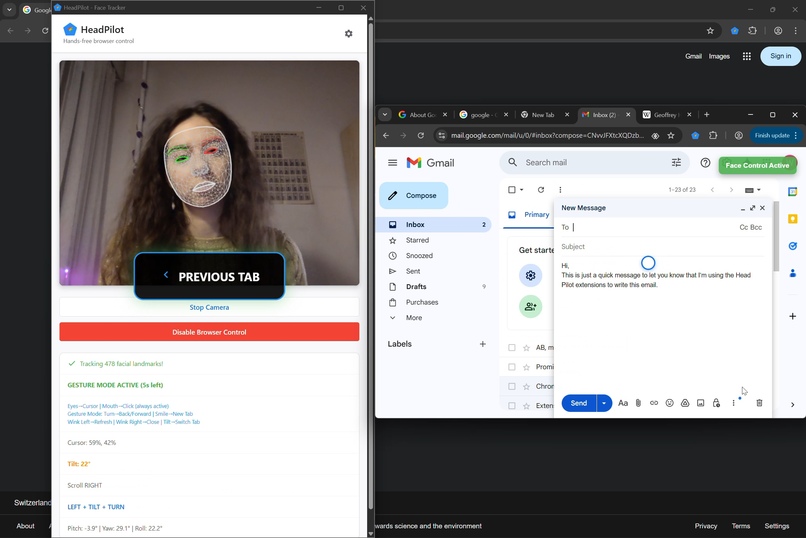
Switch tabs
-
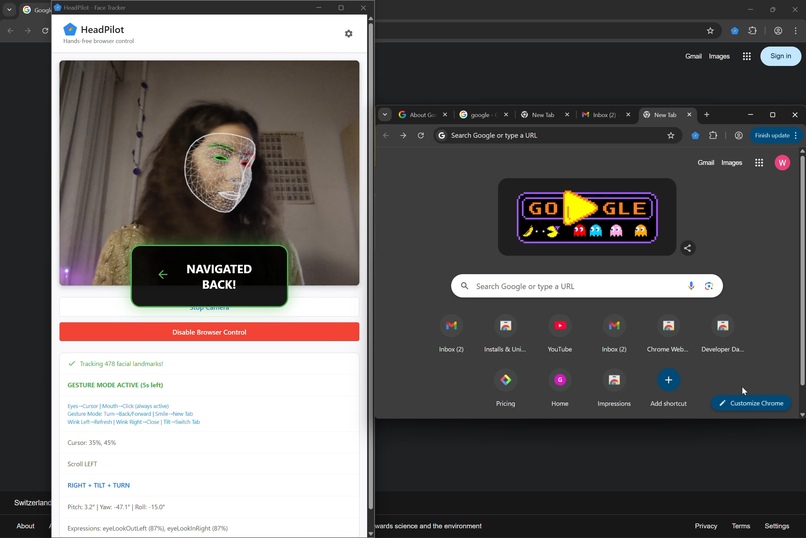
Navigate back or forward
-
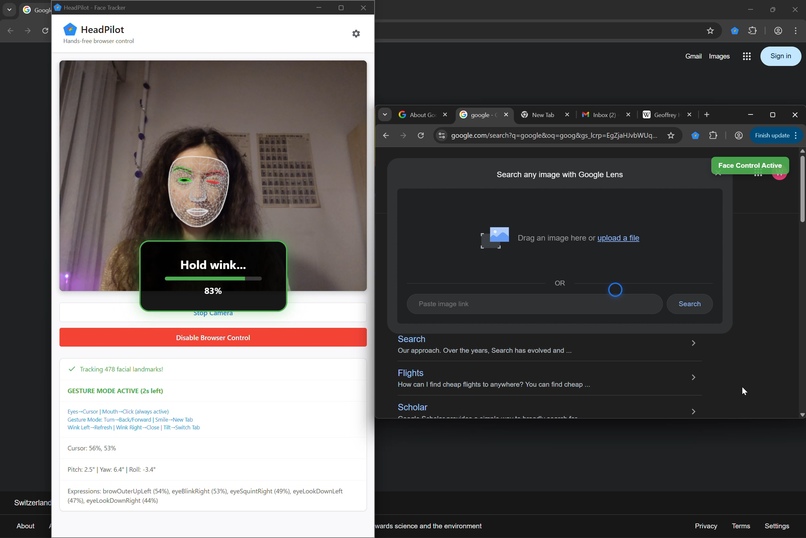
Wink to close tab
-
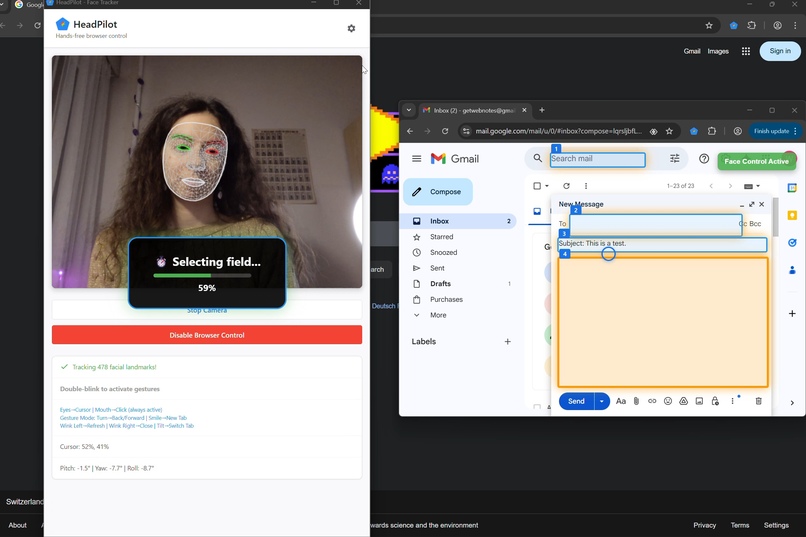
Writer mode with dictation and Rewriter API
-
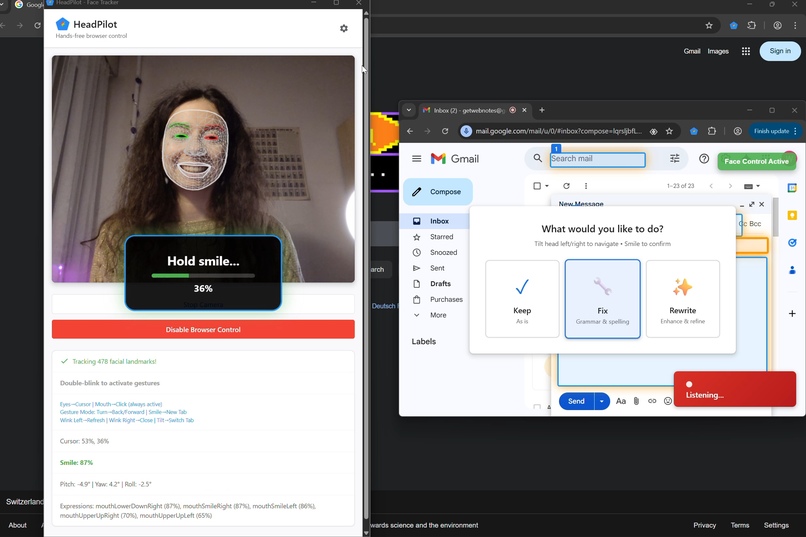
Smile to select


Inspiration
I got to visit the Accessibility Discovery Centre in Zurich back in July and it really got me thinking about how we interact with technology. I got to learn about Project Gameface and accessibility on Android and that's what really inspired the project.
For most users, built-in AI is just a perk, a useful nice-to-have. Whereas for people with disabilities it can open so many new possibilities. Sure, rewriter API can help me draft an email if I'm too lazy to do it, but having this possibility for someone who can't use a keyboard is literally lifechanging. Having these tools built into your browser at no extra cost is a gamechanger for accessible technology, and with this project I wanted to push this idea to the maximum.
What it does
HeadPilot lets you control your browser without using your hands, only head movements.
It uses three modes:
Simple - nod to scroll and open your mouth to click.
Gesture mode - tilt your head to switch tabs, turn to go back or forward, wink to refresh or exit page and smile to open new tab.
Writing mode - the extension detects all available text fields on the page and enables dictation. Tilt your head to select where you want to type and then smile to choose if you want to keep the text, correct it or rewrite completely.
I really wanted to keep voice control as an alternative to typing and not everything at the same time. Sure, using your voice is useful, but what if you want to scroll on TikTok while watching a TV show or check your emails while talking to a friend? Gestures are a lot more intuitive for these tasks and don't require you to interrupt a conversation.
Typing without a keyboard is tricky because you can't easily correct a spelling error. This is where Rewriter API comes in handy. With just a head tilt, the user can fix spelling and punctuation or rewrite the input completely to match the tone they'd like to convey. No extra installations or excessive prompting is necessary.
How we built it
I used MediaPipe's Face Landmaker for gesture recognition.
I started with simple gestures first (scrolling and clicking) and added more and more as I went along. At one point I realised that instead of adding more complicated gestures, I could just separate the extension into three modes. This way I could use the same simple movements to control so many more things.
For the writing part, I originally wanted to use both Proofreader and Rewriter APIs, but Proofreader just wouldn't work on my machine, so I ended up using Rewriter for both correction and reformulation.
Overall, a lot of building was just me making faces at my computer to figure out what works lol. (I even worked at a coworking space like that, got a couple of weird looks 😂😂)
Challenges we ran into
Obvious thing to say, but I realised that calibration is super complex. I played around with setting time limits for certain movements and multiplying model values by different constants to fit the scope of my gestures. I didn't manage to get it 100% perfect, but at least now it recognises that when I wink with my right eye, the left eye doesn't stay fully open lol. In an ideal world, I would set up a more sophisticated calibration panel at the beginning for people to enter their different needs and abilities. Because not everyone has the same magnitude of movements or perfectly symmetrical abilities on both sides.
Another limitation of this extension is that for now it's not super realistic. I set the back/forward gesture to a sharp turn of the head, which is probably a little complex for someone with mobility difficulties. For eye-tracking as well, if a button is in the corner of the screen, the person has to lean back and forwards to click it, which, depending on the scope of their mobility, might not be possible. For the hackathon I wanted to show a proof-of-concept, but if I actually want to develop this product further, serious testing with real-life users is needed.
Accomplishments that we're proud of
This was my first time using face recognition technology, this project really pushed me out of my comfort zone and made me learn so much! I'm also really happy that it resonated with so many people. I got a couple of people to try it out (only able-bodied, so I can't really count that as real user trials), and everyone pitched in ideas and gave super cool feedback. 😁
What we learned
How complex accessibility is. And how complex it is to properly set these things up. It's not just "oh, I'll write a code that will 'click' when I open my mouth". Setting up these individual gestures was a challenge and putting everything together and making it work simultaneously was an even bigger challenge. I saw a meme the other day that was like "you know sh*t just got real when you get out a pen and paper during a coding assignment" and yep... I was out there drawing diagrams in my sketchbook like this was a geometry exam. But jokes aside, even after spending hours on this, it's still far from perfect and this is just the tip of the iceberg. The more gestures I'll add, the more user feedback I'll get will make this project more and more complex. Now I have even bigger admiration for people who design accessible technology because every feature, every button, every click has so much thought behind it, it's really not something that can be done on spontaneous decision.
What's next for HeadPilot
User testing! I got the tech to work, now I need to figure out if people actually like the way it works.
What's interesting is that I went to a coding event (basically you could come and work on your side project on a Saturday and hang out with fellow geeks lol) and when I presented HeadPilot, I didn't mention accessibility at first. And the feedback I got was like "ohh this could be super useful for Uber drivers or cooks!". And I hadn't thought of that at all, but actually gesture-based technology could also be potentially useful for people who use their hands and work. So this is definitely something to explore as well.
Built With
- gemini
- javascript
- mediapipe




Log in or sign up for Devpost to join the conversation.