-
-

landing page
-
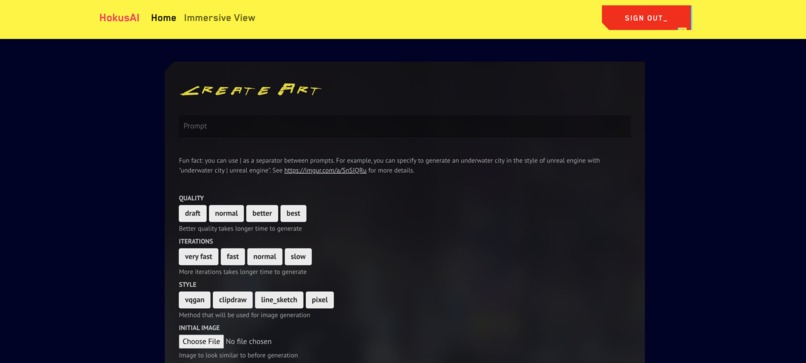
home page
-
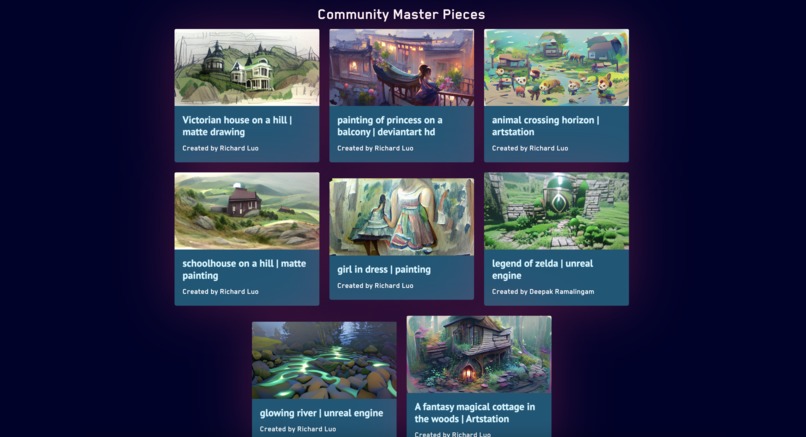
gallery


Inspiration
Named after the famous painter Katsushika Hokusai (葛飾北斎) – think of the Great Wave painting – HokusAI is built to turn your dreams into reality. Here is an example image we generated from the prompt "a fantasy magical cottage in the woods." Built with pixray, our deep learning architecture leverages state-of-the-art models from OpenAI's Contrastive Language–Image Pre-training (CLIP) architecture and University Heidelberg's Vector Quantized Generative Adversarial Network (VQGAN).
What it does
HokusAI takes in text prompt(s) and generates art based on what you wrote. Here are some sample images:


How we built it
The frontend was built in React.js, leveraging a million different libraries such as React Router, React Skeleton Loading, WebXR, ... etc. We have a Firebase set up for storage and authentication, which we communicate to using firebase-admin. Our ML is done in a colab instance, which fetches from a queue in Firebase and uploads the finished results to our db.
Challenges we ran into
It was particularly hard getting sufficient compute power for our model, especially since we ideally want at least 16GB of VRAM. Even with Colab, some of the GPUs that Google provides don't have enough horsepower, and we had to find a lot of ways around computing in Colab and then communicating with our db.
Accomplishments that we're proud of
We're especially proud of how well our model runs. Some of the art it produces is genuinely interesting, and combined with our sleek UI, we think our project is really nice eye-candy.
What we learned
Even though we didn't use it for this project, we learned that you can actually host a server on Google Colab using ngrok. We learned a lot about generative art and all its quirks (e.g. words like artstation or unreal engine will give it different biases).
What's next for HokusAI
HokusAI still has a lot of potential, especially since our model supports so many more functionalities we just didn't have time to add. For example, we already have support for using an image as a prompt instead of text, and our backend is actually already built to handle this, but the documentation for some of these functions is a bit more obscure and we need to do more testing so the app is stable.


Log in or sign up for Devpost to join the conversation.