-

Lead through fire
-
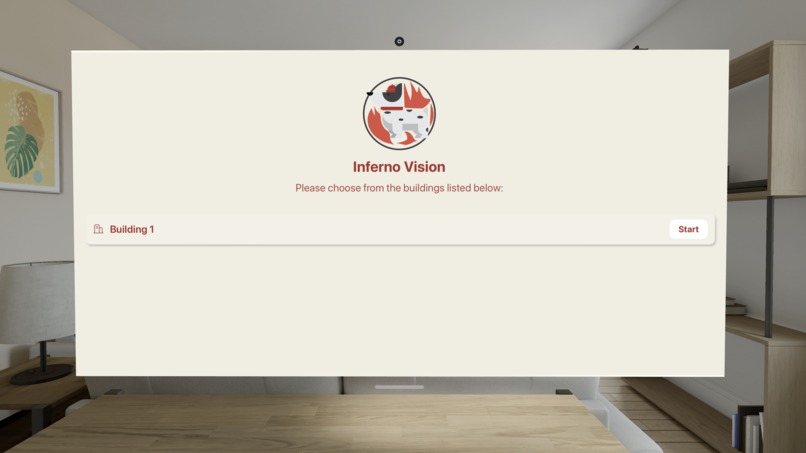
First scene in our dashboard
-
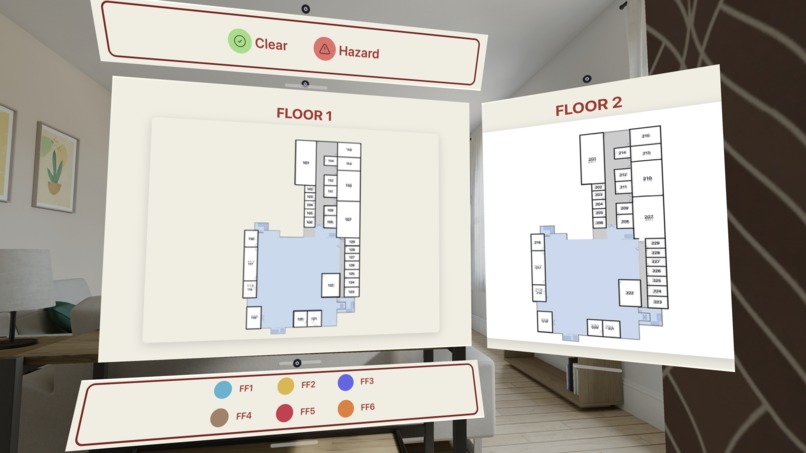
Floor plans in our dashboard
-
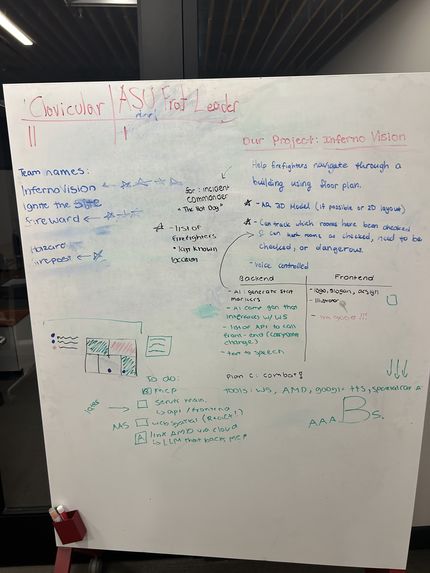
Planning stage of InfernoVision
-
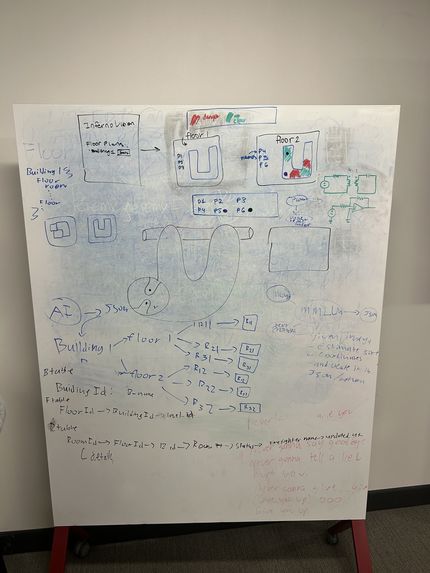
Planning stage of InfernoVision
-

InfernoVision Logo
-
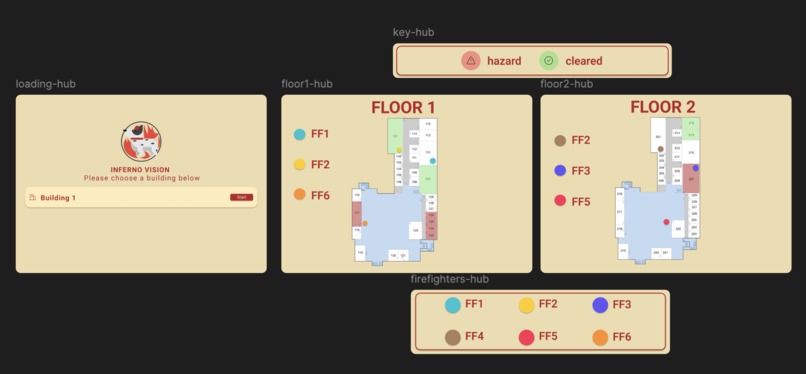
Figma layout


Inspiration
When firefighters enter a high-risk situation, Incident Commanders often make life-or-death decisions without real-time spatial awareness of their team. Firefighters rely on fragmented communication, mental maps, and static floor plans. Each detail that goes unobserved by a firefighter may lead to injury or even death. InfernoVision aims to bridge this gap by transforming static floor plans into an interactive spatial dashboard that gives Incident Commanders immediate visual context.
What it does
InfernoVision is an AR dashboard built using WebSpatial technology that helps incident commanders track firefighter locations and room status for a building in real time. By overlaying a live floor plan directly into physical space, InfernoVision reduces cognitive load and improves situational awareness during high-risk interior operations. The Incident Commander, the leader responsible for coordinating personnel and resources during a fire response, can use InfernoVision to view critical statistics and operational details alongside their direct view of the scene. Using the Apple Vision Pro, the Incident Commander initially selects their building floor plan and is presented with the following: each floor represented on a different spatial aspect, a legend of firefighters and their associated symbol on the floor plan, and a legend for determining room status (as clear or hazardous). This integrated spatial interface supports faster decision-making, clearer communication, and more efficient resource management in dynamic emergency environments.
How we built it
Frontend: We designed the hub in Figma, outlined the wireframe, and used Adobe Illustrator to create visual assets. We wanted our interface to be simple, intuitive, and professional so Incident Commanders can navigate our product efficiently and with clarity.
Web Spatial: WebSpatial was used to build a fully spatial app of our product for deployment on the Apple Vision Pro using React, HTML, and CSS. Using WebSpatial, we created scenes that allow a user to select a building’s floor plan and visualize it as an interactive spatial dashboard.
Supabase: Supabase was used to handle our real-time data storage, authentication, and database management. With Supabase, we store building floor plans, firefighter locations, and room status updates. Supabase’s real-time capabilities allow for immediate updates that are reflected in our spatial dashboard.
OpenCV: OpenCV was used to handle the floor plan transformation from PNG to an interactive layer in which each room status could be changed. The coordinates of each room on the floor plan was used to create the mapping of the interactive sheet on the WebSpatial dashboard. The mapped data is integrated directly with the WebSpatial dashboard, ensuring that changes to room conditions are accurately reflected in their spatial positions.
Challenges we ran into
Initially, we encountered issues working with WebSpatial because it was our first time using WebSpatial to create a spatial dashboard. As half of our team did not have MacOS, we were limited in the amount of people who could run the WebSpatial simulation on XCode.
We ran into issues with the floor plans as well. We wanted InfernoVision to take in an updated floor plan, identify the room numbers from that floor plan, and create a scene in WebSpatial that will display this floor plan with each room as a separate component in order to change the room status. We eventually used OpenCV as a solution to this challenge.
We tried to use AMD credits to use an LLM in our project but were faced with some difficulties of setting up the credits.
Accomplishments that we're proud of
We are proud of successfully integrating all of the functionality that we outlined in our MVP and more. During this hackathon, we aimed to create a project that can meaningfully support firefighters in high-risk situations, and we are proud to have delivered a functioning product with that mission. Additionally, we were able to integrate multiple technologies (computer vision for floor plan transformation, real-time backend infrastructure, and spatial computing for immersive visualization) into one project. Bringing together these components into a cohesive, responsive system required solving challenges related to data synchronization, coordinate mapping, and usability under pressure.
What we learned
Throughout this hackathon, we learned valuable skills on applying AR to real-world, demanding situations. With WebSpatial, we discovered the importance of real-time spatial dashboards for organizational purposes. We learned how to use OpenCV to transform our static floor plans to interactive layers that could be used in our spatial dashboard. Additionally, we strengthened our skills in problem-solving and resilience when we faced multiple challenges.
What's next for InfernoVision
The future of InfernoVision includes expanding our project to have an upload feature that can take in PNG files of building floor plans, use OpenCV to make this floor plan interactive, and show each floor of the building as a separate scene in WebSpatial. Right now, our product demonstrates this process for the two floors of Heafey as a proof of concept. InfernoVision leverages modular architecture and real-time infrastructure, and thus can be scaled to support additional data sources, larger building datasets, and bigger emergency response teams. When ideating, we wanted to implement a feature that could integrate data from radio communications between firefighters and their Incident Commanders. With InfernoVision currently, Incident Commanders are tasked with listening to radio commands of firefighters’ last known locations and marking their location on the WebSpatial dashboard. To make this interactive dashboard more seamless, we hope to create a feature that will take these real-time radio communications and update the firefighters’ locations on the dashboard without the need for manual input. We also wanted to transform our project further with WebSpatial by using 3D floor plans for a more realistic visual.
Our video demo is linked under "Try it out" links


Log in or sign up for Devpost to join the conversation.