-
-
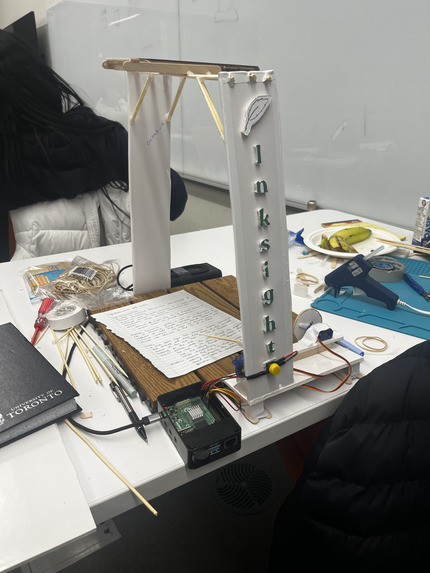
The final stages of Inksight
-
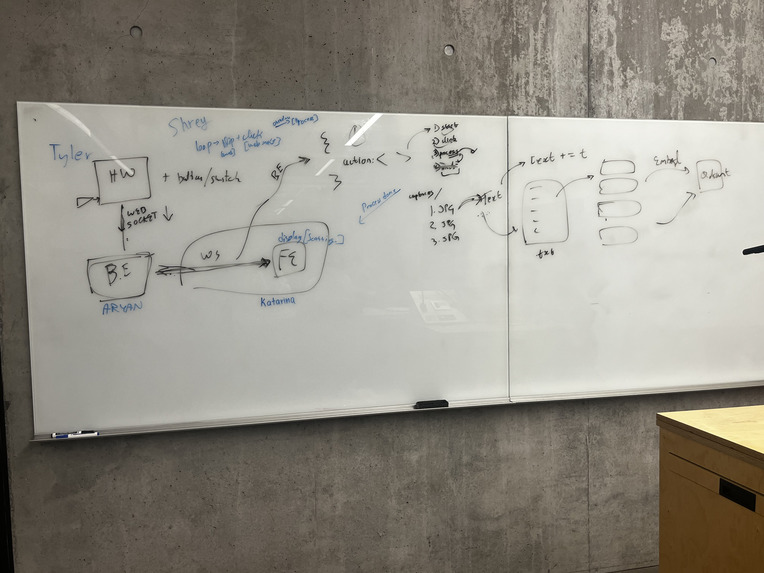
The planning stages
-
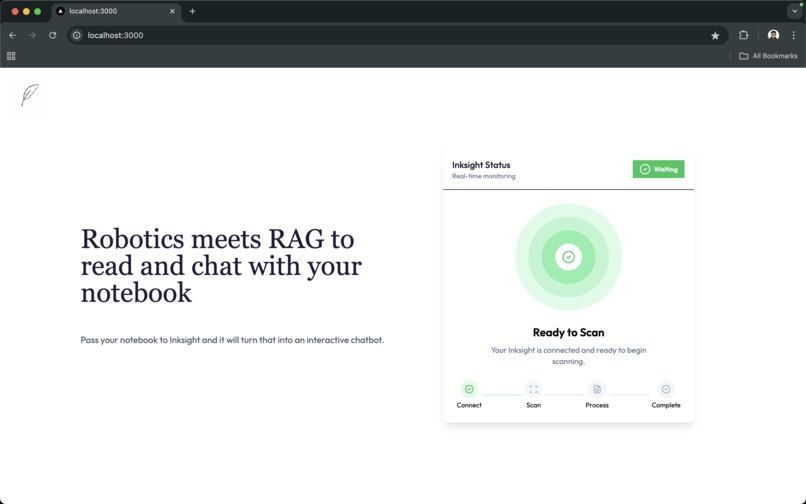
UI - RaspberryPi Connected
-
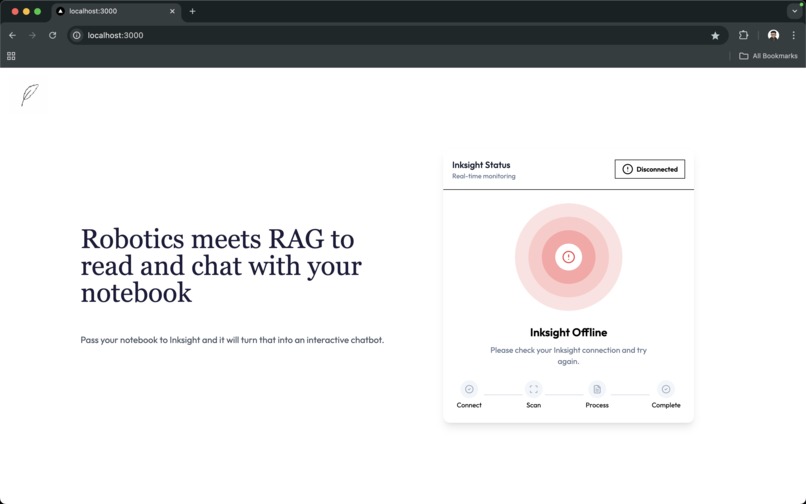
UI - RaspberryPi Disconnected
-
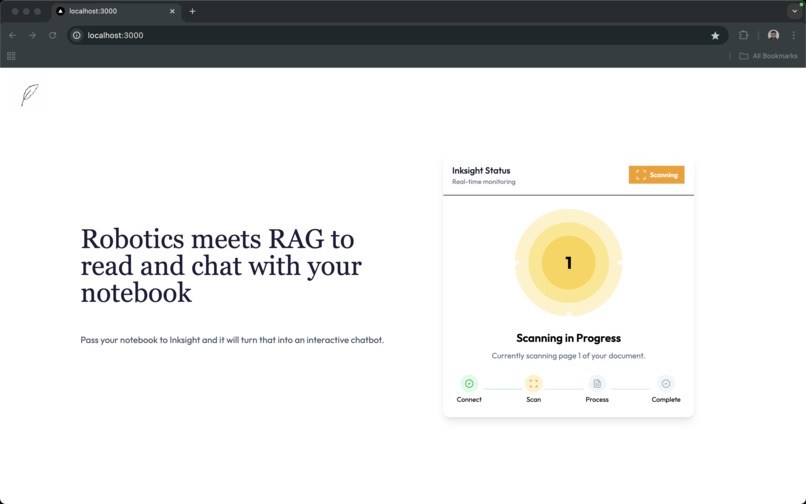
UI - Clicking Picture of Page
-
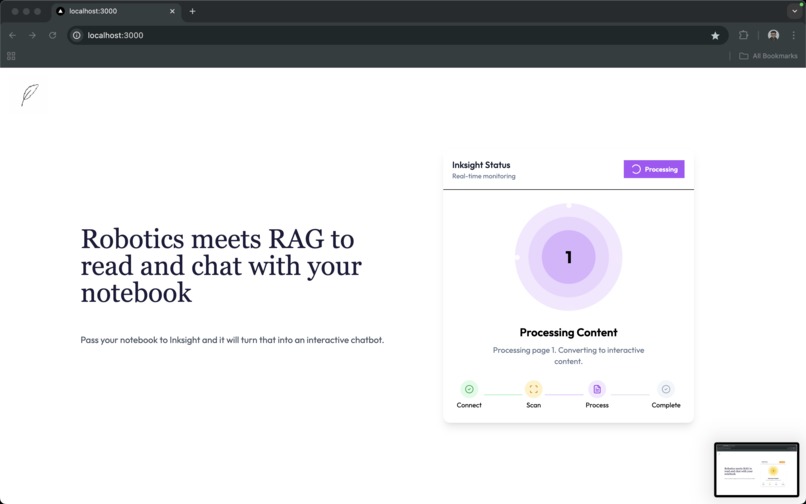
UI - Using OCR to get text and embedding the data
-
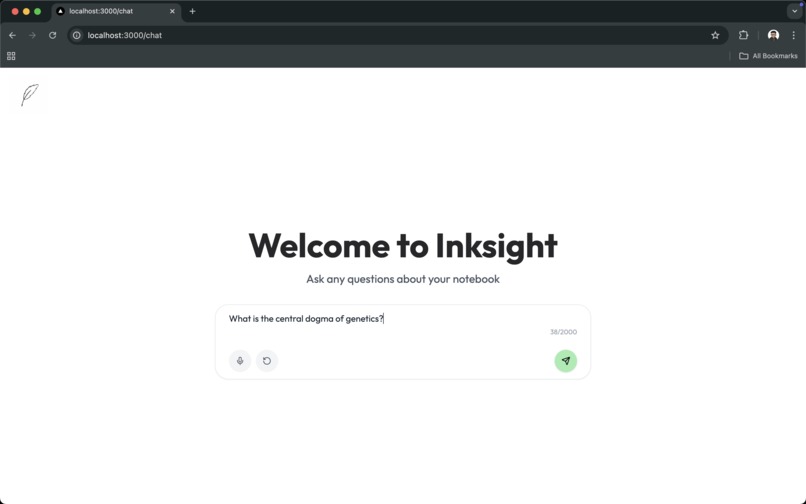
UI - Chat interface
-
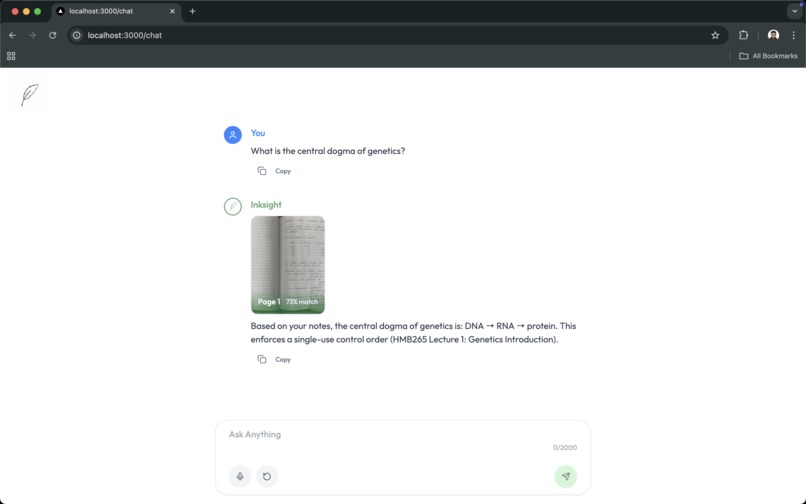
UI - Chat response
-
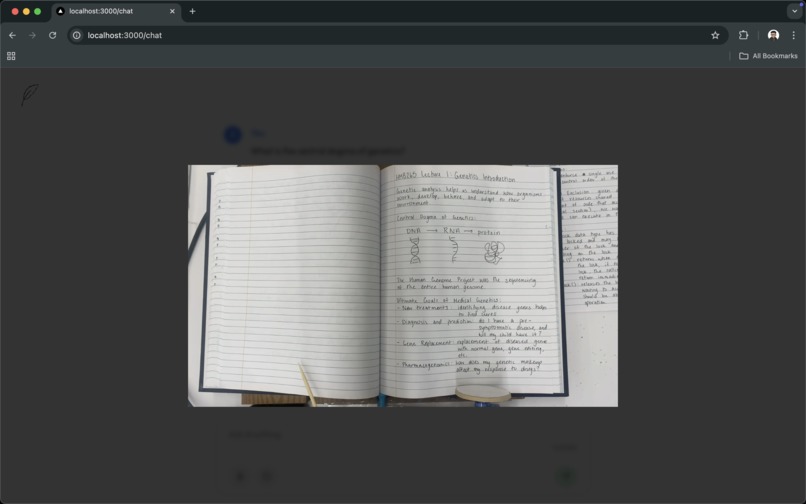
UI - Chat response reference


Our Inspiration 💡
A lot of us take notes by hand. We feel it connects us more to the material, and is a good way to focus on what's in front of us rather than another screen. A 2024 study from Charlotte Hu and Lauren Young goes into reasons why handwriting your notes while studying can actually help you remember more effectively. We want to empower others to be able to learn and discover in a way most effective for them, without the disadvantages that handwritten notes usually entail. Everyone learns differently, and we want to make unique methods of note-taking accessible to all.
What is Inksight? 🪶
Inksight is the solution to the disadvantages of handwritten notes. Our physical device flips through your notebook, taking photos of each page. It then recognizes the handwriting, converting it to text. A new chatbot is created, tailored to your specific notes. Say goodbye to being frustrated with generic, broad answers from typically available LLMs and talk to your notes personally.
Inksight is innovative in that it is the world's first solution to _agent_izing handwritten notes. We believe handwritten notes not only demonstrate your interest in a given subject more effectively, they also allow for more creative freedom when noting relevant details, which many say is the only way they can really remember what they've studied.
We wanted to use generative AI not to take opportunities away from humans, but to expand them. With Inksight, we no longer have to weigh the pros and cons, we can take notes in whatever way works best for us.
How We Built Inksight 🛠️
Our project is a blend of hardware and software designed to bring handwritten notebooks to life by turning them into intelligent, chat-ready digital companions. Here's how everything comes together:
Backend Server
- The backend is powered by a FastAPI server written in Python.
- It runs on a computer and is exposed to the internet using an ngrok TCP tunnel.
- This server maintains two WebSocket connections:
- One connects to the Raspberry Pi (which controls the hardware).
- The other connects to the Next.js frontend.
Real-Time Interaction Flow
Initialization
- The hardware setup has a “Connect” button.
- When clicked, the Raspberry Pi sends a message through its WebSocket to the backend.
- The backend then:
- Initializes the iPhone camera mounted on top of the notebook.
- Sends a connection confirmation to the frontend.
- The frontend updates in real-time to reflect the connection status.
Scanning and OCR Pipeline
- The Raspberry Pi continuously sends scanning status updates.
- For each scan:
- The backend captures an image using the iPhone camera.
- The image is uploaded to a Google Cloud Storage bucket.
- The backend processes the image using the Google Cloud Vision OCR API.
- The extracted text is cleaned and chunked using Gemini 2.0 Flash model, and the following metadata is added:
- Page number
- GCP image URL
- These text chunks are embedded using Google's Text Embedding 005 model, and stored in Qdrant Vector Database (running locally in Docker).
- The frontend receives real-time updates throughout this process, ensuring visibility into the scanning pipeline.
Completion and Transition to Chat
- Once all pages are scanned, the Pi sends a "complete" signal.
- The backend:
- Stops the camera.
- Closes WebSocket connections.
- Broadcasts a completion message to the frontend.
- The frontend then redirects the user to the chat interface.
Chat with Your Notebook
- The chat feature is built using the Gemini 2.0 Flash model.
- Here's how it works:
- The user submits a query.
- We perform a similarity search against the Qdrant vector database to retrieve relevant chunks.
- The context, user query, and chat history are passed to Gemini to generate a response.
- The frontend displays:
- A streaming response
- Associated image resources
- A similarity score for transparency
Tech Stack
Next.js, TypeScript, Tailwind CSS, shadcn/ui, Framer Motion, Google Vertex AI, Google Cloud Storage Bucket, Google Cloud Vision API, Gemini 2.0 Flash, Google Text Embedding 005 model, FastAPI (Python), OpenCV, , Qdrant, Docker, LangChain, LangSmith, Raspberry Pi, Python
Challenges We Ran Into 🧱
- Getting servos to work with a Raspberry Pi... This sounds like a simple task (and we thought the same). The issue on our end was that we were using Software PWM, which was unreliable and caused jitters in precisely certain servos (leading us to believe they were broken). We spent several hours trying to fix this before realizing we had to switch to a different library with support for Hardware PWM. 😂
- Coming up with a reliable design for flipping pages. This took quite a while (Some of us were up even at 6 am thinking of a feasible design). We ended up settling for two-stage flipping, semi-powered by gravity & friction. While the design might not seem revolutionary, it took quite a lot of tweaking to get it to work, especially with the supplies we had on hand, which brings us to the next challenge.
- Having the necessary parts! Even after we had come up with the design, a couple of us had to go out in the rain to grab supplies (cardboard, glue gun, etc.) so that we could start assembling the hardware portion.
Accomplishments That We're Proud Of 🏆
- Getting the hardware assembled and working by the evening of the second day. This was quite impressive and we were proud that we could work as a team and tackle the challenges we faced.
- Real-time connection between the Pi, Backend & Frontend using web sockets that worked seamlessly.
- Real-time processing of the captured images using the RAG pipeline.
- Showing 'references' when a user talks with the tuned chatbot. This shows the user that the model isn't hallucinating & has valid references for the query response.
What We Learned 📚
- We learned quite a bit about using Hardware PWM on Raspberry Pis & working with floating inputs.
- We also learned a lot about structural supports and balancing different factors such as weight, friction, tensile strength, etc. when assembling the hardware solution.
Impact 🌎
- Inksight can be incorporated as a kiosk into existing public libraries and education spaces (possibly universities). We truly believe that human empowerment comes from one's ability to take knowledge into their hands, and our solution lets you do just that.
- Handwritten notes are different from pdfs and other sources of knowledge. They are personalized to YOU and YOUR particular case (in a large quantity). Whether this may be your course notes with answers your professor prefers or your grandmother's handwritten recipe book written in Polish. Our solution lets you take control over how you access that information.
What's Next for Inksight 🚀
- Inksight will implement multi-modal embedding instead of the text embedding that it currently uses. This will enable the service to embed diagrams and graphs that might provide additional context.
- We plan on providing support for adding your PDFs into the existing RAG pipeline, instead of requiring the need to scan the physical document. This is particularly easy to do since the bulk of the work is already implemented for the current hardware-supporting solution.
Built With
- docker
- fastapi
- google-cloud
- langchain
- langsmith
- nextjs
- python
- qdrant
- raspberry-pi
- typescript


Log in or sign up for Devpost to join the conversation.