-
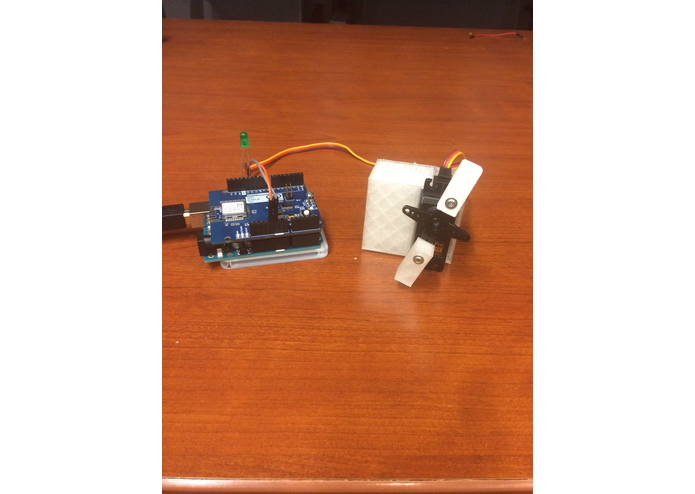
Arduino and Servo
-
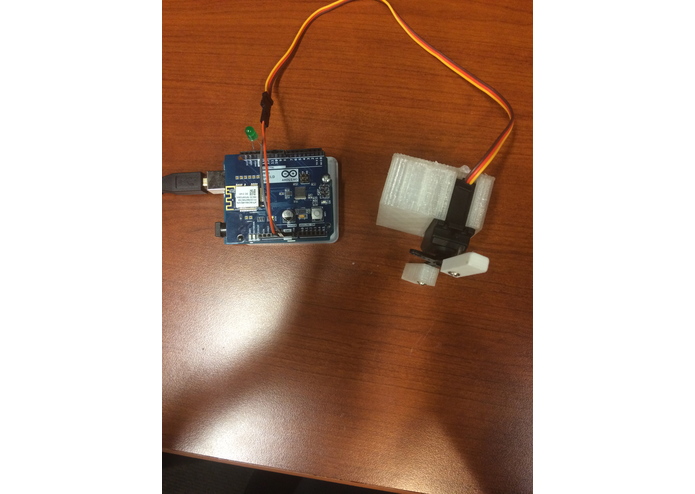
Above View
-
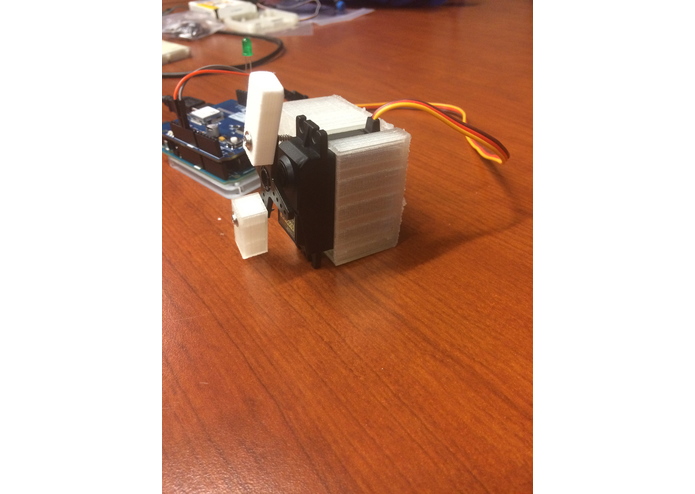
Side (Right) View
-
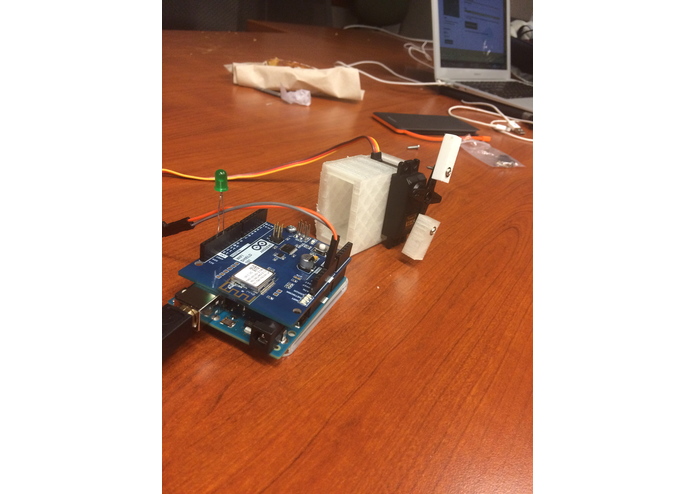
Side (Left) View
-
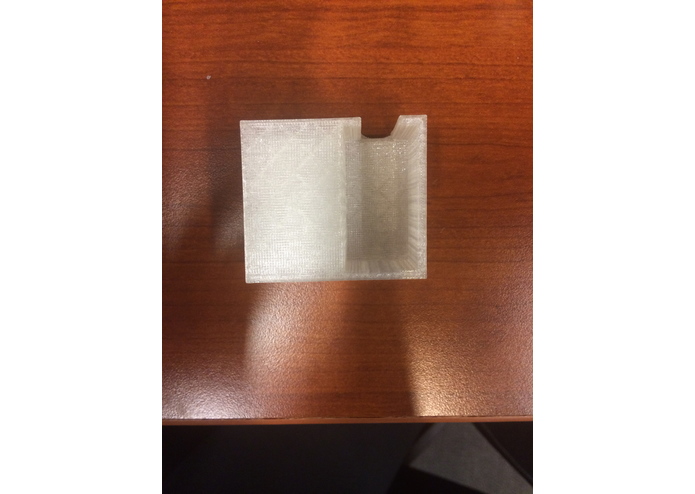
Servo Mount (Front)
-
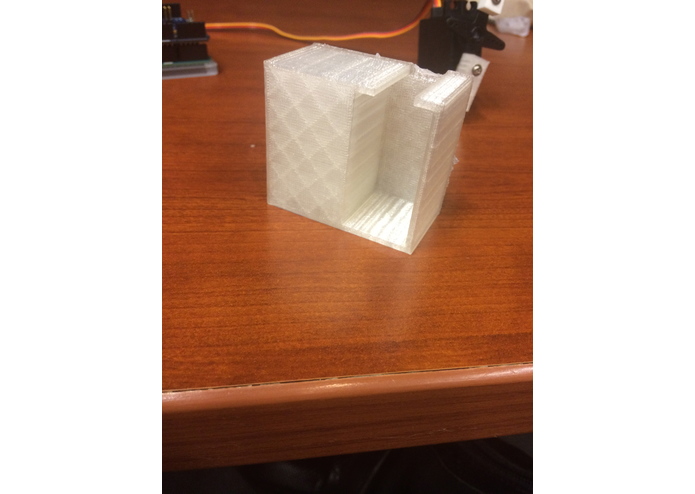
(Angle)
-
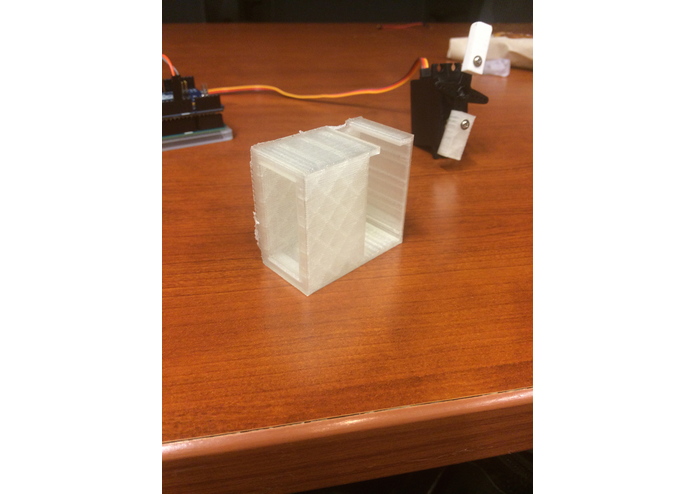
(Angle)
-
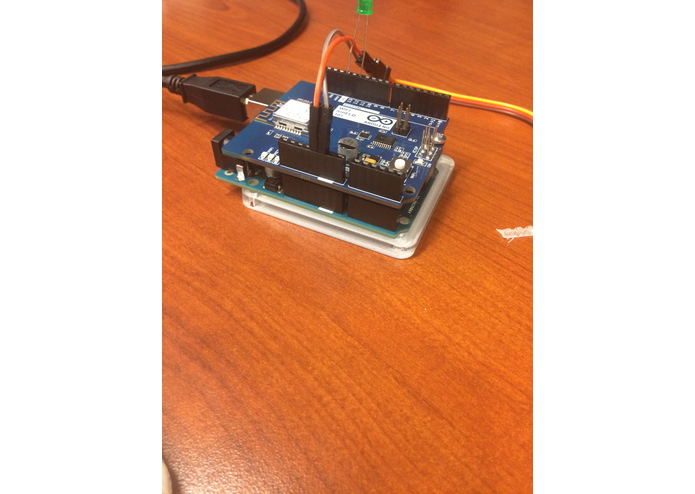
Arduino on Laser Cut Base
-
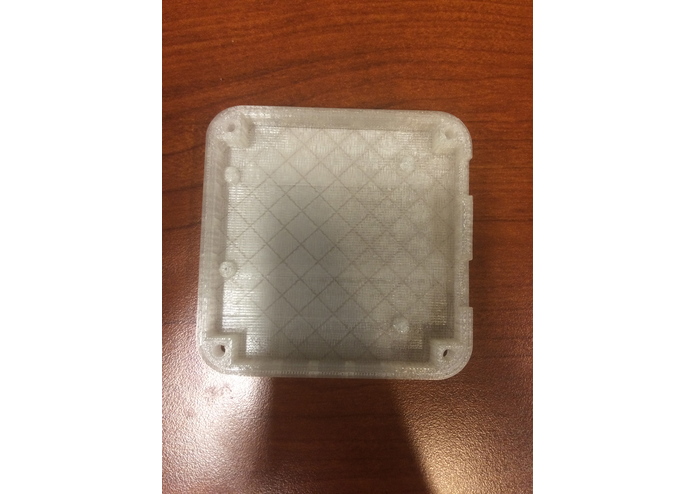
Arduino Base Mount
-
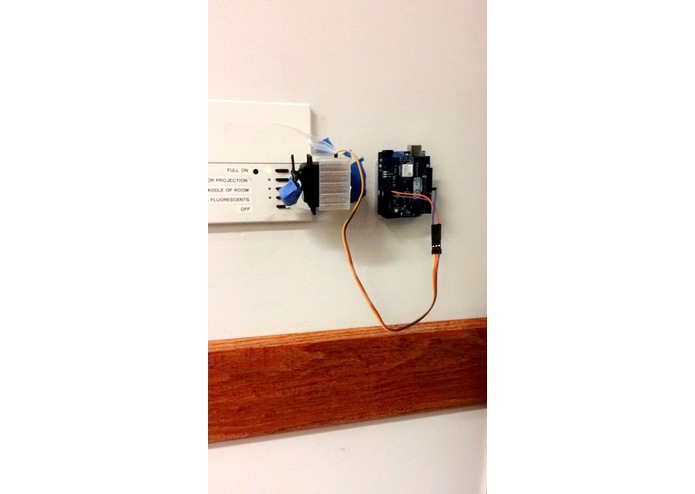
Mechanism Mounted on the Wall, Next to a Light Switch
-
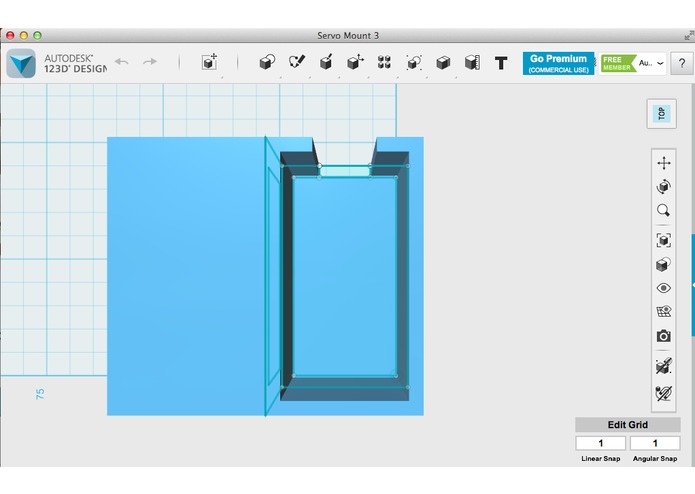
Servo Mount (SM) CAD Design (Side)
-
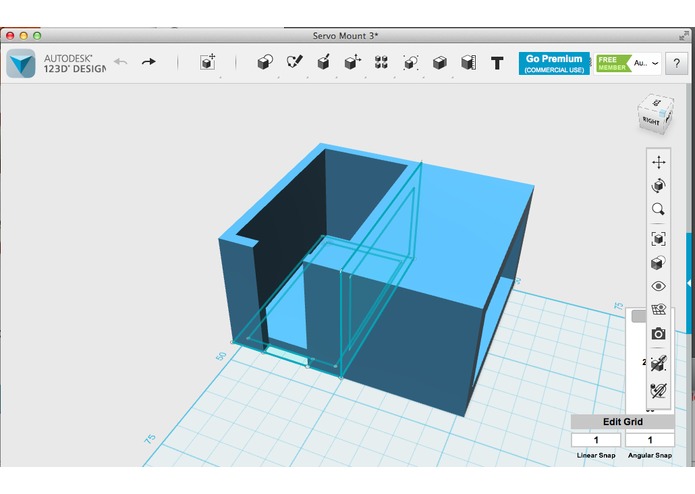
SM CAD Design (Top)
-
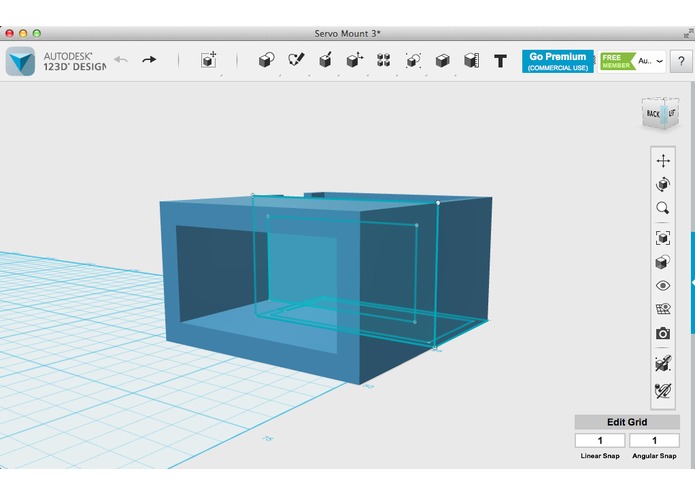
SM CAD Design (Hollow Mounting Base)
-
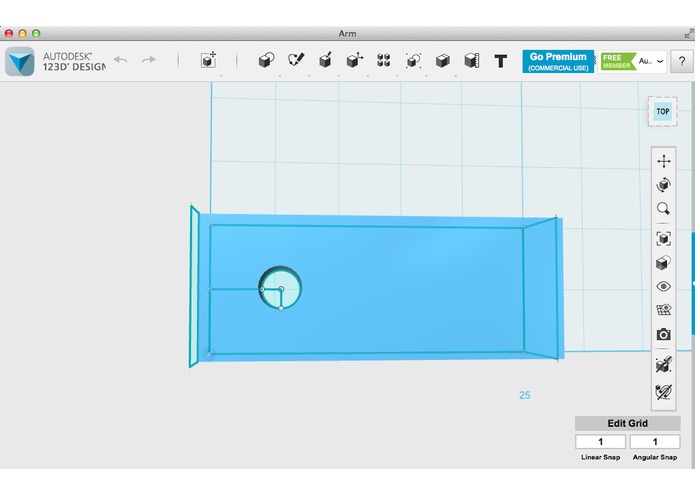
Arm CAD Design (Top)
-
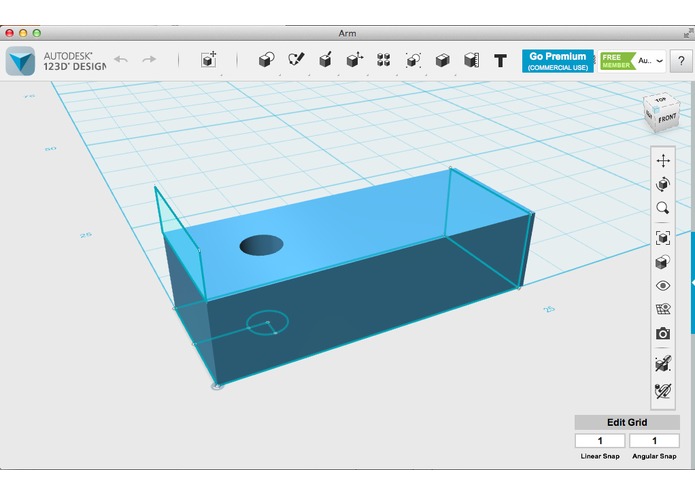
Arm CAD Design (Side)


Inspiration
When we're going to sleep, and the light switch is a across the room, we often worry about tripping over wires and objects in our rooms. So, we thought, "what if we could turn off our light switches wirelessly?" Then, we could prevent injuries from falling over obstacles.
What it Does
It mounts onto the light switch and turns it on/off via an app. In addition, it has two different lengths of arms for switches of different width, so if your light switch has a less protruding switch handle, you can use the longer arm.
How We Built it
We used an Arduino Uno, Servo, LED, Wifi Shield, and 3D Printed and Laser Cut parts. In terms of software, we used 123D Design to come up with models of the printed and cut parts, and we used C to program the Arduino Uno and Wifi Shield, and node.js to program the app.
The idea was to mount a servo onto the area next to the light switch, using a 3D printed mount we made our selves using CAD software. The mount wouldn't have any screws because it would fit snuggly in the mount, and be secured on five sides. The top however, has a slit at the top for the servo wire, so that the servo can be easily popped in and out if it breaks. The mounting side of the servo was extruded 27mm to give the arm space to turn, and account for the height of the metal plate light switches are mounted on. However, the inside was negatively extruded, but the walls were 5mm thick to add support. It was hollowed out to make the object lighter, in order to decrease the amount of time it took to print, and also the likelihood of the unit falling off the wall. The servo would be put on it's side and have a mini arm attached to it that would turn, and flip the switch on or off. The arm was also a 3D printed mount we designed with CAD, that had a hole negatively extruded for a screw to go through, and was then screwed onto the servo. After, we connect the servo to the Arduino, which had the Wifi Shield attached to it, and battery source, both of which were mounted next to the servo. Instead of mounting the Arduino onto the wall directly, we decided to try 3D printing a case for the Arduino, however most of the MakerBot machines were used, so we tried laser cutting a mounting board for the base of the Arduino to be attached to. It was a simple rectangular shape, designed with CAD, with holes at the edges for screws to screw the Arduino and board together. In the end, we ended up also 3D printing an Arduino mount, however we decided to go with the laser cut one because the material was smoother, so it was easier to mount to the wall. We also developed an app, so that once you entered the app, you could tap anywhere on the screen, and the switch would be turned on or off.
Unfortunately, we didn't have access to dual lock, but if we could, we would have put dual lock on the wall and the hollow mounting side of the servo mount, and the backs of the Arduino mount, and battery so that the devices would be secure against the wall, but also easily removable.
Challenges We Ran Into
None of us knew how to do 3D modeling for our parts, so one of our members spent a few hours tinkering and learning how to use it, then spent a couple more hours designing the parts, and we ended up successfully printing 5 parts, and laser cut one part. We also had difficulties getting the Wifi Shield to work due to connection issues with the log in page for the Penn wifi.
Accomplishments That We're Proud Of
Learning how to CAD with Autodesk, laser cut, and create an app that linked to the Arduino via Wifi Shield.
What We Learned
We learned the importance of taking measurements and drawings for 3D Designing, and more about Arduino.
What's Next for Light
Next, we plan to make an alarm for the app, so that you can set the servo to turn the light switch on or off at a certain time. For instance, if you want to wake up at 6 am, you could set the servo to turn the light switch on at that time. We also want to add a push button so that the servo can be activated from a different place too. Also, we want to add an an LED that functions as a nightlight for safety reasons, such as showing you wear the door is in an emergency, or if you're scared of monsters!

Log in or sign up for Devpost to join the conversation.