-
-
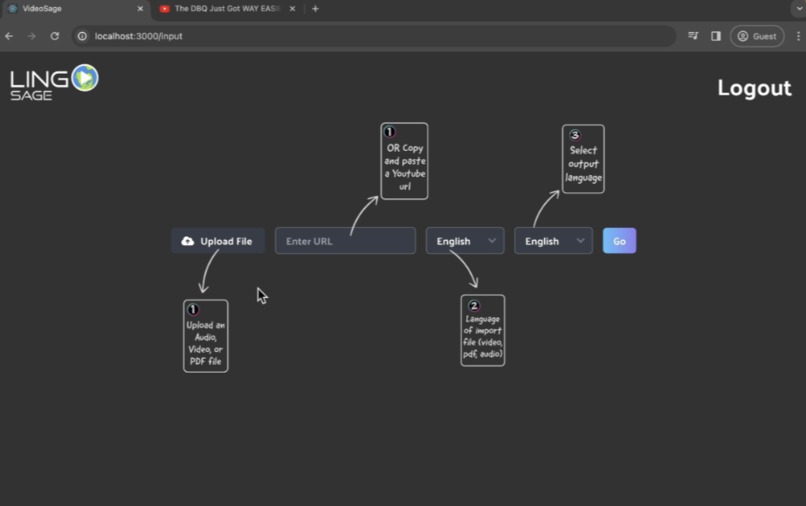
Input section: Either upload(.mp4, .mp3,..pdf) file or put in youtube url
-
LingoSage
-
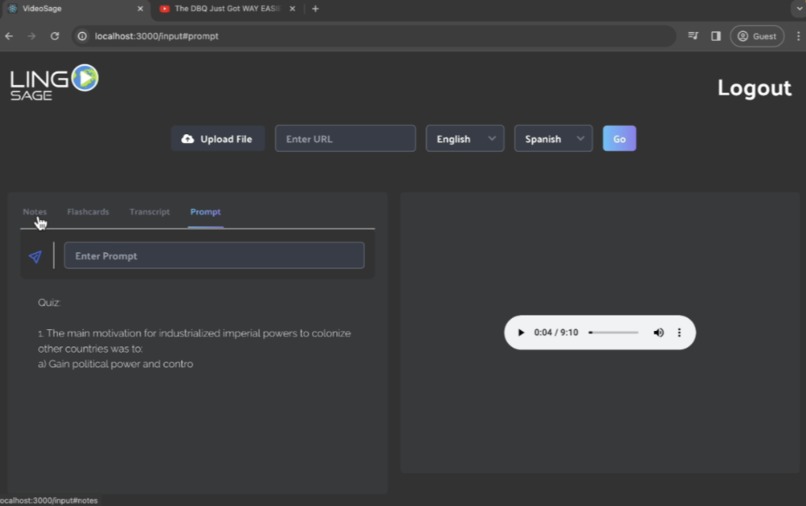
Podcasts available as well
-
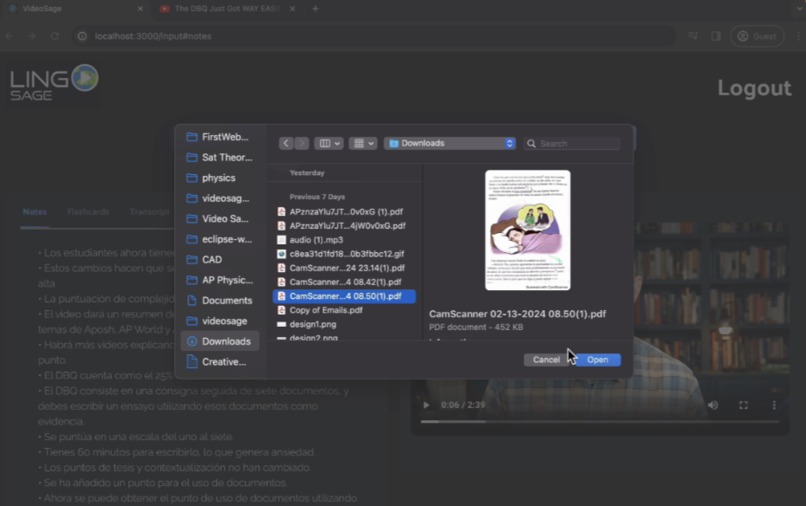
Upload PDFs in any language and understand it
-
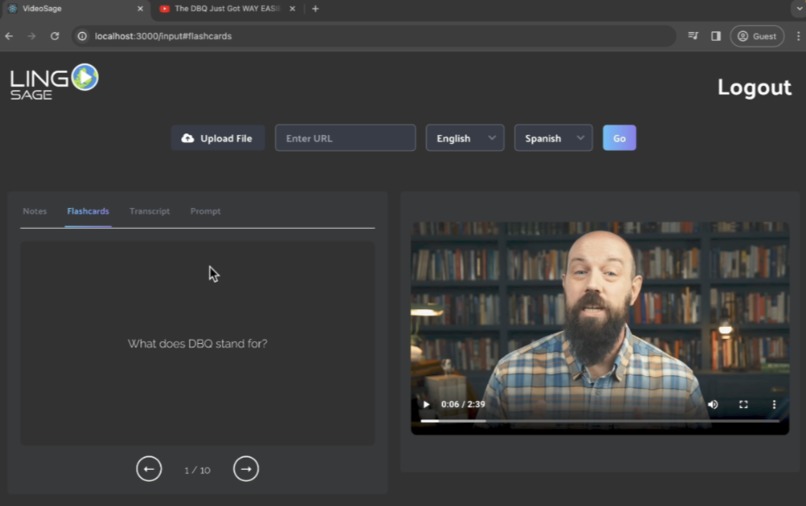
offers comprehensive flashcards
-
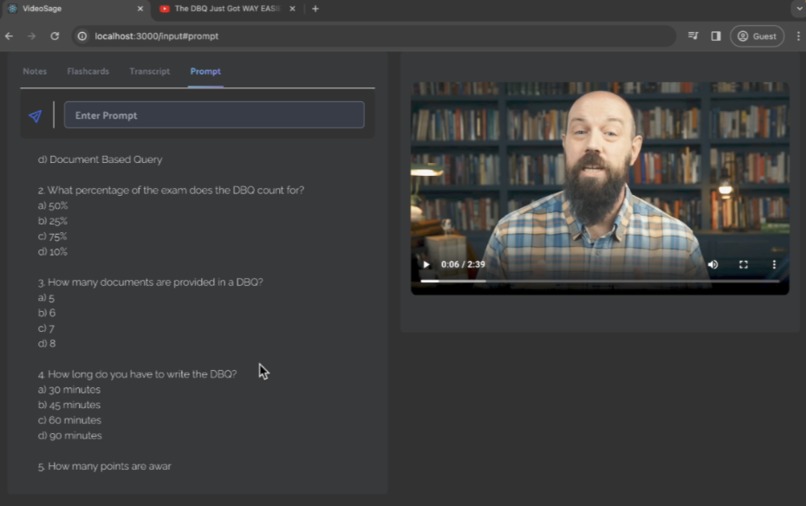
AI Tutor which can generate quizzes, you can questions to and whatecer you can imagine
-
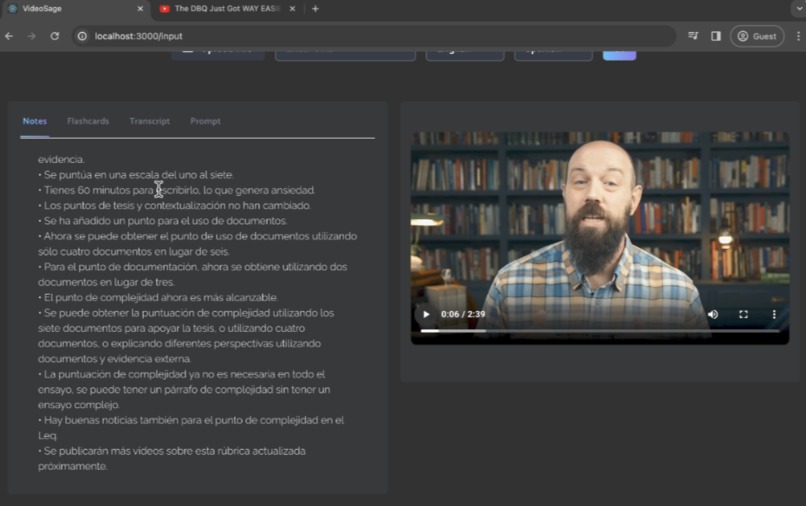
Offers AI Dubbed video as well as intricate notes


Inspiration
I got the idea as I was strolling through YouTube and came across a Django tutorial. Now this Django tutorial was in Hindi. Despite my limited grasp of the language, I found myself utterly lost amidst the valuable content. It was then that I had an epiphany: so much knowledge resides within languages we may not be fluent in. It became clear that a vast wealth of information lies scattered across the globe, often obscured by the language barrier, impeding our access to it.
In that moment, I yearned for a solution—a quick, easy way to transcend language barriers and access the knowledge I craved. Thus, the concept of LingoSage was born. I envisioned a tool that could seamlessly integrate various sources of knowledge, regardless of language, into one comprehensive platform. A platform that could swiftly generate thorough notes, akin to Quizlet flashcards, and provide interactive quizzes. A platform equipped with a tutor feature, freely available to all, guiding users through complex content with ease.
In essence, LingoSage embodies the belief that knowledge should be democratized, accessible to everyone, regardless of geographical location or linguistic proficiency. It is a testament to the power of technology to bridge divides and empower individuals worldwide on their learning journeys.
What it does
- Takes in video URL, pdf, .mp4, and .mp3 files
- Offers AI dubbing(novel and has not been done before)
- Integrates Notes on the resource given
- Offers Flashcards to build proficiency on the topic
- Offers a ChatGPT like AI tutor which utilizes content from the resource to offer up constructive feedback(quizzes, ask questions about resource, whatever you can think of) ## How we built it I built it using the React Framework for a clean frontend and connected it to Flask and Python for the backend to complete AI tasks. For videos, I used YouTubeAPI to download the video and audio. Then I used assembly AI API to get speech-to-text service and acquiring the content. Using this content I then used googleTranslator to translate it and then used Microsoft Azure TTS to generate the new audio in the dubbed language. Then I used moviePy to edit the audio into the video. I did this same process for podcasts. Then using the same transcript I generated notes using OpenAI gpt-3.5 turbo API. Then I used OpenAI again to acquire flashcard questions and answers. Then I put this in JSON format and presented it as flashcards. Lastly using OpenAI and the transcript I made a GPT-like AI tutor prompt. Another tool I used to get the transcript or content was convert API to convert PDF to txt and did the whole process mentioned above again.
Challenges I ran into
I ran into lots of challenges: -getting proper JSON format for the flashcards -using moviePY properly to speed up audio to same speed as length of video to replace it in -connecting flask to React(had to learn this) -finding the correct APIs which offered good pricing(Microsoft Azure TTS was a wonderful find) -properly handing english to english conversion(in this case we would want original video and storing this was hard) -Lastly in looking to make this a product in the future it was challenging to store the videos properly based on the uid of the person
Accomplishments that we're proud of
Groundbreaking AI Dubbing: Developed an innovative AI dubbing feature, enabling seamless translation into multiple languages for diverse audiences.
Integrated Learning Resources: Created a comprehensive platform with notes, flashcards, and an AI tutor for enhanced learning experiences worldwide.
Smooth Backend Integration: Successfully connected React frontend to Flask and Python backend, ensuring seamless functionality.
Strategic API Utilization: Leveraged APIs like Assembly AI and Microsoft Azure TTS for efficient functionality and cost optimization.
Efficient Content Processing: Implemented streamlined workflows for rapid transcription, translation, and content generation.
User-Friendly Design: Designed an intuitive interface prioritizing accessibility and ease of use for all users.
Effective Problem-Solving: Overcame challenges such as JSON formatting and backend/frontend integration through perseverance and adaptability.
Clear Vision for Future Development: Established a roadmap for optimizing video processing, enhancing data pipelines, and deploying custom machine learning models for improved performance and scalability.
What we learned
What's next for LingoSage
Optimized Video Processing: LingoSage will focus on speeding up video processing, ensuring a 30-minute video is transcribed and translated within seconds using custom-built machine learning models.
Efficient Data Pipelines: By deploying advanced data processing technologies, LingoSage will create efficient pipelines to handle multimedia content rapidly, delivering translated material in near real-time.
Edge Computing Solutions: LingoSage will explore edge computing for faster transcription and translation, leveraging custom-built models to provide real-time access to multilingual content, even in low-bandwidth settings.
Streamlined User Interface: LingoSage will redesign its interface for quick access to educational content, optimizing workflows and reducing clicks to provide a seamless user experience.
Continuous Performance Monitoring: LingoSage will implement real-time performance monitoring to track system efficiency and user feedback, ensuring the platform remains fast, reliable, and responsive.
Building Custom Models: LingoSage will develop its machine learning models, enhancing accuracy and speeding up processes without relying on third-party APIs.
Deployment: using docker and google cloud 300 dollars in free credits


Log in or sign up for Devpost to join the conversation.