-
-
Landing Page
-
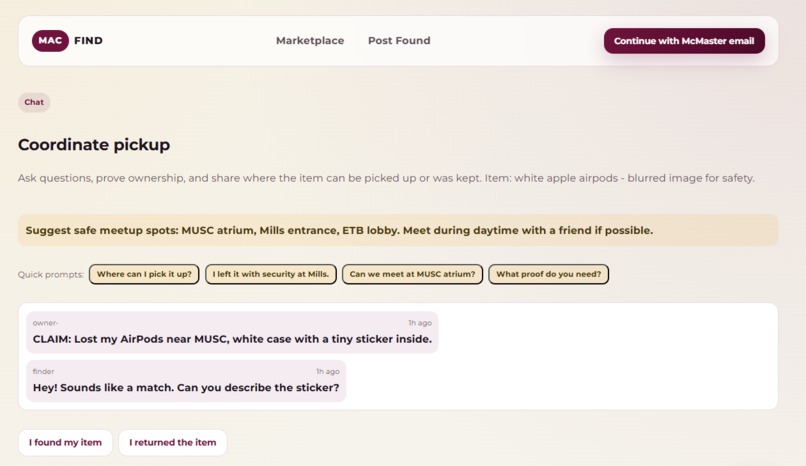
Chatting with other users


Inspiration
Every student knows the frustration of losing something valuable on campus, whether it's AirPods left in a lecture hall, a favorite hoodie forgotten at the library, or keys dropped somewhere between classes. Traditional lost & found systems are outdated, centralized, and often ineffective. We were inspired to create MacFind, a modern, AI-powered lost & found marketplace specifically designed for the McMaster University community.
The idea came from recognizing that:
- Students lose items frequently, but finding them is often a matter of luck
- Campus-wide communication about lost items is fragmented across bulletin boards and social media
- Privacy and safety concerns prevent people from posting clear photos of found items
- AI technology could revolutionize how we categorize and search for lost items
We wanted to build a solution that combines community trust (McMaster-only access), privacy protection (blurred images), and cutting-edge AI to make reuniting students with their belongings faster and more secure.
What it does
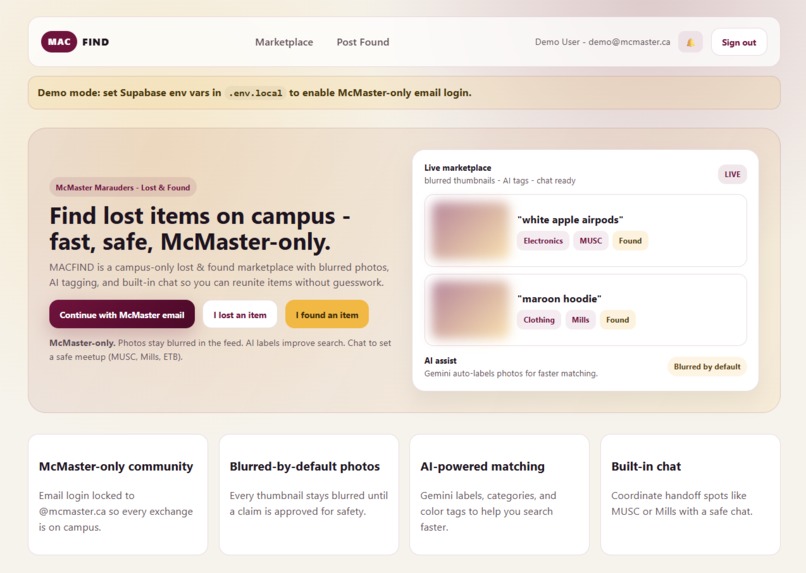
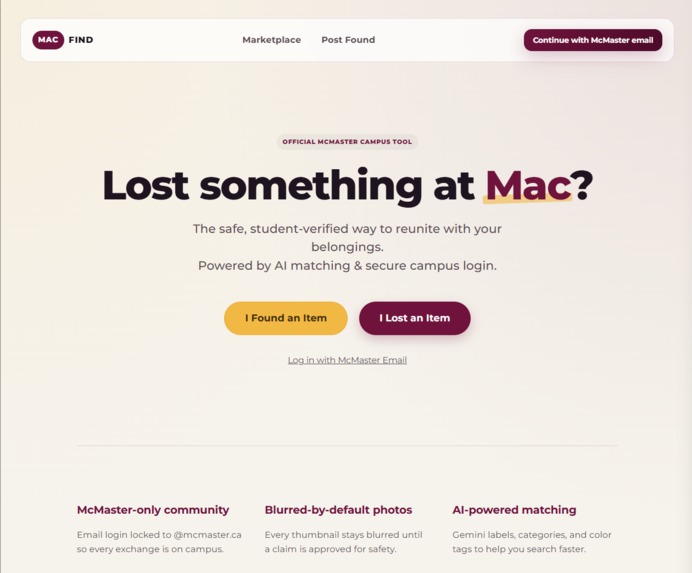
MacFind is a secure, AI-powered lost & found marketplace for McMaster University students.
For those who found items:
- Upload a photo of the found item with location details
- The app analyzes the image using Google Gemini Vision to extract category, colors, materials, and tags
- The photo is blurred by default for privacy protection
- Post goes live on the marketplace with AI-generated metadata for better searchability
For those who lost items:
- Browse a searchable marketplace with filters by category, location, and time
- Use natural language search ("red earbuds", "black hoodie", "keys, black waterbottle")
- View blurred thumbnails to protect privacy
- Claim items by providing proof of ownership
- Chat securely with the finder to coordinate safe meetup locations on campus
How we built it
We built MacFind as a full-stack web application with a React frontend and Express.js backend. The frontend uses React 19 with TypeScript and Vite for fast development, while React Router handles navigation. Supabase powers authentication (email magic links restricted to @mcmaster.ca), real-time database operations, and image storage.
The backend consists of an Express.js API that receives image uploads via Multer, processes them through Google Gemini Vision API to extract categories, colors, and tags, then stores the results in Supabase. The image processing pipeline flows: Upload → Gemini Analysis → Database Insert.
We implemented a demo mode with seeded data to allow full UX testing without backend dependencies, and used Supabase's Row Level Security for data protection. The entire stack runs on Node.js with TypeScript for type safety throughout.
Challenges we ran into
- Privacy vs. Usability - Balancing blurred images with searchability. Solved with AI metadata extraction.
- Real-time Updates - Keeping marketplace updated when new items post. Used Supabase real-time subscriptions.
- Image Upload Pipeline - Coordinating frontend upload, backend processing, and Supabase storage. Created clear flow with error handling.
Accomplishments that we're proud of
We built a fully functional AI-powered lost & found platform in a short amount of time. We successfully integrated Google Gemini Vision API for automatic item categorization and implementing a privacy-first design with McMaster-only authentication and blurred images by default.
What we learned
We learned how to integrate Google Gemini Vision API for structured image analysis and discovered that AI-powered metadata extraction can dramatically improve searchability even when images are obscured for privacy. We also gained valuable experience with Supabase's authentication patterns, Row Level Security, and building robust file upload pipelines with Express and Multer.
What's next for MacFind
For the upcoming future, we are hoping to expand this project so any university can decide to adopt this lost and found system of approach with a well-defined security to help communities and campuses across Canada.
Built With
- cors
- eslint
- express.js
- google-gemini-vision-api
- javascript
- multer
- node.js
- postgresql
- react
- react-router
- supabase
- typescript
- vite


Log in or sign up for Devpost to join the conversation.