-

Welcome Screen
-
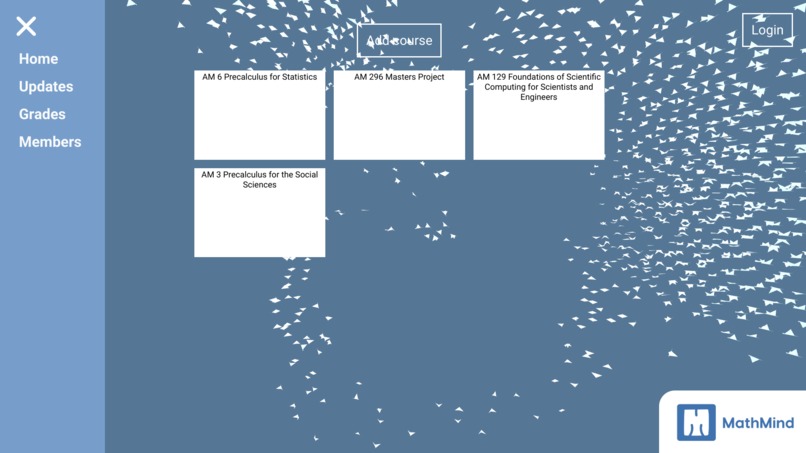
Course Dashboard
-
Login Page
-
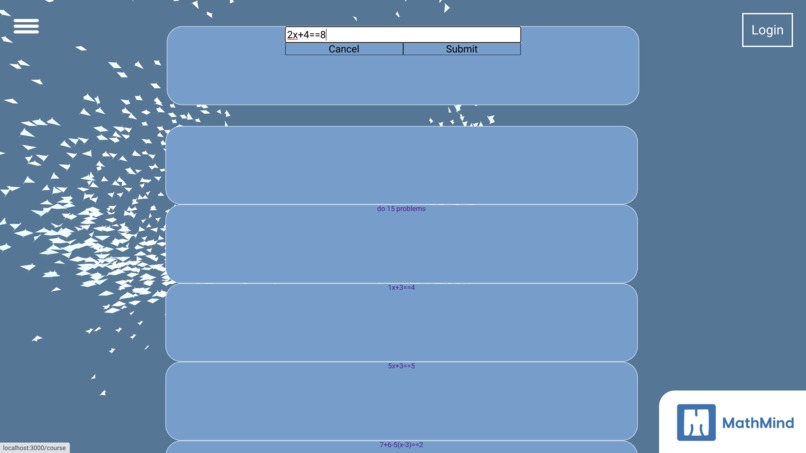
Assignments Dashboard
-
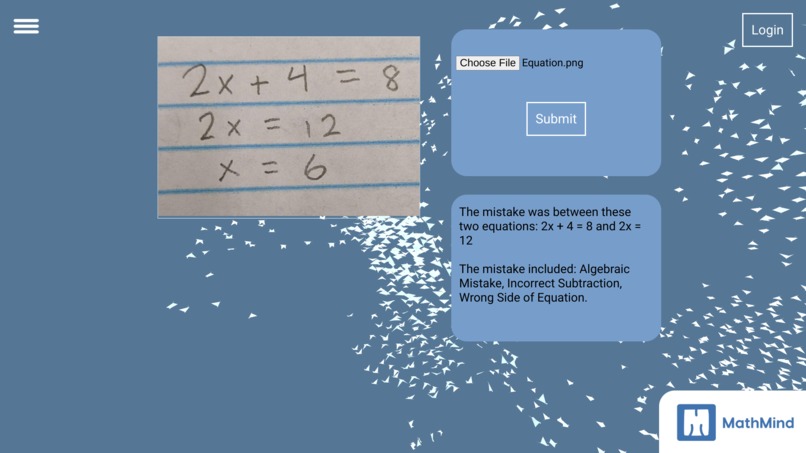
Singular Assignment with Feedback


Inspiration
We asked our teachers about what they felt could be improved in their job and found that most teachers struggle the most with time management and to give adequate feedback to students for their classes. This is likely because of how time-consuming grading each student’s work individually can be. As a matter of fact, some teachers don’t assign homework all together because of the fear of having to grade all of it. This results in a lack of motivation to help students learn for their tests and mastery of the subject, as performance on homework is the number one indicator of conceptual understanding. All of this is disadvantageous to a classroom setting, so we wanted to help by making MathMind.
What it does
This program, with the input of an image of student work, can help teachers with grading homework fast and accurately, while giving the teacher the major ideas of what a student struggles with. In addition, this program helps students understand where they went wrong and what concepts are tied to it.
How we built it
We used the assets of React, MongoDB, Cheerio, Wolfram-Alpha, OpenAI: WhisperX (for transcriptions), GPT-3, Python, and Google Cloud-Vision OCR.
Challenges we ran into
We ran into various challenges with the OCR which was the base of our entire program. If the homework couldn’t get detected properly, then the rest of the programming process would have been pointless! First, we started with python tesseract which only ended up working for a minority of the test cases and that too with only computer-text based images. So needless to say, that wouldn’t work because we needed a large amount of handwritten detectability in our chosen OCR. However, we ended up finding a tool called Microsoft Azure which worked perfectly, however it was not compatible with the dynamic system that we needed in order to upload and scan multiple documents. Therefore, we ended up changing to Google Cloud Vision OCR.
Accomplishments that we're proud of
The accomplishments that our team is proud of is learning mastery of several different api’s and services such as azure on the fly. With our program, we often had issues which prevented us from continuing and making our code work. We ran into problems with our computer vision technology, CSS website code, and image processing capabilities. However, the way that we handled it by taking advantage of the mentors that were available and using various tutorials and resources at hand showed our initiative to learn from this experience of creating MathMind. We were also able to connect all 3 fronts of our software project including the OCR, backend, and frontend in time for submission, which was an amazing accomplishment.
What we learned
We learned that working with strings in conjunction with perfecting our AI’s mathematical reasoning is very hard. At times, our AI would not be able to detect the errors made in the problem properly so we had to use Wolfram Alpha and OpenAI in tandem to split the process up into steps to counteract this issue. Computer vision and text recognition was also a pain in order to get handwritten values in, so we had to try several different versions to see which one is the best for handwritten text. We also learned the skills of project management for the computer vision sector, and the backend and frontend needed to create a convenient and eye-catching UI/UX, which all worked together and made MathMind possible.
What's next for MathMind
In the future, we hope to expand MathMind courses past the UCSC directory with the help of Cheerio. We hope to provide persistent assignments, follow up questions, and statistical reports. In addition, we hope our AI in the future will provide better explanations, (with the help of GPT 4 or 5/Wolfram AI improvements), to better aid students and teachers. We also have hopeful goals, those being that we can support subjects other than math using robust computer vision API. Ultimately, we want to make it available to teachers and students for use ASAP and in the future eventually open-source it.


Log in or sign up for Devpost to join the conversation.