-
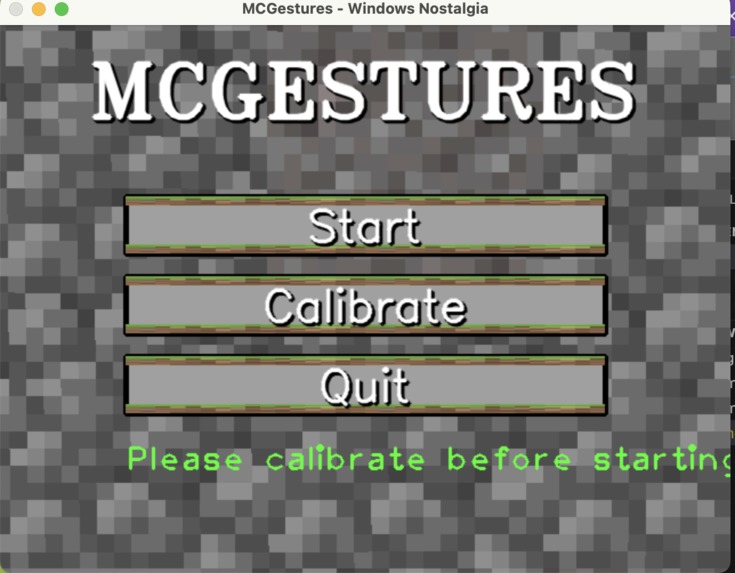
Homescreen

Inspiration Minecraft has been a childhood favorite for many, and VR gaming has always been a dream for more immersive play. However, VR headsets can be prohibitively expensive. We wanted to make this immersive experience accessible to everyone by using the computer hardware most people already own—a simple webcam. Our goal was to bring Minecraft to life with gestures, making it feel like VR without the cost.
What it does Our project uses hand gestures and head movements to control Minecraft. By tracking hand positions with a peace sign, you can move in the game in the direction you're facing. We also implemented additional gestures, like switching hotbar slots, crouching, and placing items, all triggered by specific hand movements. Essentially, we’re translating the physical world into Minecraft’s control scheme, but without the need for expensive VR gear.
How we built it
Libraries Used: We used OpenCV for image processing and basic computer vision tasks, like identifying the hand and head in the video feed. Mediapipe, a framework by Google, was used to track hand landmarks and head position. Mediapipe’s hand tracking module was key, as it provides detailed hand joint positions and movement, which we could then map to game actions. To interface with Minecraft, we used a keyboard simulation library like pynput, which allowed us to emulate key presses based on the gestures detected. This was essential for sending Minecraft-specific commands (like moving or switching slots) to the game.
Math and Calculations: A lot of the movement was based on calculating 3D space orientation using the 2D coordinates of the hand landmarks tracked by Mediapipe. For example, determining the direction of the player’s movement involved calculating the relative angle between the direction of their head and the orientation of their hand. This involved simple vector math to project 3D coordinates onto a 2D plane (like the Minecraft world). Similarly, head tracking was used to simulate VR-style movement. The pitch and yaw of the head were used to detect forward/backward motion, as well as the direction of movement (i.e., looking around). The logic for the gestures—like detecting the peace sign or the "thumbs-up" gesture—was built using Euclidean distances between specific hand landmarks. Once a gesture is recognized, we use that information to simulate corresponding keyboard actions.
Challenges we ran into
Integration into Minecraft: One of the biggest hurdles was translating hand and head movement into real-time game controls. Minecraft’s native controls aren’t designed for gesture-based input, so we had to simulate key presses in a way that felt natural and responsive. The main challenge was making the input mapping fluid, where small hand movements would translate directly to Minecraft controls without lag. Additionally, Minecraft’s control system is highly sensitive to input, so fine-tuning how fast or slow movements would map to game actions was tricky. We had to experiment a lot with input smoothing and gesture recognition thresholds to make the experience as smooth as possible.
Library Limitations and Processing Speed: While Mediapipe is fantastic for hand and head tracking, it wasn’t built for real-time gaming integration. We had to optimize the system to handle real-time performance since Minecraft runs at 60 frames per second (FPS) or more. OpenCV's image processing can be computationally expensive, so we had to balance between gesture accuracy and performance, ensuring that the gesture recognition wouldn’t slow down gameplay or cause frame drops. Additionally, dealing with varying lighting conditions was challenging—different environments required different configurations for optimal tracking. Bright or poorly-lit rooms could make gesture recognition less reliable.
Gestures and Sensitivity: Ensuring the accuracy of gestures—especially for quick actions like switching hotbar slots—was a tricky problem. We had to calibrate each gesture’s sensitivity to avoid false positives and ensure that small unintended hand movements didn’t trigger in-game actions. The range for detecting gestures (like the peace sign) had to be set just right, as too large of a range would register wrong gestures, and too small would make it hard to perform them in the first place.
Accomplishments that we're proud of We’re extremely proud that we managed to create a fully functioning gesture-based control system for Minecraft without needing expensive hardware. The fact that we achieved this using just a webcam and accessible libraries like OpenCV and Mediapipe makes it a truly democratized VR-like experience. The seamless integration of gesture recognition, head tracking, and game controls was a big win. Plus, adding around 20 distinct gestures that users can customize and use for various in-game actions felt like a great accomplishment.
What we learned We learned a lot about real-time computer vision, and the challenges that come with integrating machine learning models into fast-paced applications like gaming. We also gained a deeper understanding of kinematic calculations and how to apply them for user input systems, like hand and head tracking. The optimization process taught us the importance of balancing accuracy with performance to deliver a smooth gaming experience. Lastly, we discovered how difficult it can be to map abstract physical actions (like gestures) to highly sensitive game inputs.
What's next for mcgestures In the future, we plan to:
Expand the gesture library, allowing for even more in-depth control over Minecraft. This could include action-specific gestures like building structures or interacting with specific in-game elements.
Improve the head tracking sensitivity to make movement even more precise and intuitive.
Explore multi-game compatibility, where the system could be adapted to control other games beyond Minecraft.
Optimize performance further, particularly for older or lower-end systems, by improving processing speed and handling more complex environments.
Eventually, we want to introduce mobile compatibility for users who don’t have access to a webcam or PC, allowing hand and head tracking through smartphone cameras.
This should give a more technical and detailed explanation while covering the challenges you encountered and the math involved. Let me know if there’s anything you’d like to modify!
Built With
- cv2
- machine-learning
- mediapipe
- numpy
- opencv
- pyautogui
- pynput
- python


Log in or sign up for Devpost to join the conversation.