-
-
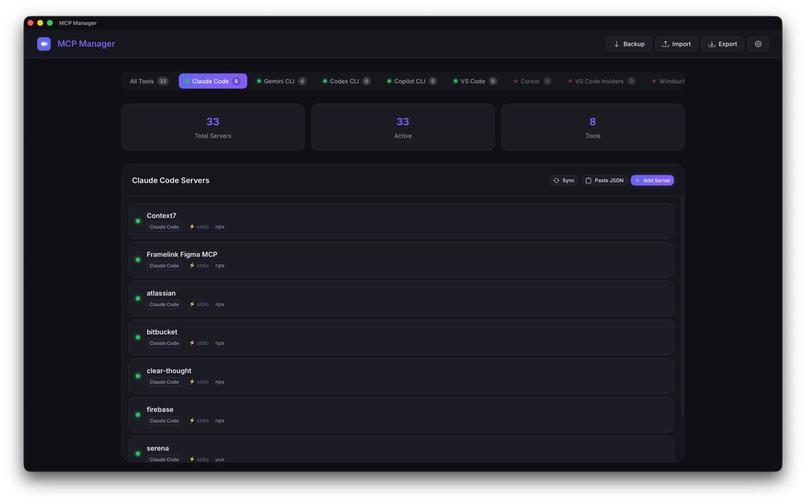
Main screen. View all installed MCP servers across your AI tools
-
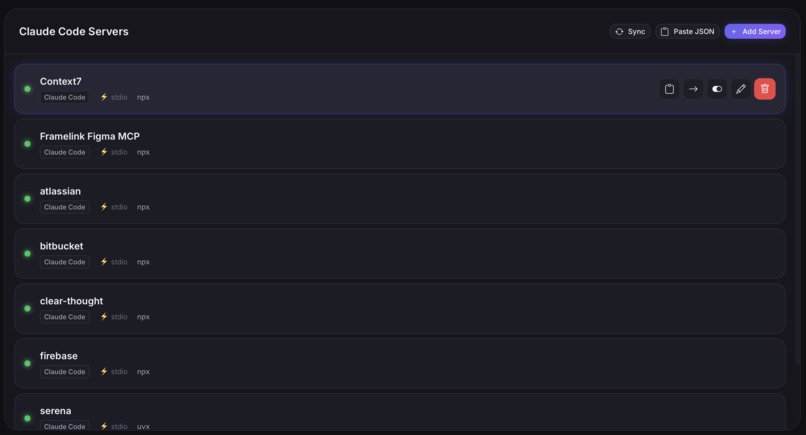
Add, edit, delete, enable/disable servers
-
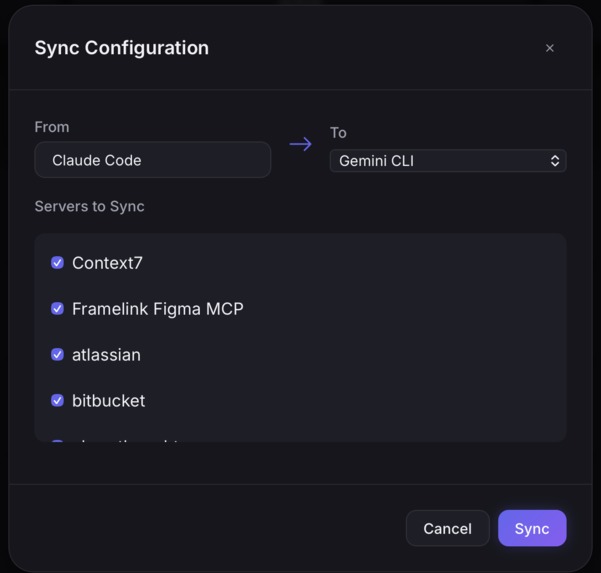
Copy configs between tools
-
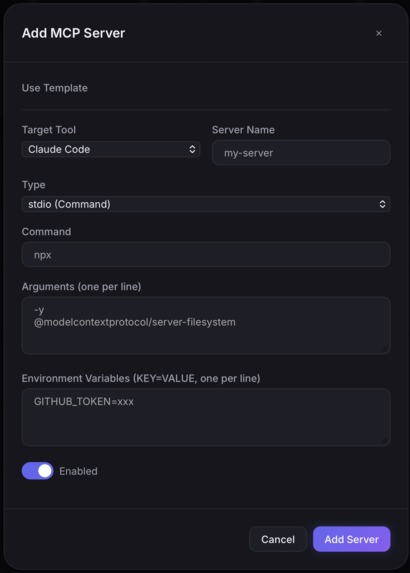
Add MCP servers


Inspiration
The Model Context Protocol (MCP) is revolutionary, but its implementation is currently fragmented. Developers using multiple AI tools—like Claude Code, Cursor, and Windsurf—face a "Configuration Tax." Every tool stores its config in a different hidden directory, requiring manual copying and fragile edits. I built MCP Manager to eliminate this friction, providing a "Control Plane" for the MCP ecosystem that makes powerful AI tools accessible with a single click.
How I built it
The project is architected for speed and a tiny footprint:
- Backend: Powered by Rust and Tauri v2. Rust ensures memory-safe filesystem operations for sensitive config files, while Tauri keeps the total binary size under 10MB.
- Frontend: Built with Vanilla JS and a custom CSS Glassmorphism design system to provide a premium, "AI-native" look and feel without the bloat of heavy frameworks.
- Logic: I implemented a robust abstraction layer that detects tool installations across the macOS filesystem and parses both JSON and TOML configurations dynamically.
Challenges I faced
A major challenge was the Path Discovery Problem. Each editor uses obscure paths like: $$\text{Path}{\text{VSCode}} = \text{Library/Application Support/Code/User/mcp.json}$$ Mapping these across 8+ tools required deep OS-level research. Another challenge was Conflict Resolution: merging duplicate servers in the "All Tools" view while ensuring a toggle on a grouped card accurately propagated status changes to $n$ underlying files simultaneously: $$\text{Action}(S) \rightarrow \sum{i=1}^{n} \text{Update}(\text{Tool}_i, \text{Config}_S)$$
What I learned
I gained deep experience in Tauri’s IPC (Inter-Process Communication) and systems programming in Rust. More importantly, I learned that developer experience (DX) is often about solving the "boring" problems—like config management—so that creators can focus on the exciting parts of AI.
Built With
- css3
- html5
- javascript
- npm
- rust
- tauri
- vite


Log in or sign up for Devpost to join the conversation.