-
-
Edit
-
Mind map examples
-
Architecture
-
UI PartyRock


MindMap ❤️ PartyRock

This interactive mind map is powered by PartyRock and AWS.
Workflow
Topic and Guidance
Define a topic and provide guidance for the AI.

Topic
- Set the subject of your mind maps here.
- You may also provide a sentence for context.
Guidance
- Here you can further specify how the AI should approach the topic.
- List multiple criteria to guide the AI.
Output

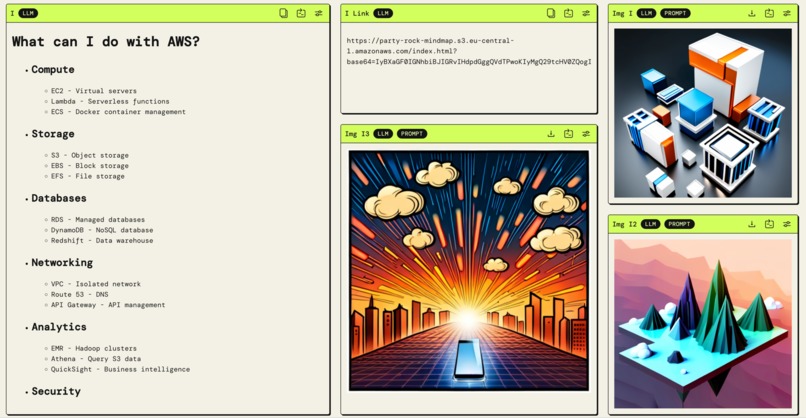
View the mind map as markdown.
To explore an interactive mind map, copy the link and open it in a new tab where you can zoom, click, and collapse nodes.
 If you end up on a search engine after entering the link (because you normally use the address bar for searches), then remove the first space in the link (before 'http'). Or, more simply, select the link manually and then copy it..
You will receive an interactive mind map.

Note
If the automatically generated link does not work, take the manual approach.
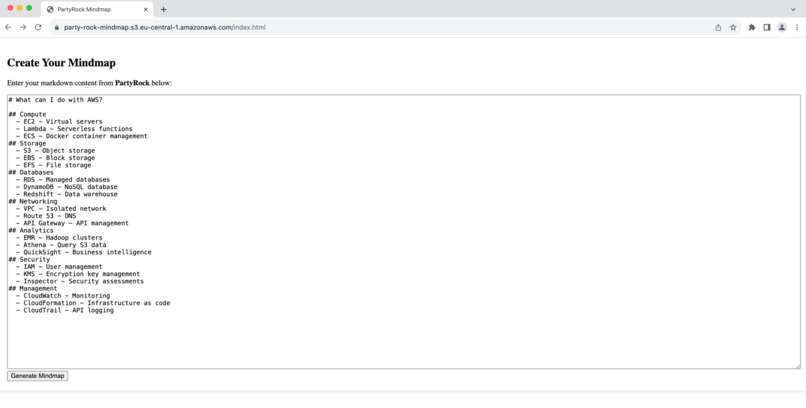
Copy the markdown output and paste it into the browser at: https://party-rock-mindmap.s3.eu-central-1.amazonaws.com/index.html. Chrome has worked well for me.

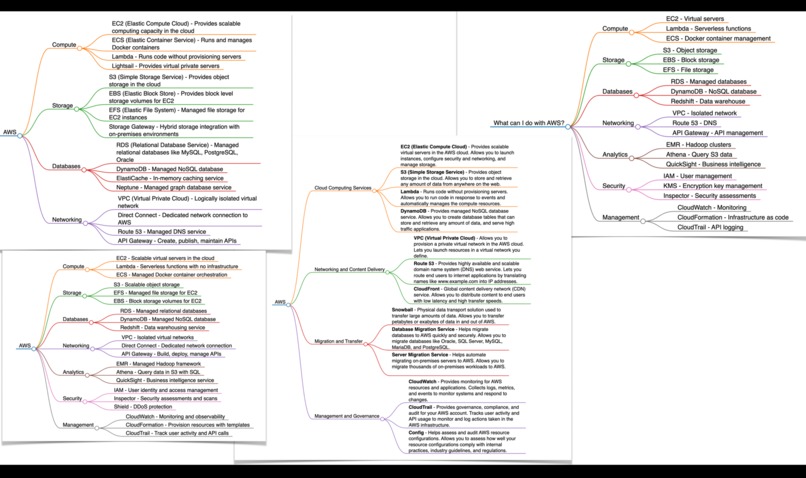
You will then be presented with the interactive mind map.
four mind maps
You will always receive four mind maps, each with interactive functionality (four different links).
Keep in mind, you can shape the details of the output by specifying your AI guidance.

Architecture
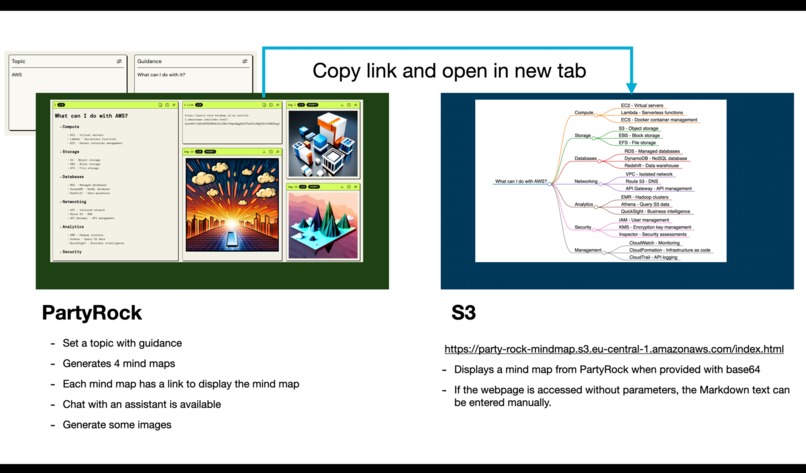
The setup utilizes PartyRock and S3 to present the mind map.
Markdown text from PartyRock is base64 encoded and transmitted to the HTML file on S3.

base64
Impressively, LLMs are adept at handling base64 encoding.
On occasion, if errors arise, LLM output can be manually inputted into the webpage.
Manual insertion adheres to classic base64 decoding techniques.
Access the interactive mind map with classic base64 decoding functionality through this link: https://party-rock-mindmap.s3.eu-central-1.amazonaws.com/index.html
Markdown
is awesome. It's incredibly powerful when combined with LLMs, among other outputs.
Converting Markdown to a mind map is just one capability.
Other formats for class diagrams, flowcharts, sequence diagrams, organizational charts, wireframes, Gantt charts, and UML diagrams, etc., are also feasible.
And we have JSON too.
For mor technical details check community.aws or GitHub.
Inspiration
The inspiration for MindMap PartyRock came from the idea of creating an intuitive and interactive way to organise and visualise ideas. And I like mind maps.
What it does
MindMap PartyRock allows users to create interactive mind maps by simply specifying a topic and particular points of interest. The tool leverages AI to generate relevant content and always produces 4 mind maps for a topic. PartyRock also generates copyable links for viewing the markdown as an interactive mind map. If the link does not work, you can convert the markdown output into a mind map using a provided link, allowing further editing of the LLM's output.
How we built it
The mind maps are generated in markdown by PartyRock, base64-encoded, and then transferred as parameters to an HTML file on S3 to enable interactive viewing.
Challenges we ran into
Due to temperatures > 0 for some prompts, it is occasionally challenging to obtain consistent outputs.
Accomplishments that we're proud of
I appreciate both the result and the journey.
What we learned
Cloude Prompt Engineering and PartyRock.
What's next for MindMap Party
Feel free to remix it :-)
Built With
- html
- javascript
- promptengineering
- s3


Log in or sign up for Devpost to join the conversation.