-
-
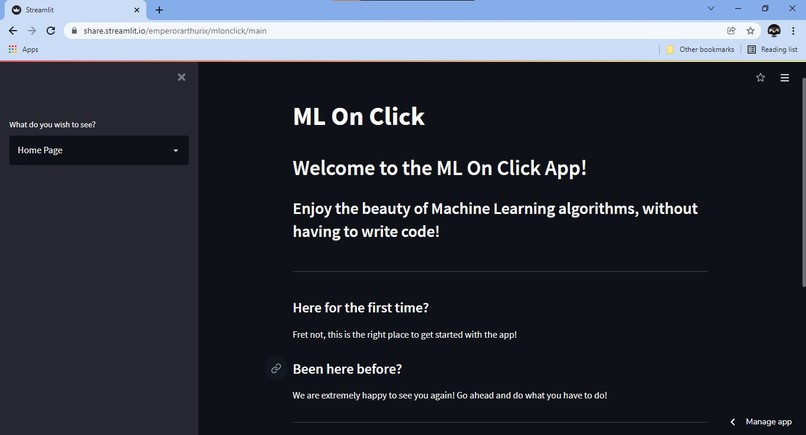
The Home Page! Where you learn all you need about the app!
-
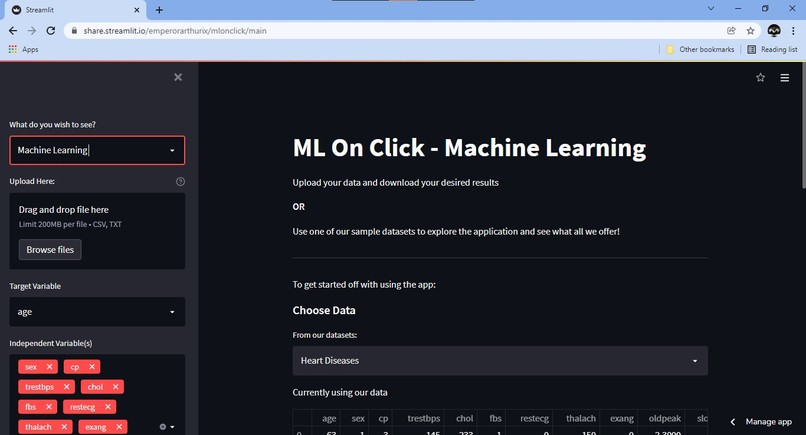
The Machine Learning Page! Where the real magic happens!
-
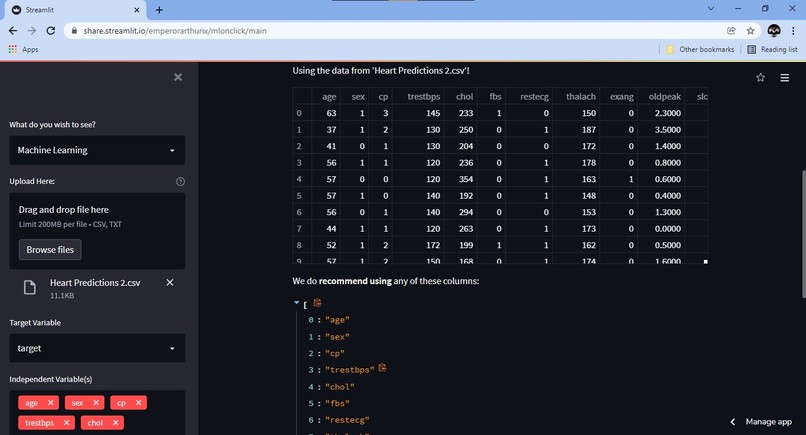
Uploading data, choosing columns, with Recommendations!
-
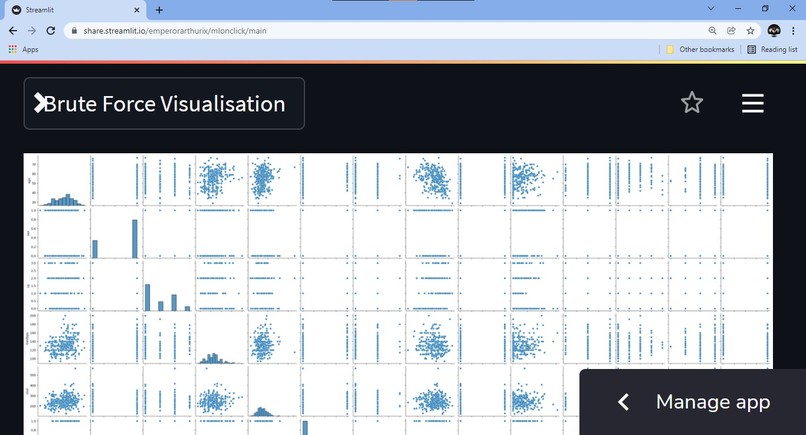
Visualise, literally everything! Justifies the name.
-
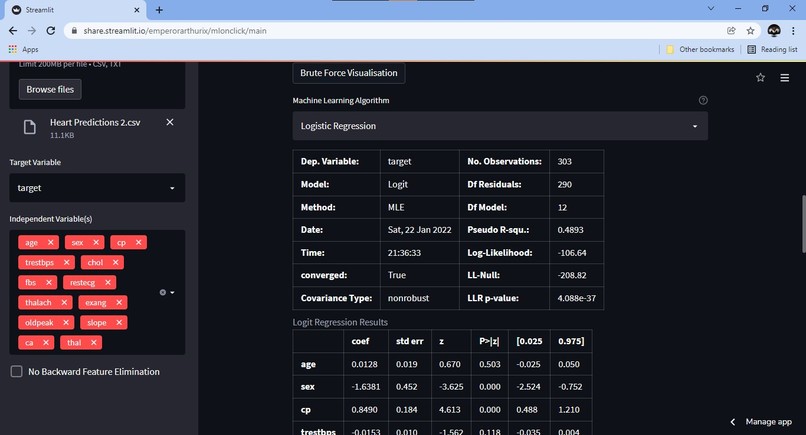
Machine Learning, on click!
-
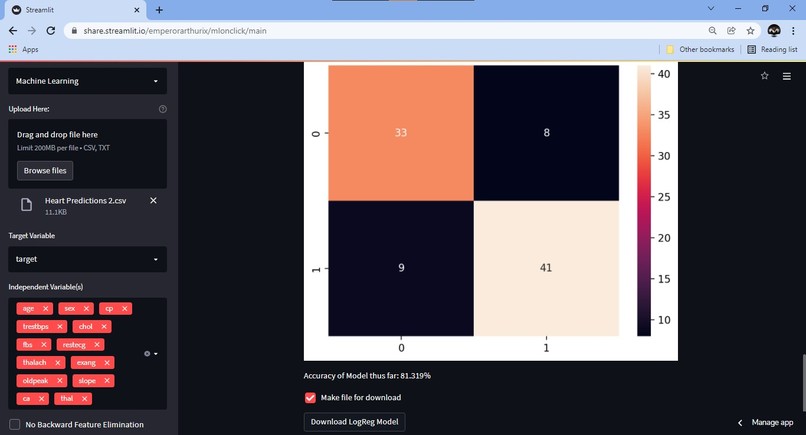
Look at the results! Download the model if you want!


Built during the Hackathon
If you try to steal it, we will find you and stop you :) So please don't. Let's be friends instead.
We also have a TradeMark on the Logo.
Inspiration
I have always found Machine Learning very tedious to learn. I love it, but it does not change the fact that it is difficult. I looked up solutions online for low-code or no-code machine learning, but all I could find were these technology giants like Google, Amazon and Microsoft providing it on the cloud for a price per use basis
OR
Services like SashiDo which, very justifiably, charge us for their hard work. BUT, what about a guy like me? Someone who just wants to get away with stuff like
- Linear Regression
- Logistic Regression
- K Nearest Neighbours
- Polynomial Regression
and other simple algorithms, without having to write a hundred lines of code every single time?
I want to create something like ILovePDF!
I could find no solution out there, so I thought I'll just go ahead and build it myself and save everyone around me a tonne of time, for free, unless any of you choose to pay me as an intern ;)
What it does
The project is still under development (I just started it), but it has the following features so far:
- Landing Page (duh), where visitors can learn about the app and how to use it
- About Us, where visitors can see who made the app. I have friends who helped but didn't come in this hackathon.
- Machine Learning Page, where the actual magic happens.
On the Machine Learning Page, we have set up the following stuff (at the time this description was written):
- Uploading a dataset (CSV or TXT)
- Choosing one from our default datasets
- Looking at the dataset using
pandas.DataFrame - Recommendations on which columns seem best fit for analysis and which ones might cause issues (Big Brains)
- Informing the user if the dataset contains more than 20% null values (under development)
- Choosing one
TargetColumn for the algorithm - Choosing one or more
Independent Variable(s)as features for the algorithm - Automatically selects all
Recommendedcolumns as feature columns onceTargetis chosen. User has the choice to select these manually as well. - Displaying a
Brute Force Visualisationof chosen target and features as part of Exploratory Data Analysis - Choosing a suitable algorithm from the list of available ones and running it on the dataset
How we built it
Blood, Sweat and Tears!
Tech Stack We Used
And also, Google Colab along with data from Kaggle!
Challenges we ran into
A LOT OF THEM!
Some of the challenges we faced before and/or are facing right now are:
- Turning the Idea into a Plan. We had an dream, but we had to lay down a series of steps to reach there as well. Brainstorming helped us come up with a few major steps to begin with
- Unclean data. Not every dataset that gets uploaded on the app will be ML suitable. We need to have some sort of mechanism to detect noise in the data, and if possible remove it, or at least let the user know about it. So, we are working on implementing a null-value system which checks how much useful data is actually present in the dataset
- Categorical and Numerical Data. Machine Learning models usually require Categorical data to be converted to features by one hot encoding, dummy variables, binary encoding and other such techniques; however, doing so automatically is easier said than done. We are still trying to figure out what to do with this issue.
- Bugs. Sometimes, while testing the app, it runs just fine, but when I come back the other day, it breaks. It's the second nature of programming, and we are tackling all this with
tryandexceptblocks. - Data Type Incompatibilities. Of course, when we perform Machine Learning by hand, we are able to go through data extensively and check for incosistencies in data types like the
Exam_Markscolumn being labelled asstrinstead offloat32, orpandas.Seriesbeing replaced by anumpy.ndarrayand such stuff; however, we are still trying to find a way to do this without having to manually check everything.
Accomplishments that we're proud of
The work has just begun, but here's some things we've done:
- Landing Page is ready and usable
- We moved one step closer to our dream by adding Logistic Regression in full swing, with output display, confusion matrix, accuracy check and even backward feature elimination after a Chi Square test.
- Column choice is sorted well
- We also added a checkbox, where the user can choose not to have backward feature elimination in their LogReg model, if they feel like it is not needed.
What we learned
Many, many, many new things!
Streamlit:
- Streamlit
headerandsubheadertext options - Streamlit
containerandcolumnsHTML layout variations - Streamlit
multiselectinput option and its default attribute - Streamlit
expanderlist option
Machine Learning:
- Backward Feature Elimination. Understood the algorithm itself on a surface level, its impact on the model and implementation using the
statsmodelslibrary - Chi Square Test. Read about what it actually means, found out about
p-valueand what its value means - Logit Model. Learnt how to implement the model as part of the Chi Square test using the
statsmodelslibrary - Grid Search. Learning about the concept, understanding how it is used to find an optimum target model
- Polynomial Regression. Reading about the model, finding best practices to find appropriate degree. Searching for methods to specifically avoid over-fitting. Apparently,
Grid Search+Mean Squared Error+R Squared, all three contribute towards determining whether over-fitting has occurred or not. Still researching.
Deployment:
- Docker. After a lot of research, we found out that Docker is a very good containerisation service and that we might be able to use this to store our application with its dependencies even if there are updates and/or some features get deprecated later. Plus, many cloud platforms support deployment of Dockerised apps.
- Google Cloud Platform. I found that we can also use the GDP to deploy web applications, but the procedure is slightly different from what it would be on my Go-To deployment platform, Heroku. Plus, I'm not so rich ;( so I will have to take up the sandbox version of the GCP or sign-up for the 90-day free trial.
- Microsoft Azure Cloud. My friend suggested using Azure to deploy the app on the web, instead of GCP. She is the one trying to find out specific procedures that can be followed and we also have access to GitHub Student Developer Packs (ahem, thank you), so we can get a student license for Azure!!! Brilliant!
What's next for ML On Click
First of all, completing the application, that's the main priority!
Once that is done, we have to find a way to deploy the application online for real-time use. One method is to use Docker and then upload onto GCP or Azure. Another possibility is Heroku, but there are size limitations. Another method would be to approach Streamlit Cloud for deployment! We will look into this once the app is stable.
That brings me to the next point. Defining a documentation for the application, setting up a stable version of the app and keep that deployed separate from development branch.




Log in or sign up for Devpost to join the conversation.