-
-
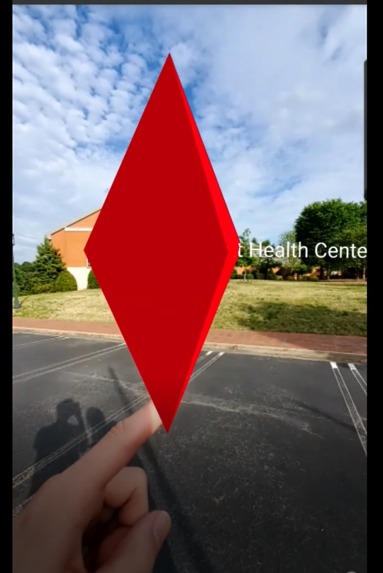
At Student Health Center (aka First Destination)
-
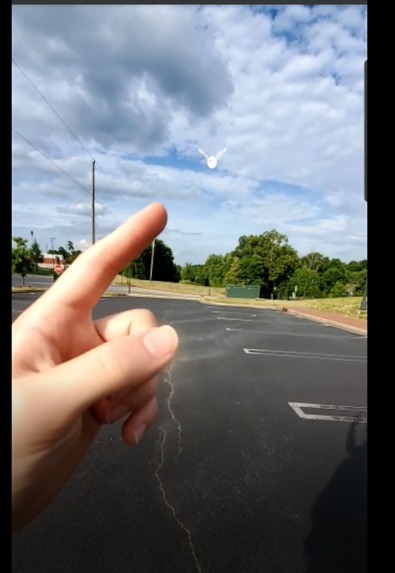
On way to second destination (see gray/white owl marker icon)
-
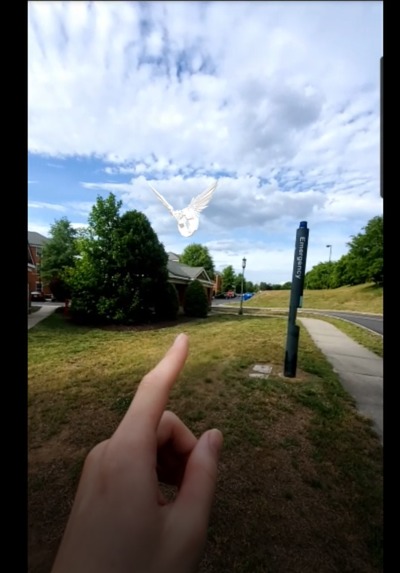
Almost at second destination (see the gray/white owl marker icon)


Inspiration
As college students, campus is a big place. All new, prospective, and current students including us get lost all the time on campus and google/apple maps are not entirely helpful.
What it does
NinerNav overlays icons for specific buildings, which you can see in Augmented Reality using your phone. You do not have to download anything at all. All you need is internet. This allows you to see the icon for the building you desire to get to and walk towards it to get to your destination.
How we built it
We built it using AFrame, AR.js, EchoAR, HTML, and Javascript
Challenges we ran into
Choosing what platform to use for Augmented Reality and figuring out the framework
Accomplishments that we're proud of
Overcoming the challenges we faced and getting a working, and functioning application
What we learned
It was our first time doing Augmented Reality, so we did not know anything. We learned how to use AFrame, AR.js, EchoAR as well as other resources and platforms we looked at. We learned how to create an Augmented Reality application
What's next for NinerNav
Adding more buildings, creating an interface for specific buildings as well as integrating all college campuses so all college students can use it on each one of their campuses and not just UNC Charlotte students.
Built With
- aframe
- ar.js
- echoar
- html
- javascript


Log in or sign up for Devpost to join the conversation.