-
-
-
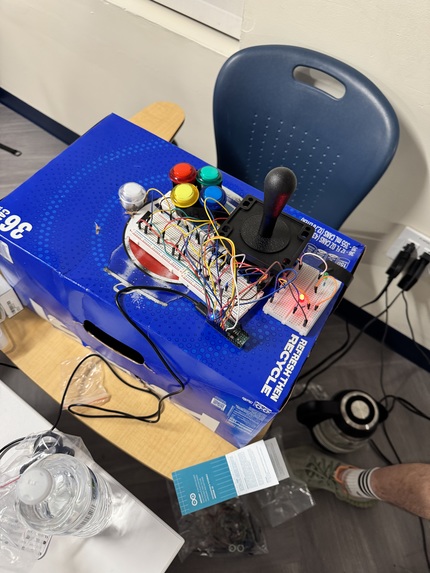
Red LED shows keyboard mode
-
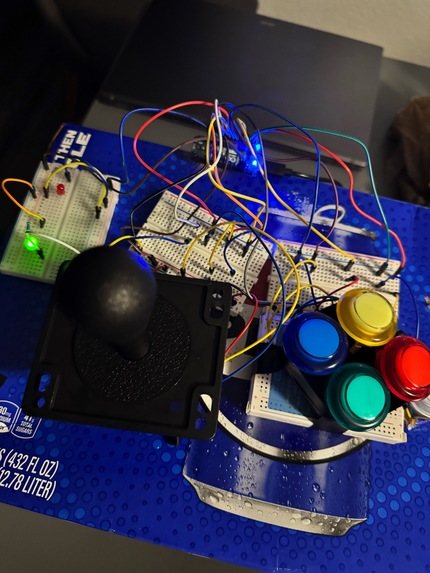
Green LED shows gamepad mode
-
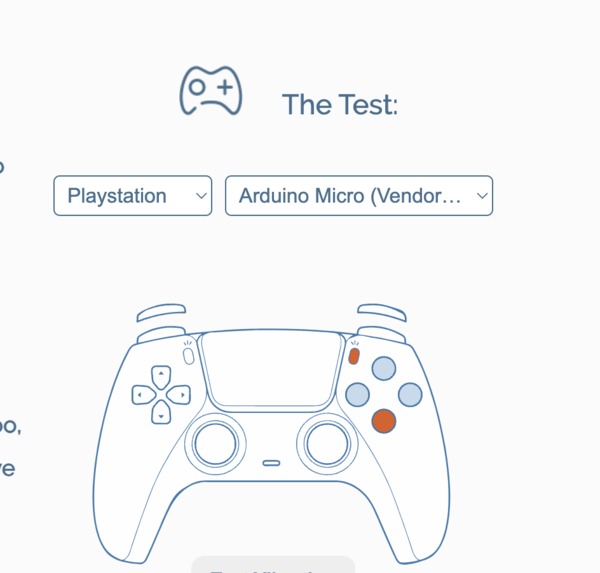
Working controller input!


Inspiration
- We were inspired by the Xbox Adaptive Controller, an extensible controller designed for people who can't use traditional handheld input methods.
- We wanted to create an open implementation of the Xbox Adaptive Controller that brings its extensibility and accessibility features to a wider population.
What it does
- HID input: OpenController uses the USB interface of the Arduino Micro to act as a native keyboard or gamepad for your favorite devices.
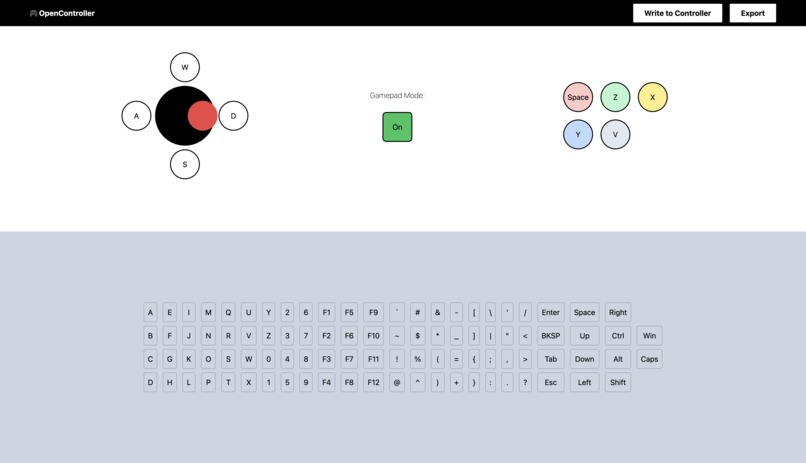
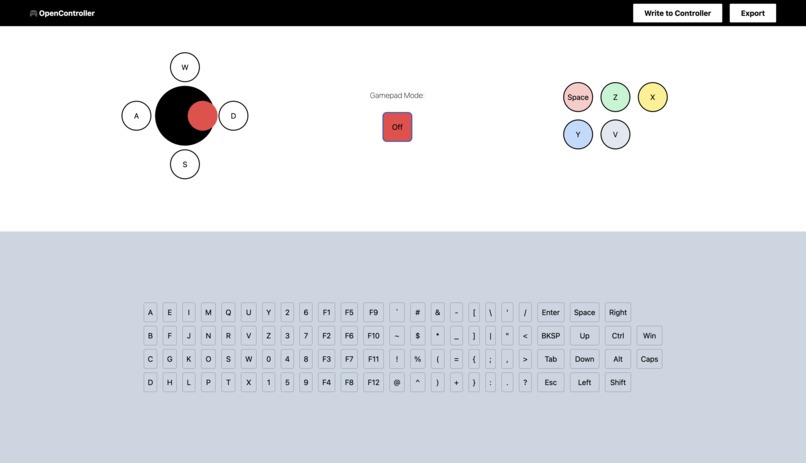
- Installation-free configuration: With its simple web interface, users can communicate with the controller and easily choose between gamepad and keyboard modes, allowing the controller to function as an Xbox-styled controller or keyboard-based inputs for their favorite games.
- Configurable keyboard mode: When configured in keyboard mode, the web interface also allows users to bind popular keys to buttons, which makes OpenController suitable for use in a wider variety of games.
- Avoid mode confusion: Users can effortlessly tell whether they're in keyboard mode or gamepad mode with LEDs that correspond to the current mode.
- Take your settings with you: OpenController makes it easy to export bindings into a downloadable JSON format at any time.
- Keep your inputs mapped: OpenController saves your last-used settings, so you don't need to configure it when you plug it in.
How we built it
- OpenController makes use of the USB interface of the Arduino Micro to act as a native keyboard or gamepad for your favorite devices.
- We made use of the HID project for Arduinos which made it simple to switch between gamepad and keyboard modes.
- The buttons and joystick are off-the-shelf arcade parts, which do not advertise Arduino compatibility, that we've adapted for the Arduino. The parts we've chosen demonstrate how our project can be adapted to components that can be easily gathered from shops like Amazon, aligning with our goal.
- We also made use of the Web Serial API to communicate with the board, negating the need to install any additional software and making OpenController's interface portable across operating systems.
Challenges we ran into
- We had very little previous experience with embedded programming, especially with Arduino devices, so working on OpenController was initially a challenging experience for those of us focused on the hardware.
- In particular, the arcade buttons and joystick used non-standard wiring, so we had to step outside of our comfort zone and cut the wires that we had.
- Getting the web interface to send information to the Arduino was a challenge, as we had to deal with new concepts like serial communication and use the Arduino loop to continuously parse JSON information from the web interface to the controller immediately.
Accomplishments that we're proud of
- We're really happy with how we managed to get the Arduino working as real computer input given our limited experience with hardware and breadboarding.
- We're also genuinely excited with how we managed to create a functional, lightweight React app that actually sends information over to our hardware, using modern APIs and frameworks like Tailwind.
What we learned
- We managed to go from very little embedded programming and circuitry experience to having a working controller that acts as real HID input within the 36-hour hackathon time period.
- We honed in on our web development skills and implemented a responsive, great-looking React-based web app.
- We experimented with and successfully implemented unusual web APIs, including the Web Serial API, to make configuration simple.
What's next for OpenController
- We'd like to make OpenController more easily extensible. In particular, a "new hardware wizard" or plug and play functionality that actually allowed for new hardware to be added on the fly would bring OpenController to the next level.
- We'd also like to add more features to the web interface, including a dark mode, a file importing tool, and profile switching.
Built With
- arduino
- c++
- embedded
- hardware
- javascript
- react
- tailwind


Log in or sign up for Devpost to join the conversation.