-
-
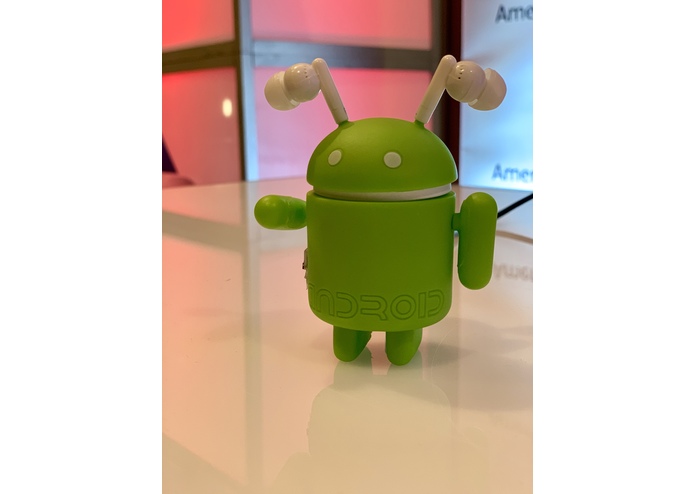
THE ORBOT ON DISPLAY

Inspiration
Group's interest in what is possible with micro controllers and cheap sensors.
What it does
Uses a gyroscope to control the mouse and rotate 3d models in real time. This allows the user to think of the model in a 3d space instead of a 2d screen with mouse movements.
How we built it
We used an Arduino pro micro, a gyroscope, and a silicon android toy for the housing. A micro-usb cable plugs directly from the computer to the back of the toy, and a switch allows the device to be enabled/disabled on the fly.
Challenges we ran into
Fitting all of the electronics into a small enclosure without disturbing the wiring or shorting anything. Processing the gyroscope data to move the mouse on a 2d plane and rotate the model like our ORBOT.
Accomplishments that we're proud of
Motion tracking is responsive. On/off switch allows user to switch between viewing and editing the model quickly. ORBOT can be plugged into any computer and emulate a mouse without the use of Arduino software. Compact and easy to use. Only exposed wire is detachable. Intuitive controls.
What we learned
c programming language, electrical circuits, problem solving, how to work effectively as a team.
What's next for ORBOT
Real time motion control for 3d video games, motion control to sense specific movements and trigger events.
Built With
- accelerometer
- android
- arduino
- c
- gyroscope


Log in or sign up for Devpost to join the conversation.