-
-
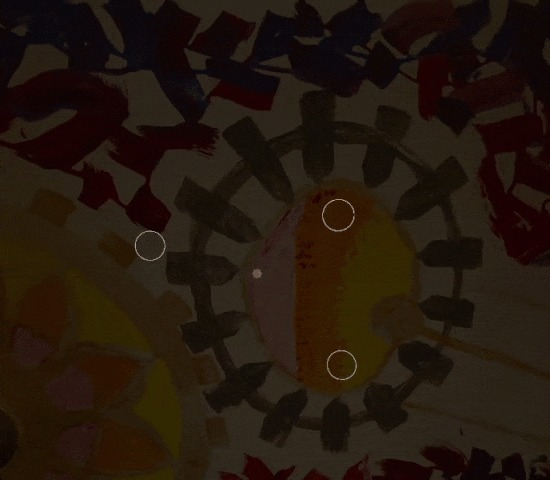 GIF
GIF
Enable an interactable by looking at the circle for a short time, and turn it off by looking at the red button below it.
-
 GIF
GIF
Grab and reposition objects by looking at the activation circle than making a fist to have it follow where you look.
-
 GIF
GIF
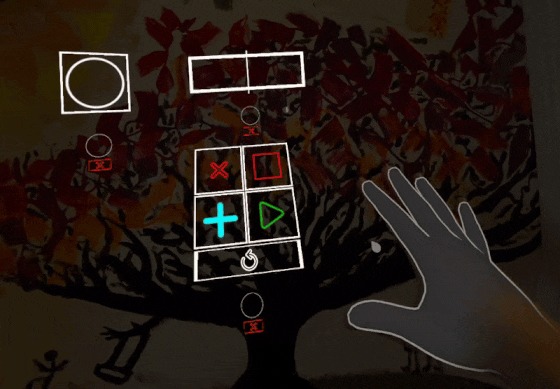
Create new interactables with our menu, then drag them where you want them.
-
 GIF
GIF
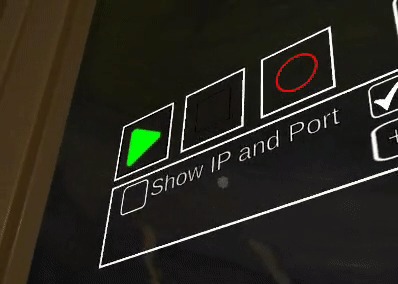
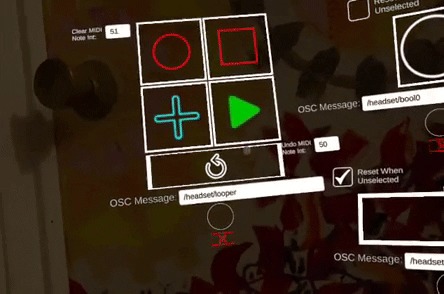
Play, Stop, and Record without touching your computer.
-
 GIF
GIF
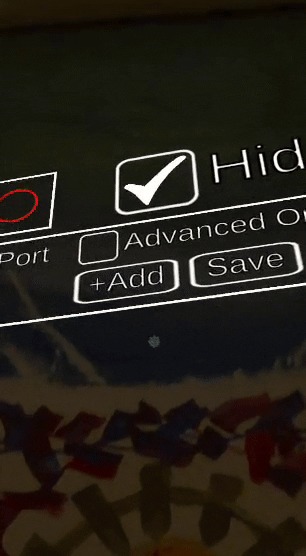
Edit the broadcast OSC message using a hands-free keyboard.
-
 GIF
GIF
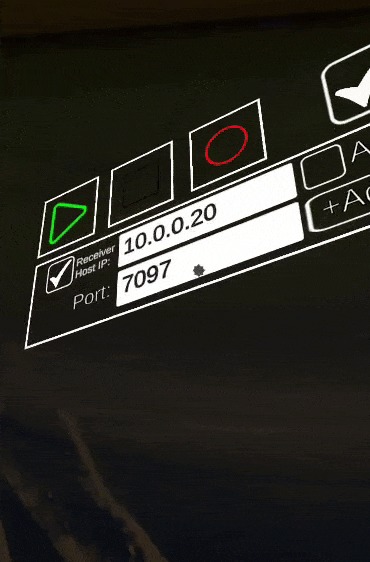
Edit the Receiver Host IP and Port number with our hands-free numpad.
-
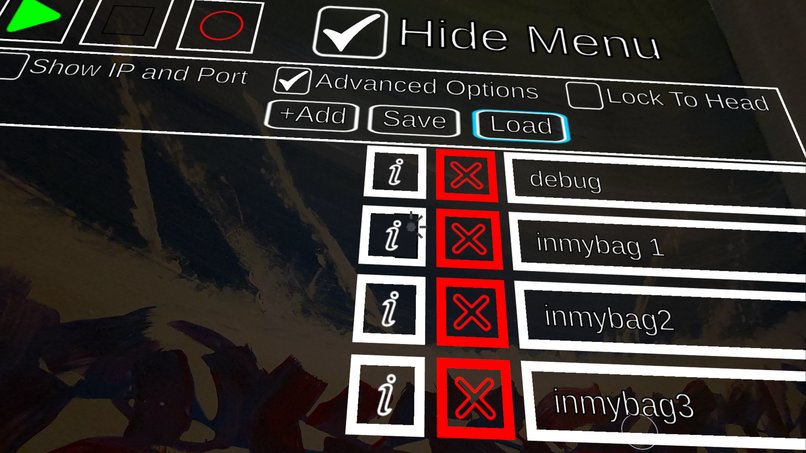
Save and Load setups between app sessions.


OSCXR
This application uses the passthrough camera to overlay a head-controlled interface on top of the real world that lets the user broadcast Open Sound Control (OSC) messages over a local network. OSC messages can be received by a computer and interpreted to control a wide variety of audio processing effects, as well as many lighting systems. We have included on/off switches, sliders, and an interface to control a looper.
Head Controlled Audio Processing
The hands of a musician are usually busy operating their instrument. If they wish to control audio signal processing live during a performance, such as enabling echo, reverb, or distortion, the most common option is to use their feet to step on pedals. Pedals are heavy, expensive, and stay in one place on the ground. With shoes on musicians find it difficult to manipulate dials with their feet, so most interactions during a song are simply turning effects on and off by stomping, or perhaps using a single expression pedal for volume. Adjustments to the effects pedals are made in between songs when the musician can use their hands.
Most pedals and their effects can be easily replicated on a computer using a Digital Audio Workstation like Ableton, Garageband, Pro Tools, or Logic. Computers are cheaper, lighter, and more flexible in setup. You can duplicate as many effects as you like in different arrangments with no hardware cost. But computers are hard to operate without hands. Mice, keyboards, and most MIDI interfaces are designed for hands. Your average guitar, viola, or trombone player will have to let go of their instrument to operate buttons and dials and keyboards, making the computer not viable for these musicians to actively control during a live performance.
But what if instead of hands or feet we used our heads? Musicians already use the head to communicate to each other, using looks and nods to signal changes. OSCXR uses the mixed reality headset to let musicians turn the movement of their head into a hands-free interface for their computer.
Portability
Because OSC messages are broadcast wirelessly, the musician has greater flexibility of movement. With the headset strapped to their face they can dance around the stage or even run into the audience while still retaining control over their audio setup. The computer receiving messages and controlling audio can be carried in a backpack, or rest on a table somewhere in the corner of the room connected to the venue's sound system.
Our video demonstrates how OSCXR can be used to turn a musician into a one-person band who can walk around freely. By keeping a battery outputting AC current to power a travel router in their backpack, the musician has removed their reliance on the power supply and internet network of any venue.
Head Controls as Accessibility
Musicians are not the only people who have their hands full on a regular basis. Surgeons might have their hands busy with knives. Mechanics might have their hands busy with tools. Parents might have their hands busy holding a child. Have you ever been cooking and wished you could set a timer, play/pause a video, or scroll down on your device for more of the recipe, but your hands were dirty or holding something you couldn't put down? A hands-free interface for controlling your computer would come in handy in countless scenarios.
The primary reason someone would wear a mixed reality headset during their daily life would be to have better access to information to help them with the task at hand, such as video tutorials, pdf manuals, 3D animations, audio narration, navigation instructions, connection to another person, or to have some kind of interface they can use to control aspects of their environment. And the main reason they wouldn't just pull out their phone for that would be because their hands are busy doing something else.
Voice commands are a great hands-free option, but not all environments are suitable for clear audio recognition. Maybe the surgeon's patient is screaming. Maybe the parent's child is screaming. Maybe you're on stage with the volume set to 11.
The only aspect of XR that can always be relied upon is that we know where the user is looking. While not always as convenient as controllers or hands, using the head to control an XR interface should at least be an accessibility option that can be enabled.
Our Setup
In the video the entire rig (aside from the 360 camera and stand) was contained in a backpack and on the body.
First, there was a portable battery that could output AC current to power a travel router. This battery was also used to recharge the laptop and the headset. The travel router was not connected to the internet, simply allowing the connected VR headset and laptop to relay messages to each other.
The laptop was running Ableton, using custom Max patches to interpret the received OSC messages to control digital signal processing, turning echo and the octaver off and on, adjusting the decay time on the reverb, triggering states on the looper, and starting the recording. There was an audio interface plugged into the laptop, with quarter inch and XLR cables used as inputs, a stereo quarter-inch to eighth inch converter cable plugged into a small speaker for external output, and headphones for the performer.
There's also the headset case and an empty padded microphone box in the bag as well, for when it is time to pack up.
You can find a link to a repository with the relevant max patches here:
https://github.com/GSOsborne/OSCXR_MaxPatches
And a tour of the Ableton project here:
We tried to use Air Link to troubleshoot problems on the laptop remotely, but unfortunately Air Link doesn't provide hand tracking in the home environment that we could use with the virtual desktop display, so instead whenever something went wrong we had to sit down on the ground and pull the laptop out of the backpack to figure things out.
What's next for OSCXR
The next step is to show OSCXR to as many musicians as possible to get feedback on its usability in a live performance setting. Head-tracked interfaces come with their own set of design problems, not least of which is trying to avoid trapping the user in a minefield of buttons they might accidentally press by looking the wrong way.
In addition, bools and sliders aren't the only interfaces that can be made. There could be 2D X-Y grids to control two effects at once, or a set of boolean switches where enabling one turns off all the others. The interfaces currently present in OSCXR represent an initial step in exploring the fundamentals of what can be done, but the headset turns the full rotation of the head into a potential canvas of interfaces.
Ultimately, the goal is to turn Gregory Osborne into a one-man band who can wander around making music wherever he pleases.


Log in or sign up for Devpost to join the conversation.