-
-
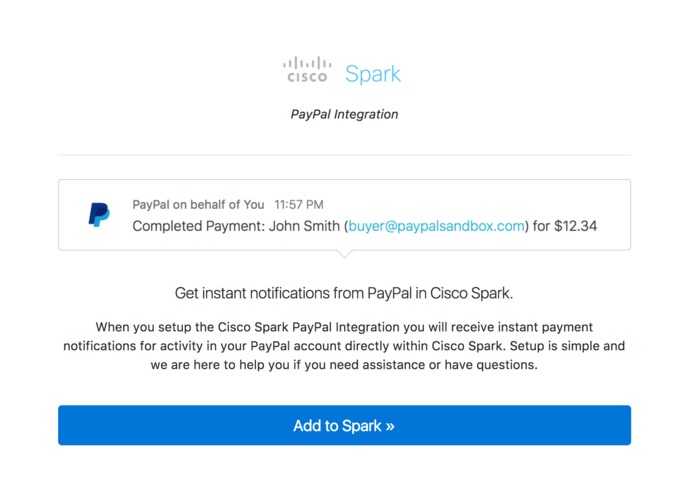
Step 1: Login with Cisco Spark
-
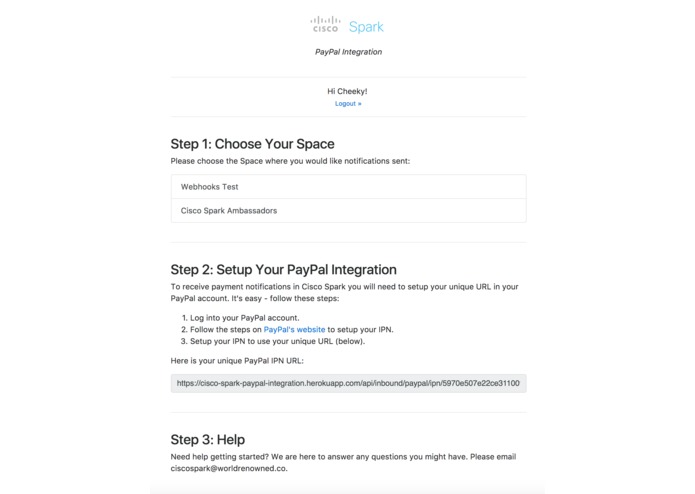
Step 2: Setup
-
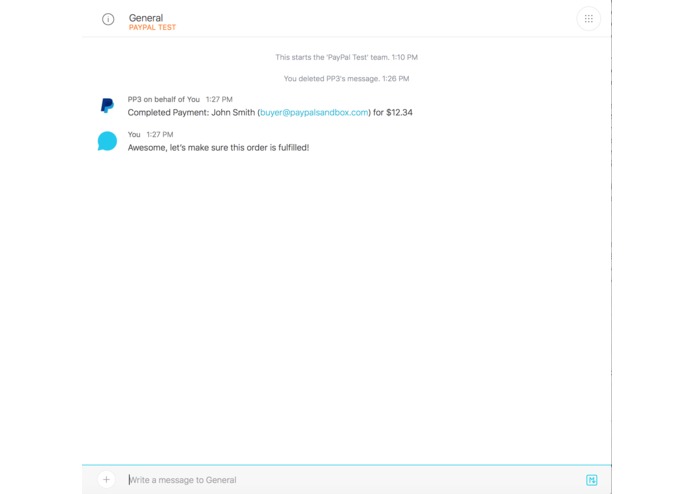
Step 3: Receive Instant Payment Notifications From PayPal in Cisco Spark


Inspiration
We use Stripe notifications to handle a lot of sales processes and this integration was inspired by the Cisco Spark Stripe integration. Since many companies use PayPal for payments processing it only seems fair that Cisco Spark have a PayPal integration also.
What it does
This integration sends a notification to your Cisco Spark space whenever there is new activity in your PayPal account so that sales people can resolve any payments issues and proceed to cross-sell and up-sell customers whenever they submit a payment.
How I built it
I built it by creating a unique URL for each use who installs the integration. The unique URLs are an endpoint that parse and verify incoming PayPal IPN (Instant Payment Notification) requests. These requests are formatted into a human readable message and sent to the Cisco Spark space that the user chooses during the setup process.
Challenges I ran into
There was a problem with the Cisco Spark Passport strategy for Node.js that had to be resolved to allow for OAuth authentication using Node's passport module.
Cisco Spark PayPal Integration
Get instant payment notifications from PayPal in Cisco Spark.
When you setup the Cisco Spark PayPal Integration you will receive instant payment notifications for activity in your PayPal account directly within Cisco Spark.
Try It
Add the integration here and follow the setup steps: https://cisco-spark-paypal-integration.herokuapp.com
Getting Started
There are a few steps to get started on working with the Cisco Spark PayPal Integration:
Installing Cisco Spark PayPal Integration
Clone this repository:
git clone https://github.com/pcheek/cisco-spark-paypal-integration.git
Install dependencies:
cd cisco-spark-paypal-integration
npm install
Environment Setup
You need to define these environment variables:
INTERNAL_CISCO_SPARK_INTEGRATION_ID = 'paypal'
MONGOLAB_URI
INTERNAL_CISCO_SPARK_INTEGRATION_TITLE = 'paypal'
INTERNAL_CISCO_SPARK_INTEGRATION_DESCRIPTION
INTERNAL_CISCO_SPARK_INTEGRATION_LOGIN_TEXT
DOMAIN
CISCOSPARK_CLIENT_ID
CISCOSPARK_CLIENT_SECRET
PAYPAL_IPN_VERIFICATION_URL = 'https://www.sandbox.paypal.com/cgi-bin/webscr'
Usage
To receive payment notifications in Cisco Spark you will need to setup your unique URL in your PayPal account. It's easy - follow these steps:
- Login to the PayPal Cisco Spark Integration
- Choose a team where you would like to receive notifications.
- Log into your PayPal account.
- Follow the steps on PayPal's website to setup your IPN.
- Setup your IPN to use your unique URL (Provided after connecting with Cisco Spark and choosing a space).
About PayPal Integration for Cisco Spark
The PayPal Integration for Cisco Spark is a project for the Cisco Spark Industry Challenge


Log in or sign up for Devpost to join the conversation.