-
-

Oh no! You seemed to have clicked on a malicious website!
-
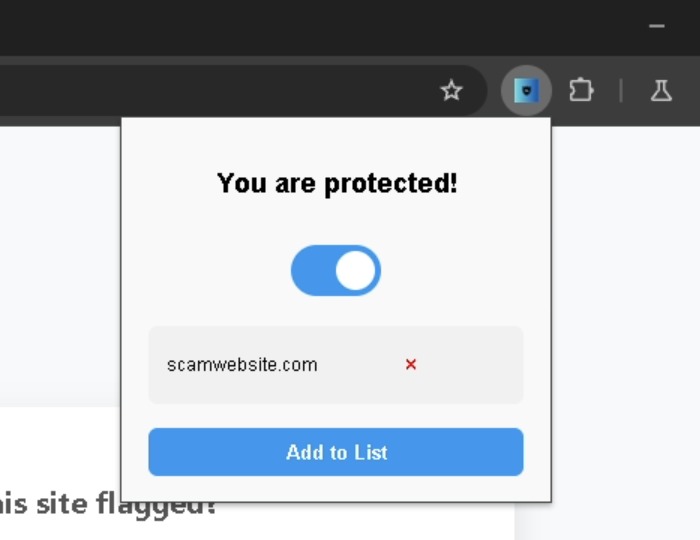
Don't worry, PhishNet AI's got you covered!
-
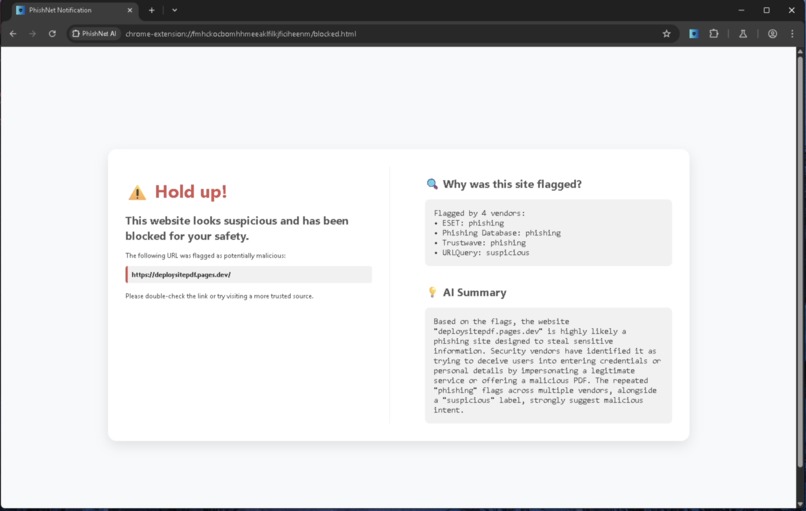
PhishNet will provide a list of anti-virus programs that noticed something wrong, and an AI summary of why this website is malicious
-
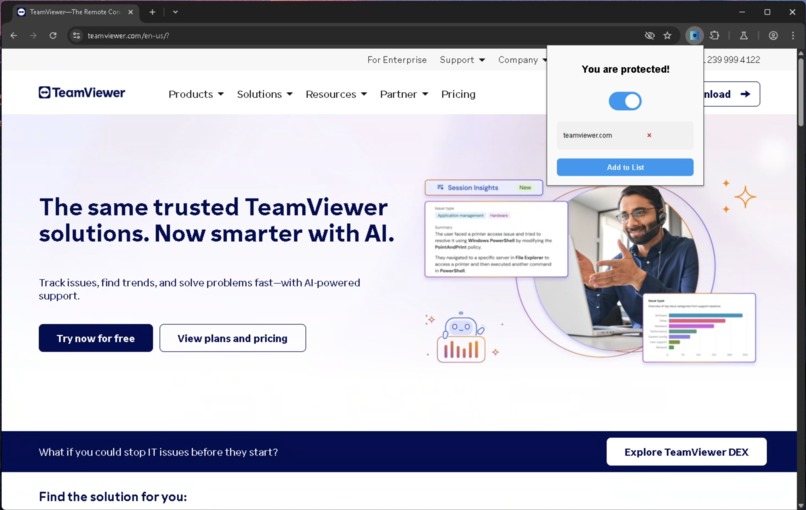
While TeamViewer isn't malicious in nature, the people asking you to download it might be.....
-
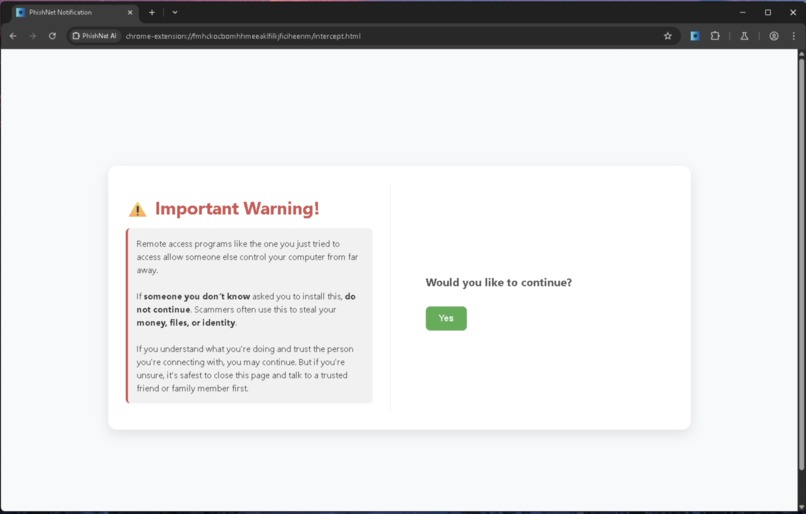
To make sure you know what is happening, PhishNet will alert you of the risks of downloading a remote control software such as this.


PhishNet
Everyday, millions fall victim to phishing attempts, scams, and identity theft. PhishNet AI catches these malicious websites and explains why it was dangerous using AI and anti-virus programs.
Inspiration
Many of the people who fall victim to tech support scams, phishing attempts, malware attacks, and identity theft are people who might not be familiar with internet safety. These people might click on shady links, be targeted by scam advertisements, or download malware claiming to be legitimate software. Because of this, billions of dollars of victims' money is stolen every single year.
We wanted to find a solution that prevents these scams and phishing attempts, while also providing people internet safety tips to prevent scams in the future.
What PhishNet AI does
PhishNet AI is a pun of the word phishing and the word net.
Phishing refers to any attempt from a website, email, or phone call to trick someone into providing an attacker personal information and/or money.
PhishNet AI serves to "catch" these phishing attempts in its metaphorical "net" and prevent the user from getting scammed, and prevent them from losing money and/or their personal information.
As the user browses the web, PhishNet AI is always vigilant about what websites the user clicks on or gets redirected to. Everyday websites like Google or Facebook won't trip any red flags, but if a user stumbles across a malicious website seeking to steal their information, PhishNet AI will quickly block the user from accessing the website, and provide the user with useful information (powered by Gemini AI) about why the website was blocked, and what threats were prevented.
Additionally, a well-known tactic used by scammers is to have the user download remote control software, allowing the scammer to take control of their computer. However, these kinds of software are not inherently malicious, and so instead of blocking the website, we instead alert the user about what the website is, and allow them to proceed forward if they understand.
How we built PhishNet AI
PhishNet AI is a Google Chrome web extension that sits on top of the browser at all times. The extension constantly monitors the web URL that the user is currently on, calls upon multiple URL checking bots to gauge the threat level of the current website, and generates a report on what the URL checkers found.
If the URL checkers report that a threat has been found, PhishNet AI will redirect the user to a safe page, and notify them that the malicious website has been blocked. Gemini AI generates a short summary of what kind of threat the website posed, and what kind of threat PhishNet AI prevented. All of this is shown to the user in a simple and concise manner, so that they can quickly get back to what they were doing. In addition to this, our program checks the URL with a database of known remote control websites, and if it is a known remote control website, then it alerts the user of the risks and ensures they know what they're doing.
Challenges we ran into while developing PhishNet AI
There were many different methods we considered when it came to gauging a website's legitimacy (whether a website was a phishing scam, contained malware, or was completely benign).
- Using pre-trained models to gauge the legitimacy of a website was accurate for most malicious websites, but caused a lot of false positives for benign websites. This solution was quickly ruled out. Additionally, it added the component of needing intense processing power for the model to run, which we didn't have the budget for.
- About six different URL checking APIs were considered, but didn't provide the heuristic we needed to generate an AI summary of the threat. The idea was to utilize a hybrid analysis API that was both accurate and provided enough heuristics about the website to tell the user what the threat was in a detailed way.
- We considered caching websites that were already seen, to reduce API calls and avoid re-processing the same website more than once. We considered a database of some sort to store seen websites, along with threat information about that website, but with the way Chrome web extensions work, it was difficult to link a traditional database to the application. We opted to use VirusTotal's vast database of malicious URLs as a comparison point instead.
Accomplishments that we're proud of
We're proud, simply, of how coordinated we were throughout the whole project. It was amazing working with people who were able to bounce ideas back and forth with a lot of overlap between ideas. It felt like everyone was on the same wavelength at all times, and this enabled us to finish our hack impressively quickly.
Additionally, the speed at which we solved our biggest hurdles (detailed above) while on two hours of sleep, as well as empty stomachs is quite the achievement and definitely something to be proud of.
What we learned
Chrome web extensions have tight constraints. Working and coding around those constraints allowed us to formulate workarounds for things we thought would work, but didn't work due to the limitations posed by Chrome web extensions.
For instance, calling certain types of APIs requires a "man in the middle" to route these API calls securely. We learned that the underlying technology behind this limitation, Manifest V3, is intensely restrictive about securely sending requests to certain API endpoints. Researching this limitation was a huge pain and took a long time to crack, but of course it was worth it in the end.
What's next for PhishNet AI
Being able to scan newly downloaded files for malware, and warning the user about the infected file is a feature we're extremely ambitious about. Sometimes, browser security protocols and antivirus tools can miss malicious files. However, by utilizing the same bots that analyze web URLs, and modifying the behavior to work for downloaded files, the user can quickly and effectively be alerted about malicious files on their device.




Log in or sign up for Devpost to join the conversation.