-
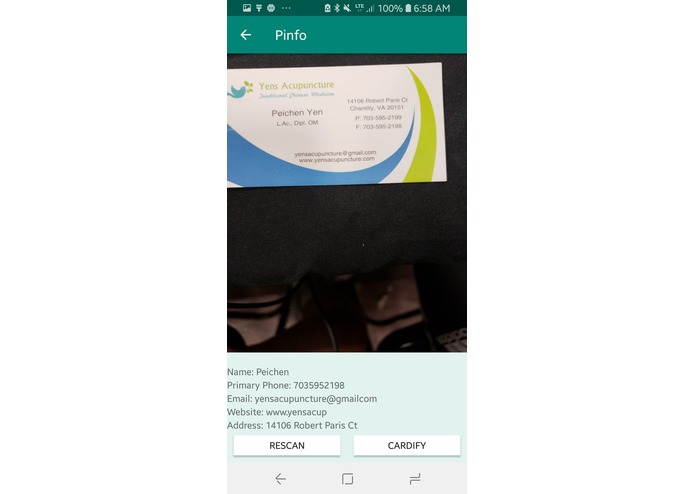
Scanning card
-
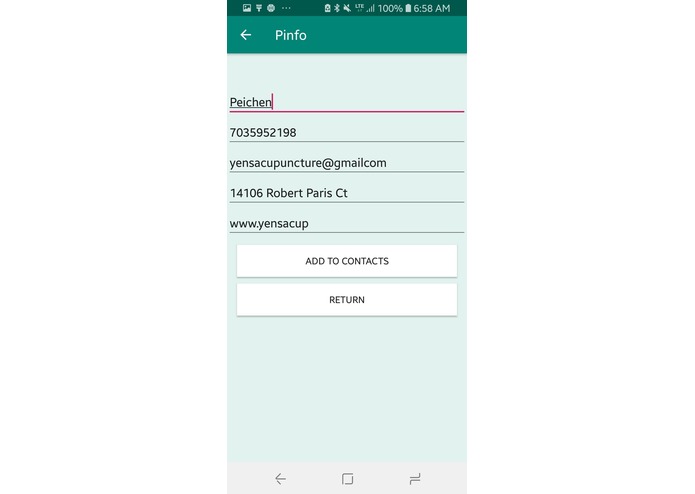
Confirming info
-
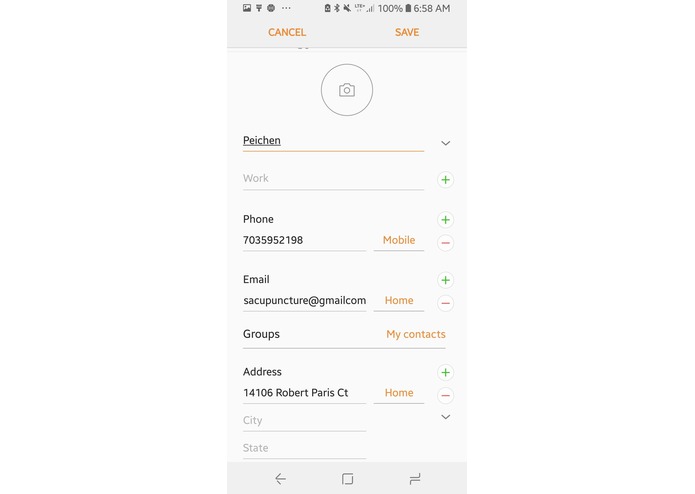
Adding info to contacts


Inspiration
We wanted to make daily life easier by reducing paper, the time used to type in contact information, and lost business cards by having this app which automatically detects fields of contact on a business card and allows the user to save to contact.
What it does
It reads a business card and stores the following fields: name, email, address, website, and phone number. It uses these fields to create a contact and saves it in that user's phone.
How we built it
We used Android Studio and the Google Mobile Vision API for text OCR.
Challenges we ran into
We were torn between trying to read a static image or reviewing a live feed. After many hours of receiving bad quality with static images and problems with image processing, we opted for real-time OCR detection.
Accomplishments that we're proud of
We managed to get the name recognition to work, which involved searching up each word in a database full of names and checking if that database contained a given word. We are also proud of creating pattern algorithms to detect and identify phone numbers, websites, emails, and addresses. Our simple and clean UI is also an achievement we embrace.
What we learned
We learned numerous techniques in Android Studio and how to implement an API into our Android app. We also discovered new ways to implement text OCR and analyze the outputs for our application.
What's next for Pinfo
Next, we plan to integrate this app for all types of identification cards, including a student ID card or a learner's permit. We could also include search functions to find certain people online on websites such as LinkedIn.
Built With
- android-studio
- computer-vision
- google-mobile-vision
- intents
- opencv
- permissions


Log in or sign up for Devpost to join the conversation.