-
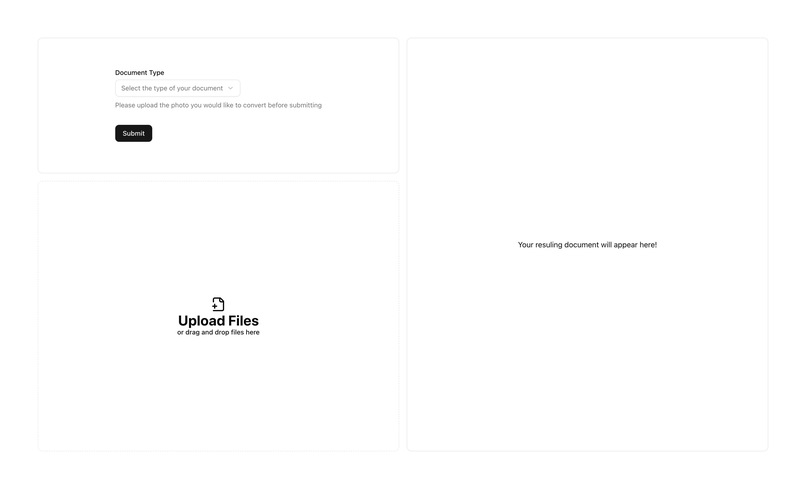
Landing page of the website. Users can upload photos and select what type of document it is
-
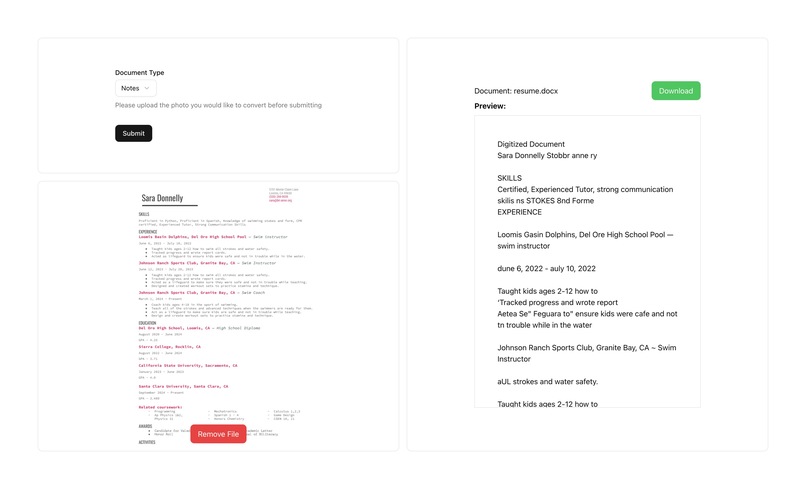
Preview of generated docx file is shown on the right side. Users can also download the generated docx file.


Inspiration
Our inspiration for this project was to offer people a quick and easy way to organize notes or important documents so that they can be integrated into digital interfaces and easily modified for future use.
What it does
Pix2Page takes an image of a form or document (typed or handwritten), detects where text exists in the image using OpenVINO object detection, then passes those text regions to Tesseract OCR for recognition. The extracted content is structured and saved into a well-formatted Microsoft Word document. It’s like a scanner — but smarter. Instead of just copying pixels, it understands where text is and what it says.
How we built it
Python, OpenCV, and Tesseract for OCR and image preprocessing OpenVINO Toolkit and the horizontal-text-detection-0001 model to locate text in the image via object detection Flask as a backend server for processing uploaded images docx (python-docx) to generate a clean Word document from the OCR results Base64 image handling for smooth integration with frontend uploads Deployed and tested on both macOS and Ubuntu (Intel DevCloud) environments
Challenges we ran into
- Tesseract accuracy on full images: Initially, OCR was run on the whole image, which led to low-quality results due to noisy backgrounds or layout complexity.
- Incorrect bounding box scaling: The OpenVINO model requires resized inputs, and bounding boxes returned were based on the resized image. Applying them back to the original image without scaling caused severe cropping and lost data. We had to debug and implement correct resizing logic.
- Model file issues: We ran into multiple issues loading the model (text-detection-0004.xml) until we pivoted to the horizontal-text-detection-0001 model from Open Model Zoo, ensuring compatibility and performance.
- Environment setup: Getting Tesseract installed and properly referenced in different OS environments (e.g., via Homebrew on macOS vs. package managers on Linux) slowed initial progress. ## Accomplishments that we're proud of
- Successfully integrated OpenVINO object detection with OCR, which significantly improved accuracy over raw Tesseract.
- Built an end-to-end pipeline that goes from image → text → .docx, all programmatically.
- Created a flexible backend that can receive image uploads via base64 and process them dynamically.
- Developed clear separation between detection (test.py) and document generation (main.py), making the code modular and extensible. ## What we learned
- How to deploy and use OpenVINO models for object detection — including the quirks of input resizing and output interpretation.
- How to scale model outputs properly to match the original image resolution.
- That combining object detection with OCR creates much better results than OCR alone.
- How to handle base64 image uploads and serve results from a Flask API.
- Practical experience with Python image processing, server-side automation, and document generation. ## What's next for Pix2Page
- integrate cloud storage through Google Docs / MS Word API
- handwriting recognition improvements using models better than tesseract 3.building the dock based on the position of each set of text given by the OpenVINO model


Log in or sign up for Devpost to join the conversation.