-
-
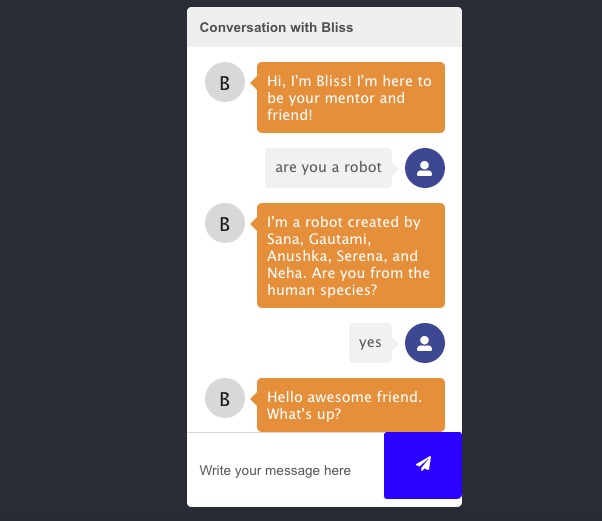
Bliss the chatbot helps students reflect about college life and gives them tips about various college topics!
-
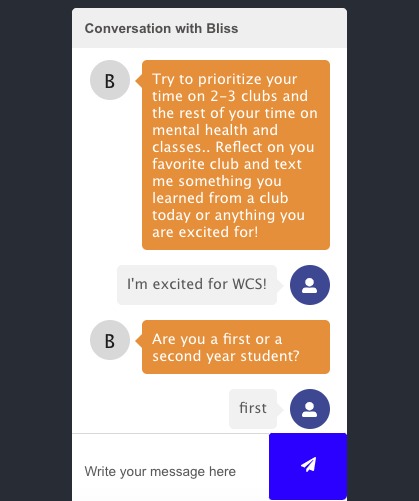
You can talk to Bliss about clubs, internships, social life, and many other college events!
-
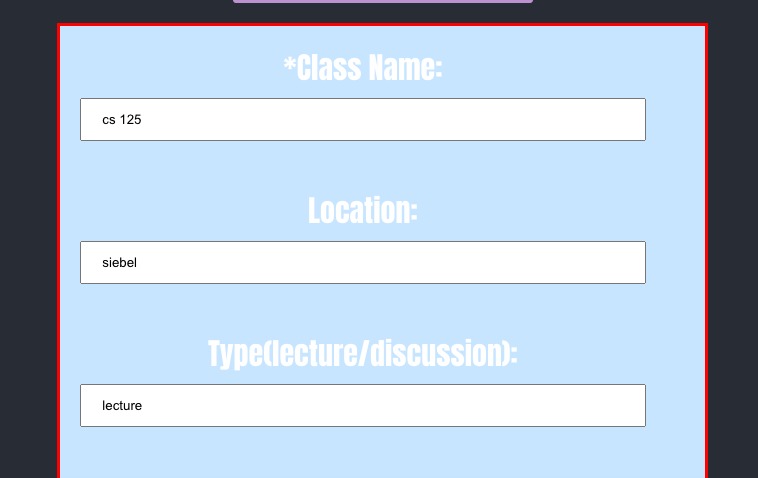
enter your class information in calendify and it will be synced to your google calendar as a weekly event.
-
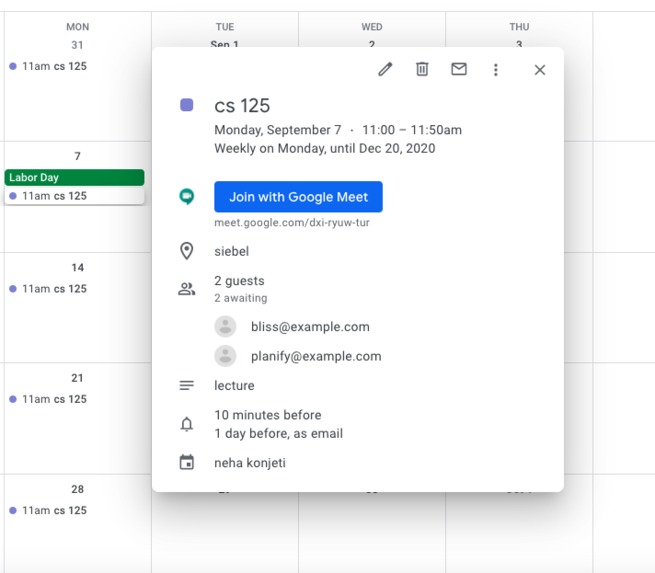
in this example cs 125 was added in every week that way college students can keep track of their classes


Inspiration -> As a busy college student it's easy to get swept up in many commitments! And it's your first time on your own. Planify can make your transition to college seamless.
What it does -> Calendify allows you to add illinois events and classes which will be synced to your google calendar.
Tuneify allows you listen to music based on your mood. Clockify allows you to to take breaks and escape the busy college life. Chatify connects you with Bliss, a college mentor created by us(college students) to help you reflect on your classes, internship/job opportunities, clubs, and many other topics that concern college students. You will feel welcome and relaxed by using our Planify features!
How we built it - We used react js, the react-chatbot-kit, the Google Calendar Api, Github, and Spotify iframes.
Challenges we ran into -> Merge conflicts, figuring out the google calendar API, adding a form that will submit to Google Calendar, and text recognition for the chatbot.
Accomplishments that we're proud of -> We are proud of our chatbot, our Google Calendar API form that will add classes, our design, this was our first time using React, collaborating over Github.
What we learned -> We learned how to use React, Google Calendar API, making a chatbot, and merging through Git.
What's next for Planify -> We want to make a built in timer for study sessions and break sessions in clockify, add more features to our chatbot, use the Spotify API, and deploy our project on a website.
To use our application: Here are the steps:
- Clone repo
- in repo terminal “npm install react-router”
- “npm install react-chatbot-kit”
- “npm install gapi”
- “npm install reactstrap”
- then “npm start” to run app






Log in or sign up for Devpost to join the conversation.