-
-
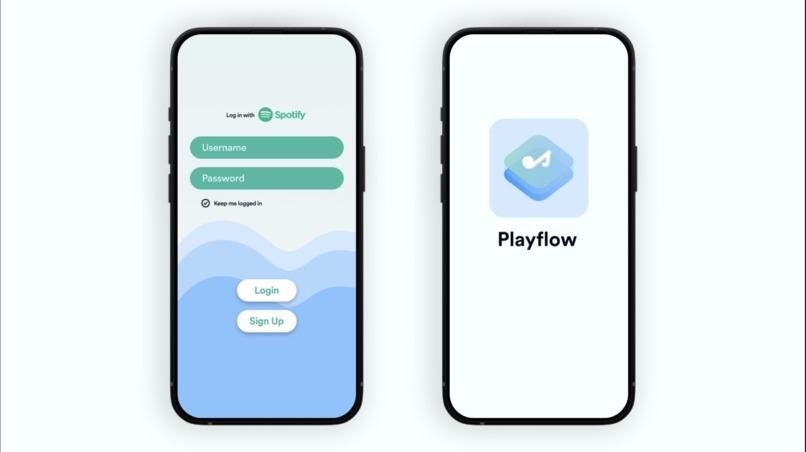
App Login
-
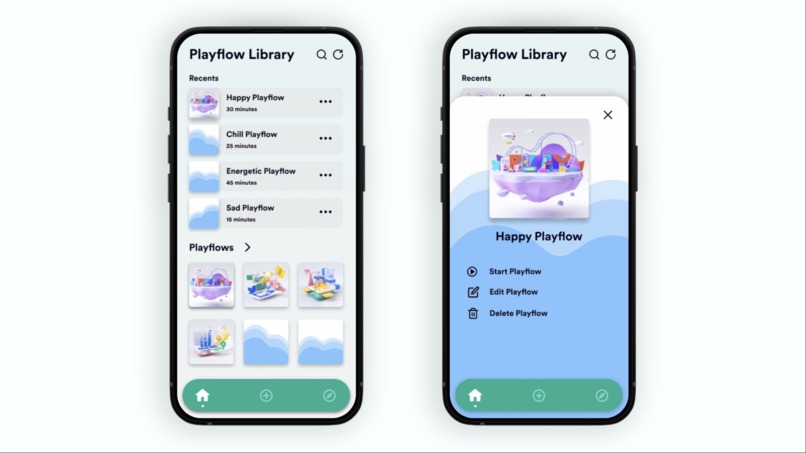
Playflow Library
-
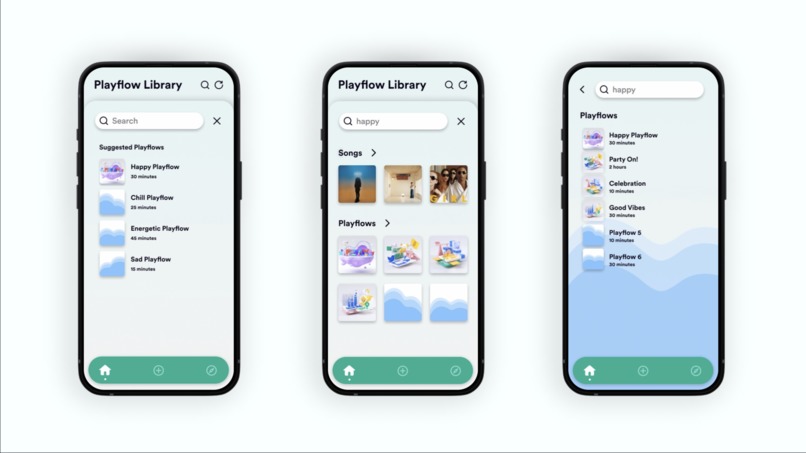
Search and Select Playflow
-
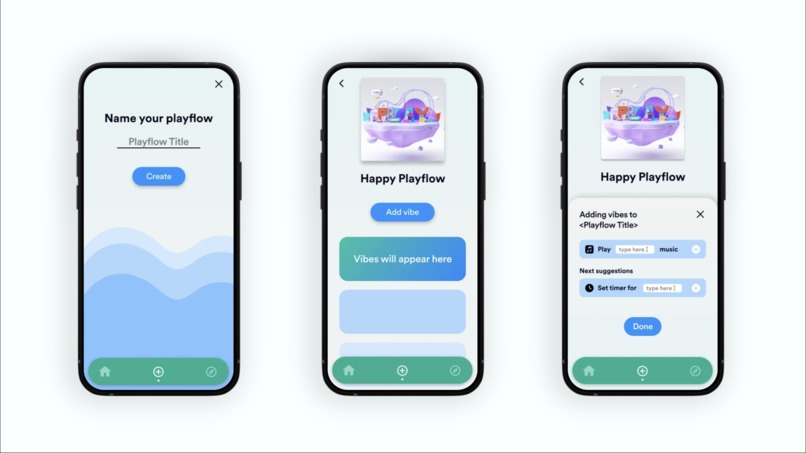
Add Playflow
-
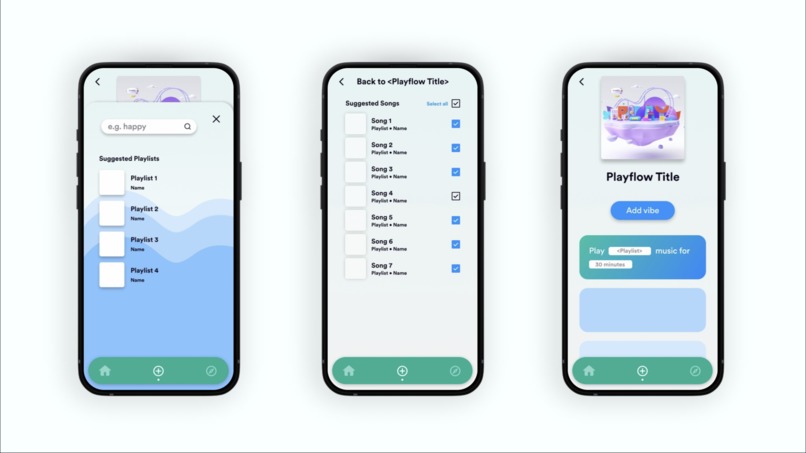
Edit Playflow
-
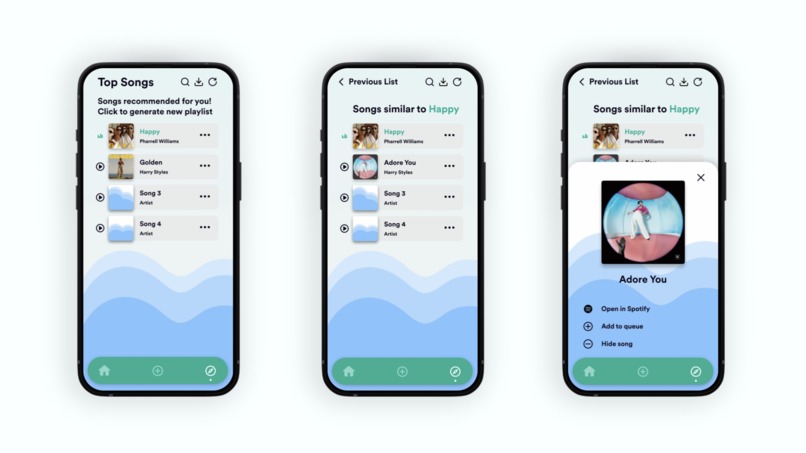
Explore Songs/Playlists


Discord usernames: Hexular#5020, sophaiya#3995, photonmz#4461
Check out our mobile prototype demo video and prototype!
Inspiration
As avid listeners and lovers of music, we couldn't help but notice that our playlists have inherent limitations. Playlists force the user to manually specify all the songs they want to listen to, a time-consuming task, and can only be experienced in different orders; the songs themselves stay fixed, meaning it's really easy to get bored of a playlist, a thing that I'm sure we've all experienced at least once.
While apps like Spotify, Apple Music and YouTube Music do allow for automated playlists, e.g. Spotify's Daily Mix, they have several downsides. For example, you as the user have no control over these recommendations; it's very common for the Daily Mix to deliver a song that's a complete miss. Another problem is that you can't impose any constraints on the input songs; I'm sure we all have that one awful song that consistently pops up in the recommended songs list and never goes away.
We wished to create something that would help experienced music listeners organize their preferred songs in an intuitive way, automating away all of the manual work while simultaneously giving the user the power to manually control things if they want even finer-grained recommendations. Thus, we created Playflow.
What it does
Playflow's killer feature is "playflows": they're the next step up from playlists. Just like how playlists transcended albums by adding more freedom and removing manual work, so too do playflows transcend playlists by adding more freedom and removing manual work. You can think of a "playflow" like a template of a playlist: it provides ways to generate sequences of songs. For example, instead of having to manually choose the song "Vexento - Pixel Party" and the song "Tobu - Cloud Nine" and the song "MDK - Press Start" and a million others, you could specify "Give me 30 minutes of Energetic EDM songs", and Playflow will give you all of the options you might have selected and more. Or you could specify "Give me 30 minutes of songs from Vexento". Or you could specify "Give me 10 seconds of phone ringtones", just for kicks. And you can sequence these all in order. Say you're running a hackathon (totally arbitrary example) and you want to play a nice list of songs for the entire duration, but you don't want to spend the multiple hours it would take manually adding songs to make a 24-hour playlist complete with rising and falling action music for submission deadlines. All you need to input is "Give me 20 hours of chill work songs", "Give me 2 hours of energetic work songs", "Give me 1 hour of dramatic songs", and then "Give me 1 hour of prize ceremony songs". Way easier, right? You could even specify "Give me 3 hours of songs like Imagine Dragons - Radioactive". The AI behind the scenes handles this all for you, so you don't have to do any other work, but you can still manually specify "Give me Imagine Dragons - Radioactive" if you really want to desperately listen to it.
Why's this better than Spotify?
Suppose you're going to go for a long run while listening to music, and you know you're really going to struggle at the end, so you want to listen to motivational songs at the end to help you. If you're doing this with a normal playlist, you would have to manually choose all of your motivational songs at the end of your run, and manually choose a bunch of normal songs to play at the start of your run; easily a 30-minute task, and you have to hope you never get bored of it. With Playflow, all you have to do is tell the app to give you "45 minutes of songs I like" and "15 minutes of motivational music"; 30 seconds and you have your playlist ready to go running with, which will constantly have different songs in it, making sure you're never bored. Playflow grants more control to the listener.
Technical details
The app uses Progressive Web Application (PWA) technology to increase development velocity and ensure that it works cross-platform on both Android and iOS. The PWA is built using React + Tailwind + Typescript, with React-Router to manage pages and Recoil to help manage state, and hosted on Netlify. The app communicates with a backend server storing data, an Express application running on Debian on Amazon EC2 utilizing LowDB for user data and an Apache Cassandra database instance for efficient ML model queries. The ML model itself was trained by SageMaker, Gensim and TensorFlow using the Word2Vec model, with Jupyter and Seaborn for visualization and K-dimensional tree datastructures (kd-trees) for efficient querying. To enable the use of OAuth2, we use an AWS Lambda deployment using the declarative Serverless framework, utilizing CloudFormation and IAM as well as CloudWatch for logging. And in the center of it all, we use the Spotify API as both a producer of songs, a consumer of song queues, and an OAuth2 client.
Challenges
We initially attempted to use AWS Keyspaces (a managed deployment of Cassandra) as our ML database, but ran into multiple issues which took us a significant chunk of time to debug.
What went well
The Spotify API code was extremely straightforward and easy to implement.
What's next for Playflow
In the future, we plan to integrate Playflow with other music apps such as Apple Music or YouTube Music. We also aspire to link geographical location data and other user data with the app so that AI can help suggest playflows for the user to use depending on their location (e.g. listening to energetic music while at a gym) or time (e.g. listening to calm music during sleep hours).
Built With
- amazon-web-services
- figma
- react
- seaborn
- spotify
- tensorflow


Log in or sign up for Devpost to join the conversation.