-
-
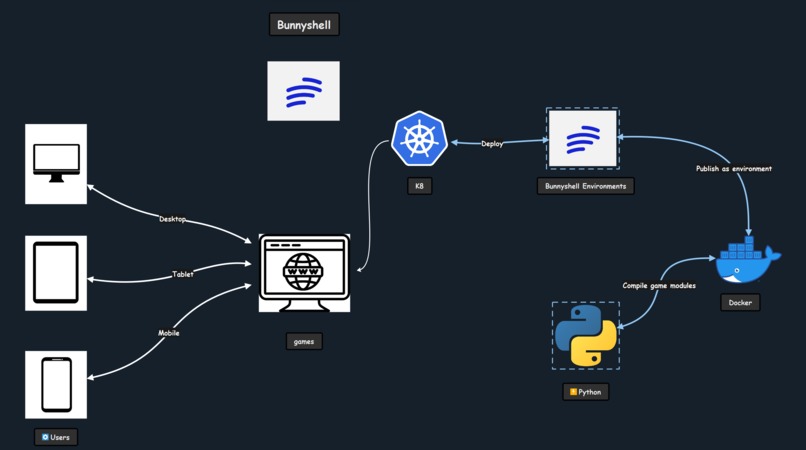
Architecture Diagram
-
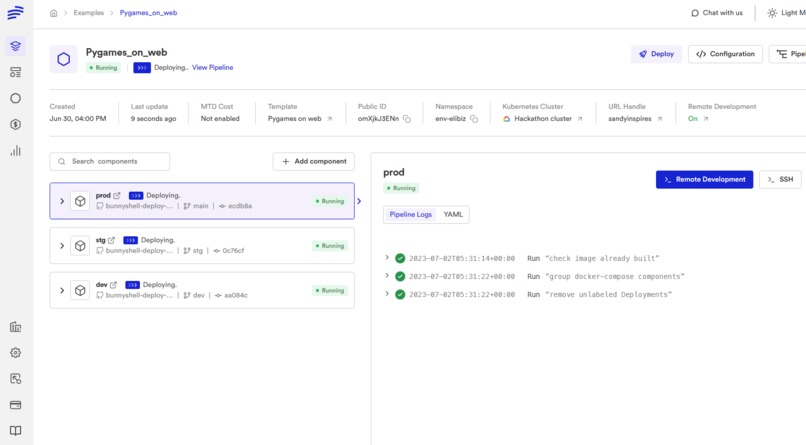
Bunnyshell UI
-
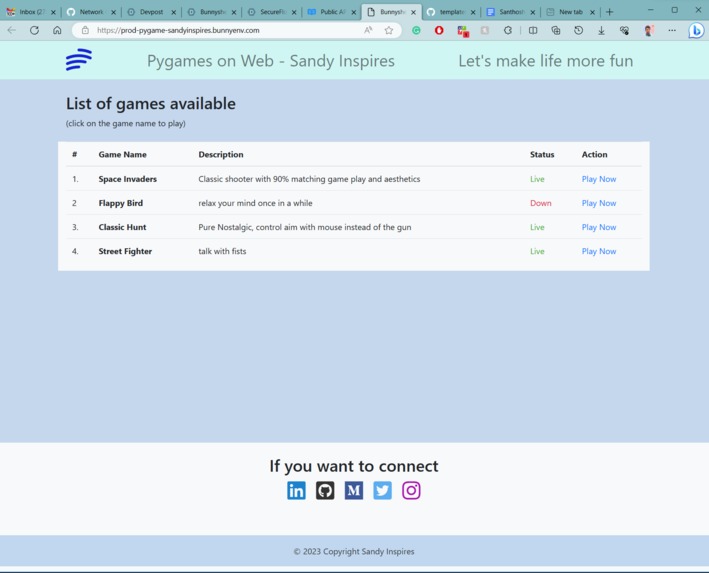
Web UI
-
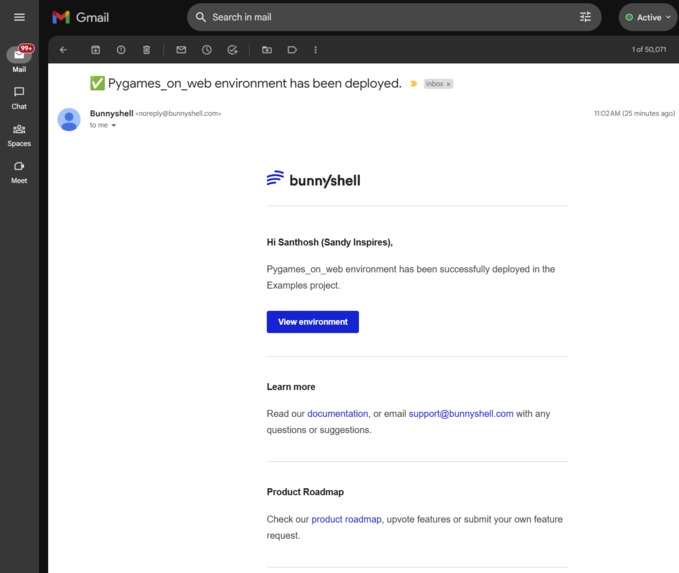
Email Notification on Deployment
-

VS Code - Folder Structure
-

The Team - Solo Runner


Inspiration
You can always make things work locally but if you want to share it with people it's essential to deploy your game or application so people can play around with it. Most modern frameworks provide sophisticated ways to deploy but Python's pygame is still behind the race, so I wanted to see how to break this and make games available on the web which runs natively in Python, Webassembly is slowly popping up. Considering all the options it's easier to go with existing tools and don't reinvent the wheel all over again, leveraging the fact that Webassembly can run Python code natively on web browsers. Having multiple developers working on the game development and onboarding new developers to your project is a whole other level. For most open-source projects setting up the environment to raise a PR itself is a time-consuming and tedious task. With all the above, Pygames on Web came to life.
What it does
- Provides developers with three environments to code, test, and deploy
- Ability to deploy any game built on Pygame to be deployed as a web application
- Build and deploy all three environments with four games in under 4 minutes
- Using the least possible size of nginx Docker image (~6 MB)
- Worry less about the environment and get coding with the template
- Test in an isolated environment with the latest code base
How we built it
- Python - General Programming
- Pygame - Writing Game Logic
- Pygbag - Python WebAssembly for everyone ( packager + test server )
- Docker - Build and deploy the game
Challenges we ran into
- How or is it possible to host a game as a web application with good FPS
- Figure out how to deploy multiple web applications in one environment without a web application redirecting requests
- How to build and deploy the game from within one Dockerfile
- How to make multiple Pygame builds in one Dockerfile
- How to navigate between different games without having to type in the URL manually
- Solve who to send .apk files in the proper format when it's requested by the browser
- Game assets were not getting added when trying to build via Docker file
Accomplishments that we're proud of
- After debugging for 12 hours was able to make the game build and deploy via Dockerfile
- Successfully added all the game assets while building the game via Dockerfile
- Created a simple web page to give the developers what is the list of games along with their Short Description, status, and link to play
- Successfully created multiple environments - dev, stg, and prod -Brought down the build time from 15 minutes to under 4 minutes and used the least possible Docker image size that suits the need
What we learned
- How to build and deploy a Pygame to the web faster and with good FPS
- How to do remote debugging from VS Code
- How to customize nginx configs to deliver the right content for the endpoint
- How to build and deploy Pygame from a single Docker file with two or more images
- A great understanding of WebAssembly and its usefulness with Python and Pygame
- Game design and writing game logic in Pygame
What's next for Pygames On Web
- Manage and monitor the build cycle and store the results on a Postgres database to be used for reporting
- Develop the simple web page into a full-fledged web application to give access control to who can view which games, store developer activity, and much more
- Send out email notifications when a new game is added, tested successfully, deployed to prod, and so on
Setup Environment for local
Create a venv
python3 -m venv venv
Install all Python packages
pip install -r requirements.txt
Run the game
python3 pygames/space_invaders/main.py
Web - runs on port localhost:8000
Note: Assuming you have got the game in a separate folder
python3 -m pygbag pygames/space_invaders/




Log in or sign up for Devpost to join the conversation.