-
-
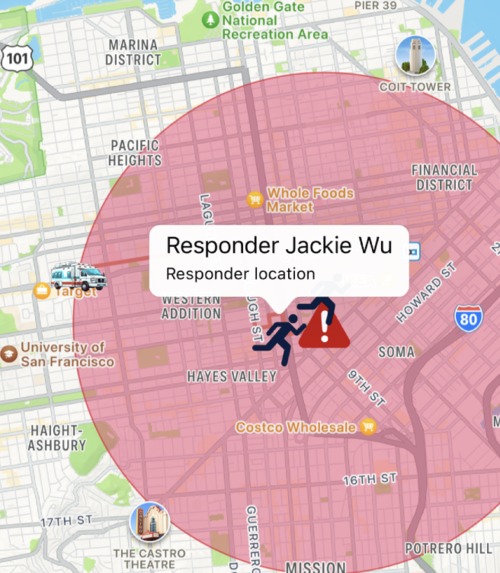
Finding nearby responders to emergency
-
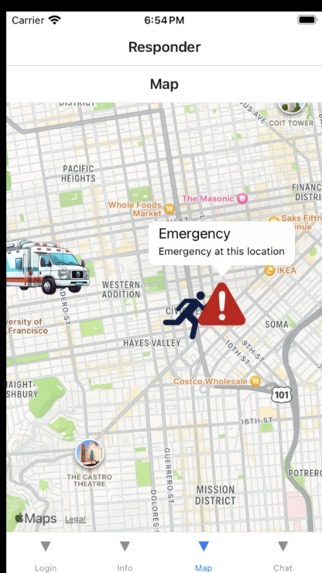
-
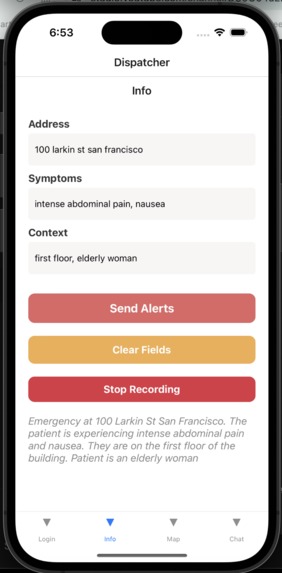
Send information and alerts to nearby responders
-
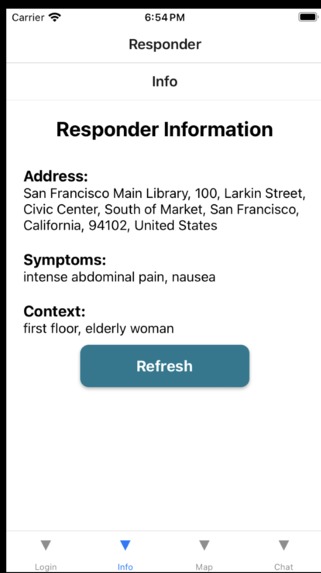
Custom spacy model parses information to be read by responders
-
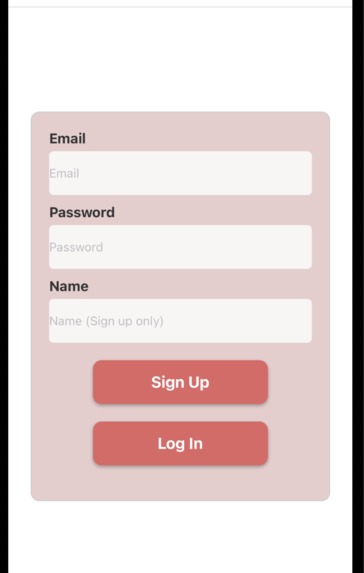
Sign up/login
-
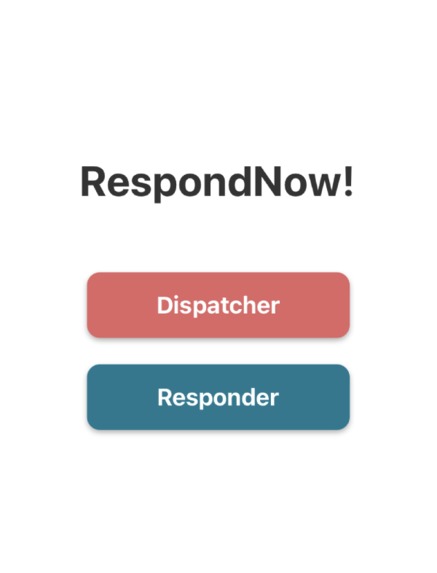
Two roles: dispatcher/EMT or responder


Inspiration
In many emergencies, professional support might be too far from a victim who needs immediate support. A Good Samaritan first responder could have reached the situation earlier, but they would have no way of knowing details of the emergency. This app prevents emergencies from becoming worse, from becoming potentially fatal. First responders can respond now and save their neighbors' lives.
What it does
(Submitting for Track 4, Option 3 - first responders and response system)
RespondNow connects first responders to nearby emergencies while EMTs are on the way.
A dispatcher or EMT can input the address of the emergency, the symptoms of the patient, and additional context. To make it easier for them, the dispatcher/EMT can choose to say the information aloud instead (for example, if their hands are unavailable). I trained a custom model to parse a (speech-to-text) transcript in order to quickly identify the emergency, symptoms, and context. This information will be sent to nearby responders.
The dispatcher can see route directions to the emergency, and where nearby responders are. The app calculates the radius in which responders could potentially reach the emergency faster than the dispatcher.
The dispatcher can communicate in real time through a chat messaging feature with responders, allowing them to pass on important information. The responder will show up as green if they are responding to the emergency.
The responder will get an alert if they are near an emergency. They can choose to respond to the emergency. If they respond, they can see the locations of the EMT as well as get directions to the emergency. The responder will receive the relevant information about the emergency.
With these efforts, a network of responders can possibly reach the emergency sooner than professional support, preventing many potential deaths.
How we built it
I developed my project with React Native and Expo. To authenticate users and store data, I used Firebase.
I trained a model with Spacy in Python to identify categories of words, such as if they are addresses or symptoms. I trained many example sentences that dispatchers could say and manually tagged words/phrases so that the model could categorize them as an address, symptom, or context. A speech-to-text API can transcribe a dispatcher describing/recounting an emergency, and the model would parse the transcription into an address, symptoms, and context to be sent to nearby responders.
To convert an address to a coordinate and vice versa, I used openstreetmap's free API. For example, a dispatcher can input the address '100 Larkin St San Francisco'. Openstreetmap will convert the address to coordinates (37.7792, -122.4158), and also return the full address to be sent to the responders.
To show a route from a responder or EMT to the emergency, I used openrouteservice's free API. After simulating a location on the device, I used openrouteservice to find a route between certain coordinates (like the dispatcher or responder) to the emergency coordinates.
To view maps in react native, I used react-native-maps.
Challenges we ran into
I was not too familiar with React Native and Expo, so there was a bit of a learning curve when building a mobile app. Also, a lot of APIs I wanted to use cost money, so I had to find workarounds (for example, Google Maps and speech to text, OpenAi) such as finding free map APIs and training a Spacy model to parse a transcript into address, symptoms, and context. Also, a lot of modules were deprecated for Expo (such as speech to text).
Accomplishments that we're proud of
I'm proud of building a functional app that could connect people in life-threatening situations.
What we learned
How to use Expo and maps in React Native.
What's next for RespondNow
If I had more time, I would add:
- Verify first responder documentation
- Finish integrating speech to text and trained model
- Include a caller role where the patient or someone nearby can call the emergency and also get nearby responders
- Algorithm to calculate fastest responders, not just by distance (but also traffic, location, etc)
How to Run
I built it with React Native and Expo. The github is included so all the source code can be used to make the Expo Go app. Thanks! I also generated an Expo Development build, hopefully this works. https://expo.dev/accounts/jackiewi8/projects/rnclient/builds/90a741d2-47b0-419a-b959-0578c54ee727 If you want to try it yourself, you can sign up on the app or use my test accounts:
Dispatcher:
email: jack@ex.com
pwd: rice2024
Responder:
email: jw139@rice.edu
pwd: example
Have fun!


Log in or sign up for Devpost to join the conversation.