-
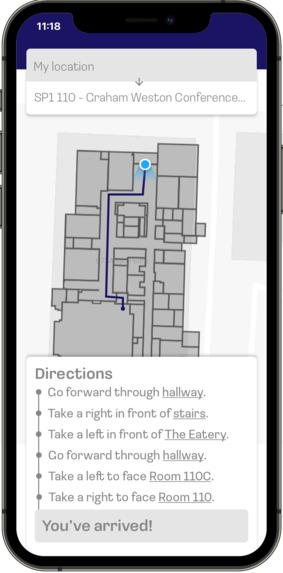
A mockup that contains explicit directions on where the user must go.
-
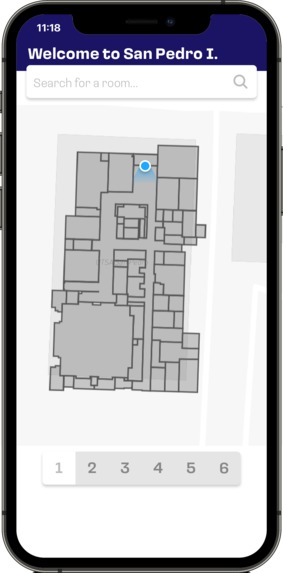
A mockup screen for selecting the floor plans of each level of the SP1 building.
-
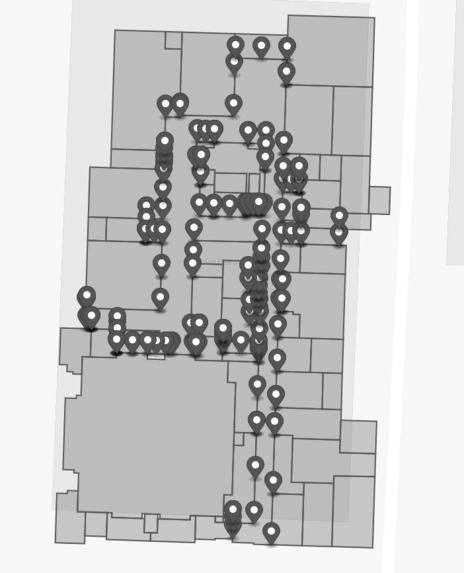
A map of SP1 which displays the points that were going to be used to generate the Voronoi diagram for finding pathways through the hallway.
-
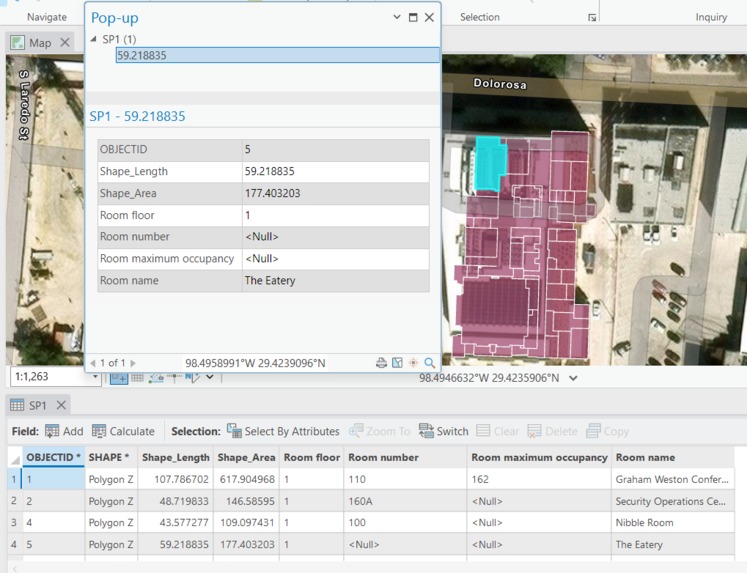
A screenshot of ArcGIS Pro, showing the hand-made map of SP1's first floor, and additional attributes associated with each polygon (room).


Inspiration
Many of UTSA's campus buildings are hard to navigate, especially some older buildings like the Multidisciplinary Studies building on Main Campus. As such, this project aims to use GIS, GPS positioning, and an intuitive mobile-first interface to help students and faculty find their way around.
What it does
Our application heavily focuses on how the user can easily navigate the interior of the San Pedro I building, the location of the RowdyHacks event. Upon selecting a floor and a room number, the app will display the floor plan of the building, and a comprehensive list of directions to the room will be generated for the user to follow. The structure of the list is as follows:
- Each step is composed of the direction the user must face in order to progress
- Towards the end of the instruction, there will be a tooltip that displays a brief description of what the area looks like
- If applicable, a landmark displayed in image format will be incorporated to ensure that the user has a clear idea of where they currently are
- When the user is nearing their destination, a modal will appear with a template which contains the room name and number, so the user can easily identify the room This tool is particularly useful for incoming guests for any event being hosted in this building, so foot traffic can be reduced to a minimum.
How we built it
We used the following libraries and processes while working on this project:
We created a first-floor diagram of San Pedro 1 on ArcGIS Pro, by tracing over a floor plan that was shared as part of the RowdyHacks event.
- We then used the
terageospatial JS library to process data, with the objective of creating paths through the hallway with a Voronoi diagram. The following image shows this process by the author of the Medium article, and the photo gallery includes an image that was made during the process of defining points on the map of SP1's first floor.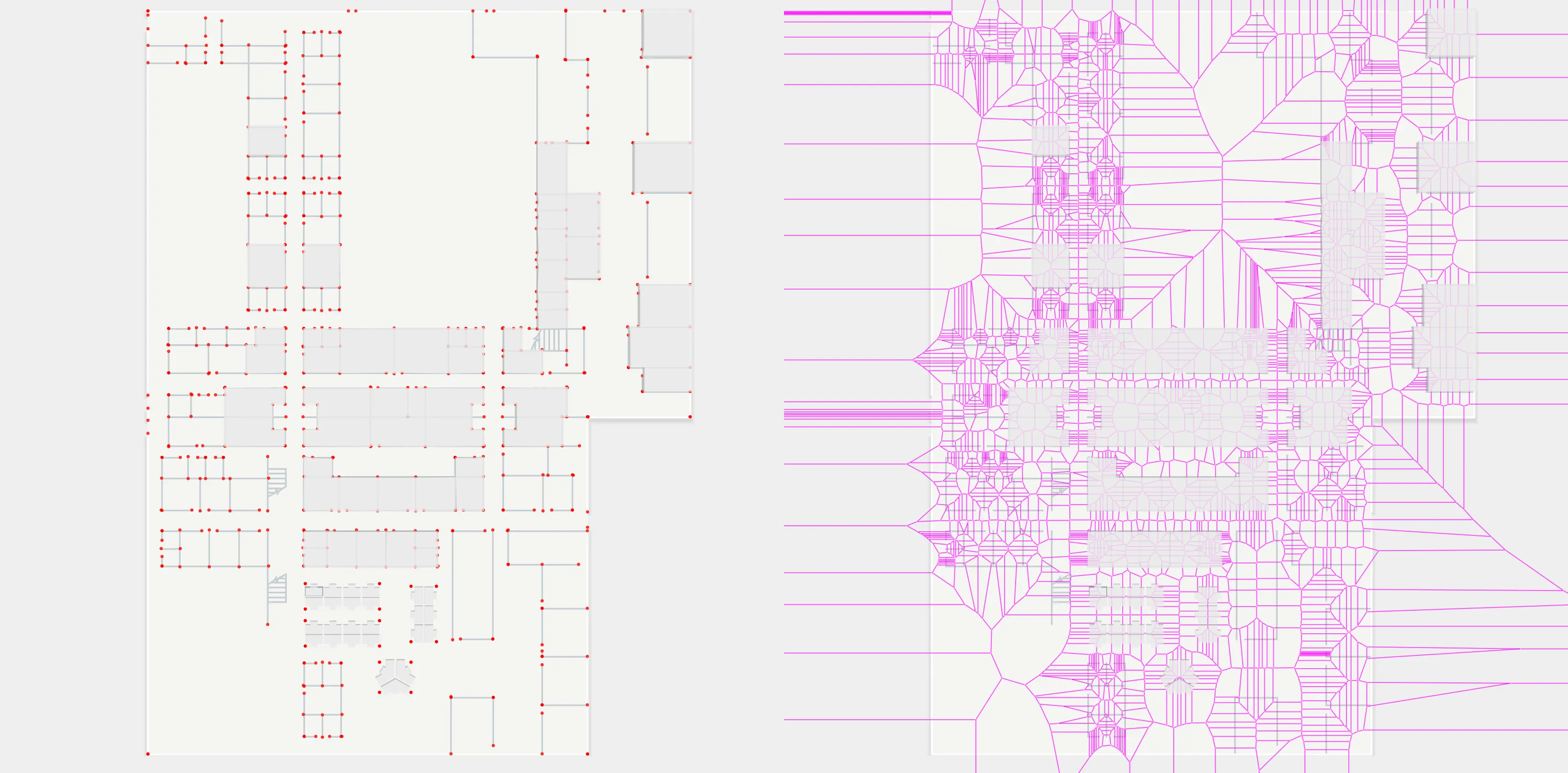
- We then used the
We began development on an interface using React Native and Expo, in order to create a native cross-platform experience.
Challenges we ran into
Mismatching development environments and difficulties in setting up some frameworks (even when following official documentation) was particularly challenging, and it certainly impacted the amount of time that we had to complete this project. In addition, the need to manually trace and map the areas of SP1's first floor in ArcGIS was very time-consuming.
Accomplishments that we're proud of
Meticulously creating a comprehensive map was an especially tedious and time-consuming process, but it was worth it because the accuracy of the locations were near perfect, ensuring a seamless user experience.
What we learned
Limiting the scope of the project was the most important lesson we learned from making this project. The time-consuming experiences we've encountered throughout the project, such as setting up a development server in an incompatible environment and tediously mapping the floor plan, made us realize that some features were not going to be implemented in a timely manner.
What's next for RowdyNav
Since we have worked mostly on the backend side of things, such as data generation from external tools such as ArcGIS, there would be potential in the future of creating a frontend for the application. Our framework of choice is to use react-native, a mobile framework allowing the creation of mobile apps entirely in JavaScript, to display a map of the data in a clear and meaningful way.
Built With
- esri
- expo.io
- firebase
- gps
- pathfinding
- react-native
- react-native-maps
- typescript
- voronoi
- yarn


Log in or sign up for Devpost to join the conversation.