-
-
-
-
-
-
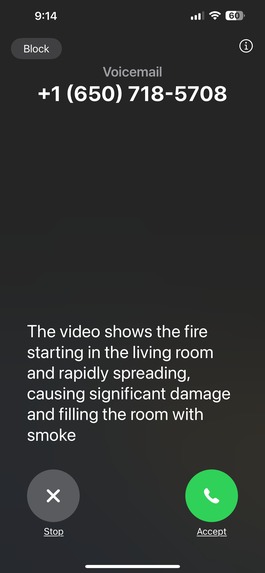
Phone call trigger from detected threat


Inspiration
We recently moved into a new apartment, and home safety quickly became a priority. In the past, when using systems like Ring, we found ourselves constantly receiving alerts for things that did not matter, such as leaves blowing or cars passing by. These false alarms were disruptive, especially late at night, and over time they made the alerts easy to ignore. That defeats the purpose of having a security system in the first place.
When we researched other security options, we noticed that many major companies require additional sensors and ongoing subscription fees. This makes setting up basic security system more expensive and complicated than it should be. We believe that there should be a simpler and more reliable way to keep a home safe without unnecessary equipment or recurring costs.
We built Safe Vision to address these concerns by using cameras people already have and providing alerts only when something genuinely requires attention.
What it does
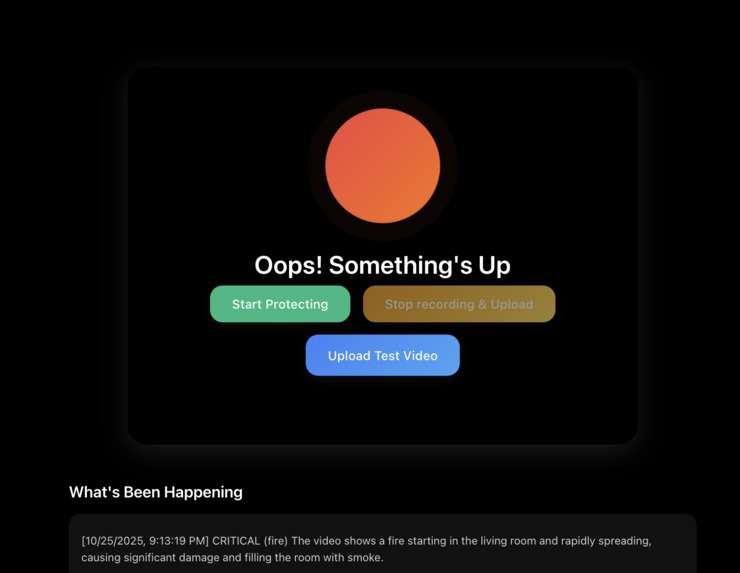
Safe Vision is a home security application that monitors video in real time and identifies potential threats using AI. The system analyzes short video clips from a camera and determines whether the activity is normal or something that may require attention. If a threat is detected, Safe Vision automatically makes a phone call to the user so they are alerted immediately, even if they are not checking their device.
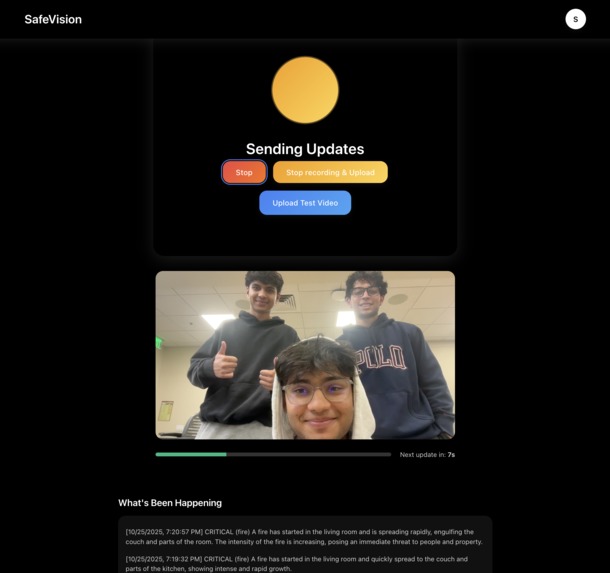
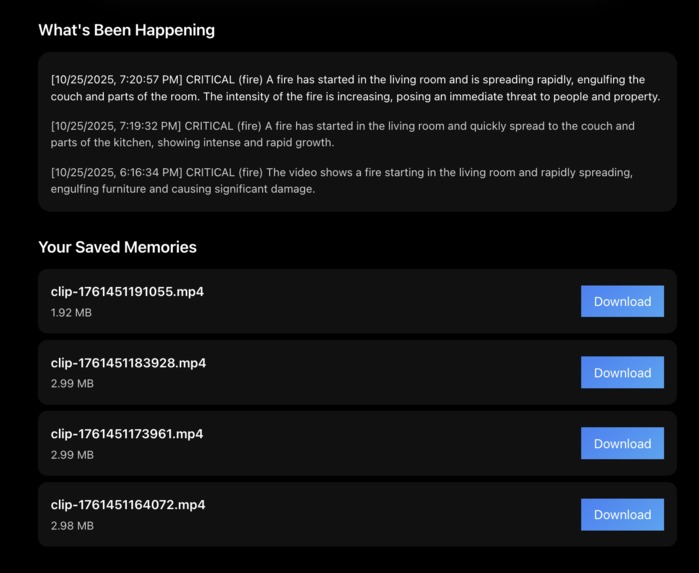
Users can view their live camera feed, review past recordings, and see a log of detected events. All video clips are stored securely, along with timestamps and detection information, so users can refer back to them if needed
How we built it
We built Safe Vision with a simple pipeline that connects the camera feed, video processing, AI detection, and alerts.
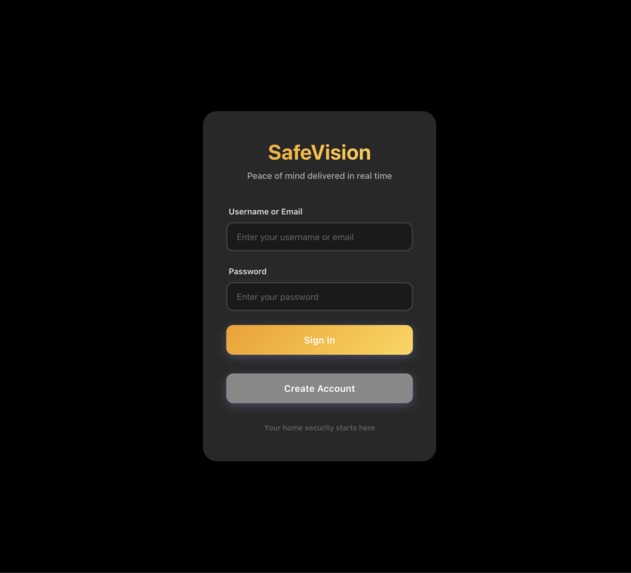
The frontend is built with React. It accesses the user's camera, shows the live video feed, and provides controls to review past detections. Vite is used for fast development and builds.
For user authentication, we use AWS Cognito. Cognito manages account creation, secure login, and session handling. User data stays associated with their account so authentication persists across sessions without requiring repeated logins.
The backend works by continuously receiving short video clips from the frontend, which are uploaded through the Express server using Multer. As each clip arrives, it is immediately sent to Bedrock Nova Lite to generate a natural language description of what is happening in the scene. That description is then passed to Bedrock Nova Micro, which evaluates the situation and assigns a threat classification and severity level.
If the severity level is above our threshold, the system triggers an automated phone call alert using VAPI to notify the user. All video clips are stored in S3, and the detection results (including timestamp, scene description, and severity rating) are stored in DynamoDB for later review.
We also use a small FastAPI service to retrieve these logs from DynamoDB. The frontend calls this FastAPI endpoint to fetch and display past detections and their associated video clips in real time. This allows the user to easily review the system’s decisions and history directly from the interface.
AWS Services Summary
| Service | Purpose | What We Store or Process |
|---|---|---|
| Bedrock Nova Lite | Video AI | Describes the visual content in each clip |
| Bedrock Nova Micro | Threat AI | Classifies threat severity and threat type |
| DynamoDB | Database | Logs, detection metadata, and pointers to video files |
| S3 | Video storage | Stores recorded MP4 clips |
| Cognito | Authentication | Stores user Information |
Challenges we ran into
Tweaking the AI model parameters to reduce false positives and improve detection accuracy. We needed to experiment with different prompts and confidence thresholds to get consistent and meaningful results.
Continuously sending live video clips from the frontend to the backend. We had to figure out the timing and logic that allowed the system to monitor video in real time while still processing new segments in the background.
Setting up authentication with Cognito. Keeping user sessions persistent and ensuring the frontend and backend stayed in sync required multiple adjustments.
Creating a server endpoint to retrieve logs from DynamoDB and display them on the frontend in real time. Getting the logs to update consistently without refreshing the page was challenging and required careful handling of database queries and state updates.
Accomplishments that we're proud of
We successfully built a working real-time video pipeline that captures, segments, uploads, and processes video without noticeable delay.
We integrated AI threat detection using AWS Bedrock and were able to return consistent, meaningful classification results from live footage.
We set up automated phone call alerts through VAPI and confirmed that alerts are delivered instantly when a threat is detected.
We designed and implemented cloud storage and logging using S3 and DynamoDB, allowing recorded events to be reviewed with timestamps.
We built a working user authentication system using Cognito, which keeps user data secure and sessions persistent.
We created a clean and simple interface that allows a user to monitor their camera and review past detections without any extra hardware.
We managed to get all of these components working together smoothly, which required planning, coordination, and debugging across multiple services.
What we learned
We learned how to work with streaming video and send clips continuously without interrupting the recording process.
We gained experience using AWS Bedrock models and learned how to structure prompts and outputs so that two models can work together in sequence.
We learned how to store and organize video clips and detection data in S3 and DynamoDB in a way that can be retrieved and displayed reliably.
We learned how to set up user authentication with Cognito and keep login sessions consistent across the application.
We learned how to build a small FastAPI service to retrieve logs from DynamoDB and update the frontend in real time.
We learned how many small details matter when trying to build a real-time system, especially when multiple services need to stay in sync.
What's next for Safe Vision
Mobile app support: Create a mobile app so users can receive alerts, view footage, and manage settings directly from their phone.
Integration with existing home security devices: Our goal is to make Safe Vision compatible with devices that many people already own, such as Ring cameras, Google Nest cameras, and other IP camera systems. This would allow users to keep their current hardware while adding intelligent threat detection on top.
More detailed event categorization: Improve the detection pipeline to better classify events (for example: person, pet, package delivery, unknown activity).
Shared household access: Allow multiple trusted users in the same home to receive alerts and view event history.
Built With
- amazon-bedrock-nova-lite
- amazon-bedrock-nova-micro
- amazon-cognito
- amazon-dynamodb
- amazon-web-services
- css
- express.js
- fastapi
- javascript
- multer
- node.js
- python
- react
- vapi


Log in or sign up for Devpost to join the conversation.