-
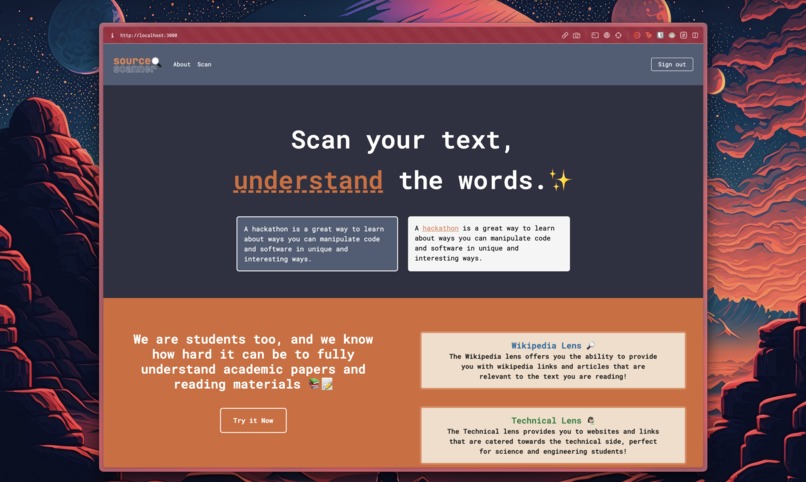
Landing page of Source Scanner
-
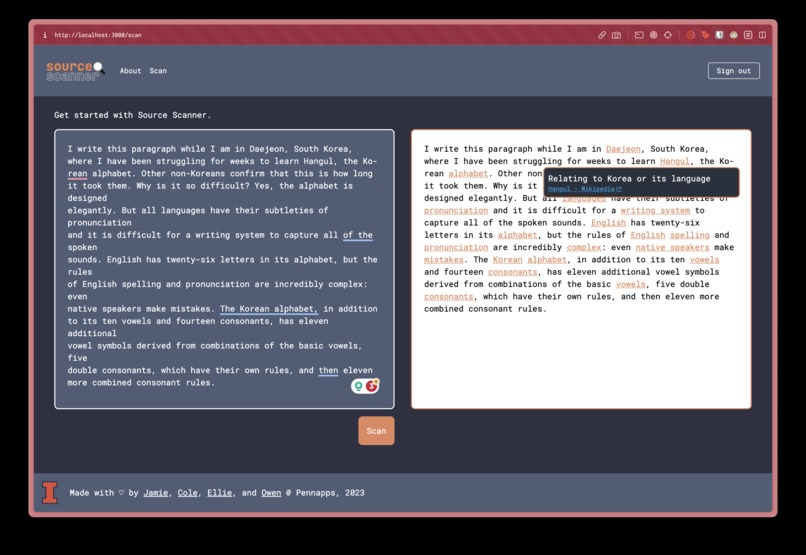
SourceScanner live in action!
-
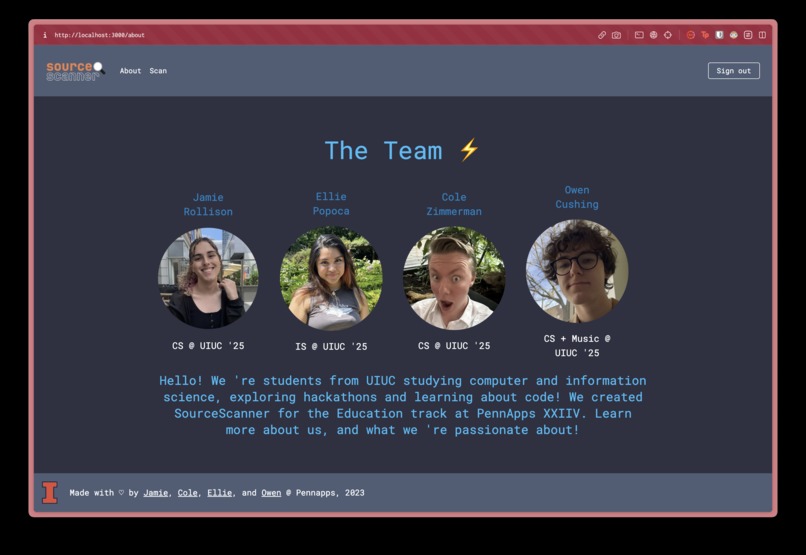
Meet the folks who made Source Scanner, from UIUC


Inspiration
We were inspired by how Wikipedia links to other Wikipedia pages so that you can find the information quickly and painlessly if you don't know what a word means. We felt this technology would save people a lot of time parsing jargon-heavy documents, and help you understand your readings for school!
What it does
Source Scanner takes raw text, and intelligently selects words/phrases that can be reasonably assumed to need definition or extra information, and makes it so that we can hover over those words and find helpful definitions, as well as links off-site to places such as Wikipedia for further reading!✨
We know that when you're reading, it takes a while for your brain to really process and understand words, and on occasion, we "gloss" over words we can usually infer through context. While this helps our comprehension skills, we want to make information more accessible for students to actually learn new vocabulary and concepts that they may not have learned on their own!
How we built it 👩🏻🔬
On the backend, when a user makes a request for our web app to parse input and return more information, our app sends the user-inputted information to OpenAI's API with an engineered prompt to parse the user input for words and concepts that may need to be defined and puts those, along with definitions, into an easily parse-able data structure. From there, each of those concepts is fed into Metaphor's API to generate relevant links, and the best link by confidence score is displayed as a hyperlink to the user upon hovering over the previously selected word, along with a definition. We use MongoDB to store user information, Google Cloud for user authentication, and Vercel for website deployment.
- ReactTS
- TailwindCSS
- NextJS
- tRPC
- MongoDB
- Prisma
- Google Cloud
- Metaphor API
- OpenAI API
Challenges we ran into
One of the main challenges our group ran into was integrating so many moving parts and getting them to work together seamlessly. Getting OAuth with Google Cloud to work with tRPC, Prisma, and MongoDB Atlas was quite the challenge with the different ways they interact with each other. Another hurdle was prompt engineering to request meaningful data from ChatGPT and Metaphor because there's a lot of specificity and accuracy that need to come together to get something that would benefit the user. Finally, having specific UI components, such as tooltips, actually helps, rather than hinders, the user experience was a definite learning curve.
Accomplishments that we're proud of
We are very proud of the fact that we not only successfully achieved a design with a large number of moving parts, but we did so while building out several well-designed pages that are easily understandable for site users.
What we learned 🫶🏼
We learned a lot about working with the OpenAI and Metaphor APIs, as well as the power of a good prompt and a better AI when it came time to parse through the input. We also appreciated the opportunity to refamiliarize ourselves with React and design elements of websites.
What's next for SourceScanner ⚡️⚡️
The next step for SourceScanner is adding more of what we call "lenses," or areas of the internet to search for answers. We only have one (the "Wikipedia" lens), but we plan to expand to other prompts and websites for more niche information, such as C or C++ documentation.
Built With
- chatgpt
- css
- google-cloud
- metaphor
- mongodb
- prisma
- react
- t3
- tailwindcss
- vercel


Log in or sign up for Devpost to join the conversation.