-
-
Our Logo
-
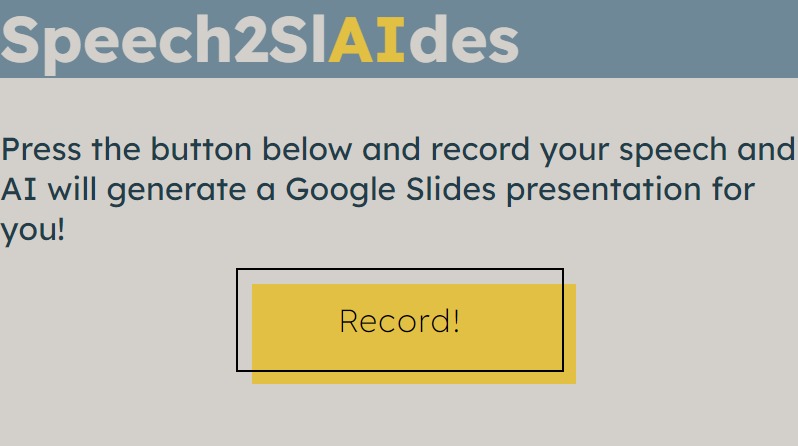
Our Website


Inspiration
During high school, a lot of the time we would have a presentation and generally knew what we needed to say, however found it time-consuming to organize the slideshow ourselves. If there were something we could use to instantly do this for us, it would have been helpful.
What it does
This takes in a voice recording through a button on an HTML file and sends it to a python file which utilizes Google Cloud services to turn speech into text. This text is then given to an LLM, which has been adequately prompt-engineered to return it in a format that is easy to filter through for titles, and points in slides. Then, the LLM creates a keyword that defines each slide, and has this keyword run by an Unsplash API, finding an image for each slide. This content is then run by a google slides API, which creates the slideshow and therefore finalizes the presentation.
How We Built It
We built this project by integrating several powerful technologies and services:
Frontend (HTML/CSS/JavaScript): We designed a simple HTML interface with a button to record audio. The interface allows users to easily interact with the application. JavaScript handles the recording process and sends the audio file to the backend for processing. Backend (Python & Flask):
Backend: The backend is developed using Python and Flask to handle incoming audio files from the frontend. We utilized Google Cloud Speech-to-Text API to convert the audio recordings into text. This service provides accurate and reliable speech recognition.
Language Model Processing: The text obtained from the Speech-to-Text service is then sent to a Large Language Model (LLM), such as GPT-4, with a specially crafted prompt to organize the text into a structured format suitable for a presentation. The LLM is prompt-engineered to identify titles, bullet points, and key points for each slide.
Image Retrieval: For each slide, the LLM generates a keyword that represents the main idea of the slide. We use the Unsplash API to search for and retrieve relevant images based on these keywords.
Google Slides API: Finally, the structured content (titles, bullet points, and images) is used to create a presentation using the Google Slides API. This automates the creation of slides, resulting in a fully-formed presentation without manual intervention.
Challenges We Ran Into
Chrome Extensions: Our original idea was to implement this into a chrome extension, which is why there is a manifest.json file. However, the issue was that microphone input could not be captured through a chrome extension, so we unfortunately had to scrap the idea.
Speech Recognition Accuracy: Ensuring the accuracy of speech-to-text conversion was crucial. Accents, background noise, and speech clarity posed challenges.
Prompt Engineering: Crafting the right prompts for the LLM to generate organized and coherent slide content required several iterations and testing.
API Integration: Integrating multiple APIs smoothly and handling potential errors and rate limits was a significant challenge.
Image Relevance: Ensuring that the images retrieved from Unsplash accurately represented the slide content was sometimes difficult, requiring additional filtering and keyword refinement.
Accomplishments That We're Proud Of
Successfully integrating multiple technologies and APIs to create a seamless user experience. Achieving high accuracy in converting speech to organized text, demonstrating the power of prompt-engineering with the LLM.
Automating the entire process from speech to a complete presentation, significantly reducing the time and effort required to create slides.
Creating a tool that can be highly beneficial for students, educators, and professionals, showcasing the potential for real-world applications.
What We Learned
API Utilization: Gained deep insights into working with Google Cloud services, Google Slides API, and the Unsplash API.
Prompt Engineering: Learned the intricacies of crafting effective prompts to guide the LLM in generating desired outputs.
Frontend-Backend Integration: Improved our skills in creating cohesive systems that integrate frontend interfaces with backend processing seamlessly.
Problem Solving: Enhanced our ability to troubleshoot and solve complex integration and processing challenges, making the system robust and reliable.
What's Next for Speech2Slides
Enhancing Accuracy and Features: Continuously improve the speech recognition accuracy and LLM processing to handle more complex and diverse speech patterns.
Customization Options: Allow users to customize the presentation template, themes, and styles to better match their preferences.
Multi-Language Support: Expand the system to support multiple languages, making it accessible to a broader audience.
User Interface Improvements: Refine the user interface to be more intuitive and user-friendly, with additional functionalities such as editing slides before finalizing. The chrome extension could also potentially be implemented.
Educational Integration: Partner with educational institutions to integrate Speech2Slides into classroom settings, providing a valuable tool for both teachers and students.
By leveraging these technologies and continuously refining our approach, we aim to make Speech2Slides a powerful tool for effortless presentation creation.
Built With
- css
- flask
- google-cloud
- html
- javascript
- json
- langchain
- llms
- rest-api


Log in or sign up for Devpost to join the conversation.