-
-

LOGO
-
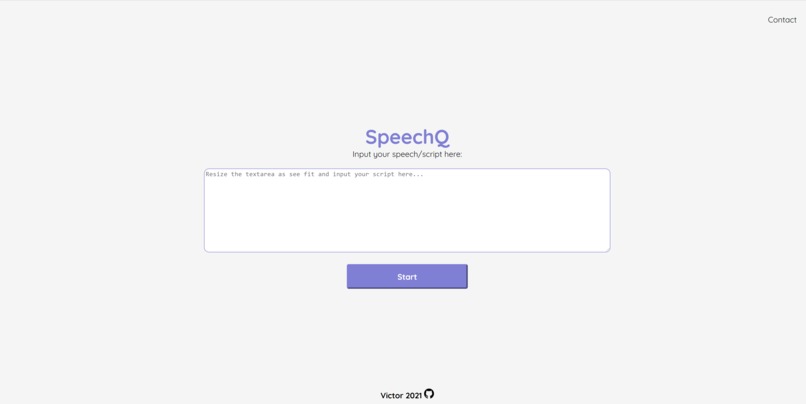
SpeechQ Website
-
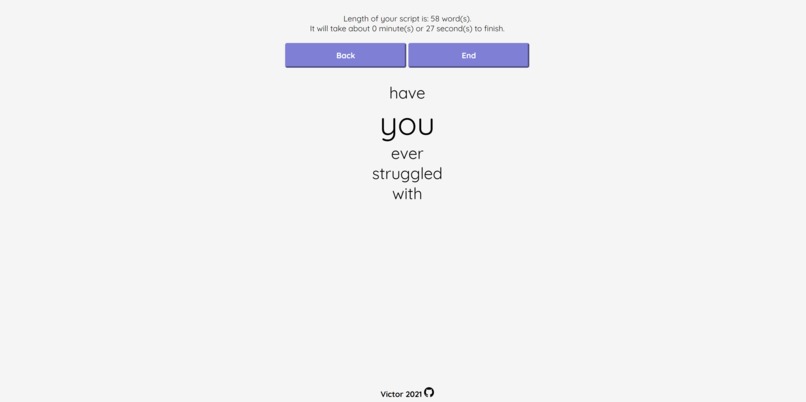
User interface


Inspiration
As most universities and high schools have transitioned into virtual learning, student presentations have all been done online. This meant that we can look at our screens and not memorize scripts. However, just reading off of the screen makes it hard to maintain eye contact with the audience.
What it does
SpeechQ is here to help by providing a tool for word prompting using voice recognition. As the presenter is speaking, the web app will help by prompting the words that are coming next. Being a web app, SpeechQ is versatile and can be used on any device with a microphone.
How I built it
Using Google Web Speech API, Javascript, HTML, and CSS. I also used Adobe Suite for some of the graphic designing and video editing work.
Challenges I ran into
Javascript was also a language that I am not too familiar with, so I had to spend time learning more JS before coding the project. Moreover, the word prompting code was initially very inefficient, users had to wait 5 seconds for every new word. I spent a lot of time cleaning my code up and ensuring that I tried my best to reduce the latency.
Accomplishments that I'm proud of
This was my first solo hackathon and I was impressed with myself the amount of work I was able to do on my own. Also, I was able to use the knowledge I learned in class to find a solution to my proposed problem, which was a huge surprise to me.
What I learned
I learned how to use Chromes embedded voice recognition API, which is free to use and functions very well. I also further improved my ability to code with Javascript.
What's next for SpeechQ
First of all, more languages will be added to accommodate people who speak languages other than English. I hope to also make SpeechQ a training tool where people can practice their speeches or presentations. Prompts like "go slower" or "go faster" can be added to assist the presenters. In addition, I plan on adding a webcam stream onto the website so the presenter can look at themselves when practicing. The ability to process punctuations and give suggestions could also be a potential feature to help with practicing.


Log in or sign up for Devpost to join the conversation.