-
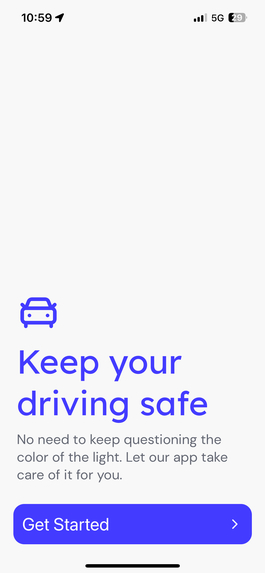
Home Page
-
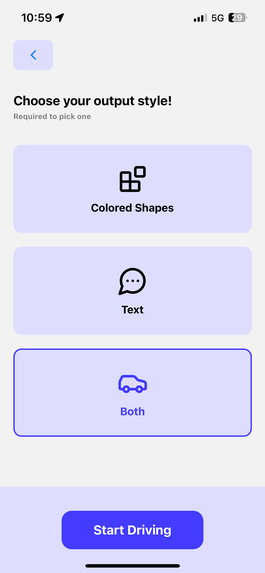
Display Settings


Inspiration
We heard about how our colorblind friends had to rely on the position of the brightest-looking traffic light to determine the status/color of the traffic light while driving. Typically, the topmost/leftmost light is red and the bottommost/rightmost is green. While speaking to a mentor about our project idea, we learned that their friend got into a bad car accident because the positions of a particular traffic light differed from the norm. Our team wanted to help solve this issue.
What it does
Uses a camera to video-record traffic lights while driving and notifies the driver about the color/status of the traffic light.
How we built it
React Native, Flask, Expo Go, Roboflow Object Detection Model
Challenges we ran into
While developing and testing our project, the project was not deployed which means that making connections to the server (laptop) across different devices (phones) had to be on the same network. We were using the public university WiFi which probably includes multiple different routers, so we were running into network connection issues. We resolved this by using a dedicated mobile hotspot for both the laptop and phones.
Accomplishments that we're proud of
- Beautiful design on Figma
- First time making a mobile application for 2 teammates and second time making a mobile application for 2 teammates. (We are still new to this, but we persevered!)
- Clear system design planned out which made it much easier to collaborate
- First time using computer vision in a project for 3 teammates and second time for 1 teammate
What we learned
Mobile application development, computer vision
What's next for Drivo
More accurate model, deployment so devices across different networks can connect to the server, PIP (Picture-in-player) mode so users can use different apps simultaneously
Built With
- expogo
- figma
- flask
- python
- react-native
- roboflow


Log in or sign up for Devpost to join the conversation.