-
logo and brand for sunscreenify
-
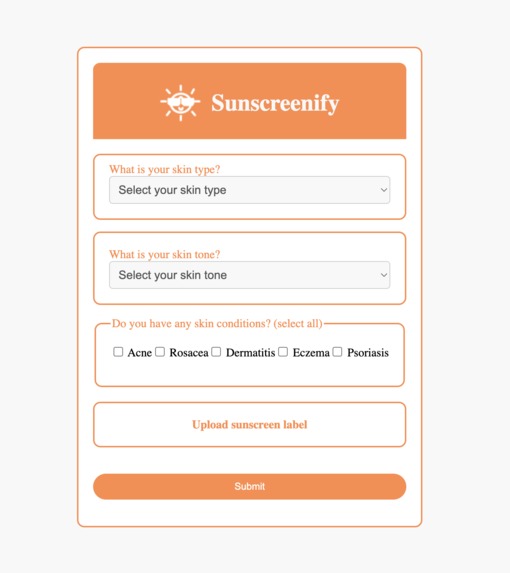
frontend user input form
-
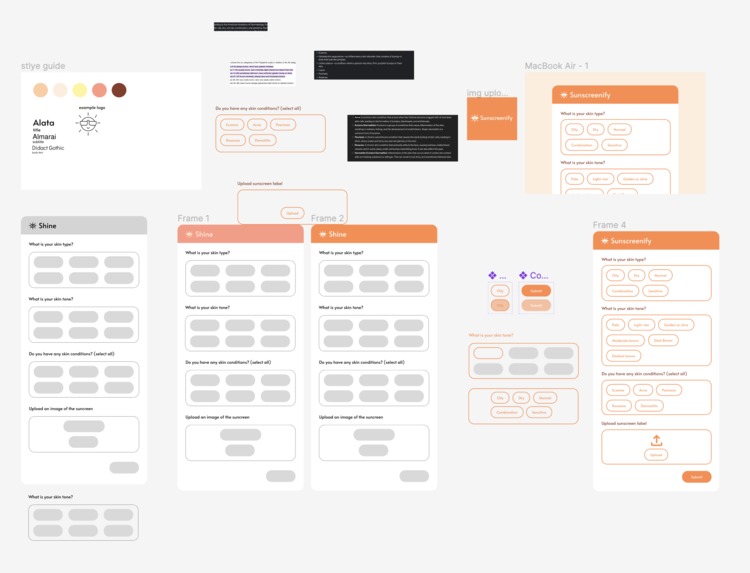
figma prototyping + layouts
-
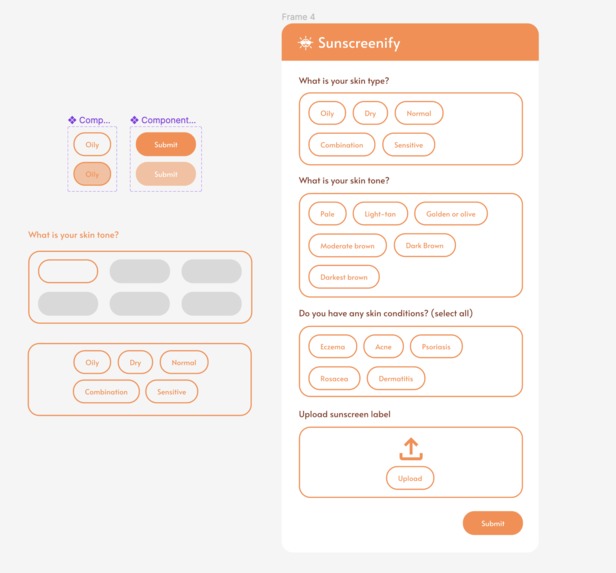
closeup of figma prototypes
-
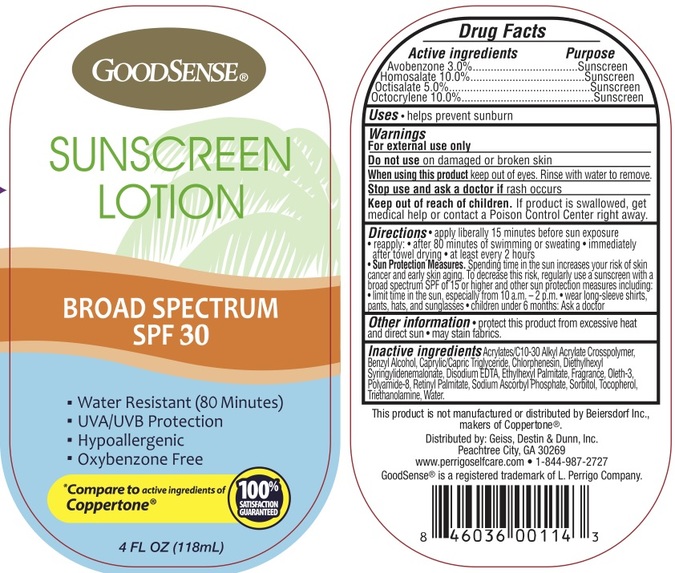
example of a nutrition label used
-
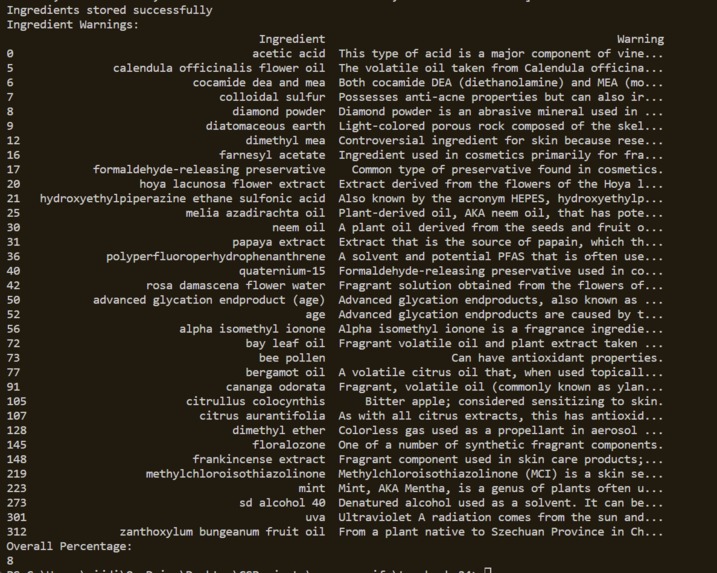
list of ingredients extracted from nutrition label
-
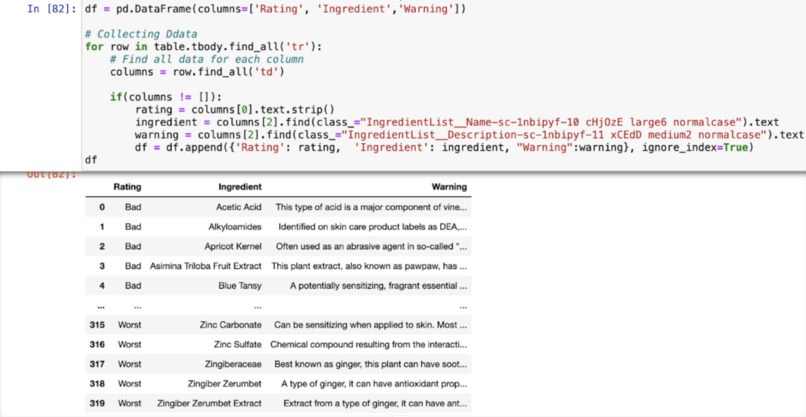
scraping to make database


Inspiration
Sunscreen & skincare are trending -- all of us use it but found that the process is extremely tedious. Having to double-check every single ingredient in our sunscreen is clearly unrealistic and overly time-consuming. We wanted to create something that could scan extensive databases and quickly narrow down lists of chemicals and reliably determine the safety of every sunscreen on the market.
What it does
Frontend is a react component that takes users’ information about skin type, skin tone, and condition, and submits that information through a form. This form is then sent to a Flask endpoint and from there submits the data to the backend server. From here the image is scanned for all the words on the nutrition label, and cross referenced with a database full of relevant chemicals to filter out filler words. Ingredients have a weight of -1 or -2, based on if they’re bad for you or the worst for you. For every questionable ingredient a sunscreen has that we’re able to garner from the nutrition label, it drops a rating. We also display all the negative ingredients and why they’re specifically bad for you.
How we built it
We split the work for Sunscreenify into the frontend and backend. We created a user flow on Figjam to plan out the flow of the website, and prototyped it on figma. We then transferred the layout to the frontend which mostly consisted of ReactJs and HTML. The backend was coded using Python, Flask, and SQLite databases.
Challenges we ran into
Realized the database we were scraping was dynamic and not static -- switched from just BS4 to Selenium. We had a difficult time resolving branch diversions and commit mismatches on GitHub Also had difficulty connecting all our separate components together (the React frontend, Flask, and the SQLite database) into one seamless application. It was particularly confusing determining the correct ports to use when connecting our frontend to Flask.
Accomplishments that we're proud of
Being able to process language and narrowing down to key chemicals from an image by comparing to a database
What we learned
How to webscrape tabular data and creating a SQLite database How to store an image into a Flask database Rendering text from an image
What's next for Sunscreenify
Because of the time crunch, we couldn’t fully connect the frontend and backend. With more time, Sunscreenify will be able to seamlessly connect between the react frontend and Flask and Python backend with the SQLite database. Particularly, we would have the table be displayed on the local host with the ingredient ratings from the image scanning (we have the data in the backend, we were just never able to connect it).


Log in or sign up for Devpost to join the conversation.