-
-

2D Platformer Demo
-
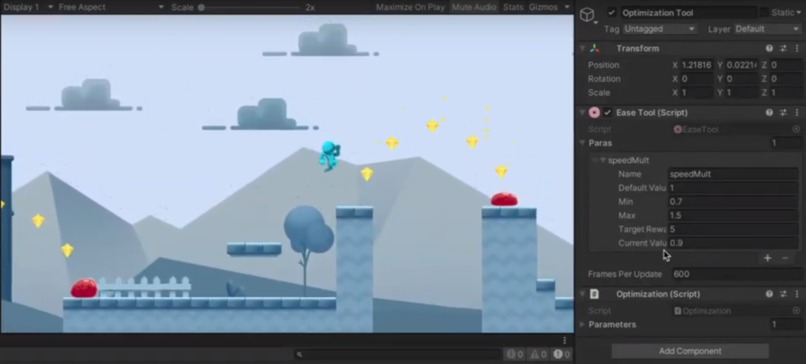
Plugin in the Unity editor
-
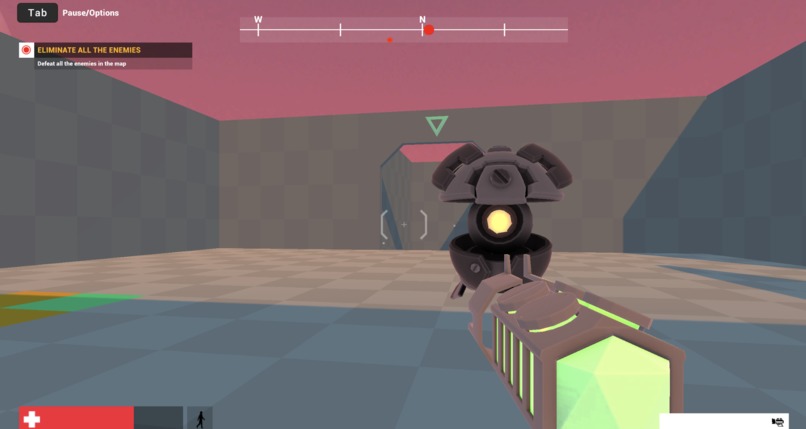
FPS Demo
-
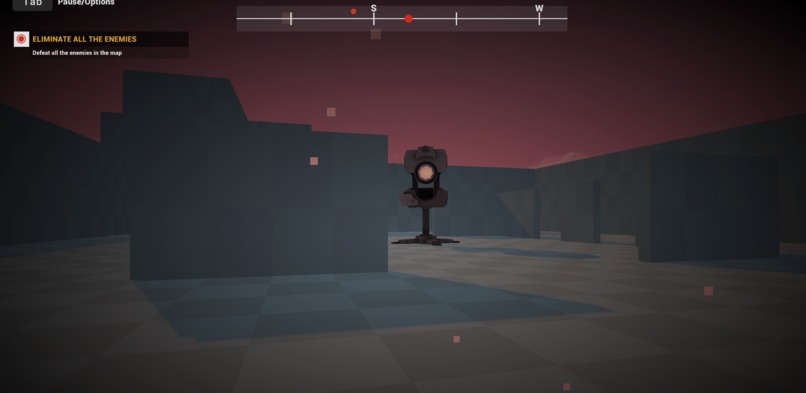
FPS Demo


(Demo room #56)
Inspiration
Accessibility in games has not progressed as much as it could. One major reason for this is the heavy resource investment needed to create accessibility settings that serve every player without sacrificing the game's enjoyability. Smaller game studios have even more trouble with this issue. Adding accessibility to games can be a costly process, especially for indie game developers that don't have a lot of resources and manpower. There is of course a simple way to add accessibility which is by reducing the difficulty of the game for those with accessibility needs. However, that destroy the challenges that make games fun in the first place. We wanted to fix this issue by somehow leveraging machine learning to make adding accessibility to games a lot easier to accomplish. What if with a simple plugin, game developers could automatically tailor their game mechanics to each individual player, making them accessible while following their creative intent?
What it does
Mechanic-Ease utilizes machine learning to fit the gameplay challenge to each person's disabilities:
1) it allows game developers to lay out game variables to use throughout their code
2) and learns from player behavior to automatically optimize these variables to meet the developer's intended player experience
For the sake of this demo, we focused on mechanics related to motor skill, such as jumping and running in a 2D platformer. These mechanics may normally give trouble to players with motor impairments. We also then extended this to a 3D FPS game with success.
How we built it
Frontend:
We built the two demo games and frontend using Unity3D.
Leveraging unity's UI libraries like EditorGUILayout, we were able to build out an interface that is intuitive to use for the developers.
Back end:
The plugin itself is built for the popular Unity game engine in C#. In the Unity Editor, developers can set variable names, constraints, and targets to match their creative intent. In their code, they simply have to reference these variables as desired and send data back to the plugin to evaluate the player performance. The plugin stores and processes all data for each parameter and interfaces with a Flask server in Python that handles the math and logic that optimizes each game variable through curve fitting.
Usage:
First run the Flask server. Then open the game in Unity and hit play to test it out!
Challenges we ran into
Integrating the the frontend and backend was a tricky task, however we managed to do so successfully. It was also difficult to let developers control variables in code through a GUI.
Accomplishments that we're proud of
We were able to implement machine learning model to adjust the game parameters
What we learned
We learnt about Bayesian Optimization, Q-Reinforcement Learning, and connecting the Flask server with the Unity Engine.
What's next for Mechanic-Ease
We would like to explore more advanced machine learning and optimization methods to give even better results and offer a better player experience. Additionally, we would like to see how this tool can be applied to other game genres, types of mechanics, and types of disabilities.
Additionally, this tool has the potential to be used for dynamic difficulty scaling and personalized gaming experiences for all players, not just for those in need of better accessibility.
Eventually, we would like to add more polish and convenience features to make this a proper plugin. For example, developers still have to write a minimal amount of code to read the updates from our plugin, but we could easily allow them to pass the variable references into our plugin so they don't have to write as much code. Once complete, we would love to release this tool so it can help as many developers and players as possible.


Log in or sign up for Devpost to join the conversation.