-
-
-
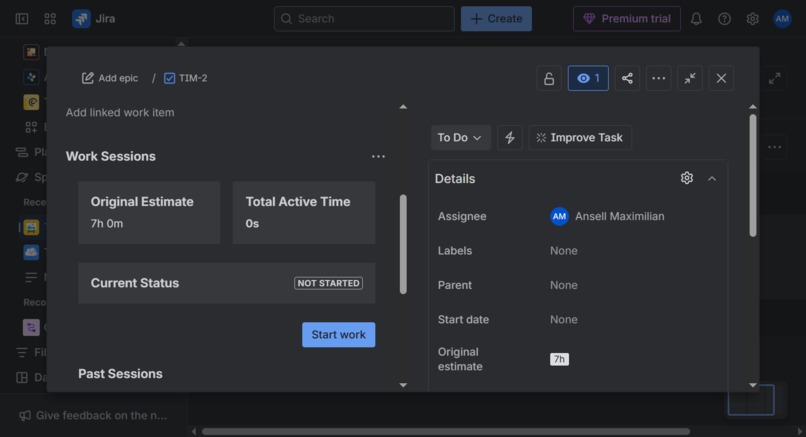
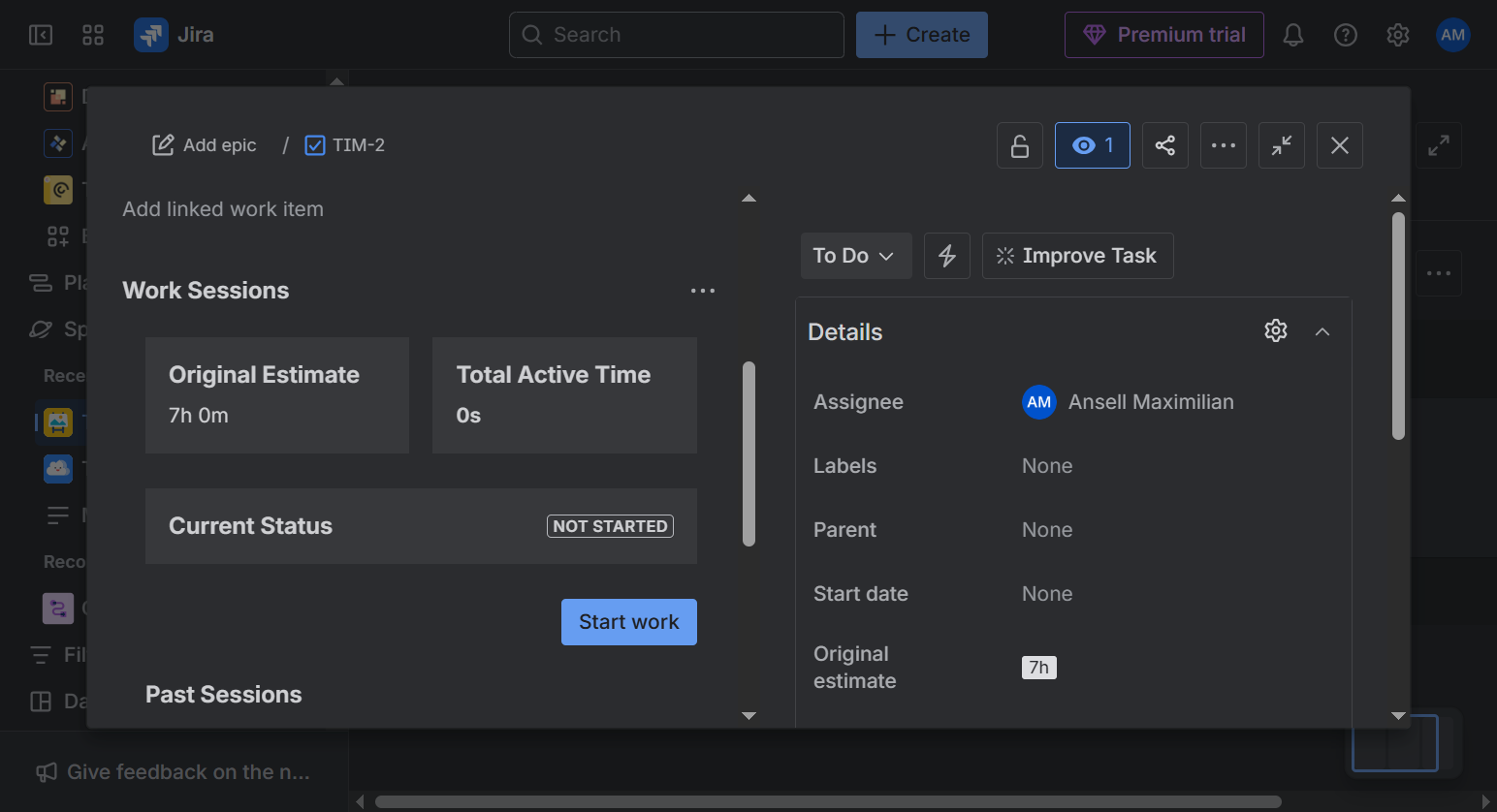
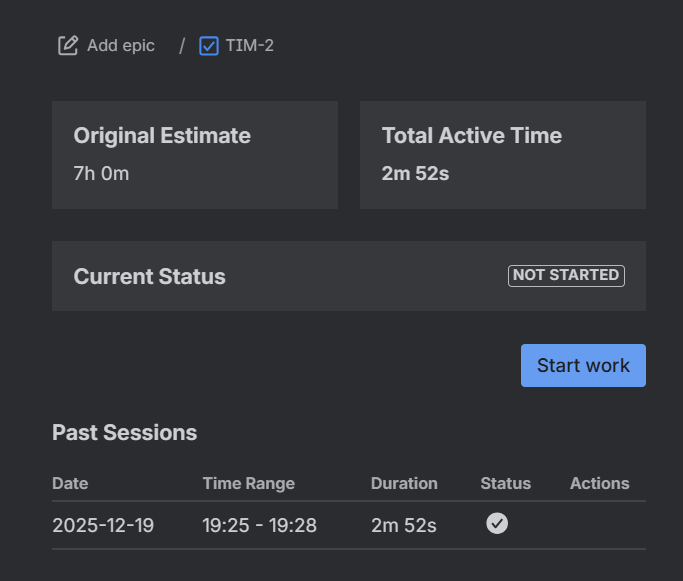
Work Session - Idle
-
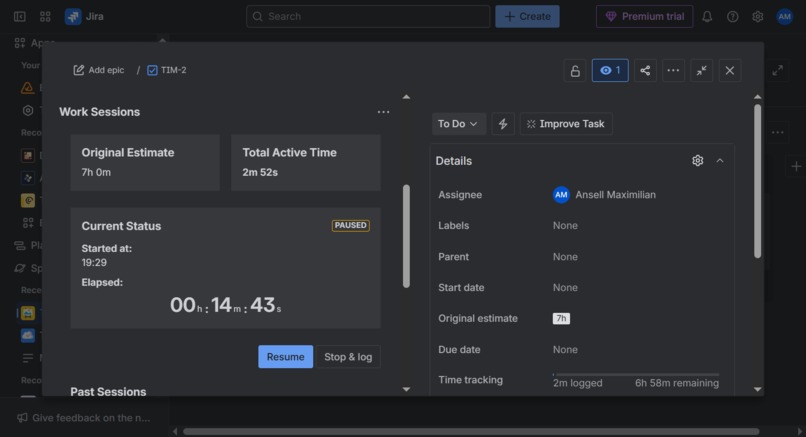
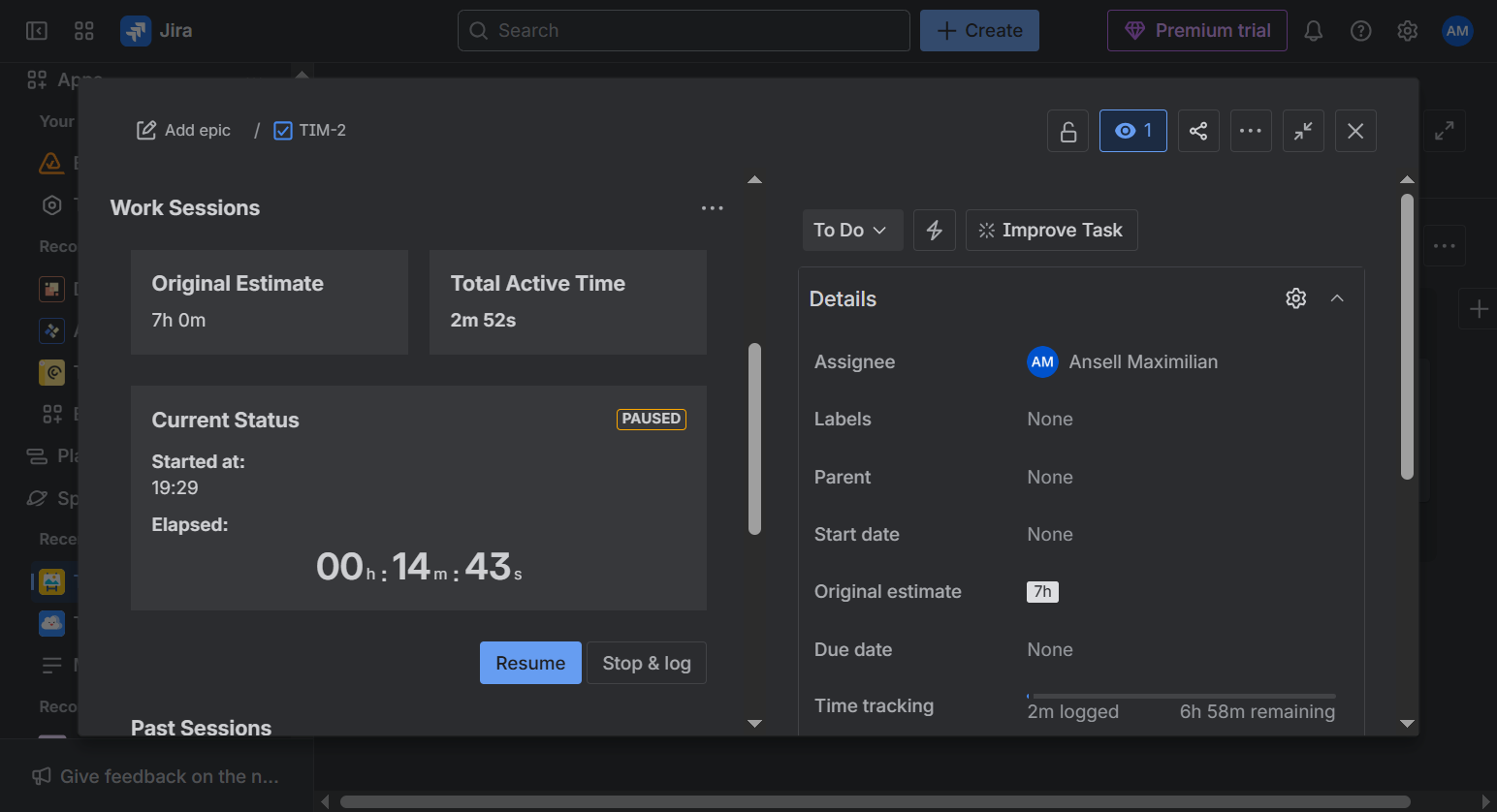
Work Session - Paused
-
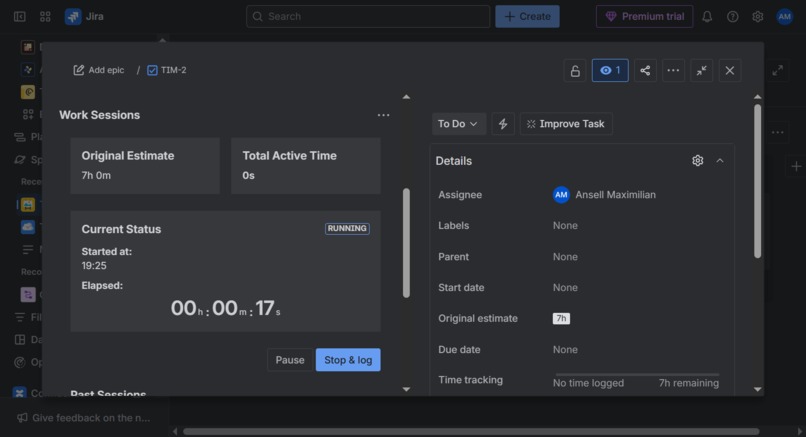
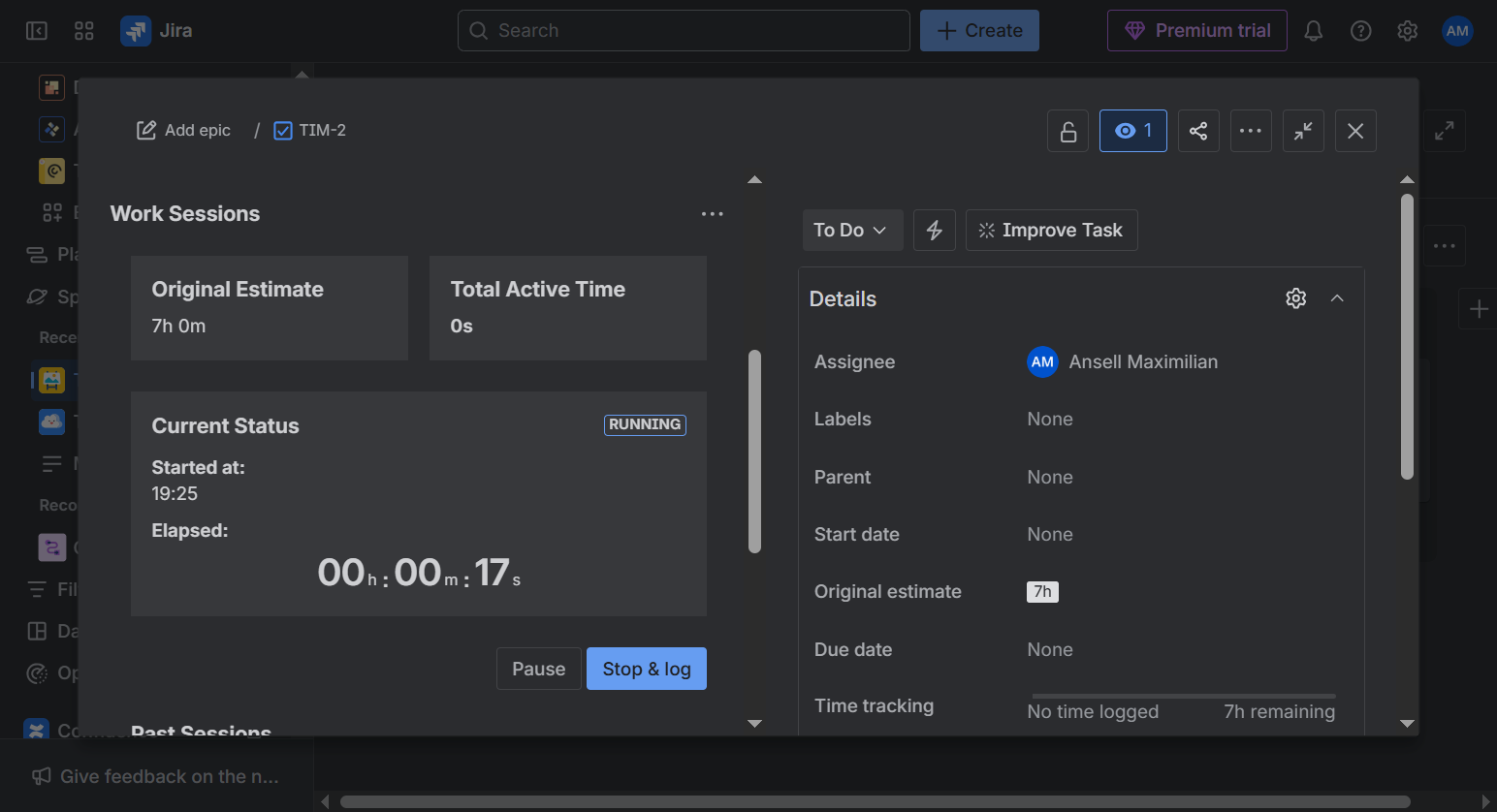
Work Session Running
-
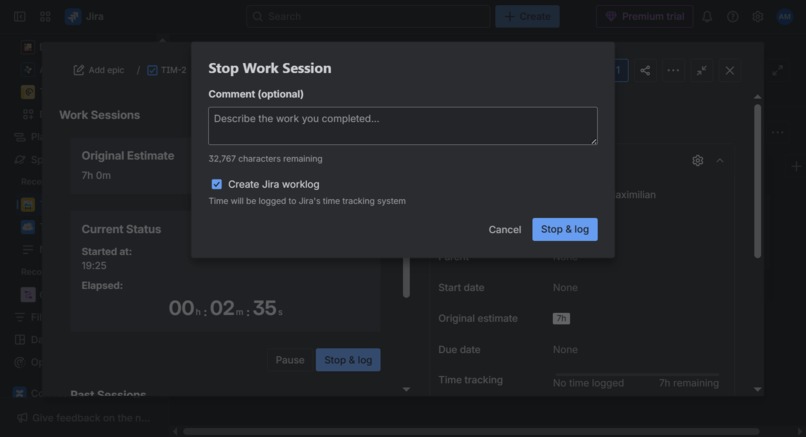
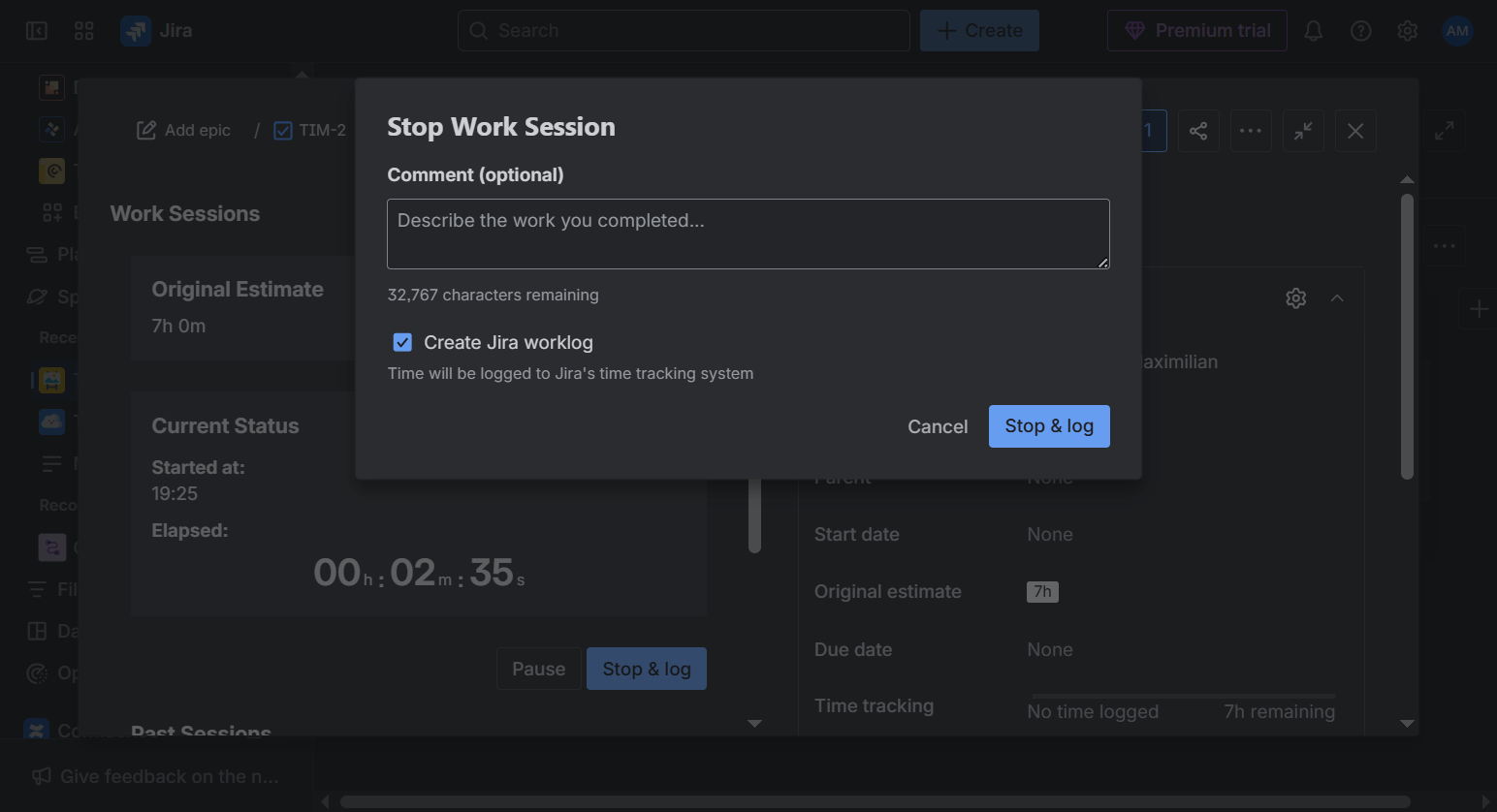
Stopping Work Session
-
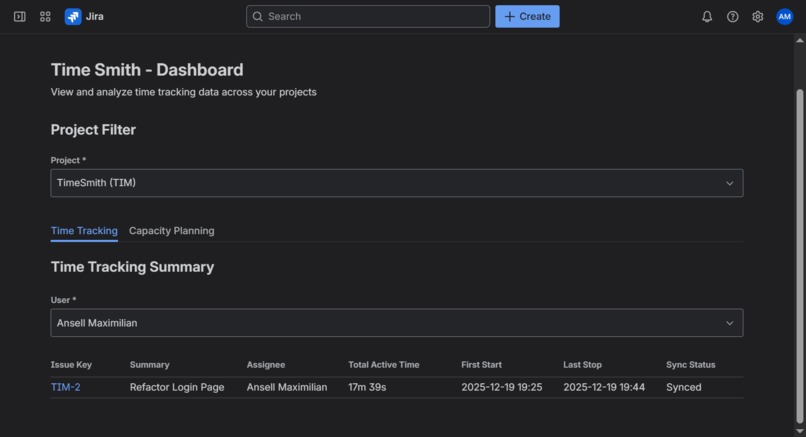
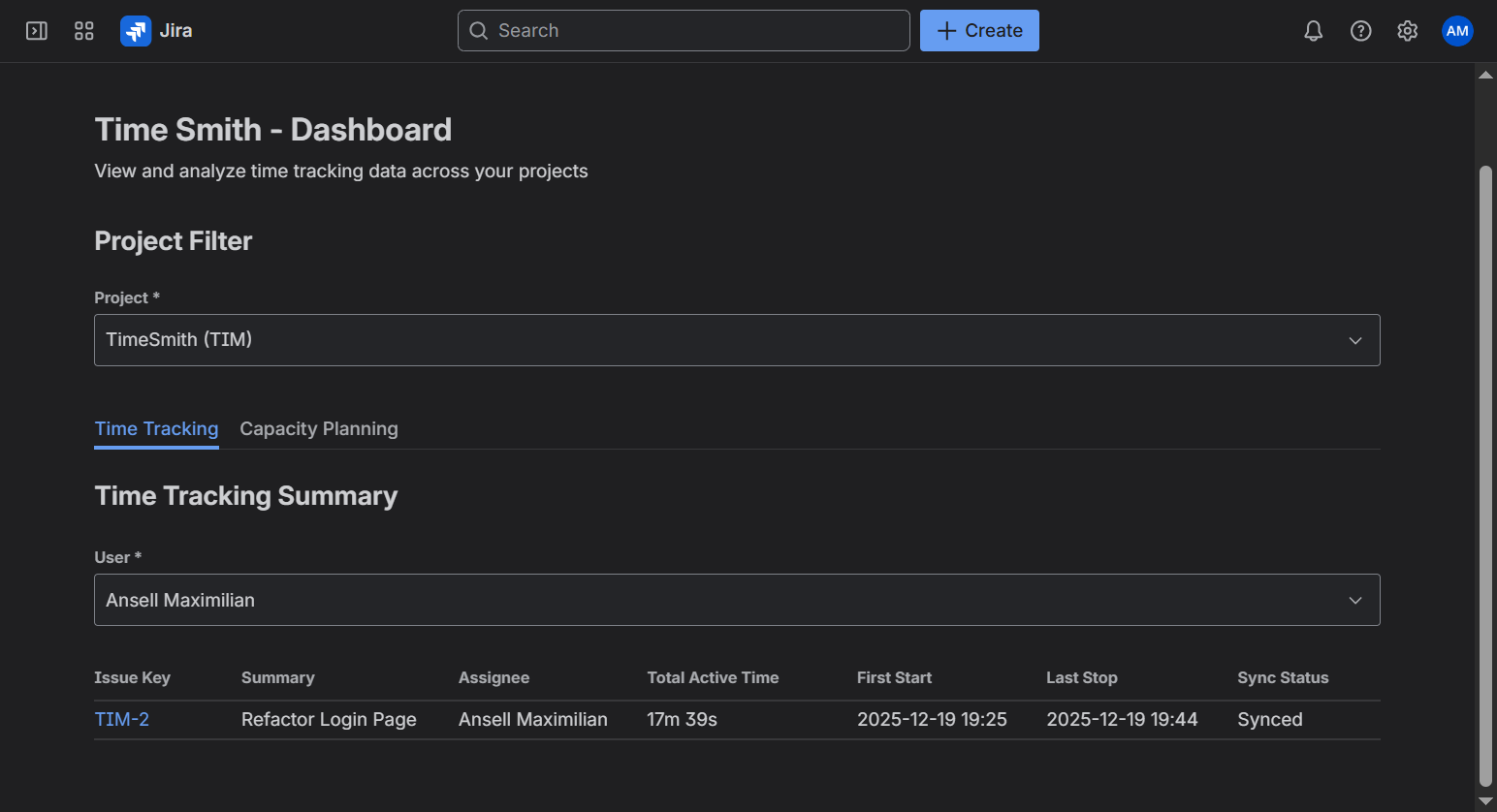
Dashboard - Time Tracking
-
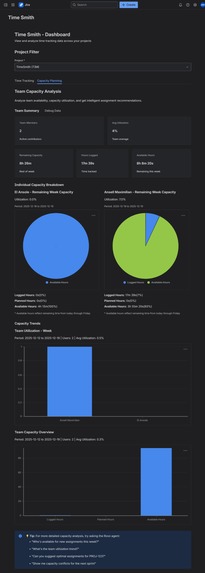
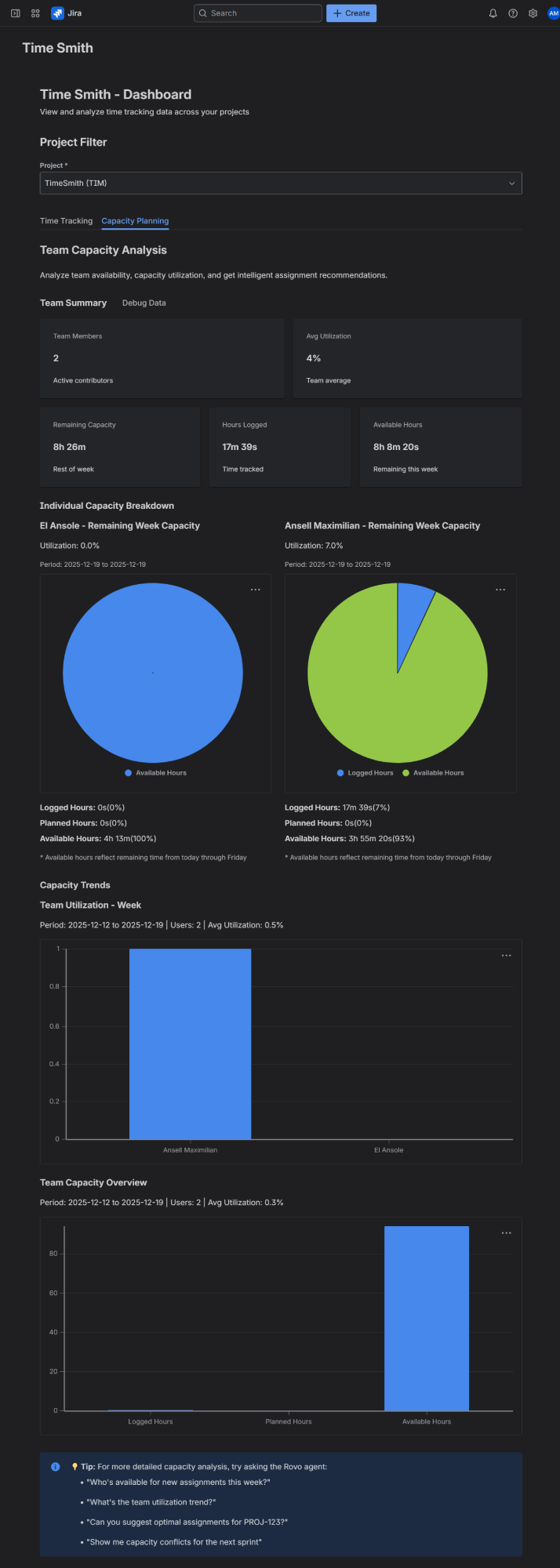
Dashboard - Team Capacity


Inspiration
Dev Side
Jira comes out of the box with optional fields that help teams track time: Original Estimate and Time Tracking. These do well enough -- great even! These extra fields are generic and simple on purpose. However, when time-tracking and logging becomes a core team workflow, these could get tedious.
Let's say you get assigned an issue with an original estimate of 8h (1 working day). You start working on it first thing in the morning. A couple of hours later, you take lunch break. After lunch you, you actually get pulled into a meeting. After the meeting do you finally start working on the task again until it's time to go home.
Before you go home, you remember that your PM wanted the team to actually start logging time on Jira, but oops! You remember you worked on it from morning to lunch break. But how long did that meeting last until you started working on the task again?? Even if you did figure it out, you'd have to merge those hours together. Like I said... tedious!
Admin/PM Side
Now on the other side, things can also get.. tedious... especially if your team tightly integrates the concept of "manhours", where each team member gets assigned work hours per day (usually 8h).
I've seen this first hand where some devs get assigned basically ZERO work because the PM thinks they're busy this week or sometimes forgetting they exist altogether! This might sound fun for the dev, but when your salary is tied to the amount of manhours you work, it sucks.
On the other hand, sometimes busy devs get assigned even more work way because the PM thinks they're free!
Time Smith Idea
This is why I created Time Smith. I chose Time Smith because the core metric of this application is... Time! And Smith comes from the fact that I used Forge to make this app.
What it does
Time Smith transforms Jira into a comprehensive time management platform with three core capabilities:
Real-Time Stopwatch Integration
A sleek stopwatch interface directly in Jira issues that tracks work sessions with start, pause, resume, and stop functionality. The stopwatch displays live elapsed time (HH:MM:SS format) and automatically creates Jira worklog entries when sessions end.
Add Work Sessions to the Issue Panel
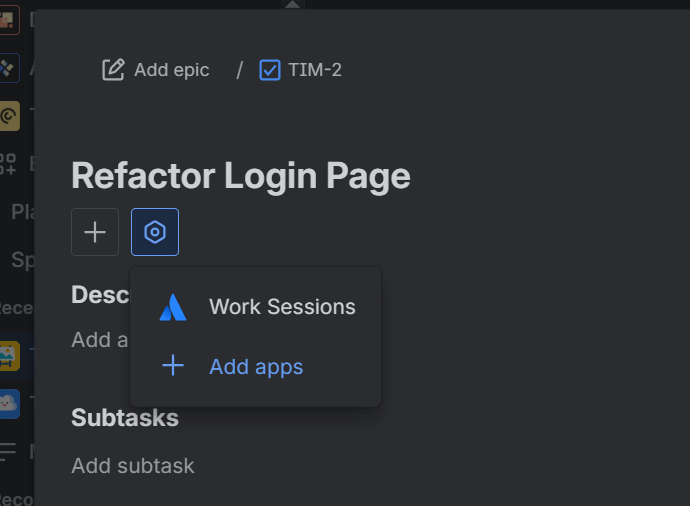
Work Session Issue Panel
Work Session - Running
Work Session - Paused
Work Session - Stopping
Viewing Past Sessions (Logged Hours)
Intelligent Manhour Dashboard
Visual capacity planning with time-aware calculations that show remaining weekly capacity, team utilization metrics, and capacity charts. The dashboard adjusts for current time and day, providing realistic "available hours" rather than theoretical full-week capacity.
Dashboard - Time Tracking
Dashboard - Team Capacity Analysis
AI-Powered Assignment Assistant**
A Rovo agent that analyzes team capacity, issue relationships, and historical work patterns to suggest optimal task assignments. It understands natural language queries like "Who's available for a 3-day task starting Monday?" and provides intelligent recommendations.
How we built it
Built entirely on the Atlassian Forge platform using modern web technologies:
Frontend: React with Atlassian UI Kit components for native Jira integration. Custom stopwatch component with real-time updates and responsive design that works seamlessly in Jira's sidebar.
Backend: Node.js resolvers handling session lifecycle management, Jira API integration, and capacity calculations. Implemented robust state machine validation for session transitions and comprehensive error handling with retry logic.
Storage: Forge Storage for session persistence with UUID-based session tracking and atomic write operations. Designed for reliability with automatic retry mechanisms and graceful degradation.
AI Integration: Rovo agent with natural language processing for capacity queries, intelligent assignment suggestions, and conversational capacity planning assistance.
APIs: Deep integration with Jira REST APIs for worklog creation, issue data retrieval, and project/user management while respecting Jira permissions and security models.
Challenges we ran into
Unfortunately, I couldn't test out the Rovo integration as thoroughly as possible, as I was not part of the rollout cycle during the duration of the hackathon.
On the bright side, it was only a secondary "quality of life" functionality and I did manage to complete the core features.
Accomplishments that we're proud of
- I tried to constrain myself to using UIKit to keep a cohesive look throughout the workflow. I think I managed to accomplish that pretty well. And I even created a pretty good looking stopwatch on the issue panel.
- Halfway into developing this, I actually started using Forge's MCP server along with Kiro (a new agentic IDE). And I have to say, I was very impressed! I stress tested the MCP just to see how comprehensive it is, and it definitely helped a ton.
Usually coding agents like these struggle with frameworks or tech that can be categorized as niche. I discovered that pretty early until I explicitly told the agent... "Hey, you have access to the Forge MCP. Use it."
Actually one of the best uses for that MCP was error identification and fixing. The MCP really provided a lot of context.
What we learned
I had created a Forge application prior to this (different app). However, I did not nearly explore as many features as I did during this one! It reinforeced my prior notion on how complete Forge is in terms of integrating with its intended apps. It really does feel like a complete toolkit for making extensions.
What's next for Time Smith
I'd really like to improve upon the Rovo integration, to make sure it works flawlessly.
For new features, I definitely want to keep it within the "Time" theme:
- Overtime detection
- Rovo recommendations for which users should get assigned to which tasks by intellegently comparing available manhour capacity and original estimates


Log in or sign up for Devpost to join the conversation.