-
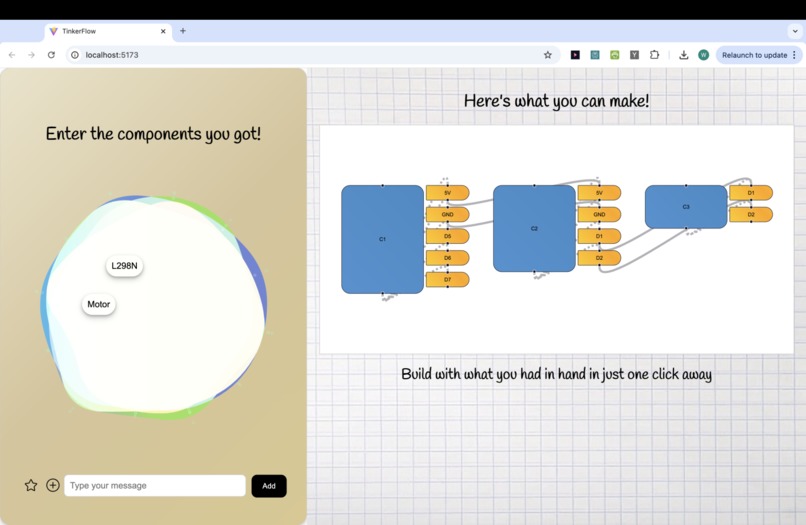
Home Page
-
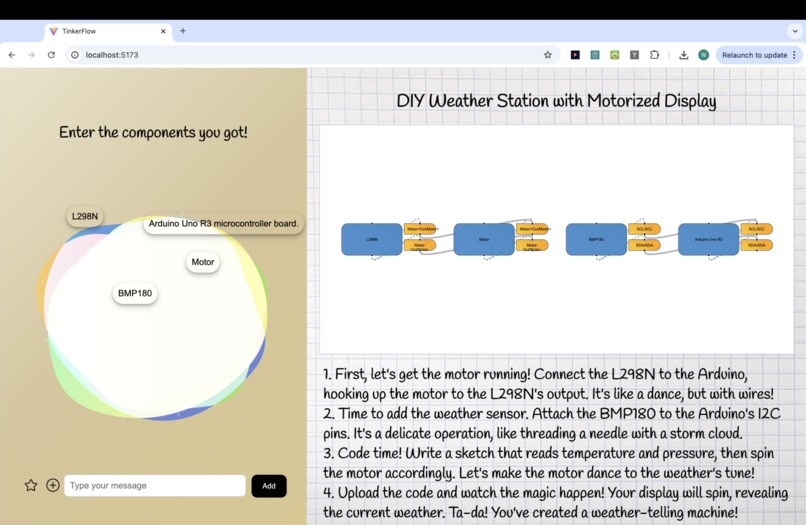
DIY Weather Station with Motorized Display
-
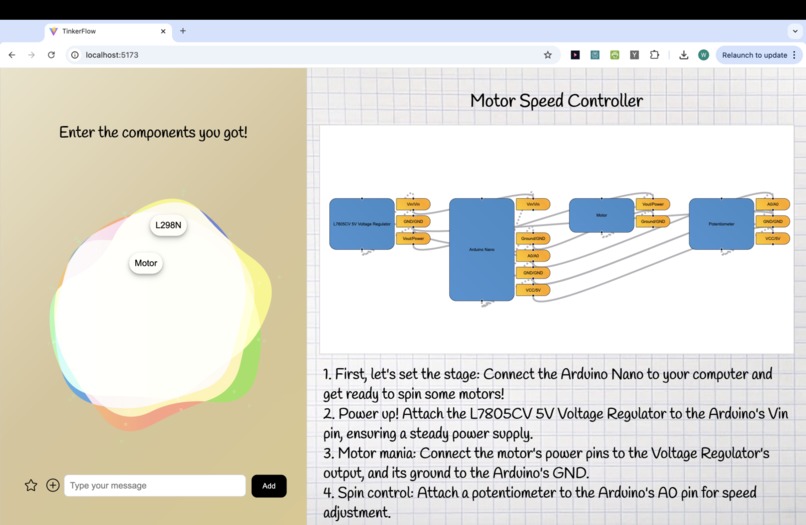
Motor Speed Controller


Inspiration
We, as passionate tinkerers, understand the struggles that come with making a project come to life (especially for begineers). 80% of U.S. workers agree that learning new skills is important, but only 56% are actually learning something new. From not knowing how electrical components should be wired, to not knowing what a particular component does, and what is the correct procedure to effectively assemble a creation, TinkerFlow is here to help you ease this process, all in one interface.
What it does
-> Image identification/classification or text input of available electronic components -> Powered by Cohere and Groq LLM, generates wiring scheme and detailed instructions (with personality!) to complete an interesting project that is possible with electronics available -> Using React Flow, we developed our own library (as other existing softwares were depreciated) that generates electrical schematics to make the fine, precise and potentially tedious work of wiring projects easier. -> Display generated text of instructions to complete project
How we built it
We allowed the user to upload a photo, have it get sent to the backend (handled by Flask), used Python and Google Vision AI to do image classification and identify with 80% accuracy the component.
To provide our users with a high quality and creative response, we used a central LLM to find projects that could be created based on inputted components, and from there generate instructions, schematics, and codes for the user to use to create their project. For this central LLM, we offer two options: Cohere and Groq. Our default model is the Cohere LLM, which using its integrated RAG and preamble capability offers superior accuracy and a custom personality for our responses, providing more fun and engagement for the user. Our second option Groq though providing a lesser quality of a response, provides fast process times, a short coming of Cohere. Both of these LLM's are based on large meticulously defined prompts (characterizing from the output structure to the method of listing wires), which produce the results that are necessary in generating the final results seen by the user.
In order to provide the user with different forms of information, we decide to present electrical schematics on the webpage. However during the development due to many circumstances, our group had to use simple JavaScript libraries to create its functionality.
Challenges we ran into
- LLM misbehaving: The biggest challenge in the incorporation of the Cohere LLM was the ability to generate consistent results through the prompts used to generate the results needed for all of the information provided about the project proposed. The solution to this was to include a very specifically defined prompts with examples to reduce the amount of errors generated by the LLM.
- Not able to find a predefined electrical schematics library to use to generate electrical schematics diagrams, there we had start from scratch and create our own schematic drawer based on basic js library.
Accomplishments that we're proud of
Create electrical schematics using basic js library. Create consistent outputting LLM's for multiple fields.
What we learned
Ability to overcome troubles - consistently innovating for solutions, even if there may not have been an easy route (ex. existing library) to use - our schematic diagrams were custom made!
What's next for TinkerFlow
Aiming for faster LLM processing speed. Update the user interface of the website, especially for the electrical schematic graph generation. Implement the export of code files, to allow for even more information being provided to the user for their project.
Built With
- cohere
- flask
- google-vision-ai
- groq
- javascript
- langchain
- python
- react
- react-flow




Log in or sign up for Devpost to join the conversation.