-
Logo
-
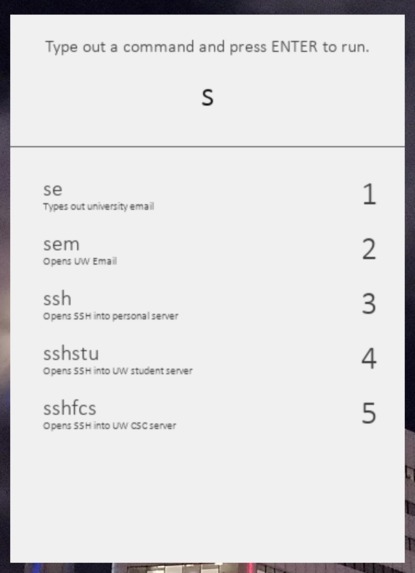
Command UI open with suggestions
-
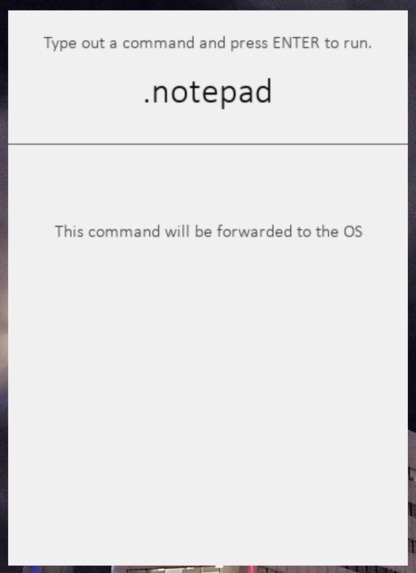
Starting a command with a '.' will forward it to the OS
-
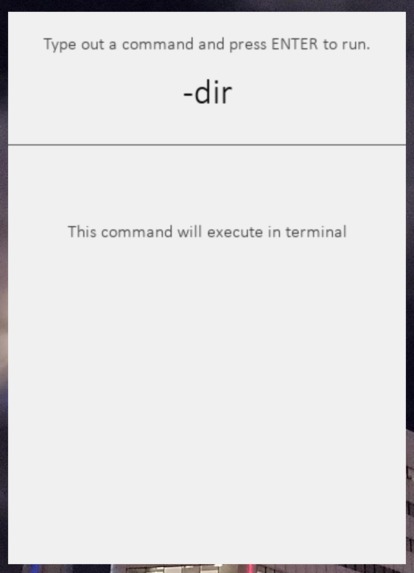
Starting a command with a '-' will forward it to Terminal


Inspiration
Nobody likes to repeat something over and over again. But there is no OS that natively supports automating tasks with a simple shortcut or command. TotalControl aims to solve this problem. Windows has the Run dialog, Mac has spotlight search, and Linux has command aliases. TotalControl aims to bring the best of all three worlds to a cross-platform desktop app.
What it does
The program runs in the background and opens a window (similar to the Mac spotlight search) when a keyboard shortcut is pressed. This window allows you to enter a command. While you are typing the command, suggestions will be shown for how to complete it. When a command is typed out and the Enter key is pressed, the program can perform a certain task based on the command. The available commands and other configuration options can be viewed or changed in a JSON file.
How I built it
The program is made with Python. The UI is made with PyGame because none of the GUI frameworks (Tkinter, Wxwidgets, Etc.) had all the features that I wanted (namely, windows without title bars, and the ability to keep all the graphics in a separate thread from the shortcut listener). The range of tasks that can be performed is virtually limitless, as you can do anything Python can do. For the demo, I have created simple tasks like opening browser windows or typing out long strings of text, but those are nowhere near the full capabilities.
Challenges I ran into
I spent about 5 hours figuring out how to make a borderless window and bring it to the front. Since no GUI frameworks had all the features I was looking for, I had to use PyGame. That came with its own set of challenges, as rendering text on the screen was much harder.
Accomplishments that I'm proud of
I created a fully native desktop app, rather than bodging together a web-based app. This would be necessary as the intention of this program is to let it run in the background. This resulted in the app being very lightweight when idle, using zero CPU and only 30 MB of RAM.
What I learned
Although I used PyGame before, this was the first time I used it to make a full-fledged project, and I learnt a lot about it. I also learnt a lot about other GUI frameworks because I spent multiple hours playing around with them and testing them out.
What's next for TotalControl
I must admit that even though it works perfectly, the current version of the program is still very much a bodge, and is nowhere near as efficient as it can be. As I am currently learning C in university, I plan to do a complete rewrite in C or C++ when I get the time, as this will allow it to be more native and thus use much less resources while also making it easier to compile and distribute. Another thing to change is the way it searches through the pre-configured commands. This is fine now because there aren't that many commands, but in order to make it scale well, a good idea would be to store the commands in a data structure like a Trie, which would make it much faster to search through the commands list. Finally, I would like to make an online repository where people can create, share and download more complex commands, so there is no need to make everything yourself or spend hours searching different websites.


Log in or sign up for Devpost to join the conversation.