-
-
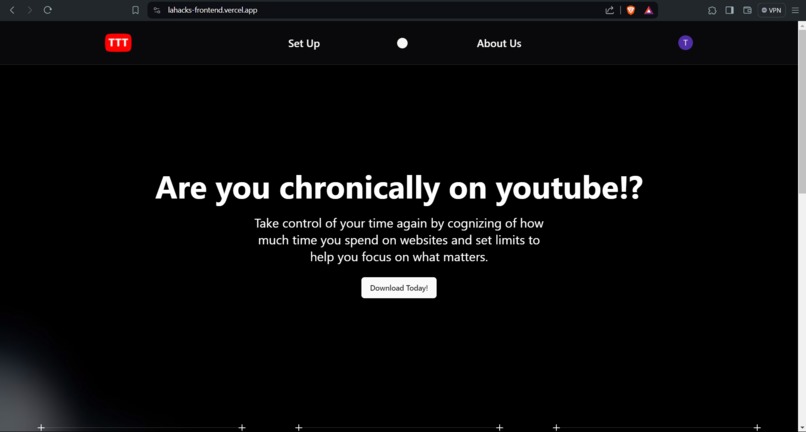
Our Website
-
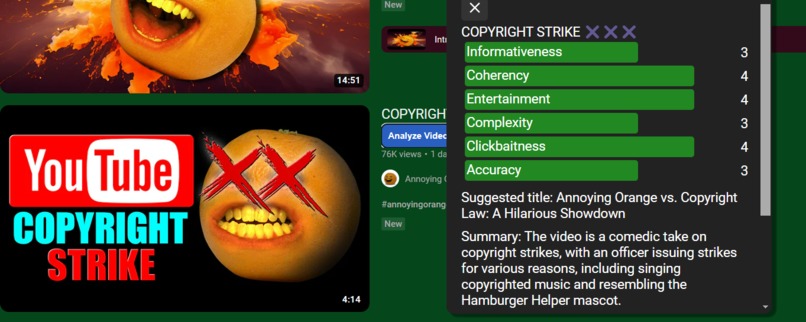
Video Analyzer
-
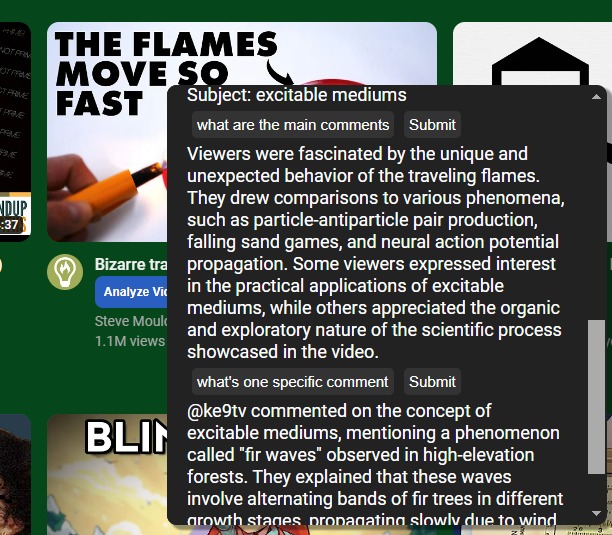
Question Follow-up


TubeTasTic is meant to redefine how people use YouTube. In the present day, video recommendations are based on a black-box algorithm and marketing made to entice you to watch something that might not actually be there. We intend to change this by allowing users to gain insight about the video before they watch it.
Inspiration
Applications like Twitch and YouTube inspired us to create a space where the users had a better experience by knowing about the content they consumed.
What it does
This product is a chrome extension that leverages YouTube functionality as a high-quality video platform. We brought more focused and valuable entertainment to the users. We provide 2 main features: Video analysis and focus mode.
Video analysis: Using AI to analyze the video content and provide a summary of the video. The app first collects video transcript, metadata, and a collection of the top comments, then passes this collection to Google’s Gemini 1.5 Pro model to create a summary and evaluate the video on several metrics so users are able to make a more informed decision. The app also detects clickbait and inappropriate content to help users avoid wasting time on low-quality videos.
Focus mode: This feature helps users to focus on the video content by hiding everything but the video. It is useful when users want to focus solely on the video content and avoid distractions. We also have a computer vision model to keep track of users' condition and provide advice when users are distracted, such as taking a walk or drinking water.
How we built it
We built this project using TypeScript because it allowed us to accelerate our development with autocomplete and helpful compilation errors. We used a caption scraping library to get captions and Notes: Google Gemini API, youtube-captions-scraper on NPM, TypeScript,
Challenges we ran into
When trying to get the number of likes a YouTube video had based on the current video ID, we ran into trouble trying to get the information through web scraping. We tried many different methods, including finding the element from HTML through QuerySelector. However, this resulted in failure. Luckily Tam was able to find a method to get the number of likes on a video through StackOverflow. We kept receiving CORS violation responses when attempting to fetch the captions in the injected script. To solve this, we had to send messages to a background service worker who could then reply with the transcripts asynchronously.
Accomplishments that we're proud of
None of us have ever made a chrome extension, so we were really proud to develop one!
What we learned
I am inexperienced with JavaScript, so implementing this project was not easy. Regardless, I am glad I learned a lot. - Leah Sun Using Gemini 1.5 API, I realized that creating an AI application isn’t as difficult as I thought. - Tam Nguyen Drizzle and TRPC are a bit difficult when combined and I have been super molly coddled by TailwindCSS to add regular CSS - Priyansh Shah Don’t create complicated elements by manually manipulating the DOM 😭 - Benjamin Cates
What's next?
Most likely we will publish the extension on the Chrome Web Store, however this requires us to pay a $5 fee so we will pay later.
Features we could implement: Visual processing using Gemini’s multimodal capabilities to extract more data from the video. Analyzing attention using Google’s Teachable Machine so users know when they are getting distracted and it can direct them back to the video. Regular reminders to take breaks so users don’t spend too much time watching YouTube videos and are more cognizant of their time management.
Built With
- clerk
- css
- drizzle-kit
- gemini-api
- html
- javascript
- next.js
- postgresql
- supabase
- tailwindcss
- trpc
- typescript
- vercel
- youtube


Log in or sign up for Devpost to join the conversation.